
概要
の続き。
指摘対応
レビュー指摘
エラーハンドリングの追加について、2件指摘があった。
指摘の通りなので、修正する。
スクリプトの実行
./scripts/ci/check_compliance.py
の実行が漏れていた。
指摘は、1行のMAX文字数と、タブとスペースについてだった。
指摘が出なくなるまで行う。
直前のコミットに対するチェックなので、PR対象のコミットをするたびにチェックすること。
コミット前チェックなら以下が効果的。
clang-format --dry-run --Werror ファイル名
再push
新しいコミットを作らない。
以下のようにamendで対応する。
Signed-off-byを追加する場合は-sオプションを使う。
git add 対象
git commit --amend
./scripts/ci/check_compliance.py -c upstream/main..HEAD
git push --force-with-lease origin prのブランチ
これでPRのコミット内容が変わり、CIツールが再度動く。
CIの指摘対応
CIのスクリプトの実施状況を見る
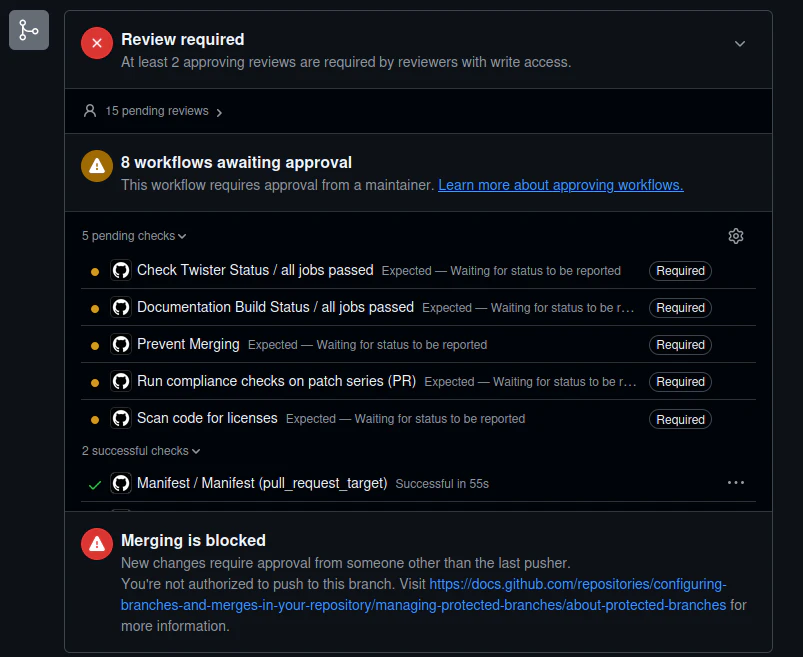
私の場合は、
Signed-off-byの名前と、コミット者のユーザ名(Author)が合ってないという指摘があった。
.gitconfigのユーザ名を変えて、再プッシュと同様に
git commit --amend --reset-author -s

Author: name <xxx@example.com>
Signed-off-by: name <xxx@example.com>
に直して保存

git push --force-with-lease origin <ブランチ名>
とする。複数コミットがある場合はrebaseで対応する。
追加指摘対応
CIチェックがすべてOK担った後、
レビュワーから
「コミットは目的ごとに分けるように」
と指摘が合った。
今回は、
drivers: pwm: esp32: fix MCPWM prescaler values
boards: espressif: esp32c5_devkitc: enable MCPWM
で分ける
git reset HEAD^  ←今回は1つだけのコミットなのでこうする
git status
git add drivers/pwm/pwm_mc_esp32.c
→1つ目のコミット対象
git commit -s
→コミット本文を書いてセーブ

./scripts/ci/check_compliance.py

git add 残り
git commit -s
→コミット本文を書いてセーブ

./scripts/ci/check_compliance.py

git push --force-with-lease origin PRのブランチ
これで、PRのCommitタグに意図したコミットに分けられていたらOK
コンフリクト対応
CIツールで、
This branch has conflicts that must be resolved
と出た。
PRに時間がかかったので、コンフリクトが起きた。
早速解消する
git fetch upstream
git rebase upstream/main

コンフリクトが起きているファイルをエディタで開く

<<<<<<< HEAD
upstream/main 側
=======
あなたのコミット側
>>>>>>> ...

修正したらwest buildでビルドエラーが無いことを確認

git add <修正したファイル>
git rebase --continue
→コンフリクトが起きたら対応の繰り返し。コンフリクトが起きなくなったらコミットメッセージを保存する。

git push --force-with-lease origin PRのブランチ
ここまで対応したので、引き続きマージされるまでウォッチ継続。