
概要
Cheep Yellow Displayと呼ばれる、黄色いボードにESP32とTFTタッチパネルが付いたボードで遊ぶ
購入〜起動してみる
楽天の期間限定ポイントが余っていたので、適当に探して以下を購入した。
後で調べると、これはCheep Yellow Display(CYD)という有名?なボードらしい。
上記サイトより、アマゾンのほうが若干安いように思うし、アリエクのほうが断然安い。
が、届いた商品には技適が付いてたので、ちょっと高くても日本の輸入代行をはさむほうが安全。
届いたのを開封して、起動したら、商品説明と違う。。
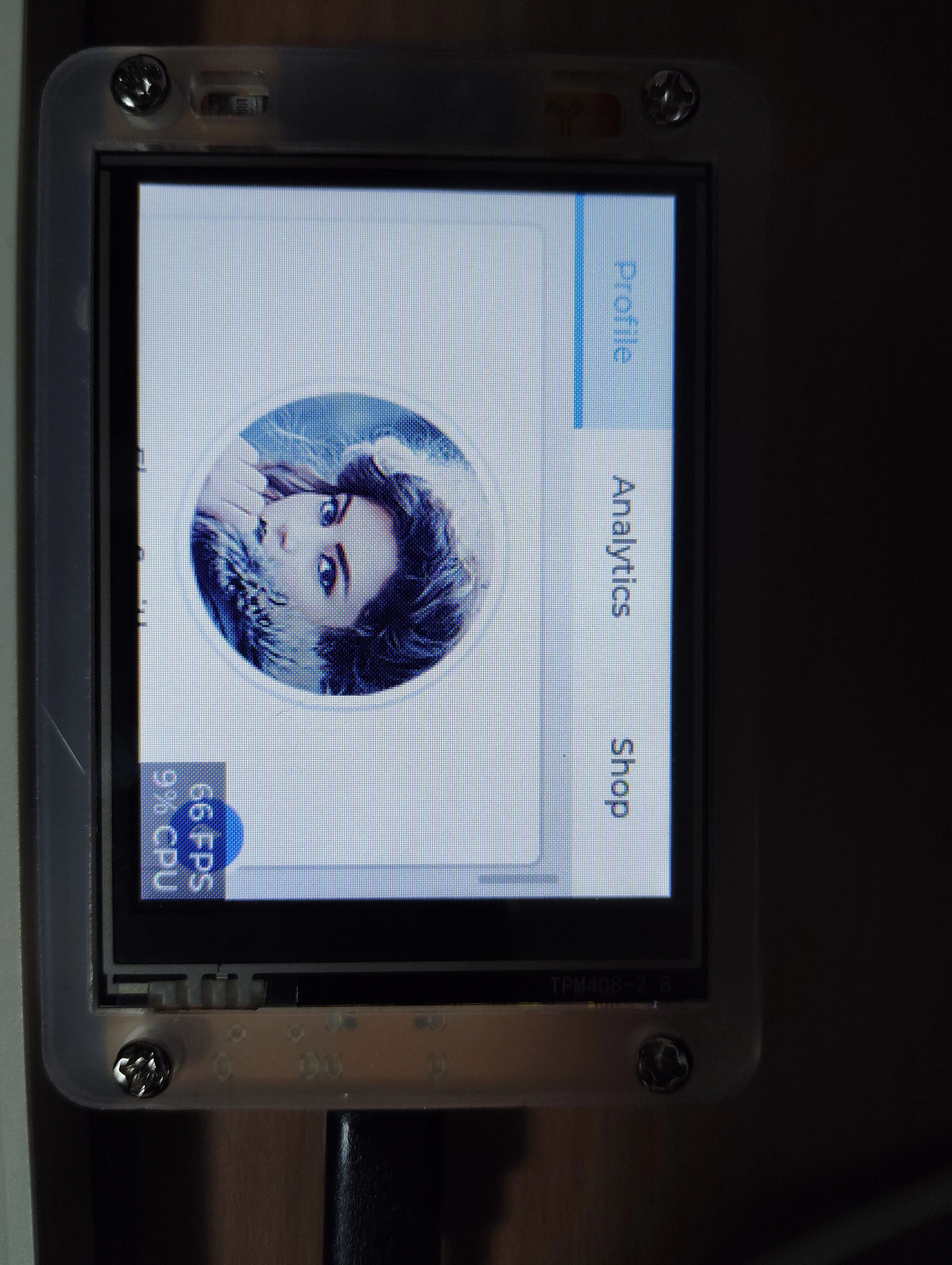
そもそも画面の縁のパーツも透明じゃないし。
でも、工作精度はそこそこだし、タッチパネルもちゃんと動く。もっさりしてるけど。
初期トラブルはなしと判断。
バックアップ
UbuntuにUSB Type-cで挿すだけで給電に加えて、デバイス/dev/ttyUSB0を認識した。
$ udevadm info -n /dev/ttyUSB0 -q property

ID_USB_DRIVER=ch341
ということで、ch341のドライバが入ってればいいみたい。
このデバイスをAruduino IDEでシリアルモニタを出してシリアル(115200)が動いた。
タッチするとXY座標を表示してくれる。
念の為、esptoolでこのイメージを吸い出しておく。
$ source ./venv/bin/activate
(venv)$pip install --upgrade pip
(venv)$pip install esptool
(venv)$esptool --port /dev/ttyUSB0 flash-id

esptool v5.2.0
Connected to ESP32 on /dev/ttyUSB0:
Chip type:          ESP32-D0WD-V3 (revision v3.1)
Features:           Wi-Fi, BT, Dual Core + LP Core, 240MHz, Vref calibration in eFuse, Coding Scheme None
Crystal frequency:  40MHz
MAC:                :::::

Stub flasher running.

Flash Memory Information:
=========================
Manufacturer: 68
Device: 4016
Detected flash size: 4MB
Flash voltage set by a strapping pin: 3.3V

Hard resetting via RTS pin...
Aruduino IDEのシリアルモニタを閉じていないと
A fatal error occurred: Could not open /dev/ttyUSB0, the port is busy or doesn't exist.
([Errno 16] could not open port /dev/ttyUSB0: [Errno 16] Device or resource busy: '/dev/ttyUSB0')
と怒られるので注意。
以下で吸い出し
(venv)$esptool --port /dev/ttyUSB0 read-flash 0x00000 0x400000 cyd_dump.bin
Configuring flash size...
Read 4194304 bytes from 0x00000000 in 392.6 seconds (85.5 kbit/s) to 'cyd_dump.bin'.

(venv)$strings cyd_dump.bin | less
「Hello Arduino! 」「I am LVGL_Arduino」
みたいなそれっぽい文字列が見える
無事吸い出せたので、心置きなく書き換える。
何かあれば、以下で書き直す。
esptool --port /dev/ttyUSB0 write-flash 0x00000 cyd_dump.bin
サンプル書き込み
libraryのインストールで、TFT_eSPIをインストールする。
その後、ChatGPTで作ったサンプルを書いてみる
#include <TFT_eSPI.h>
#include <WiFi.h>
#include <TimeLib.h>

TFT_eSPI tft = TFT_eSPI();  // TFTインスタンス

const char* ssid     = "YOUR_SSID";
const char* password = "YOUR_PASS";

void setup() {
  Serial.begin(115200);

  // TFT 初期化
  tft.init();
  tft.setRotation(1);

  // バックライト ON(もし制御ピンがある場合)
  pinMode(TFT_BL, OUTPUT);
  digitalWrite(TFT_BL, HIGH);

  // 背景
  tft.fillScreen(TFT_BLACK);

  // Wi-Fi 接続
  WiFi.mode(WIFI_STA);
  WiFi.begin(ssid, password);

  // タイトル
  tft.setTextSize(3);
  tft.setTextColor(TFT_YELLOW, TFT_BLACK);
  tft.setCursor(10, 10);
  tft.print("HOME");

  // 左バー
  tft.fillRect(0, 60, 80, 220, TFT_BLUE);

  // Wi-Fi 状態枠
  tft.drawRect(10, 80, 60, 60, TFT_WHITE);

  // 時刻表示枠
  tft.drawRect(10, 160, 60, 60, TFT_WHITE);
}

void loop() {
  // Wi-Fi 状態表示
  tft.setTextSize(2);
  tft.setTextColor(TFT_WHITE, TFT_BLUE);

  if (WiFi.status() == WL_CONNECTED) {
    tft.setCursor(15, 90);
    tft.print("WiFi");
    tft.setCursor(15, 110);
    tft.print("OK");
  } else {
    tft.setCursor(15, 90);
    tft.print("No");
    tft.setCursor(15, 110);
    tft.print("WiFi");
  }

  // 現在時刻表示
  tft.setTextSize(2);
  tft.setTextColor(TFT_GREEN, TFT_BLACK);

  int hr = hour();
  int mn = minute();
  int sc = second();
  tft.fillRect(100, 80, 200, 60, TFT_BLACK);  // 直前描画消去
  tft.setCursor(100, 80);
  tft.printf("%02d:%02d:%02d", hr, mn, sc);

  delay(1000);
}
書き込みはできたが、CYDの画面は真っ黒になった。
どうもTFT_eSPIの設定がCYD2.8inch用になっていない様子。
Arduino環境のlibraries/TFT_eSPI/User_Setup.hの以下のPINが合うように、編集する
○Before
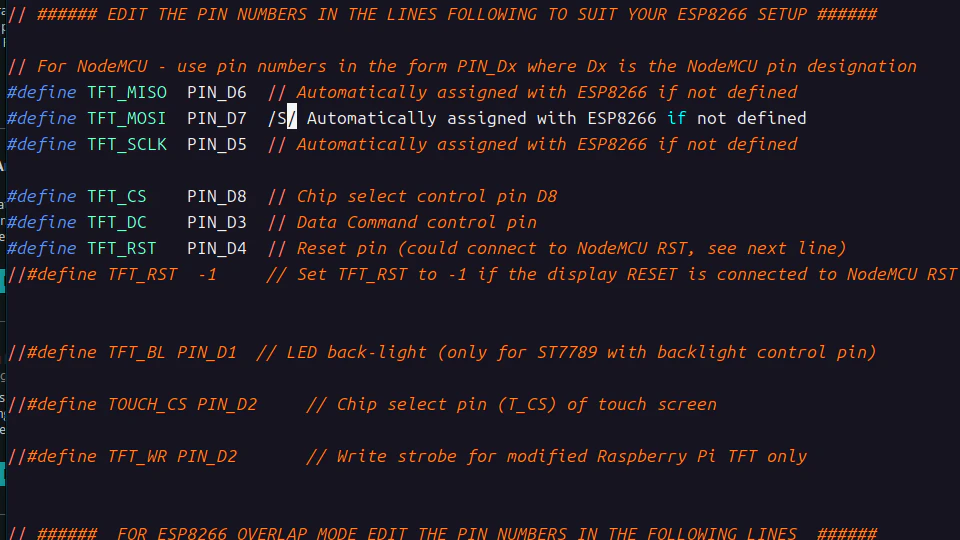
○After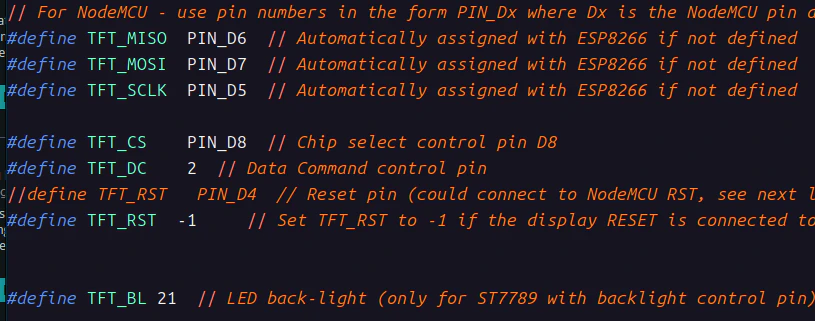
再度sketchをCYDへアップしてみる。
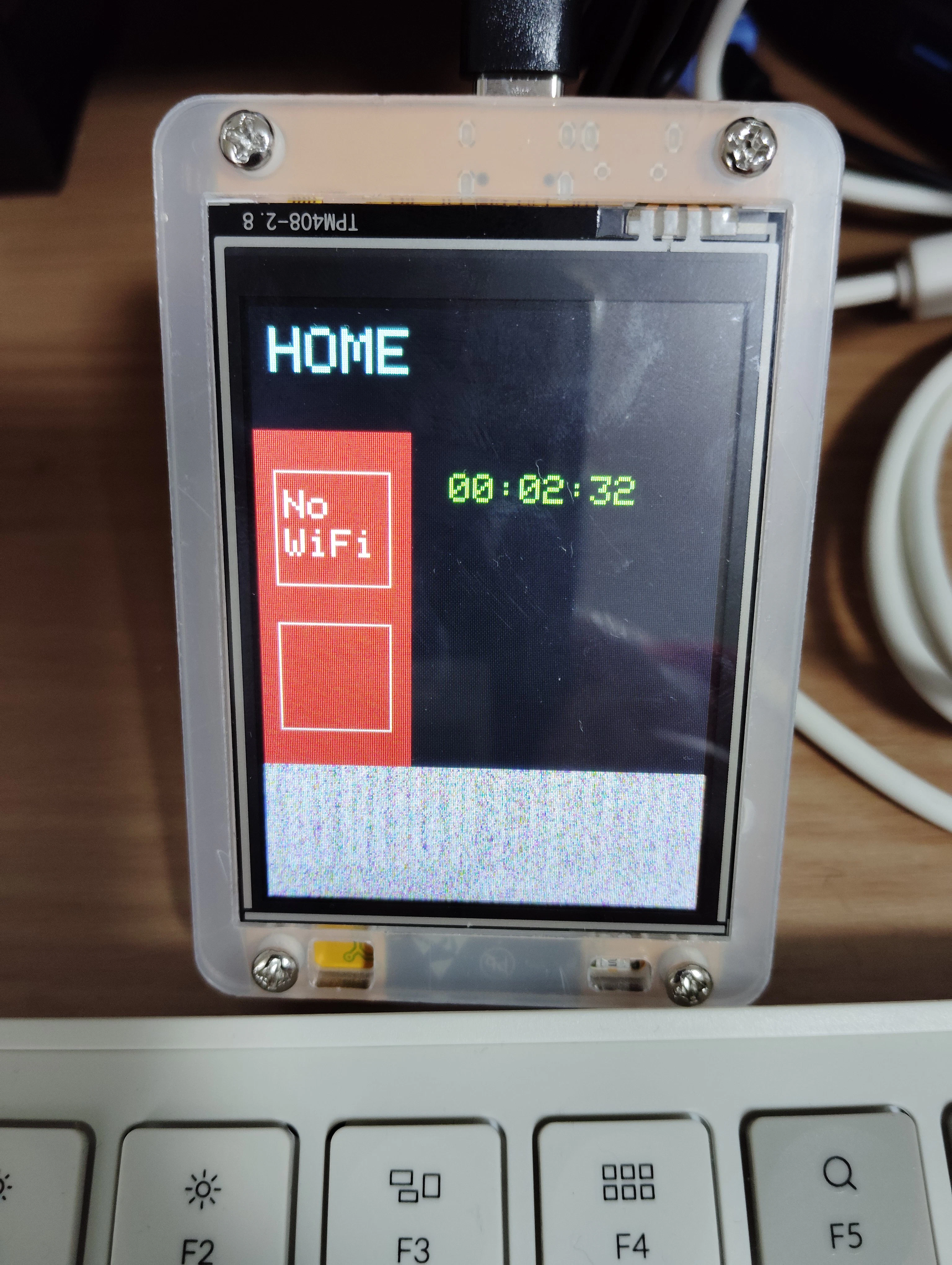
ちょっと表示が切れているけど、なんとか画面が出ました。
なので、このボードに対して使うドライバは、
ILI9341_DRIVER
で良さそう。
画面表示を調整して、もうちょっと遊ぶ。