
概要
を使い、監視カメラを作る。
システム構成
のTSDとXIAOをつなぐ
       TSD10 ToF
      ┌─────────┐
      │ UART TX │──────────→ XIAO D7 / RX (GPIO44)
      │ UART RX │←────────── XIAO D6 / TX (GPIO43) ※必要なら
      │ 5V      │──────────→ 5V
      │ GND     │──────────→ GND
      └─────────┘
                         │
                         ▼
              ┌──────────────────┐
              │ XIAO ESP32S3     │
              │ Sense            │
              │                  │
              │ OV3660 Camera    │
              │      ↓           │
              │ JPEG frame       │
              │      ↓           │
              │ microSD          │
              └──────────────────┘
UARTの電圧を考えて、
TSD10 5V  → XIAO 5V
TSD10 GND → XIAO GND

TSD10 TX → 1kΩ → XIAO D7/RX
                    |
                   2kΩ
                    |
                   GND
こんな感じになる。
XIAOのカメラ動作
まずはカメラで撮影して、SDカードに保存する
SDカードは32GB以下で、FATでフォーマットする。
ソースコードは以下
Arduino IDEの設定は以下。
Board:             XIAO_ESP32S3
USB CDC On Boot:   Enabled
PSRAM:             OPI PSRAM
Partition Scheme:  Maximum APP
ビルドして、書き込んで、IDEのSerial Monitorで115200を見ると、
XIAO ESP32S3 Sense camera test
PSRAM OK
Camera OK
SD Card Type: SDHC
SD Card Size: 29512 MB
SD OK
Recording starts in 3 seconds...
Recording start
/frame0000.jpg : 20671 bytes
/frame0001.jpg : 20612 bytes
/frame0002.jpg : 20981 bytes
/frame0003.jpg : 20399 bytes
・・・
/frame0054.jpg : 9912 bytes
Recording finished. Frames = 55
Done.
こんな感じ。
後はSDカードの中を見ると、
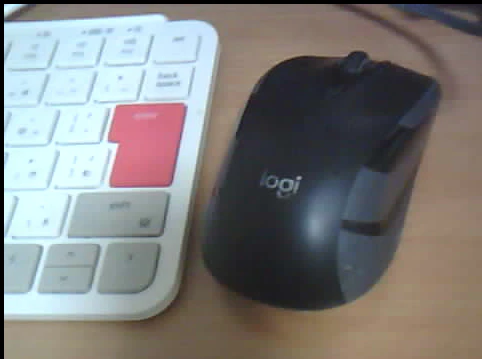
こんな感じの写真が連続で撮影できている。
後はこれをaviにまとめるようにスケッチを直せば、動画は対応できる。
次は、UARTで取ったTSD10での距離をトリガに、動画を残すようにする。