
デンマークのaPureBase社がメンテしている、KGraphQL を試してみました。
https://kgraphql.io/
KGraphQLについては以下の説明があります。
KGraphQL is a Kotlin implementation of GraphQL. It provides a rich DSL to set up the GraphQL schema.
KGraphQLは、GraphQLのKotlin実装です。 GraphQLスキーマをセットアップするための豊富なDSLを提供します。
Ktorのサポートもあり、かなり簡単な手順でGraphQLをKtorプロジェクトへ導入することができました。
今回はチュートリアルを追いながら実際に手元で試してみました。
チュートリアル開始
公式のチュートリアルに沿って進みます。
ソースは以下に置いてます
https://github.com/sugasaki/ktor-kgraphql-hello-world
gradle
gradle.properties
以下を追加
kgraphql_version=0.17.13
build.gradle.ktsに追加
val kgraphql_version: String by project // <-- Add this line

dependencies {
    ...
    implementation("com.apurebase:kgraphql:$kgraphql_version") // <-- Add these two lines
    implementation("com.apurebase:kgraphql-ktor:$kgraphql_version") // <-- Add these two lines
}

tasks {
    compileKotlin {
        kotlinOptions.jvmTarget = "1.8"
    }
    compileTestKotlin {
        kotlinOptions.jvmTarget = "1.8"
    }
}
Application
Application.kt
fun Application.module(testing: Boolean = false) {
    install(GraphQL) {
        playground = true
        schema {
            query("hello") {
                resolver { -> "World" }
            }
        }
    }
}
Hello workld!!
実行して、以下のアドレスにアクセスします。
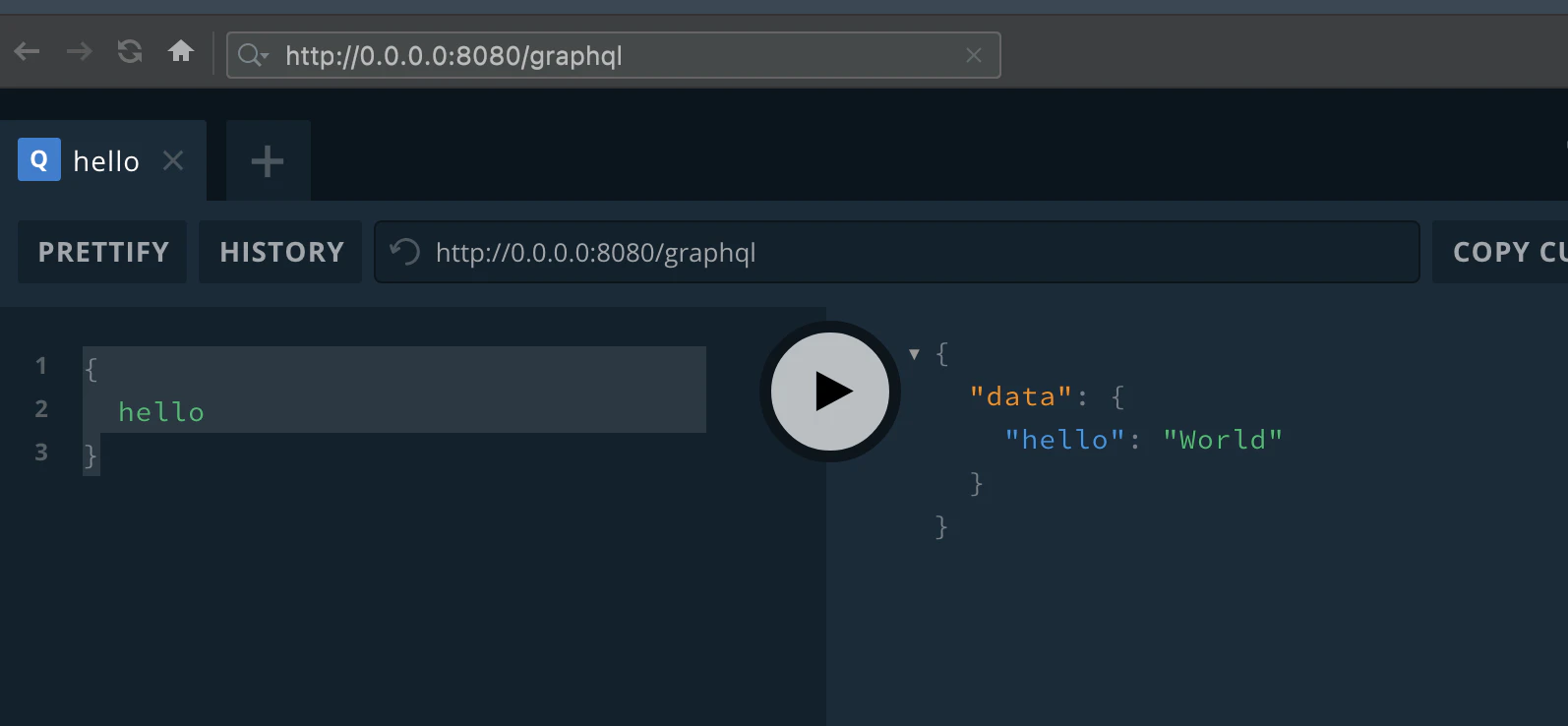
左側に以下を入力して、真ん中の実行ボタンを押します。
{
  hello
}
以下のように応答があればOK!
{
  "data": {
    "hello": "World"
  }
}
Star Wars Tutorial
次のTutorialにすすみます 。
Star Wars Tutorial
これはKtor用には作られていないので、Tutorial通りに進めてもうまくいかないのでちょっと工夫が必要でした。
Domain
まずは核となるドメインモデルを作成します。
enum class Episode {
    NEWHOPE, EMPIRE, JEDI
}

interface Character {
    val id: String
    val name: String?
    val friends: List<Character>
    val appearsIn: Set<Episode>
}

data class Human(
    override val id: String,
    override val name: String?,
    override val friends: List<Character>,
    override val appearsIn: Set<Episode>,
    val homePlanet: String,
    val height: Double
) : Character

data class Droid(
    override val id: String,
    override val name: String?,
    override val friends: List<Character>,
    override val appearsIn: Set<Episode>,
    val primaryFunction: String
) : Character

val luke = Human("2000", "Luke Skywalker", emptyList(), Episode.values().toSet(), "Tatooine", 1.72)
val r2d2 = Droid("2001", "R2-D2", emptyList(), Episode.values().toSet(), "Astromech")
Schema
次にSchemaクラスを作成します。
GraphQLSchema.kt
import com.apurebase.kgraphql.schema.dsl.SchemaBuilder

fun SchemaBuilder.jediSchema() {
    type<Droid>()
    type<Human>()
    enum<Episode>()

    // create query "hero" which returns instance of Character
    query("hero") {
        resolver { episode: Episode ->
            when (episode) {
                Episode.NEWHOPE, Episode.JEDI -> r2d2
                Episode.EMPIRE -> luke
            }
        }
    }

    // create query "heroes" which returns list of luke and r2d2
    query("heroes") {
        resolver { -> listOf(luke, r2d2) }
    }
}
Application.module
Application.moduleにスキーマを追加します。
fun Application.module(testing: Boolean = false) {
    install(GraphQL) {
        playground = true

        schema {
            query("hello") {
                resolver { -> "World" }
            }

            configure {
                useDefaultPrettyPrinter = true
            }
            jediSchema()
        }
    }
}
検証
exp1
{
  hero(episode: JEDI){
      id
      name
  }
}
return
{
  "data": {
    "hero": {
      "id": "2001",
      "name": "R2-D2"
    }
  }
}
exp2
{
  hero(episode: JEDI) {
    id
    name
    ... on Droid {
      primaryFunction
    }
    ... on Human {
      height
    }
  }
}
return
{
  "data": {
    "hero": {
      "id": "2001",
      "name": "R2-D2",
      "primaryFunction": "Astromech"
    }
  }
}
exp3
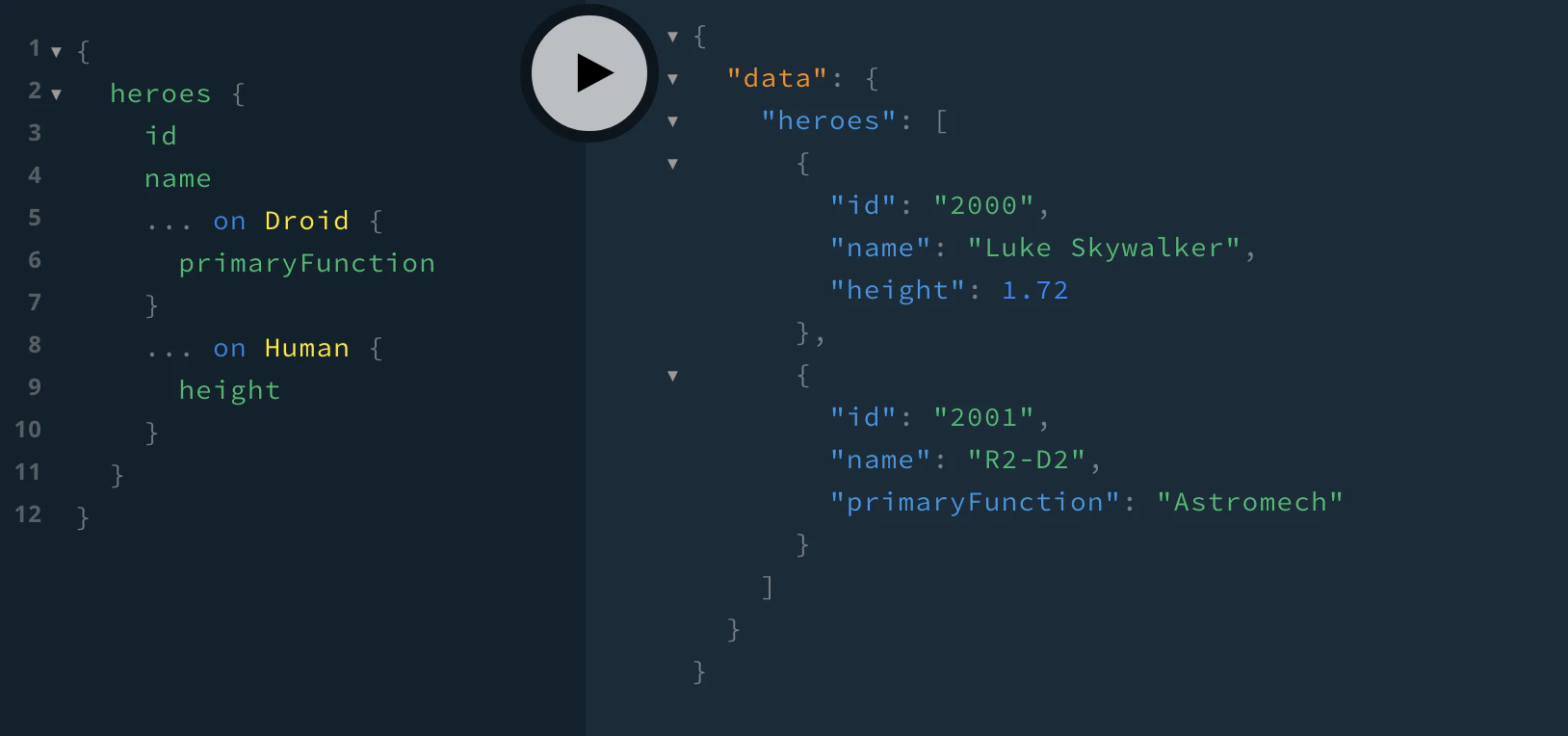
すべてのheroを照会します。
{
  heroes {
    id
    name
    ... on Droid {
      primaryFunction
    }
    ... on Human {
      height
    }
  }
}
return
{
  "data": {
    "heroes": [
      {
        "id": "2000",
        "name": "Luke Skywalker",
        "height": 1.72
      },
      {
        "id": "2001",
        "name": "R2-D2",
        "primaryFunction": "Astromech"
      }
    ]
  }
}
参考リンク
Ktor Tutorial - KGraphQL
Star Wars Tutorial
Kotlinで使える GraphQLライブラリ
https://graphql.org/code/#java-kotlin