ステータスラインは CLI 版(ターミナルで claude を叩くやつ) の機能です。VS Code 拡張の GUI の Claude Code では動きません。
まだ CLI 版を使っていない方は、これを機に試してみるのもおすすめです! /btw や詳細なツール実行ログなど VS Code 拡張より使える機能が多くて、慣れるとかなり便利です。
Claude Code のステータスライン機能を使うと、ターミナル下部にセッション情報を常時表示できます。
今回は私の設定を簡潔に紹介します。
表示内容
こんな感じで表示されます。

- モデル名 — 今使っているモデル(シアン色)。
- ctx — コンテキストウィンドウの使用率。40% で黄色、80% で赤に変わる。
- レート制限バー — 5時間枠の使用率をブロックグラフで表示。40% で黄色、70% で赤。リセットまでの残り時間も出る。
設定ファイル
~/.claude/settings.json
{
  "statusLine": {
    "type": "command",
    "command": "python3 <ホームディレクトリまでのパス>/.claude/statusline.py",
    "refreshInterval": 10
  }
}
type: "command" にすると任意のコマンドの出力をステータスラインに使えます。refreshInterval は更新間隔(秒)。
~/.claude/statusline.py
import json, sys, time
sys.stdout.reconfigure(encoding='utf-8')

GREEN  = '\033[32m'
YELLOW = '\033[33m'
RED    = '\033[31m'
CYAN   = '\033[36m'
RESET  = '\033[0m'

data = json.load(sys.stdin)

model    = (data.get('model') or {}).get('display_name', '')
ctx      = (data.get('context_window') or {}).get('used_percentage')
five     = (data.get('rate_limits') or {}).get('five_hour') or {}
five_pct = five.get('used_percentage')
resets_at = five.get('resets_at')

parts = []

if model:
    parts.append(f"{CYAN}{model}{RESET}")

if ctx is not None:
    pct = int(ctx + 0.5)
    if pct >= 80:
        color = RED
    elif pct >= 40:
        color = YELLOW
    else:
        color = ''
    label = f"{color}ctx: {pct}%{RESET}" if color else f"ctx: {pct}%"
    parts.append(label)

if five_pct is not None:
    pct = five_pct
    filled = min(10, int(pct / 10 + 0.5))
    bar = '█' * filled + '░' * (10 - filled)
    if pct >= 70:
        color = RED
    elif pct >= 40:
        color = YELLOW
    else:
        color = GREEN
    reset_label = ''
    if resets_at is not None:
        remaining = max(0, int((resets_at - time.time()) / 60))
        if remaining >= 60:
            reset_label = f" ↻ {remaining // 60}h{remaining % 60:02d}m"
        else:
            reset_label = f" ↻ {remaining}m"
    parts.append(f"{color}[{bar}] {int(pct + 0.5)}%{RESET}{reset_label}")

print(' | '.join(parts))
カスタマイズ(取得できる情報)
type: "command" の場合、stdin に流れてくる JSON にはこんな情報が入っています(抜粋)。
{
  "model": { "id": "claude-sonnet-4-6", "display_name": "claude-sonnet-4-6" },
  "workspace": { "current_dir": "/path/to/project" },
  "context_window": {
    "used_percentage": 12.3,
    "remaining_percentage": 87.7,
    "context_window_size": 200000,
    "total_input_tokens": 24600
  },
  "cost": { "total_cost_usd": 0.012 },
  "rate_limits": {
    "five_hour": { "used_percentage": 23.1, "resets_at": 1718123456 },
    "seven_day":  { "used_percentage": 41.2, "resets_at": 1718857600 }
  },
  "session_id": "abc123"
}
これ以外にも vim.mode・pr.number・effort.level など多くのフィールドがあります。全フィールドは公式ドキュメントを参照してください。
ここから好きな値を取り出して整形するだけなので、Python に限らず好きな言語・方法で書けます。
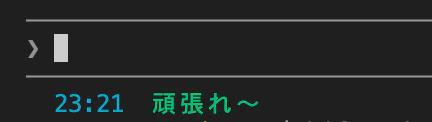
仕組みとしては「コマンドの標準出力をそのまま表示する」だけなので、極端な話 Claude のセッション情報と関係なく、励ましの言葉や現在時刻を表示することも可能です。自分だけの環境を育ててみてください。