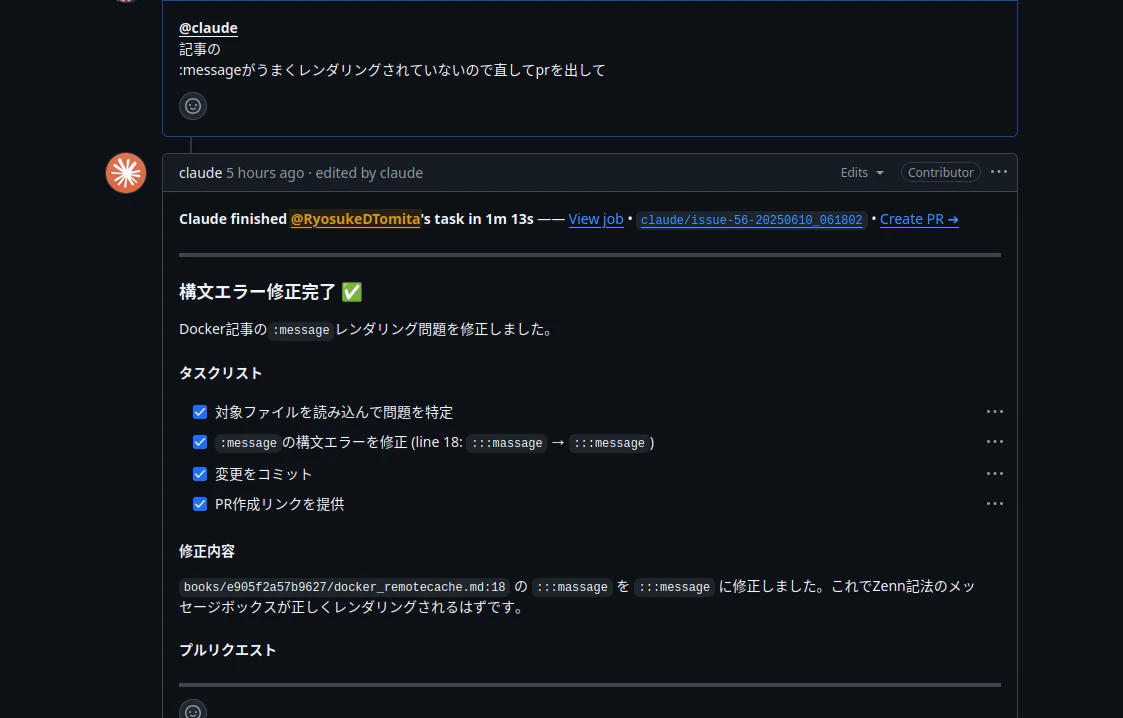
エラー(Error: Process completed with exit code 1.)がでた背景
Claude CodeをGitHubのIssueなどから呼び出せるような設定はほぼ自動化されている。
インストール方法に従っtインストールしたあとにリポジトリを開いてclaudeを起動して以下のコマンドを実行する。
cd <repository>
claude
╭──────────────────────────────────────────────────────────────────────╮
│ > /install-github-app                                                │
╰──────────────────────────────────────────────────────────────────────╯
  /install-github-app
      Set up Claude GitHub Actions for a repository
すると.github/workflows/claude.ymlが作成され,pull requestまで作成される。
あとはマージして@claudeをメンションするだけだが,Error: Process completed with exit code 1.がでてうまく動かなかった。
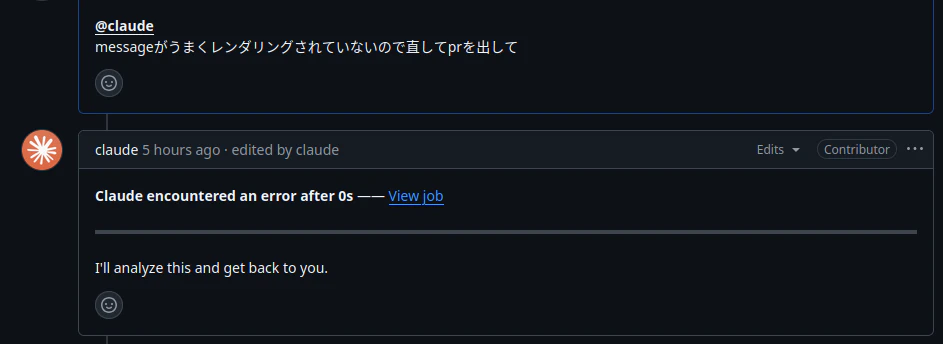
解決方法
GitHub側にClaudeのアプリを再インストールする
https://github.com/apps/claude からインストールすることができる。
もちろん再度initial-github-appをつかっても良いが。
GitHub Actions Secretの値を差し替える
Claude CodeはGitHub Actions経由で呼び出されているが,この際にClaudeのAPIキーが必要。
ローカルのClaudeと同じAPIキーを使いたい場合にはclaude.jsonを探してそこにあるAPIキーを使えば良い。
自分の環境の場合にはホームディレクトリ直下にあった。
find ~/ -name "*claude.json"
/home/sigma/.claude.json
.claude.json
"primaryApiKey": "sk-ant-apixxxxxxxxxxxxxxxxxxxxxxxxxxxxxxxxxxxxxxxxxxxxxxxxxxxxx",
おそらくClaude Codeインストール直後の初期セットアップを行ったディレクトリに.claude.jsonが作成されているような気がする。
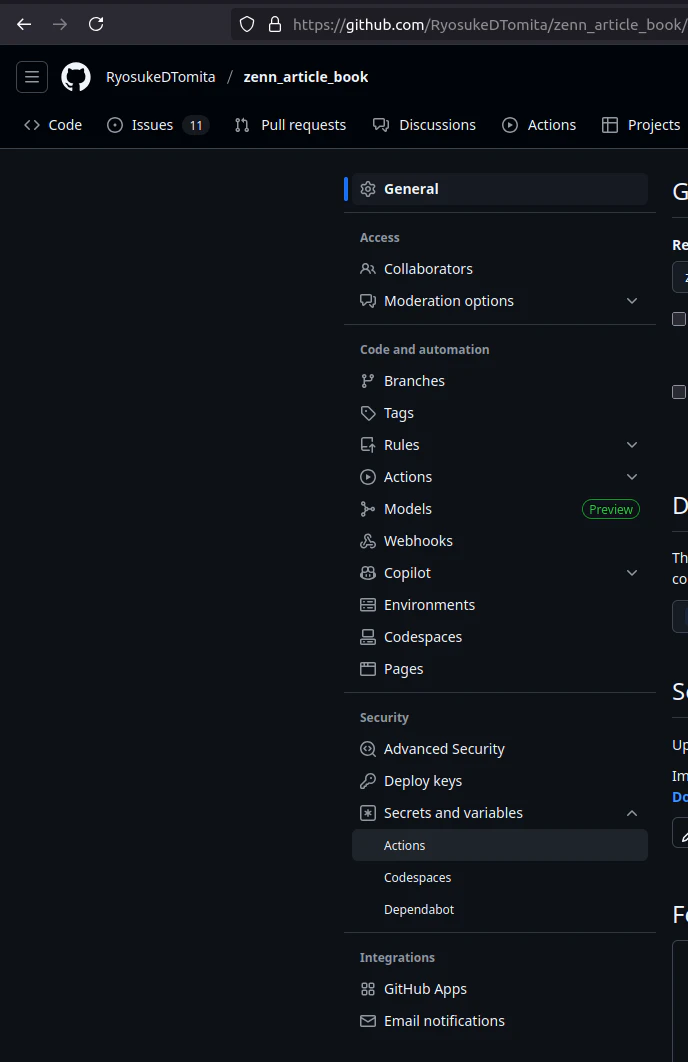
APIキーが取得できたら,GitHub Actions SecretsのANTHROPIC_API_KEYを編集する。
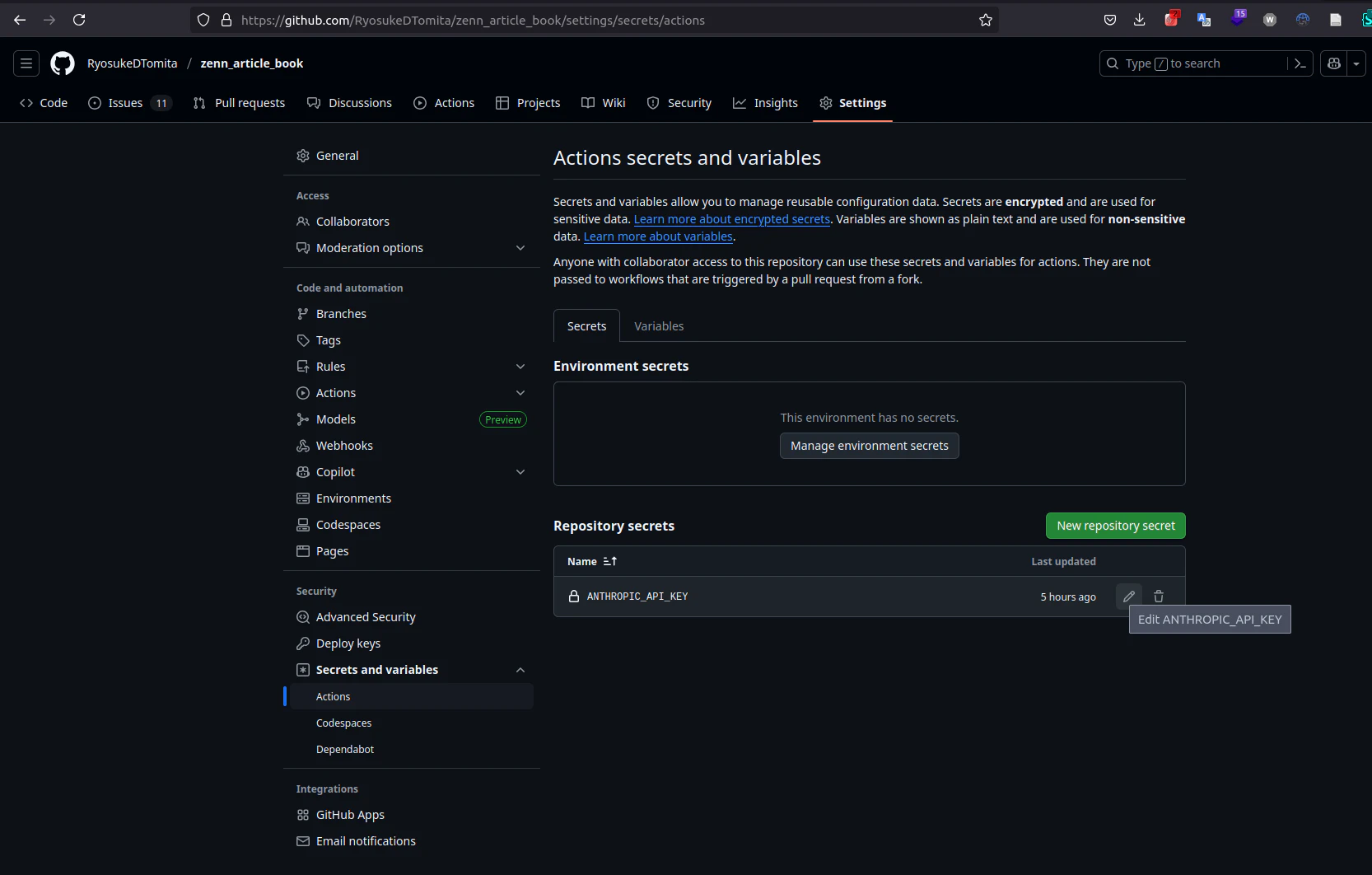
上記を行ったところ,無事使用できるようになった。