
はじめに
初めてUnityを触ってみたのですが、Geminiと一緒に1か月半ほどやりとりした経過を抜粋して書いていきます。
C#の経験はありません(昔C++やJavaを少し触っていたぐらい)
作っているもの
せっかくだからSteamに公開しようと思い、先日ストアページを公開しました。
(6月のSteamのイベントで出そうと思っています)
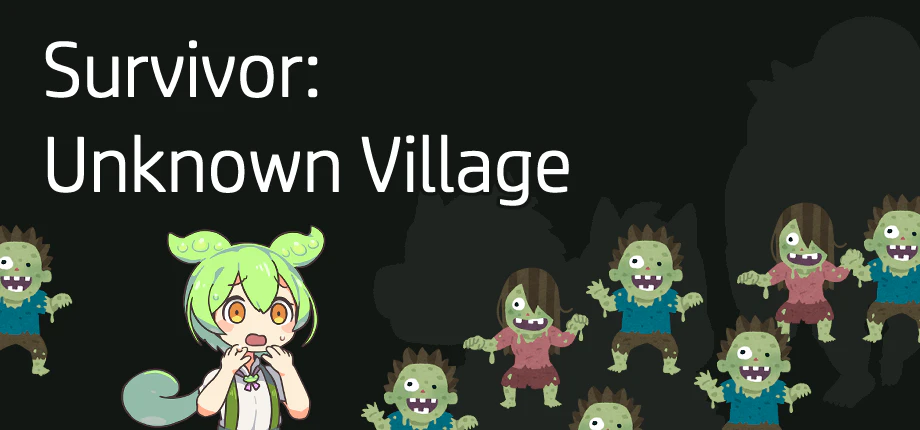
https://store.steampowered.com/app/4307630/Survivor_Unknown_Village/
「いらすとやさんの素材で広告のゲームを作ったら面白いのではないか」というのがきっかけです。
初めてUnityを触ってみる
Unityをインストールして色々調べてみるものの、多機能な分最初どこをいじればいいのかがわかりませんでした。
オンライン講座も並行して受けていましたが、基礎的な部分が多かったので「わからないことはGeminiに聞こう!」と思い、最初に聞いた内容はマテリアルの色を動的に変更する方法です。
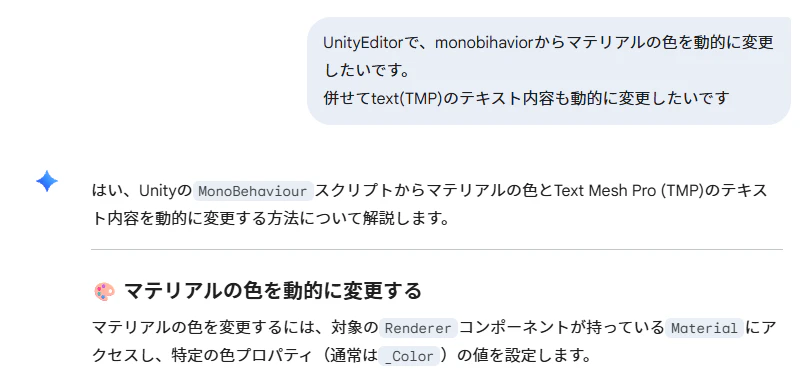
聞いた話では「AIはUnityやUnrealEngineにはまだ向かない」とのことだったのですが、自分が初心者だったこともあり、簡単なことはコードも含めて教えてくれます。
敵の挙動も解決
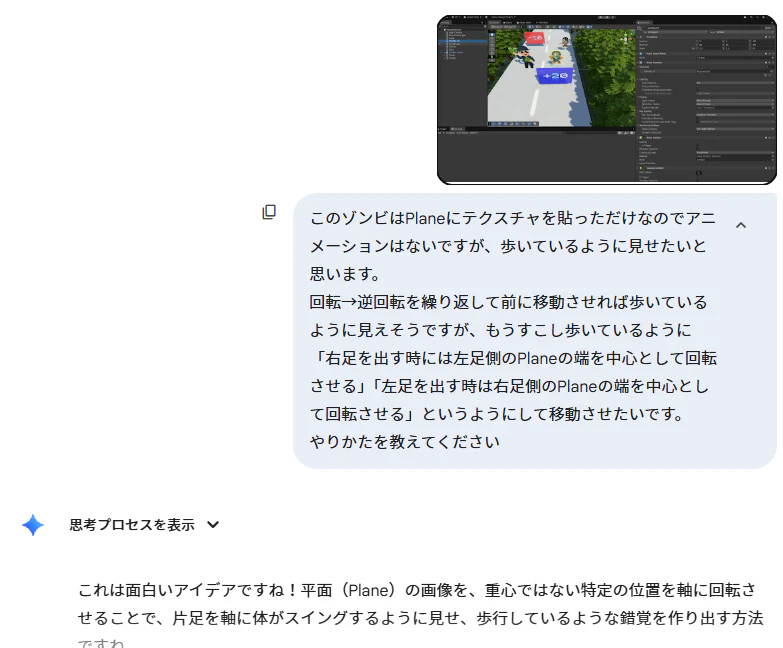
敵の素材はモデルデータではなくテクスチャなので、基本は板ポリゴンに貼っただけでアニメーションがありません。
それっぽい挙動を実装しようと、ここもGeminiに相談しました。
弾の管理方法も解決
シューティングゲームの場合、配列やリストに一定量を生成しておいて使いまわすという方法をよく使っていたので、Unityでの実装方法を相談します。
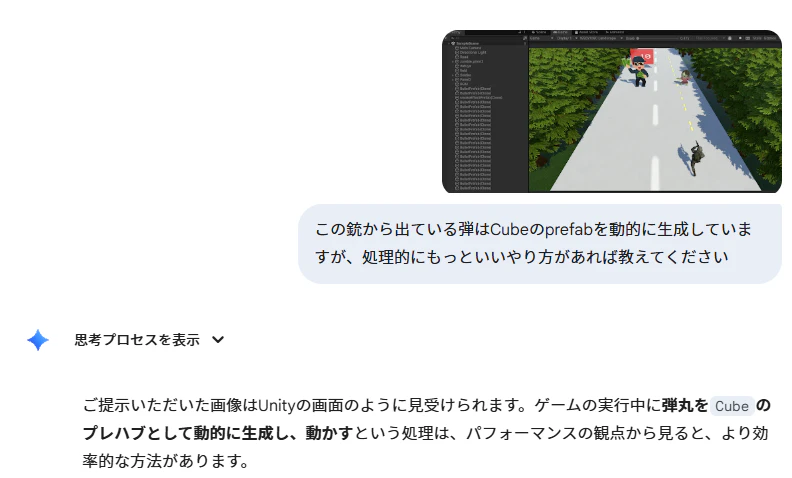
この場合はQueueに入れて管理する方法をコードとセットで教えてくれました。
マウスによるエイム操作も解決
マウス左ボタンを押し続けている間はその座標に照準を向かせるようにしようと思い、ここもGeminiに相談しています。
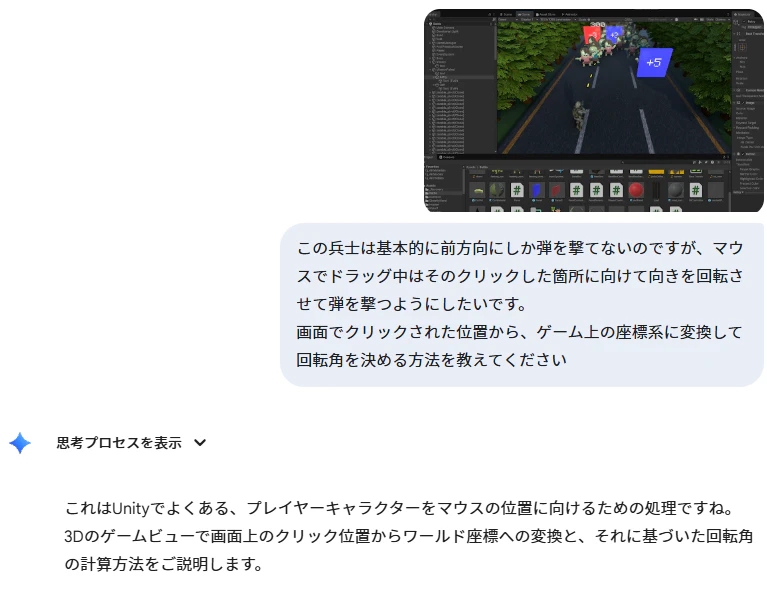
弾の高さにLayerとColliderを設定したオブジェクトを配置し、Raycastを使って座標を算出する方法を教えてくれました。
BGMのループ再生方法も簡単に解決
BGMはDOVA SYNDROMEというサイトから使わせてもらっています。
- BGMをインスペクタ側でリスト管理したい
- ループ再生のつなぎ目が途切れてしまう
- シーンをまたいでBGMを再生し続けたい
などがあり、ここもGeminiに相談しました。
色々やりとりを重ねて、現在は下記のようなコードになっています。
using UnityEngine;
using System;

[Serializable]
public class BGMClip
{
    public string bgmName;
    public AudioClip clip;

    [Range(0f, 1f)]
    public float volume = 1f;

    // ご要望のループ設定
    public float startTime = 0f;      // 最初に再生を開始する時間
    public bool useLoopPoints = true; // ループポイントを使用するか
    public float loopStartTime = 0f;  // ループして戻る先の地点
    public float loopEndTime = 0f;    // ループの終点(ここに来たらloopStartTimeに戻る)
}
using UnityEngine;
using System;
using System.Collections;
using System.Collections.Generic;
using System.Linq;

public class BGMManager : MonoBehaviour
{
    // ==========================================
    // Singleton 実装 & 自動生成
    // ==========================================
    private static BGMManager _instance;
    public static BGMManager Instance
    {
        get
        {
            if (_instance == null)
            {
                // インスタンスがなければ生成を試みる
                InitializeAuto();
            }
            return _instance;
        }
    }

    // ゲーム開始時(最初のシーンが読み込まれる直前)に自動実行
    [RuntimeInitializeOnLoadMethod(RuntimeInitializeLoadType.BeforeSceneLoad)]
    private static void InitializeAuto()
    {
        if (_instance != null) return;

        // すでにシーン上に配置されているか確認
        _instance = FindFirstObjectByType<BGMManager>();
        if (_instance != null) return;

        // Resourcesフォルダから "BGMManager" という名前のプレハブをロード
        GameObject prefab = Resources.Load<GameObject>("BGMManager");
        if (prefab == null)
        {
            Debug.LogError("Resourcesフォルダに 'BGMManager' プレハブが見つかりません。");
            return;
        }

        GameObject obj = Instantiate(prefab);
        obj.name = "BGMManager (AutoGenerated)";
        _instance = obj.GetComponent<BGMManager>();

        // DontDestroyOnLoadはプレハブ側のスクリプト内(Awakeなど)で実行されるため、
        // ここで明示的に呼ぶ必要はありませんが、念のため初期化を走らせます。
        _instance.Initialize();
    }

    // ==========================================
    // 設定項目
    // ==========================================
    public BGMClip[] bgmClips;
    [SerializeField] private float fadeDuration = 0.5f;
    [SerializeField] private UnityEngine.Audio.AudioMixerGroup bgmGroup;

    private Dictionary<string, BGMClip> _bgmDictionary;
    private AudioSource _audioSource;
    private BGMClip _currentBgm;
    private Coroutine _fadeCoroutine;
    private bool _isInitialized = false;
    private float jumpThreshold = 0.05f;

    private void Awake()
    {
        Application.targetFrameRate = 120;//FPSを最大120に
        Initialize();
    }

    private void Initialize()
    {
        if (_isInitialized) return;

        if (_instance == null)
        {
            _instance = this;
        }
        else if (_instance != this)
        {
            Destroy(gameObject);
            return;
        }

        DontDestroyOnLoad(gameObject);

        _audioSource = GetComponent<AudioSource>();
        if (_audioSource == null) _audioSource = gameObject.AddComponent<AudioSource>();

        _audioSource.playOnAwake = false;
        _audioSource.outputAudioMixerGroup = bgmGroup;

        if (bgmClips != null)
        {
            _bgmDictionary = bgmClips.ToDictionary(b => b.bgmName, b => b);
        }

        _isInitialized = true;
    }

    // --- 以下、PlayBGM などのロジックは変更なし ---
    public void PlayBGM(string bgmName)
    {
        if (_bgmDictionary == null || !_bgmDictionary.ContainsKey(bgmName))
        {
            Debug.LogWarning($"BGM '{bgmName}' が登録されていないか、初期化されていません。");
            return;
        }

        if (_currentBgm != null && _currentBgm.bgmName == bgmName)
        {
            if (_audioSource.isPlaying && _fadeCoroutine == null) return;
        }

        if (_fadeCoroutine != null) StopCoroutine(_fadeCoroutine);
        _fadeCoroutine = StartCoroutine(FadeAndPlay(bgmName));
    }

    public void PlayBGMInstant(string bgmName)
    {
        if (!_bgmDictionary.TryGetValue(bgmName, out BGMClip nextBgm)) return;
        if (_currentBgm != null && _currentBgm.bgmName == bgmName && _audioSource.isPlaying) return;

        if (_fadeCoroutine != null)
        {
            StopCoroutine(_fadeCoroutine);
            _fadeCoroutine = null;
        }

        _currentBgm = nextBgm;
        _audioSource.Stop();
        _audioSource.clip = _currentBgm.clip;
        _audioSource.volume = _currentBgm.volume;
        _audioSource.loop = !_currentBgm.useLoopPoints;
        _audioSource.time = _currentBgm.startTime;
        _audioSource.Play();
    }

    private IEnumerator FadeAndPlay(string bgmName)
    {
        if (!_bgmDictionary.TryGetValue(bgmName, out BGMClip nextBgm)) yield break;

        if (_audioSource.isPlaying)
        {
            float startVol = _audioSource.volume;
            for (float t = 0; t < fadeDuration; t += Time.deltaTime)
            {
                _audioSource.volume = Mathf.Lerp(startVol, 0, t / fadeDuration);
                yield return null;
            }
            _audioSource.Stop();
        }

        _currentBgm = nextBgm;
        _audioSource.clip = _currentBgm.clip;
        _audioSource.loop = !_currentBgm.useLoopPoints;
        _audioSource.time = _currentBgm.startTime;
        _audioSource.Play();

        float targetVol = _currentBgm.volume;
        for (float t = 0; t < fadeDuration; t += Time.deltaTime)
        {
            _audioSource.volume = Mathf.Lerp(0, targetVol, t / fadeDuration);
            yield return null;
        }

        _audioSource.volume = targetVol;
        _fadeCoroutine = null;
    }

    public void StopBGM()
    {
        if (_fadeCoroutine != null)
        {
            StopCoroutine(_fadeCoroutine);
            _fadeCoroutine = null;
        }
        _audioSource.Stop();
        _currentBgm = null;
    }

    private void Update()
    {
        // 基本チェック
        if (_currentBgm == null || !_currentBgm.useLoopPoints) return;

        // A: 再生中で、かつループ終端しきい値を越えた場合
        if (_audioSource.isPlaying)
        {
            if (_audioSource.time >= _currentBgm.loopEndTime - jumpThreshold)
            {
                // 時間だけを巻き戻す。再生はそのまま継続される。
                _audioSource.time = _currentBgm.loopStartTime;
            }
        }
        // B: 停止しており、かつフェード中でない場合(Updateが間に合わず末尾で止まったケース)
        else if (_fadeCoroutine == null)
        {
            // ループ開始位置から再開する
            _audioSource.time = _currentBgm.loopStartTime;
            _audioSource.Play();
        }
    }
}
シェーダーグラフは苦手
敵の消える演出や会話パートのワイプなどにシェーダーグラフを利用しようとしましたが、Geminiに相談したところ肝心なところでxとyを逆にしたりしていて、結果どうもうまくいきませんでした。
「完全版です!」と言う割に消え方がおかしいので、ここはGeminiに相談するのはあきらめてUnity ShaderGraph CookBookや、Unityの公式Youtubeチャンネルを調べて個別実装しています。
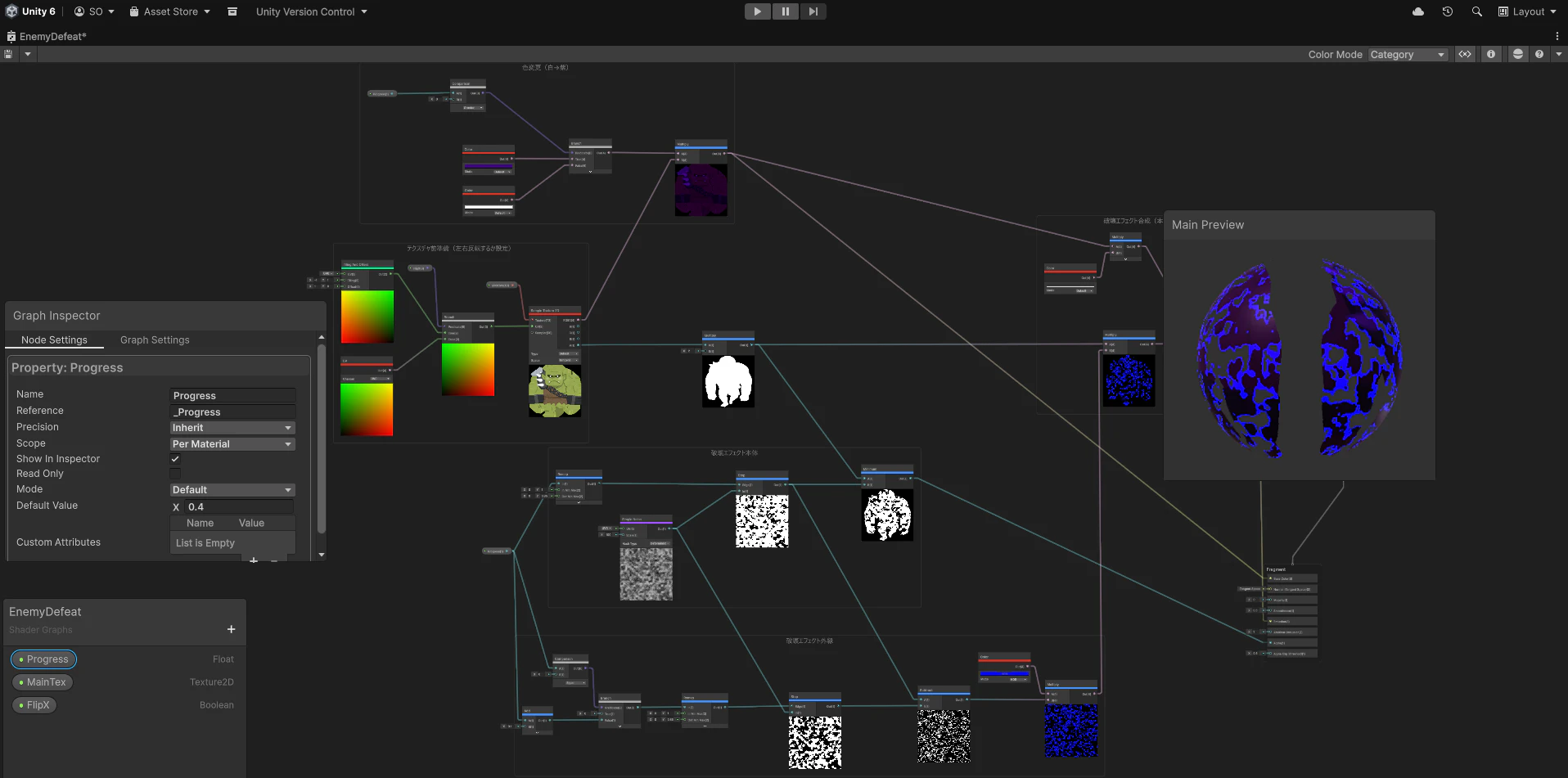
シェーダーグラフについてはこの他にパネルの走査線、弾の色や敵の色違い作成、会話パートの背景処理などに利用しています。
現状の感想
言うまでもないですが実装スピードについては格段に上がっているので、個人でUnityを使ったゲーム開発をするときはかなりのサポートになってくれると思いました。
質問しても待たされることがないので、モチベーションの低下を防げています。
一方苦手分野で詰まってしまった際のフォローも必要なので、そこは結局自分の理解力や知識が必要と感じました。
またUnityはオブジェクトにスクリプトをアタッチするところがWebサイトの構造(エレメントにイベントつけたりとか)に近いものを感じたので、Webプログラマーの人にもおすすめかもしれません。
おわりに
まだ制作途中ですが、追加でまた何かあれば記事として書こうと思います。
再掲となりますがよければストアページも見て行ってください(・ω・)ノシ
https://store.steampowered.com/app/4307630/Survivor_Unknown_Village/