1
2

Delete article

Deleted articles cannot be recovered.

Draft of this article would be also deleted.

Are you sure you want to delete this article?

Mimesisを5人以上でプレイする方法(MOD導入手順)

1
Last updated at Posted at 2025-12-29

1. Thunderstoreのダウンロード

① Thunderstoreのダウンロードページを開いて、Overwolfをダウンロード

以下のURLにアクセスし、Overwolfをダウンロードする
https://www.overwolf.com/app/thunderstore-thunderstore_mod_manager

1.png


② Thunderstore Mod Managerをダウンロード

ダウンロードした「Thunderstore Mod Manager – Installer.exe」を起動

2.png

画面の内容に従ってThunderstore Mod Manager をダウンロードする
※「ChaosForgeアプリを追加」にはチェックを入れないことを推奨

3.png
4.png


2. MODの導入

① Thunderstoreを起動する

10.png


② MODを導入したいゲームを選択する

ゲーム一覧から Mimesis を選択する

5.png


③ プロフィールを選択する

既存のプロフィールを選択、または新規プロフィールを作成する

6.png


④ MODの導入

必要なMODを検索し、インストールする
5人以上でプレイ可能にするための「MorePlayers」MODを導入する

7.png

8.png


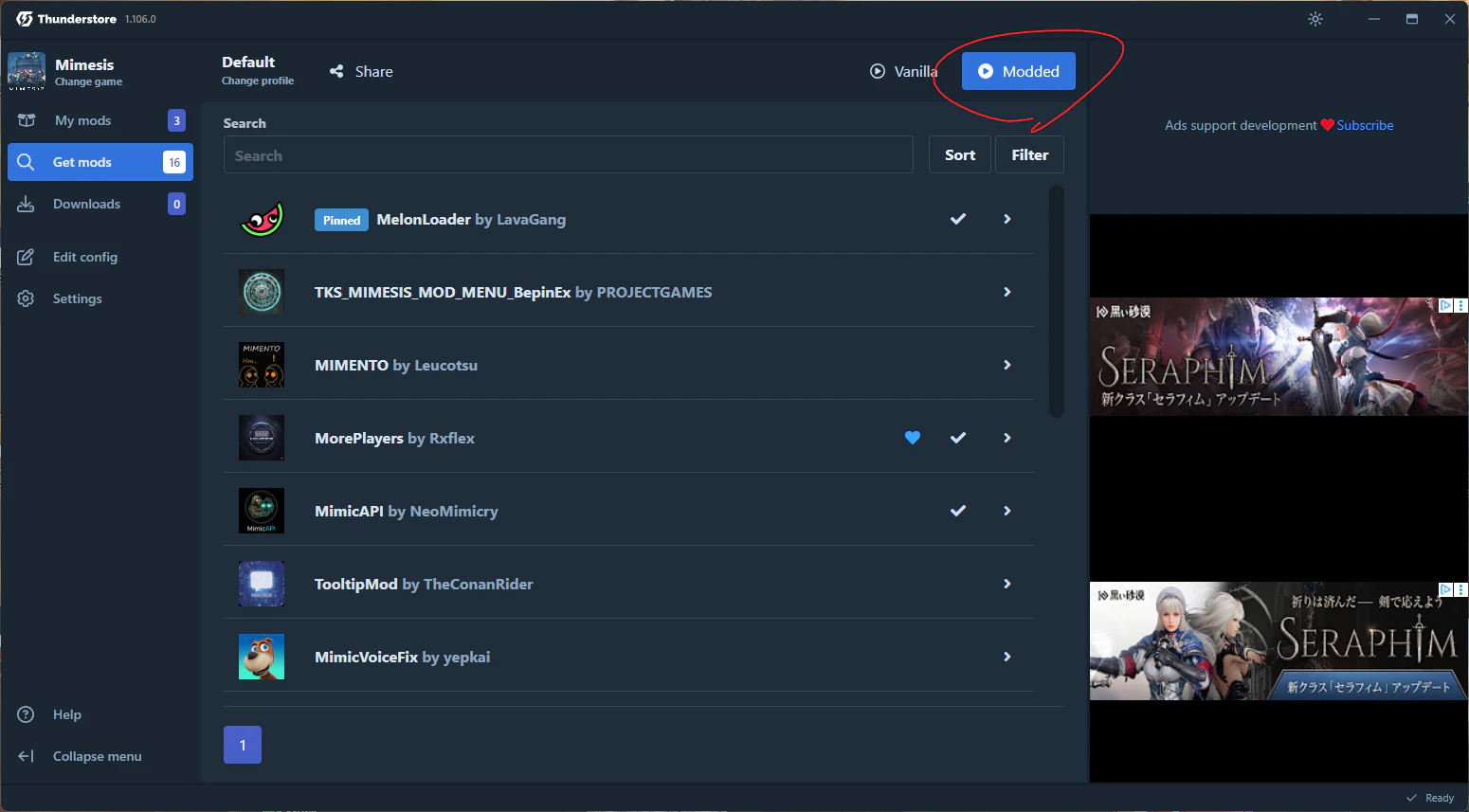
3. ゲームの起動

① moddedを押下して数秒待つと、ゲームが起動する

Thunderstore上の 「Modded」 ボタンを押す
数秒待つとMODが適用された状態でゲームが起動する
9.png

1
2
2

Register as a new user and use Qiita more conveniently

  1. You get articles that match your needs
  2. You can efficiently read back useful information
  3. You can use dark theme
What you can do with signing up
1
2

Delete article

Deleted articles cannot be recovered.

Draft of this article would be also deleted.

Are you sure you want to delete this article?