
先ずはアプリを任意のフォルダにcreate-react-app
npx create-react-app react_test_typescript --template typescript
cd react_test_typescript
ls -l
drwxr-xr-x  871 user  staff   27872 12 14 16:04 node_modules
-rw-r--r--    1 user  staff  659386 12 14 16:04 package-lock.json
-rw-r--r--    1 user  staff    1019 12 14 16:04 package.json
drwxr-xr-x    8 user  staff     256 12 14 16:04 public
-rw-r--r--    1 user  staff    2117 12 14 16:04 README.md
drwxr-xr-x   11 user  staff     352 12 14 16:04 src
-rw-r--r--    1 user  staff     535 12 14 16:04 tsconfig.json
npm install react-bootstrap bootstrap //Bootstrapをインストール
npm start //アプリ実行後お馴染みのreact初期画面ブラウザにて確認。
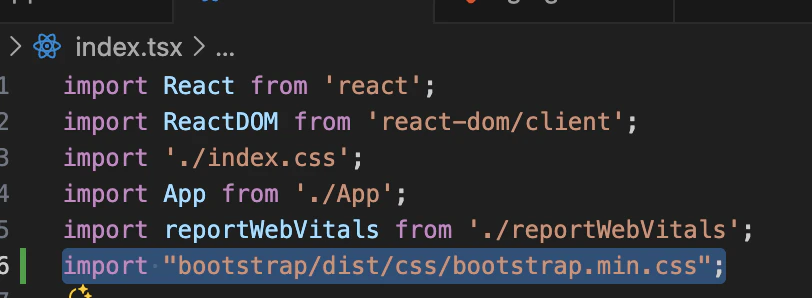
vscodeにてindex.tsxに
import "bootstrap/dist/css/bootstrap.min.css";
を追加import。
App.tsxを編集
import { Button } from 'react-bootstrap';
を追加import、また必要のないimportは削除します。
import React from 'react';
import { Button } from 'react-bootstrap';
import './App.css';

function App() {
  return (
    <div className="App">
      <Button>ボタン</Button> //ボタンを追記
    </div>
  );
}

export default App;
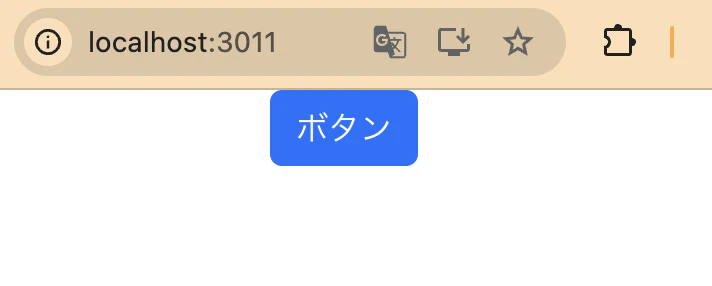
結果の様に表示されればBootstrapが適用されている事がわかります。
但し、App.cssが有効な為、ボタンが中央に表示されます。
続いてReactのフロントエンド開発においてルーター機能react-router-domの追加。
npm install react-router-dom