

はじめに
next.jsをfirebaseにデプロイしようとしていたのですが、うまくデプロイできずコードがページ上に反映されませんでした。
いくつか試して解決できたので、まとめようと思います。
事象
以下コマンドを実行し、firebaseの設定を行いました。
$ npm install -g firebase-tools
$ firebase login
firebase initで初期ファイルを作成します。
$ firebase init

You're about to initialize a Firebase project in this directory:

  /home/ryosuke_shida/nextjs-dev/tech-blog

Before we get started, keep in mind:

  * You are initializing within an existing Firebase project directory


=== Project Setup

First, let's associate this project directory with a Firebase project.
You can create multiple project aliases by running firebase use --add,
but for now we'll just set up a default project.

i  Using project next-js-study-1ba58 (next-js-study)

=== Hosting Setup

Your public directory is the folder (relative to your project directory) that
will contain Hosting assets to be uploaded with firebase deploy. If you
have a build process for your assets, use your build's output directory.

? What do you want to use as your public directory? .next
? Configure as a single-page app (rewrite all urls to /index.html)? No
? Set up automatic builds and deploys with GitHub? No
✔  Wrote .next/404.html
✔  Wrote .next/index.html

i  Writing configuration info to firebase.json...
i  Writing project information to .firebaserc...

✔  Firebase initialization complete!
この際に作成されたファイル
.firebaserc
{
  "projects": {
    "default": "xxxxxxxxx"
  }
}
frameworksBackendだけ、作成後に追記しました。
インスタンス数の最小、最大を設定しています。
firebase.json
## firebase.json

{
  "hosting": {
    "site": "xxxxxxxxx",
    "public": ".next", ## nextjsのbuildファイルが生成されるディレクトリを指定
    "ignore": ["firebase.json", "**/.*", "**/node_modules/**"]
  },
  "frameworksBackend": {
    "region": "asia-east1",
    "minInstances": 0,
    "maxInstances": 1
  }
}
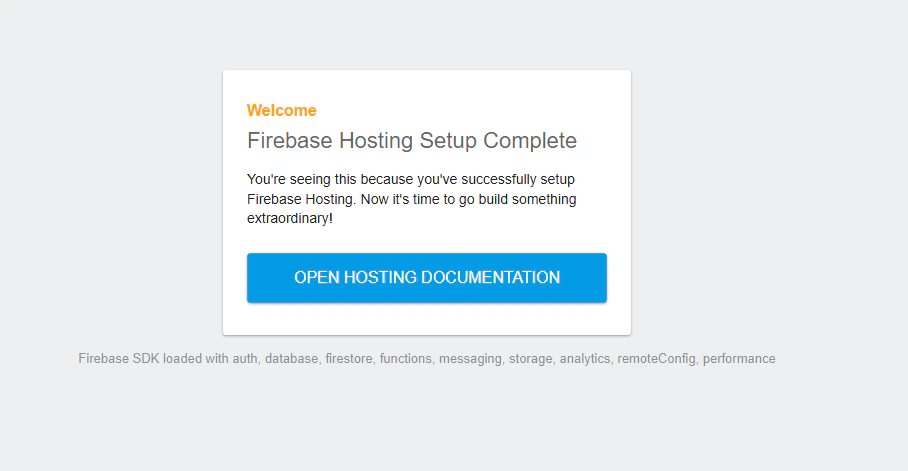
この状態でデプロイすると以下のようにデフォルトページのままでした。
解決策
以下の記事を参考に、firebase.jsonの設定を変更しました。
具体的にはpublic:".next"の部分をsource:'.'としました。
そして、この状態でデプロイしようとすると別のエラーが発生しました。
$ firebase deploy

Error: Cannot deploy a web framework from source because the experiment webframeworks is not enabled. To enable webframeworks run firebase experiments:enable webframeworks
翻訳すると以下のような文言です。
エラー: 実験の Web フレームワークが有効になっていないため、ソースから Web フレームワークをデプロイできません。
Web フレームワークを有効にするには、firebase experiments:enable webframeworks を実行します。
サジェストされているコマンドを実行します。
$ firebase experiments:enable webframeworks
Enabled experiment webframeworks
この状態でデプロイすると、実際の編集したコードが反映されていました!
まとめ
firebase initだけだと、nextjsはうまくデプロイできないのでfirebase.jsonの中身を修正する必要があるようです。
また、以前まではwebframeworksの有効化も初期設定時に設定できていたみたいですが、今はできなくなっているようでした。