

VueUseを使ってドラッグ&ドロップできると知り、調べました。
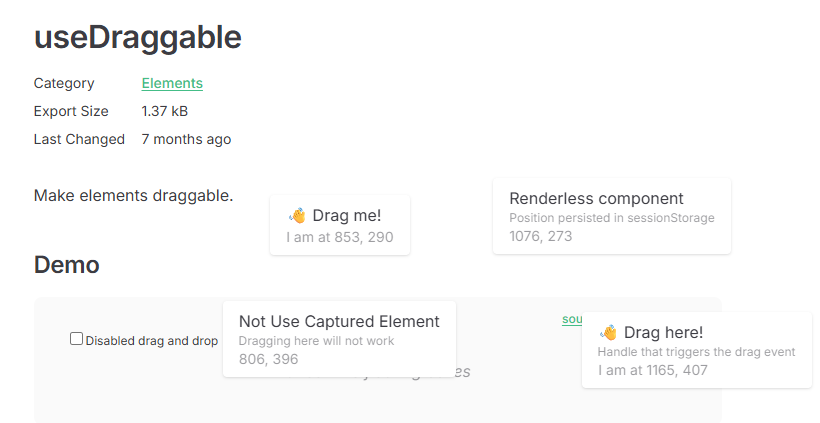
useDraggableを使えばドラッグが実現できるらしい。
(下は公式ページのスクリーンショット)
CodePen
試してみて、自分のPCのローカル環境ではうまくいきましたが、
どうも、CodePenの環境では、環境が特殊なのか?自分のやり方が変なのかうまくいきませんでした。
CodePenはVueのビルドができないので、ビルドなしでもできるような変則コードで書いてるため、よくわからないです。
(以下、うまくいかないコード)
See the Pen VueUse useDraggable by sasuke (@vhmbdiog-the-flexboxer) on CodePen.
StackBlitz
Web上に載せたいので、(StackBlitzはVueのビルドできるので)
CodePenの代わりに、StackBlitz の環境で動かすことができました。(以下リンク)
スクリーンショット
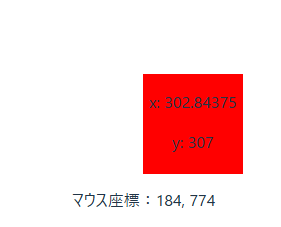
赤枠がドラッグの対象。
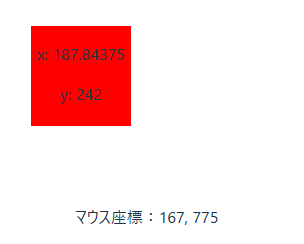
赤枠を、右下にドラッグ
コード
コードはこんな感じです。
HelloWorld.vue の部分だけ抜粋。
HelloWorld.vue
<script setup>
import { ref } from 'vue';
import { useMouse, useDraggable, useElementBounding } from '@vueuse/core';

const { x, y } = useMouse();

const draggable = ref();
const {
  x: xd,
  y: yd,
  style: styled,
} = useDraggable(draggable, {
  initialValue: { x: 40, y: 40 },
});
</script>

<template>
  <div>マウス座標:{{ x }}, {{ y }}</div>

  <div
    ref="draggable"
    :style="{
      userSelect: 'none',
      position: 'fixed',
      width: '100px',
      height: '100px',
      background: 'red',
      top: `${yd}px`,
      left: `${xd}px`,
    }"
  >
    <p>x: {{ xd }}</p>
    <p>y: {{ yd }}</p>
  </div>
</template>