
やりたいこと
PDFファイルに、コマンドラインから、しおり(ブックマーク)情報を付与したい
どうやる
・cpdf / Coherent PDF というツールを使う
・iText なる AGPLというライセンスで公開あるオープンソースを使う
今回は、後者で、C#とiTextを使って、実施
出来上がりはこちら
https://github.com/santarou6/iText_CSharp/blob/main/pack.zip
https://github.com/santarou6/iText_CSharp/blob/main/myChangeBookmarks_v1.cs
実行方法
(コマンド 元PDF 先PDF しおりの内容テキストファイル)
> myChangeBookmarks_v1.exe ./sample.pdf ./sample_out.pdf ./bookmark_list.txt
準備:しおり(ブックマーク)
しおりの内容は、テキストに、UTF-8で、「内容」タブ「ページ番号」で準備
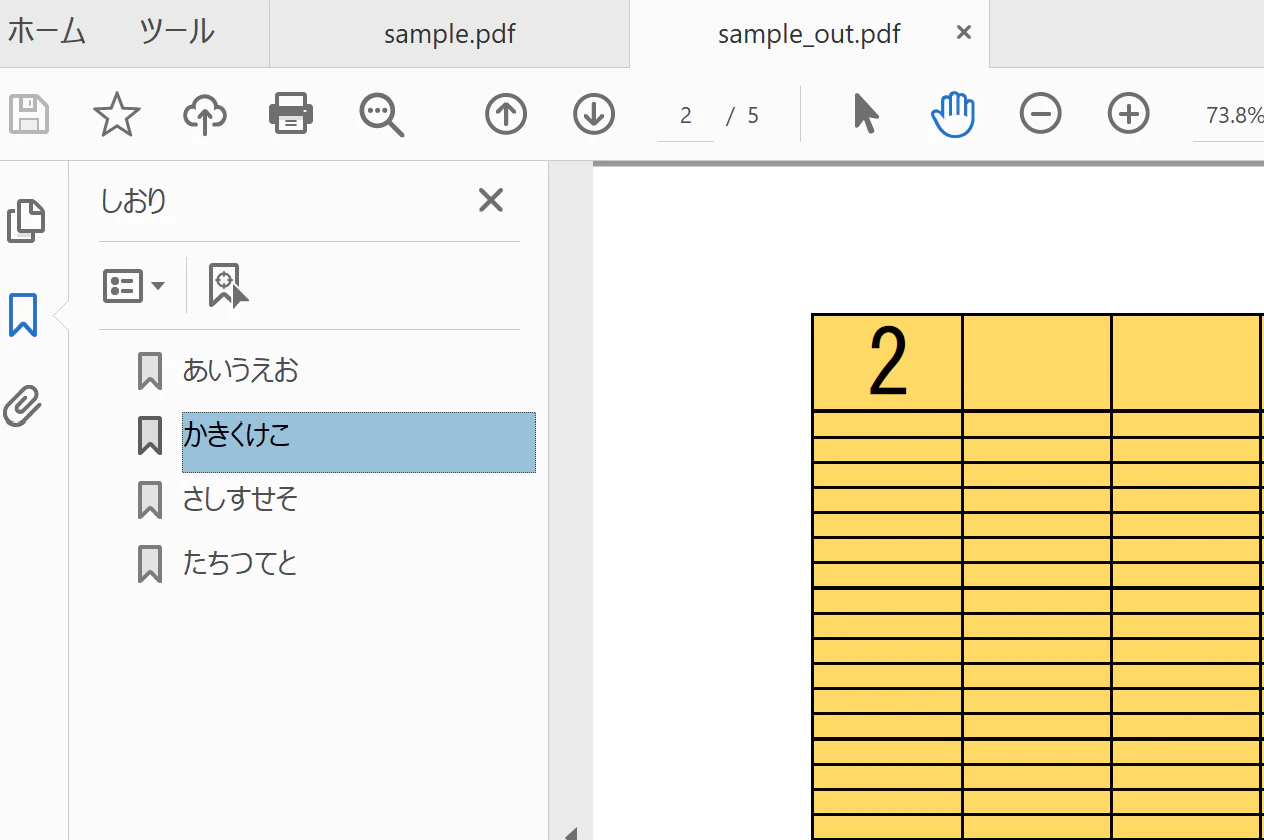
あいうえお	1
かきくけこ	2
さしすせそ	3
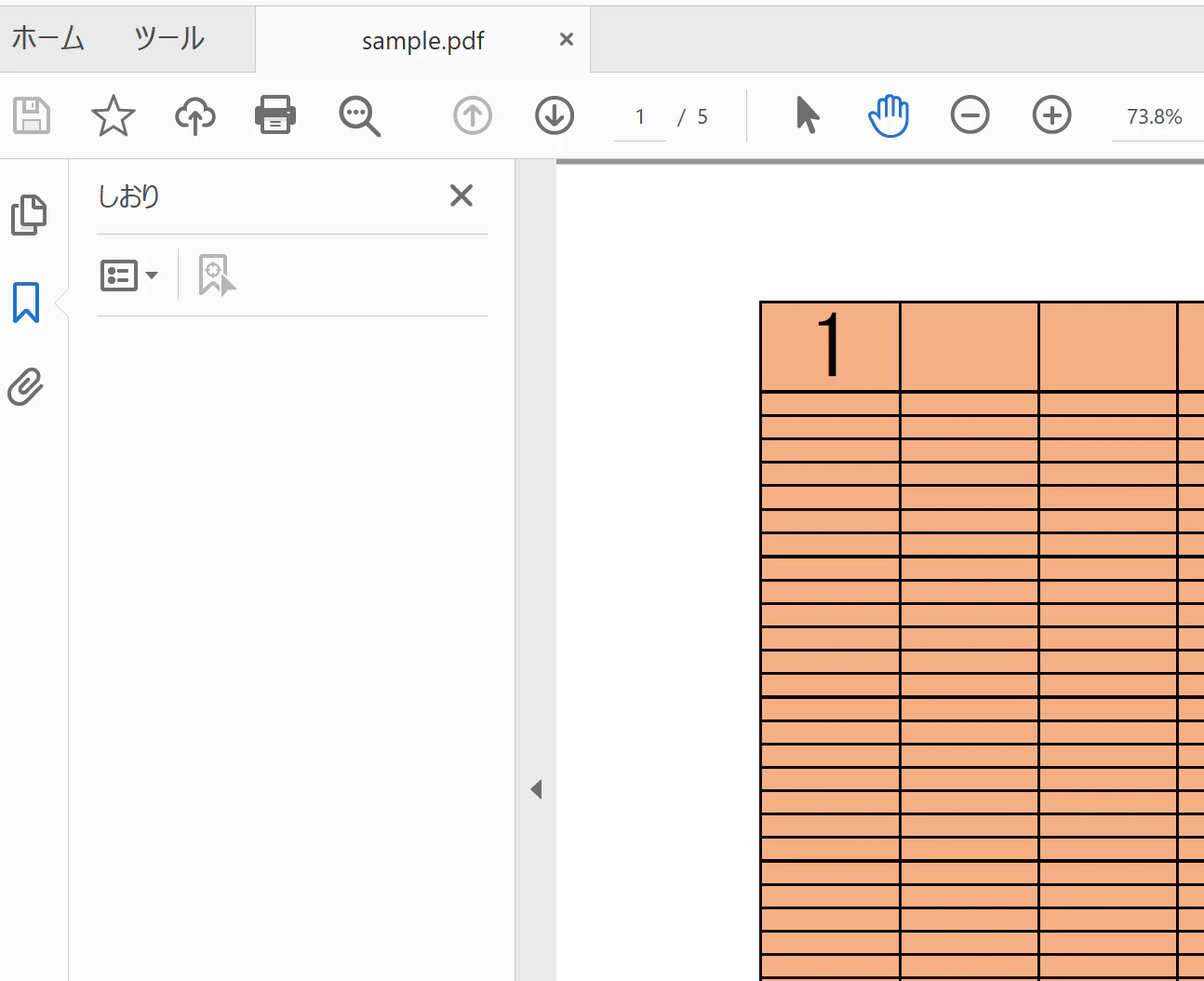
実施前と実施後のイメージ
↓処理前、しおり無し
↓処理後、しおり有り
プログラム
//c:\Windows\Microsoft.NET\Framework\v4.0.30319\csc.exe /reference:itext.kernel.dll;itext.io.dll;Common.Logging.dll;BouncyCastle.Crypto.dll myChangeBookmarks_v1.cs

using System;
using System.IO;
using iText.Kernel.Pdf;
using iText.Kernel.Pdf.Navigation;

public class myChangeBookmarks {

public static string SRC_PDF = "";
public static string DEST_PDF = "";
public static string LIST_TXT = "";

/////
public static void Main(String[] args)
{

//---------------------
SRC_PDF = @"./" + args[0];
System.IO.FileInfo fi0 = new System.IO.FileInfo(SRC_PDF);
if(!fi0.Exists){
Console.WriteLine("File is not exists! {0}", SRC_PDF);
return;
}

//---------------------
DEST_PDF = @"./" + args[1];
System.IO.FileInfo fi1 = new FileInfo(DEST_PDF);
fi1.Directory.Create();

//---------------------
LIST_TXT = @"./" + args[2];
System.IO.FileInfo fi2 = new System.IO.FileInfo(LIST_TXT);
if(!fi2.Exists){
Console.WriteLine("File is not exists! {0}", LIST_TXT);
return;
}

PdfDocument pdfDoc = new PdfDocument(new PdfReader(SRC_PDF), new PdfWriter(DEST_PDF));
pdfDoc.GetOutlines(true).RemoveOutline();

using (System.IO.StreamReader sr = new System.IO.StreamReader(LIST_TXT, System.Text.Encoding.UTF8))
{
int line_cnt = 0;
string line = "";
while ((line = sr.ReadLine()) != null){
string[] p = line.Split('\t');
int i = int.Parse(p[1]);
PdfOutline outline = pdfDoc.GetOutlines(true).AddOutline(p[0],line_cnt);
outline.AddDestination(PdfExplicitDestination.CreateFit(pdfDoc.GetPage(i)));
line_cnt++;
}
}

pdfDoc.Close();
Console.WriteLine("== Done ==");

}
/////

}
別途、必要となるDLL
itext.kernel.dll;
itext.io.dll;
Common.Logging.dll;
Common.Logging.Core.dll;
BouncyCastle.Crypto.dll;
※入手方法は、後述「参考」をご参照
参考
iText本家
https://itextpdf.com/ja
iText / AGPL(Affero General Public License)/ AGPLライセンス
https://itextpdf.com/ja/how-buy/agpl-license
itext7の、dotNet(C#)での利用はこちら
https://github.com/itext/itext7-dotnet
-> download the latest releases
https://github.com/itext/itext7-dotnet/releases/tag/7.1.17
https://github.com/itext/itext7-dotnet/releases/download/7.1.17/itext7.7.1.17.nupkg
※.nupkgは、.zipと拡張子を変えれば、中身の参照は可
iText / Bookmarks処理のサンプル
https://kb.itextpdf.com/home/it7kb/examples/bookmark-examples
https://github.com/itext/i7js-examples/blob/develop/src/main/resources/pdfs/bookmarks.pdf
iText / Bookmarks,Outline の削除のサンプル
https://kb.itextpdf.com/home/it7kb/examples/removing-items-from-a-pdf-s-outline-tree
cpdf / Coherent PDF
https://community.coherentpdf.com/
※しおり追加処理
cpdf -add-bookmarks bookmarks.txt in.pdf -o out.pdf
iTextを利用した「しおり」処理のサンプル
Common.Logging.Core.dll
https://github.com/net-commons/common-logging
https://www.nuget.org/api/v2/package/Common.Logging/3.4.1
https://www.nuget.org/api/v2/package/Common.Logging.Core/3.4.1
BouncyCastle.Crypto
BouncyCastle.Crypto.dll
https://www.bouncycastle.org/csharp/index.html
※使用した版は、1.8.9 (コンパイル時に、版の違いの指摘で判明)
iTextで取得できるDLL
itext.barcodes.dll;
itext.forms.dll;
itext.io.dll;
itext.kernel.dll;
itext.layout.dll;
itext.pdfa.dll;
itext.sign.dll;
itext.styledxmlparser.dll;
itext.svg.dll;
追記、階層しおり
階層0,1,2
bookmark_list.txt
で
階層 タブ しおり名 タブ ページ数
で、指定する。
using (System.IO.StreamReader sr = new System.IO.StreamReader(LIST_TXT, System.Text.Encoding.UTF8))
{
int line_cnt = 0;
string line = "";

PdfOutline outline = null;
PdfOutline ol1 = null;
PdfOutline ol2 = null;

while ((line = sr.ReadLine()) != null){
string[] p = line.Split('\t');

int d = int.Parse(p[0]);
int i = int.Parse(p[2]);


switch (d)
{
case 0:
outline = pdfDoc.GetOutlines(true).AddOutline(p[1],line_cnt);
outline.AddDestination(PdfExplicitDestination.CreateFit(pdfDoc.GetPage(i)));
line_cnt++;
//Console.WriteLine("0");
break;
case 1:
ol1 = outline.AddOutline(p[1]);
ol1.AddDestination(PdfExplicitDestination.CreateFit(pdfDoc.GetPage(i)));
//Console.WriteLine("1");
break;
case 2:
ol2 = ol1.AddOutline(p[1]);
ol2.AddDestination(PdfExplicitDestination.CreateFit(pdfDoc.GetPage(i)));
//Console.WriteLine("2");
break;
default:
//Console.WriteLine("defaultが実行されました");
break;
}


}


}

pdfDoc.Close();
Console.WriteLine("== Done ==");
以上