
サマリ
- nanobananaで6枚同時生成できる
- なんでかは不明
- 便利
どのようにやるか
- AIStudioで
以下の情報をいい感じに日本語の6枚のスライド画像として1枚ずつすべて生成してくださいみたいな指示で作る- 渡したのは https://ai.google.dev/gemini-api/docs/image-generation?hl=ja のページをコピーするボタンから得られるMarkdownテキスト
- API経由で実行 (後述)
作られたもの

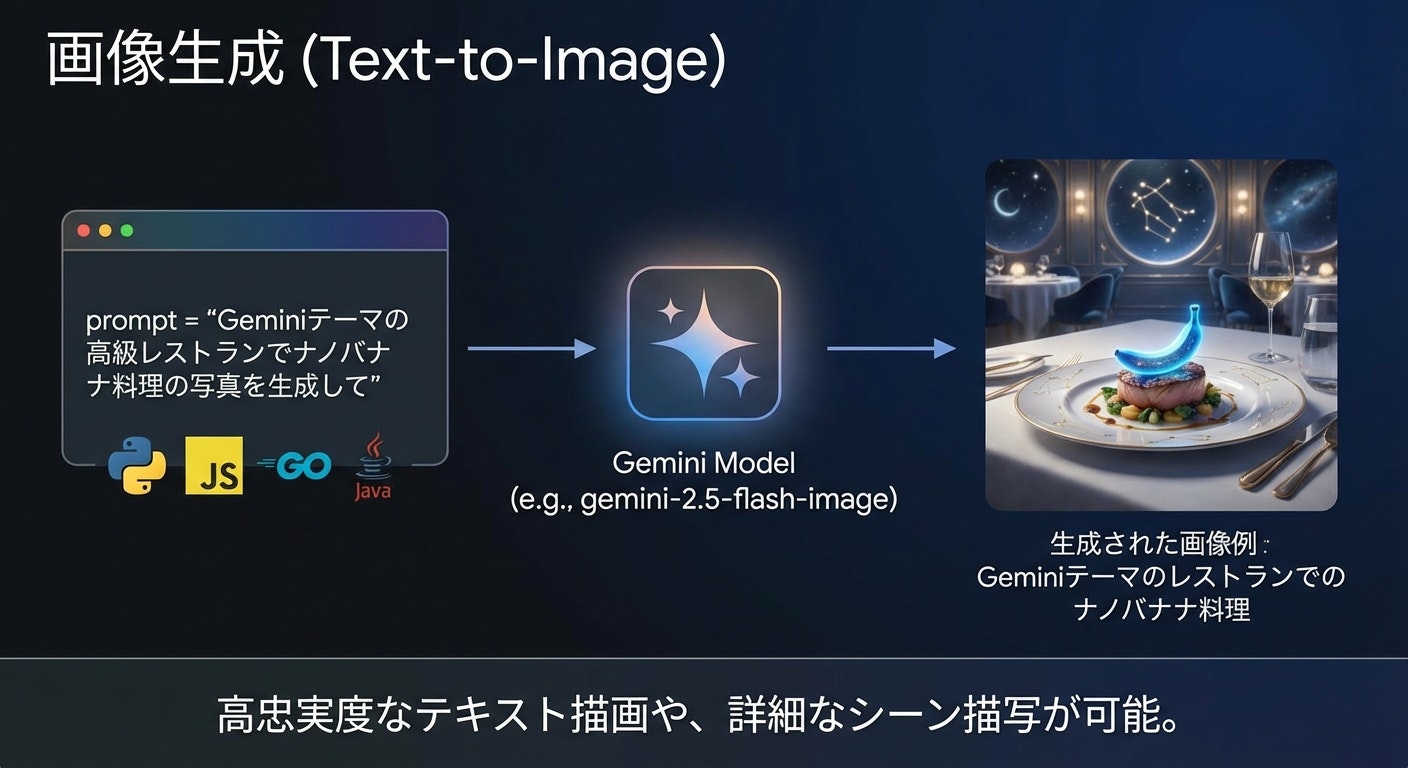

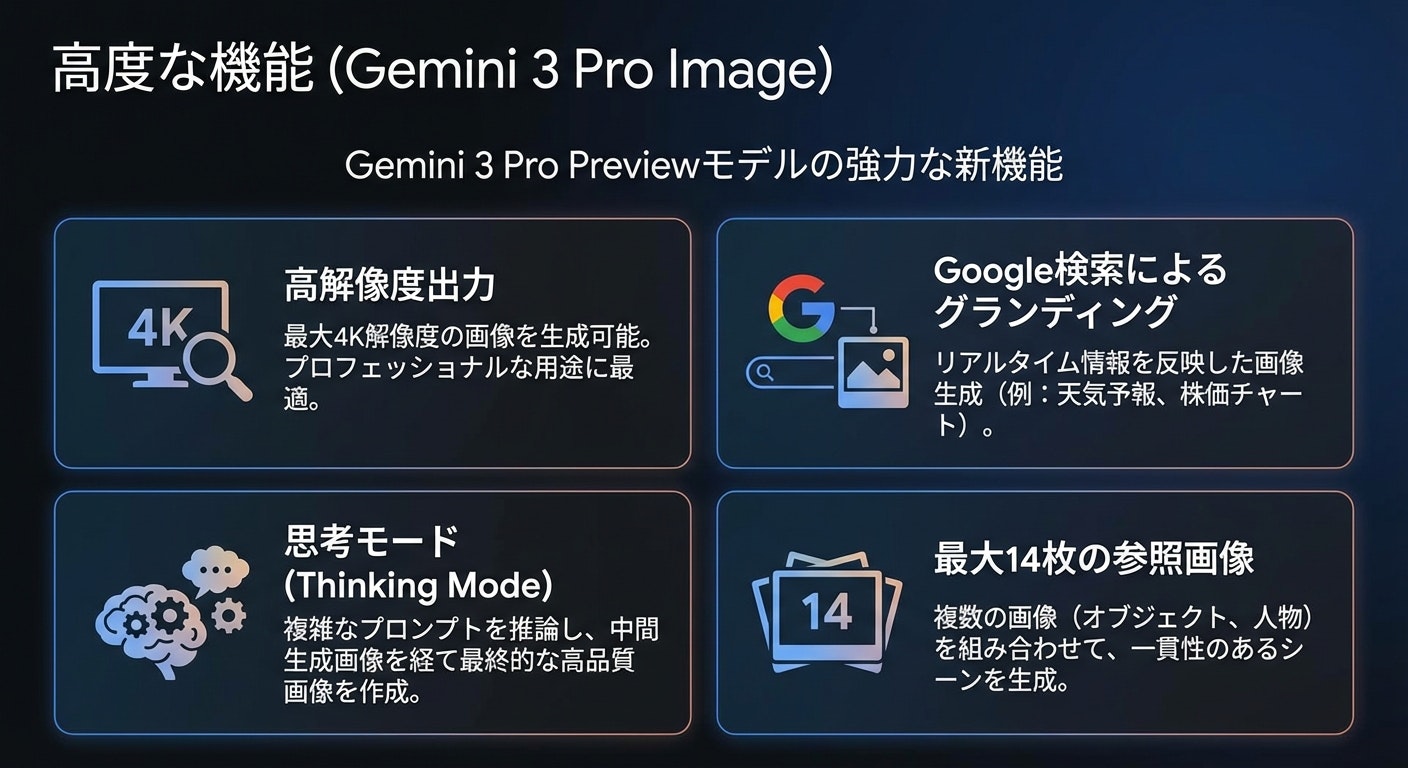
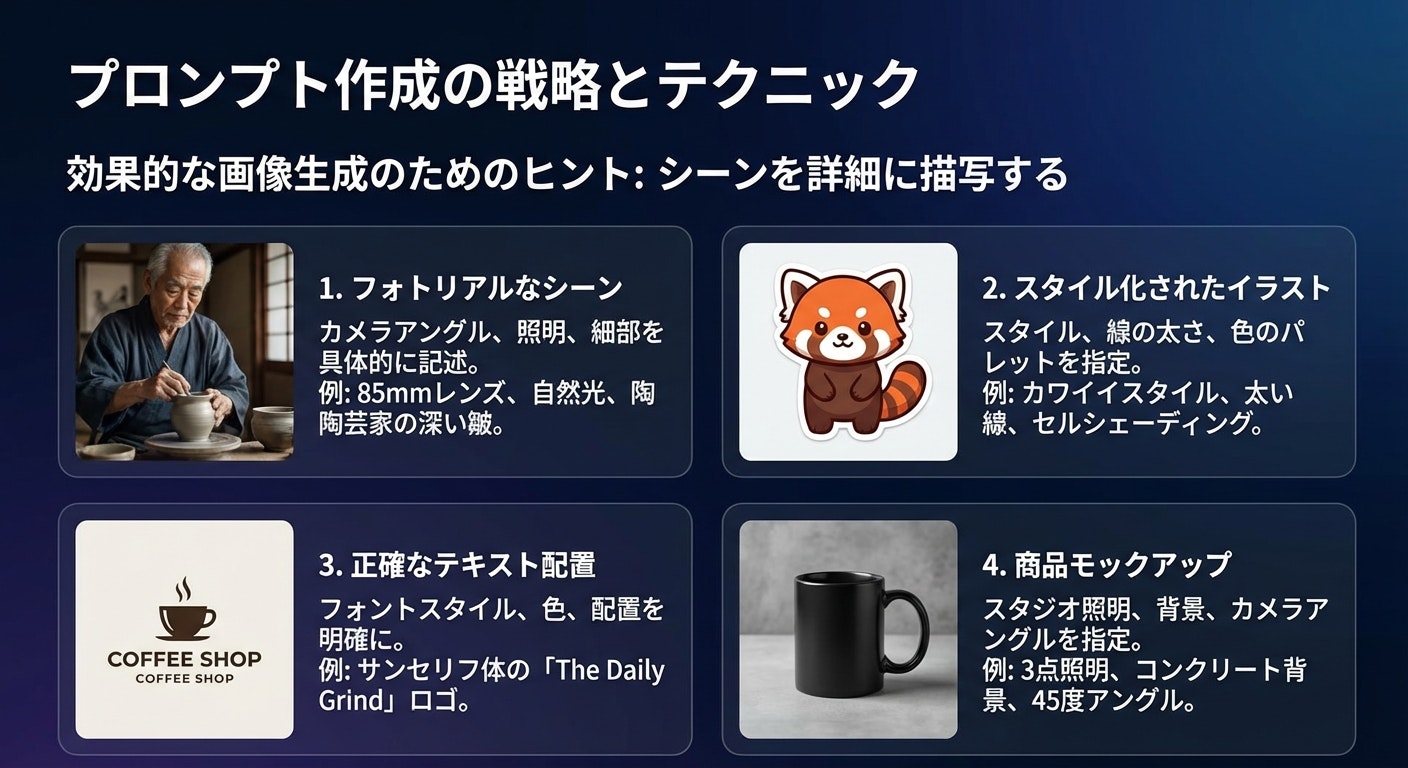
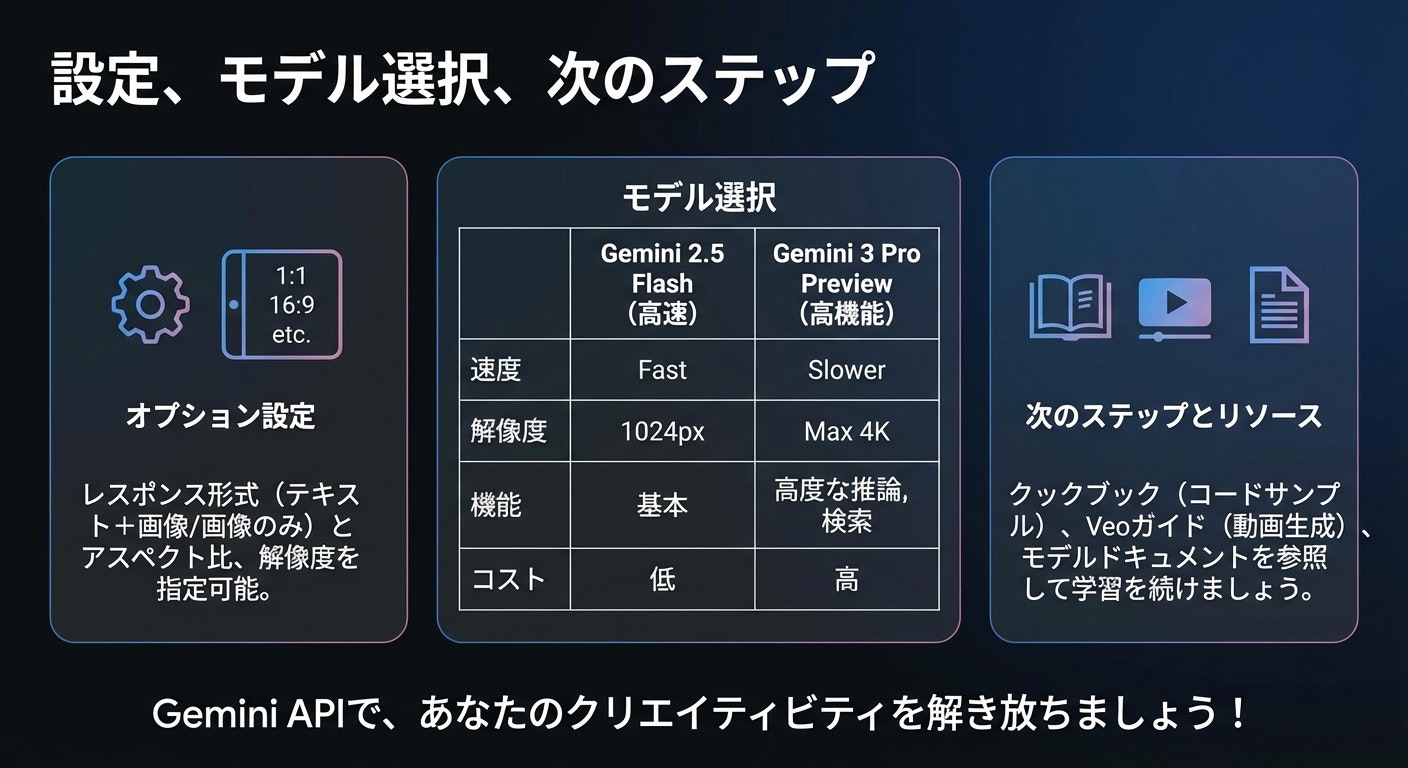
嬉しみ
- 一貫性が増す (上記例は適当すぎるプロンプトであるためブレたが、もっと良いsystem instructionを用意すれば安定しかつ良いデザインとなる)
- これは複数ターンでも同様の結果が得られる
- 生成速度が複数ターンでのリクエストではないので高速化する
- prompt cachingとか考える必要がない
悲しみ
- 謎挙動なので本番で使うのは避けたほうがいい
- 修正される可能性はある
- そもそも実行ログが https://aistudio.google.com/logs に反映されない (AI Studioのログはenableすればここにすべて反映されるはず)
nanobananaの仕様について
- thinking processでは
up to two interim imagesとありthinking processでは最大2枚のはずがなんかthinking process中に6枚入るThe model generates up to two interim images to test composition and logic. The last image within Thinking is also the final rendered image.
- 以下のように複数出力がありうることは書いてある (あと実行例でも2枚のoutputの例もある, が2枚が最大っぽい雰囲気)
The model won't always follow the exact number of image outputs that the user explicitly asks for.
検証用スクリプト
.envに
GEMINI_API_KEY=APIキー(有料課金のやつ)
を入れて実行
ログがprintされ、outputs/{実行日時} 以下に生成された画像とlog.txtが保存されます。
import mimetypes
import os
import datetime
import json
from dotenv import load_dotenv
from google import genai
from google.genai import types

load_dotenv()

def create_output_directory():
    now = datetime.datetime.now()
    dir_name = now.strftime("%Y%m%d_%H%M%S")
    output_path = os.path.join("outputs", dir_name)
    os.makedirs(output_path, exist_ok=True)
    print(f"Output directory created: {output_path}")
    return output_path

def save_binary_file(directory, file_name, data):
    path = os.path.join(directory, file_name)
    with open(path, "wb") as f:
        f.write(data)
    print(f"Image saved: {path}")

def log_text(directory, text):
    print(text, end="", flush=True)

    path = os.path.join(directory, "log.txt")
    with open(path, "a", encoding="utf-8") as f:
        f.write(text)

def generate():
    api_key = os.getenv("GEMINI_API_KEY")
    if not api_key:
        print("Error: GEMINI_API_KEY not found.")
        return

    client = genai.Client(api_key=api_key)
    model = "gemini-3-pro-image-preview"

    prompt_text = """
指示をここに入れてね
    """.strip()

    contents = [
        types.Content(
            role="user",
            parts=[types.Part.from_text(text=prompt_text)],
        ),
    ]

    generate_content_config = types.GenerateContentConfig(
        response_modalities=["IMAGE", "TEXT"],
        image_config=types.ImageConfig(
            image_size="1K",
        ),
        thinking_config=types.ThinkingConfig(
            include_thoughts=True
        )
    )

    output_dir = create_output_directory()

    file_index = 0

    is_thinking = False
    is_answering = False

    log_text(output_dir, f"Start Generation: {model}\n")
    log_text(output_dir, "-"*30 + "\n")

    try:
        for chunk in client.models.generate_content_stream(
            model=model,
            contents=contents,
            config=generate_content_config,
        ):
            if chunk.candidates and chunk.candidates[0].content and chunk.candidates[0].content.parts:
                for part in chunk.candidates[0].content.parts:

                    if part.thought:
                        if not is_thinking:
                            header = "\n\n" + "="*20 + " THINKING PROCESS " + "="*20 + "\n"
                            log_text(output_dir, header)
                            is_thinking = True
                            is_answering = False

                        if part.text:
                            log_text(output_dir, part.text)

                    else:
                        if not is_answering:
                            header = "\n\n" + "="*20 + " FINAL RESPONSE " + "="*20 + "\n"
                            log_text(output_dir, header)
                            is_answering = True
                            is_thinking = False

                        if part.inline_data and part.inline_data.data:
                            file_name = f"image_{file_index:03d}"
                            file_index += 1

                            data_buffer = part.inline_data.data
                            file_extension = mimetypes.guess_extension(part.inline_data.mime_type) or ".png"
                            save_binary_file(output_dir, f"{file_name}{file_extension}", data_buffer)
                            log_text(output_dir, f"\n[IMAGE SAVED: {file_name}{file_extension}]\n")

                        if part.text:
                            log_text(output_dir, part.text)

            if chunk.usage_metadata:
                header = "\n\n" + "="*20 + " USAGE METADATA " + "="*20 + "\n"
                log_text(output_dir, header)

                try:
                    if hasattr(chunk.usage_metadata, "model_dump_json"):
                        meta_str = chunk.usage_metadata.model_dump_json(indent=2)
                    elif hasattr(chunk.usage_metadata, "to_json"):
                        meta_str = chunk.usage_metadata.to_json(indent=2)
                    else:
                        meta_str = str(chunk.usage_metadata)

                    log_text(output_dir, meta_str + "\n")

                except Exception as e:
                    log_text(output_dir, f"Metadata Error: {e}\n{chunk.usage_metadata}\n")

    except Exception as e:
        log_text(output_dir, f"\n\nERROR OCCURRED: {str(e)}\n")

    log_text(output_dir, "\nGeneration Complete.\n")

if __name__ == "__main__":
    generate()