
インストール
pip install bedrock-agentcore-starter-toolkit
プロジェクト作成
agentcore create
エージェント名、CDKを使うか、LLMのプロバイダーをどこを使うかを選択する。
src/model/load.pyにどこのモデルを使うか定義されている。安いモデルに変更する。
MODEL_ID = "global.amazon.nova-2-lite-v1:0"
ローカルで開発する場合
AWSアクセスキーとシークレットを環境変数で指定してローカルの開発モードで起動
cd echoGray
$Env:AWS_ACCESS_KEY_ID="アクセスキー"
$Env:AWS_SECRET_ACCESS_KEY="シークレットキー"
$Env:AWS_DEFAULT_REGION="us-west-2"
agentcore dev
ローカルで呼び出す
agentcore invoke --dev "こんにちは、自己紹介して"
basic starter project (recommended)を選んだ場合
デプロイ
cd echoNavy
agentcore deploy
OAuth2.0で認証する場合はconfigureで設定
agentcore configure
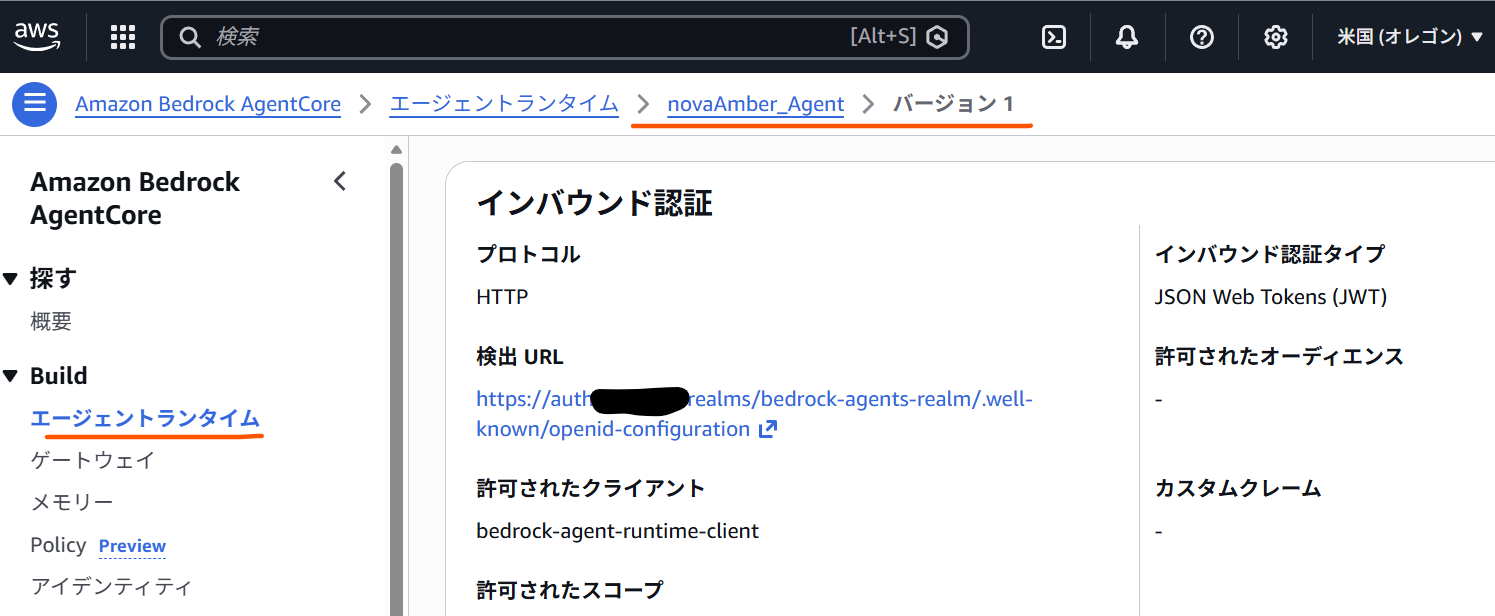
Enter OAuth discovery URL: https://auth.OAuth2.0のサーバ.com/realms/bedrock-agents-realm/.well-known/openid-configuration
Enter allowed OAuth client IDs (comma-separated): bedrock-agent-runtime-client
Enter allowed OAuth audience (comma-separated):
Enter allowed OAuth allowed scopes (comma-separated):
Enter allowed OAuth custom claims as JSON string (comma-separated):
許可されたクライアントは"client_id"文字列でJWTに貼っている必要があった。
OAuth2.0の情報は、エージェントンタイム→バージョン1→インバウンド認証に設定される。
呼び出し先のURLは、"https://bedrock-agentcore.us-west-2.amazonaws.com/runtimes/{URLエンコードされたAgentRuntimeのARN}/invocations?qualifier=DEFAULT" のようになる。
呼び出し
agentcore invoke "こんにちは、自己紹介して"
削除
https://docs.aws.amazon.com/bedrock/latest/userguide/agents-delete.html
cd echoNavy
agentcore destroy
CDKを選んだ場合
AgentCoreで動くコンテナはARM64だけなためechoGray/DockerfileにARM64を書き足す
FROM --platform=linux/arm64 ghcr.io/astral-sh/uv:python3.14-bookworm-slim
AWSのクラウドにCDKでデプロイする
cd echoGray/cdk
npm install
npm run cdk bootstrap
npm run cdk synth
npm run cdk:deploy
呼び出し
agentcore invoke "こんにちは、自己紹介して"