
はじめに
今回は直交座標⇔極座標を行き来する変換を実装していく。
実装コード
今回は以下のように実装した。get_rtは極座標系に変換するための対応する直座標系上の座標を取得し、get_xyはその逆を行う。(説明が怪しいが、以降の動作で確認してほしい)
import cv2
import numpy as np
import matplotlib.pyplot as plt


def get_rt(wid, ratio):
    i = np.tile(np.arange(wid).reshape(-1, 1), (1, wid)) - wid / 2
    j = i.T
    r = np.linalg.norm((i, j), axis=0)
    r /= np.max(r)
    r *= (wid - 1) * ratio
    r[r >= wid] = wid - 1
    j[j == 0] = 1
    t = np.arctan(i / j)[::-1]
    t[j < 0] += np.pi
    t -= np.min(t)
    t /= np.max(t)
    t *= (wid - 1)
    t[t >= wid] = wid - 1
    return r.astype('i'), t.astype('i')


def get_xy(wid):
    a = np.arange(wid) / wid
    r = wid / 2
    x = (a.reshape(1, -1) * np.cos(2 * a.reshape(-1, 1) * np.pi) * r + r).astype('i')
    y = (a.reshape(1, -1) * np.sin(2 * a.reshape(-1, 1) * np.pi) * r + r).astype('i')
    x[x < 0] = 0
    x[x >= wid] = wid - 1
    y[y < 0] = 0
    y[y >= wid] = wid - 1
    return x, y
説明
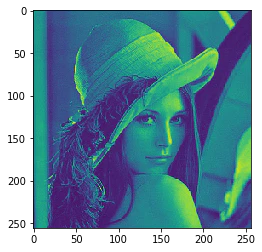
今回もレナさんの画像を用いる。ということでまずレナさんの画像を読み込みます。そして、一応確認しておく。実行するとこんな感じ。
img = cv2.resize(cv2.imread('lena.jpg', 0), (256, 256))
plt.imshow(img)
plt.show()
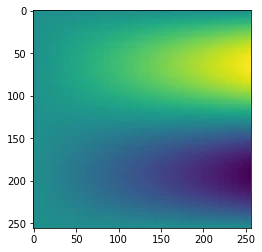
次に先ほどの関数で直交座標⇔極座標を行き来する座標関係を作成します。最初の2枚が極座標系に変換するやつで、後の2枚が直交座標系に変換するやつです。
r, t = get_rt(256, np.sqrt(2))
plt.imshow(r)
plt.show()
plt.imshow(t)
plt.show()

x, y = get_xy(256)
plt.imshow(x)
plt.show()
plt.imshow(y)
plt.show()
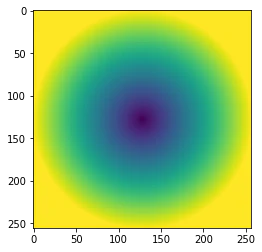
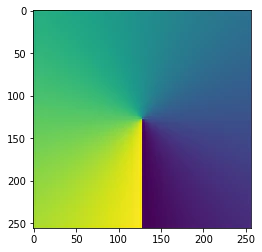
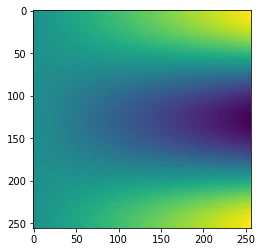
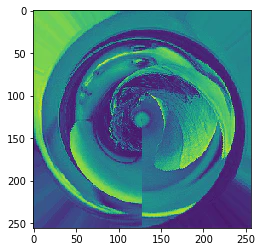
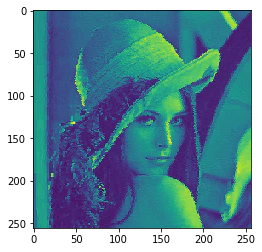
これがつくれたら、後は以下のように座標変換すれば直交座標⇒極座標⇒直交座標のような変換が簡単にできる。
lena = img[t, r]
plt.imshow(lena)
plt.show()
plt.imshow(lena[x, y])
plt.show()
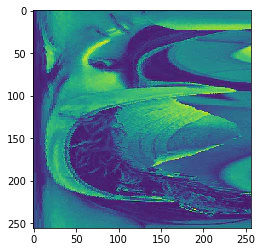
さっきの逆も簡単にできる
lena = img[x, y]
plt.imshow(lena)
plt.show()
plt.imshow(lena[t, r])
plt.show()
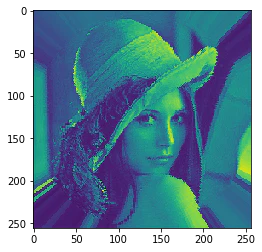
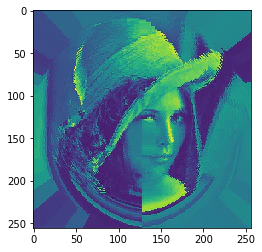
極座標系に変換した後さらにそれを極座標系に変換しても戻せる。
lena = img[t, r][t, r]
plt.imshow(lena)
plt.show()
plt.imshow(lena[x, y][x, y])
plt.show()
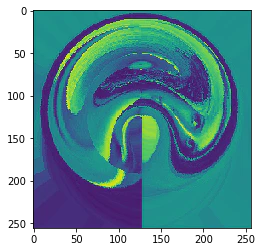
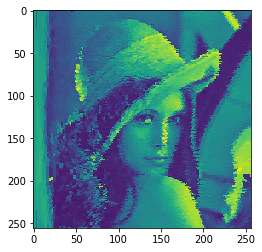
逆もできる。
lena = img[x, y][x, y]
plt.imshow(lena)
plt.show()
plt.imshow(lena[t, r][t, r])
plt.show()
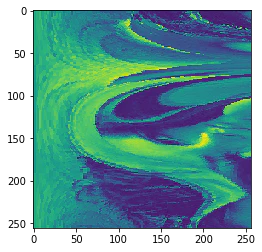
まとめ
楽しい!コードも説明も雑ですが・・・気が向いたら整理します(´・ω・`)