
自己紹介
私はプログラミングスクールRUNTEQでアプリ開発中のsahoです。
カフェSNSアプリを開発中です。
⚠️ 注意
間違いやご意見などありましたら、コメントで教えていただけますと幸いです
はじめに
Rails の Active Storage で画像を保存する際に、容量を抑えるために
libvips + image_processing gem を使って「リサイズ」や「WebP 変換」を行う実装を試しました。
実装時に出たエラーとその解決方法をまとめます
実装方法については下記の記事を参考に行いました!
参考記事
https://qiita.com/massan-E/items/a23e0e6b2f094d577817
https://zenn.dev/isamin1211/scraps/56c3995b4a4ff4
active_storage railsガイド
https://railsguides.jp/v7.2/active_storage_overview.html
❌ エラー①:NoMethodError - process_and_transform_image が見つからない

NoMethodError: undefined method 'process_and_transform_image' for module ImageProcessable
原因
- Post モデルで
include ImageProcessableしていなかった - image_processable.rb で
require "image_processing/vips"がなかった - モジュールのメソッド呼び出し方が間違っていた
解決方法
# app/models/concerns/image_processable.rb
require "image_processing/vips"  ← これが必須!
                ↑
         ライブラリを読み込む

module ImageProcessable
  class ImageProcessingError < StandardError; end

  def process_and_transform_image(image_io, width)
    # ...
  end
end
# app/models/post.rb
class Post < ApplicationRecord
  include ImageProcessable  ← これも必須!
end

# app/controllers/posts_controller.rb
@post.image = @post.process_and_transform_image(params[:post][:image], 854)
                ↑ @post のメソッドとして呼ぶ
                ❌ImageProcessable
include と require の違い
require
require "image_processing/vips"
- ライブラリを「読み込む」
- ファイル内で使用する準備をする
include
class Post < ApplicationRecord
  include ImageProcessable
end
- モジュールを「組み込む」
- クラスがモジュールのメソッドを持つようになる
実装での関係性
image_processable.rb
  └── require "image_processing/vips"  ← libvips を読み込む

post.rb
  └── include ImageProcessable  ← モジュール組み込み
      └── process_and_transform_image メソッドが使える
❌ エラー②:LoadError - vips.so.42 が見つからない
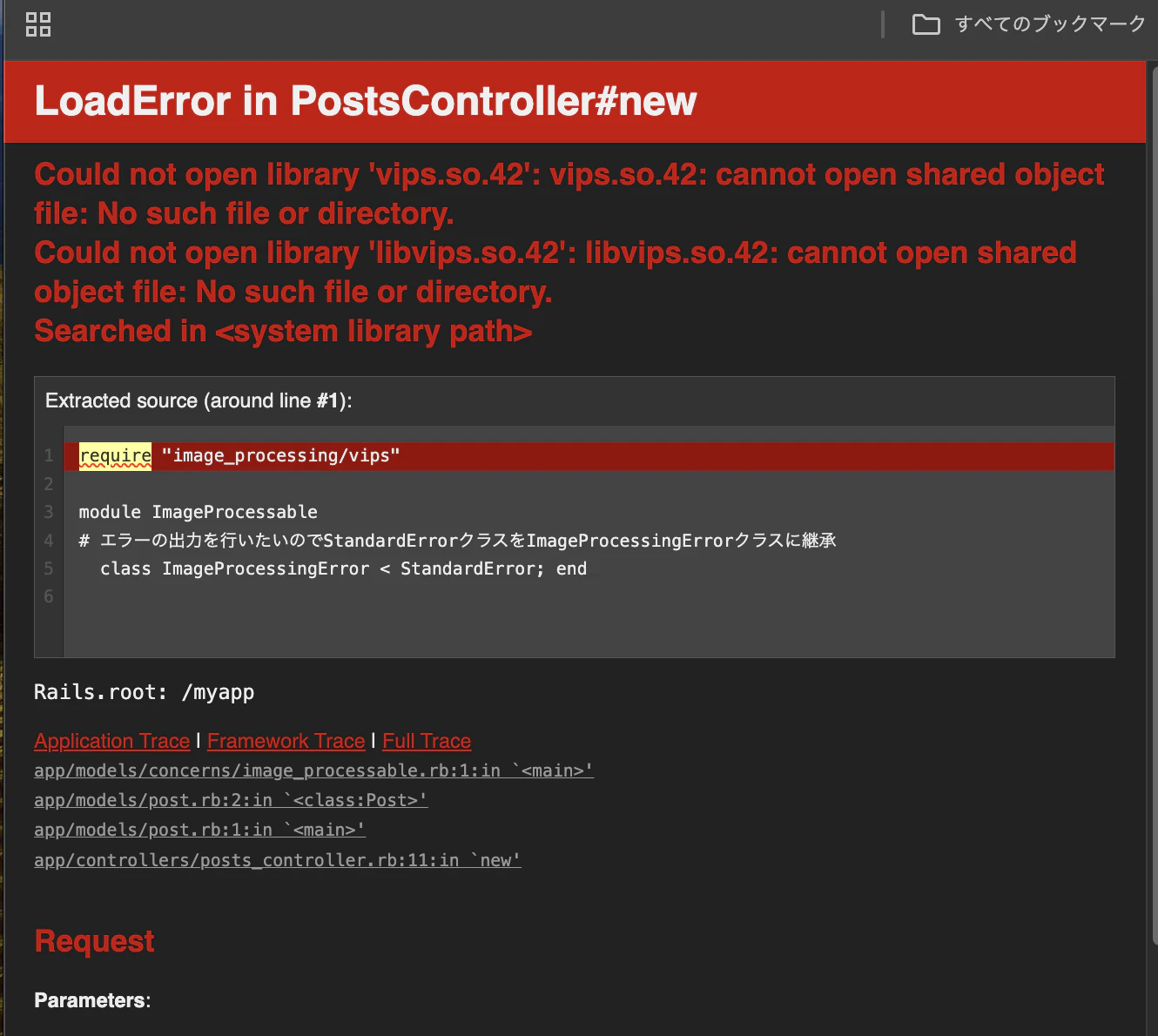
Could not open library 'vips.so.42': No such file or directory
原因
- Dockerfile.dev に libvips がインストールされていなかった
- docker-compose build --no-cache を実行していなかった
解決方法
Dockerfile.dev を編集:
# Dockerfile.dev

RUN apt-get update -qq && apt-get install -y build-essential libpq-dev libvips-dev nodejs yarn vim
                                                                        ↑ 追加
ビルドを実行:
docker-compose down

docker-compose build --no-cache

docker-compose up
Dockerfile と Dockerfile.dev の違い
| 項目 | Dockerfile(本番) | Dockerfile.dev(開発) |
|---|---|---|
| 用途 | 本番環境で動作 | ローカルで開発 |
| ファイルサイズ | 小さい | 大きい |
| 含まれるツール | 最小限のみ | 開発ツール一式 |
| libvips | あり | なし(追加が必要) |
| デバッグ情報 | 不要 | 必要 |
| ビルド速度 | 最適化 | 開発用 |
docker-compose up の流れ
docker-compose up
  ↓
compose.yml を読む
  ↓
web:
  build:
    dockerfile: Dockerfile.dev  ← Dockerfile.dev を使う(開発環境用)
  ↓
db コンテナ起動(PostgreSQL)
  ↓
web コンテナ起動(Rails)
  ↓
http://localhost:3000 で開発開始
おわりに
この実装を通じて学んだこと:
- Docker の環境構築 - 開発環境と本番環境の違い
- Rails モジュール設計 - include と require の使い分け
- Active Storage - 画像処理の実装方法
- パフォーマンス最適化 - 画像を WebP に変換することで容量削減