3
0

Delete article

Deleted articles cannot be recovered.

Draft of this article would be also deleted.

Are you sure you want to delete this article?

KiroからWSLへ接続する方法(Open Remote - WSL)

Last updated at Posted at 2025-07-16

概要

KiroをダウンロードしてVSCodeの設定をImportしたが、WSLへ接続できなかったので解決策をメモ。

Kiroとは

AWSが発表したAIを搭載したIDEです。コード補完やMCPなどはもちろん、スペックやフックといった機能により開発支援をしてくれるらしいです。
ちなみにプレビュー中は無料で利用できるらしい。

結論

次の設定で接続可能です。

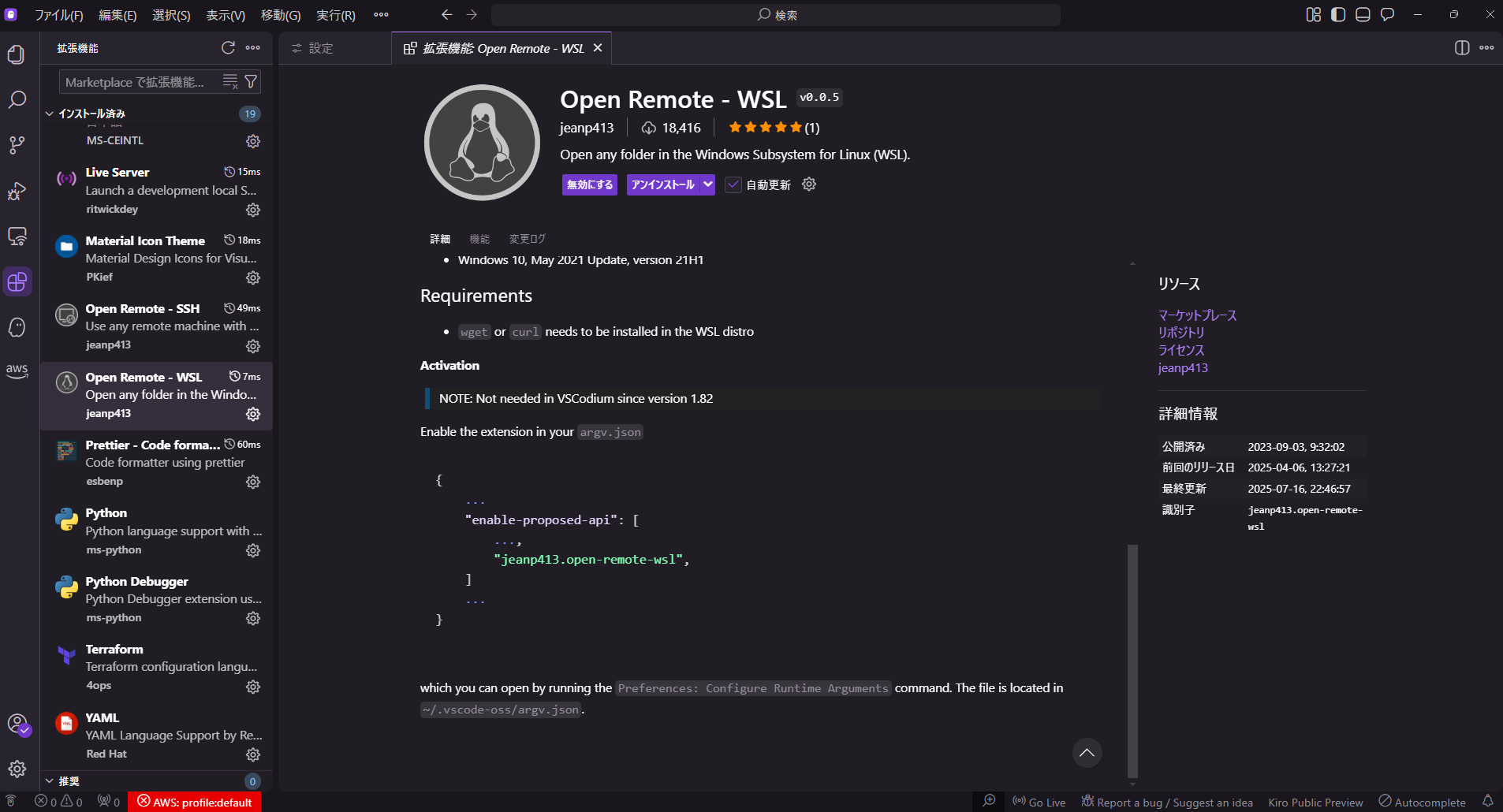
  1. 拡張機能の「Open Remote - WSL」をダウンロード

  2. C:\Users\ユーザー名\.kiro\argv.jsonへ以下を記載

    {
    	//おそらくここら辺に既存設定があるはず
        "enable-proposed-api": [
            "jeanp413.open-remote-wsl",
        ]
    }
    
  3. 拡張機能のリモートエクスプローラーからWSL Targetを選択の上、WSLへ接続
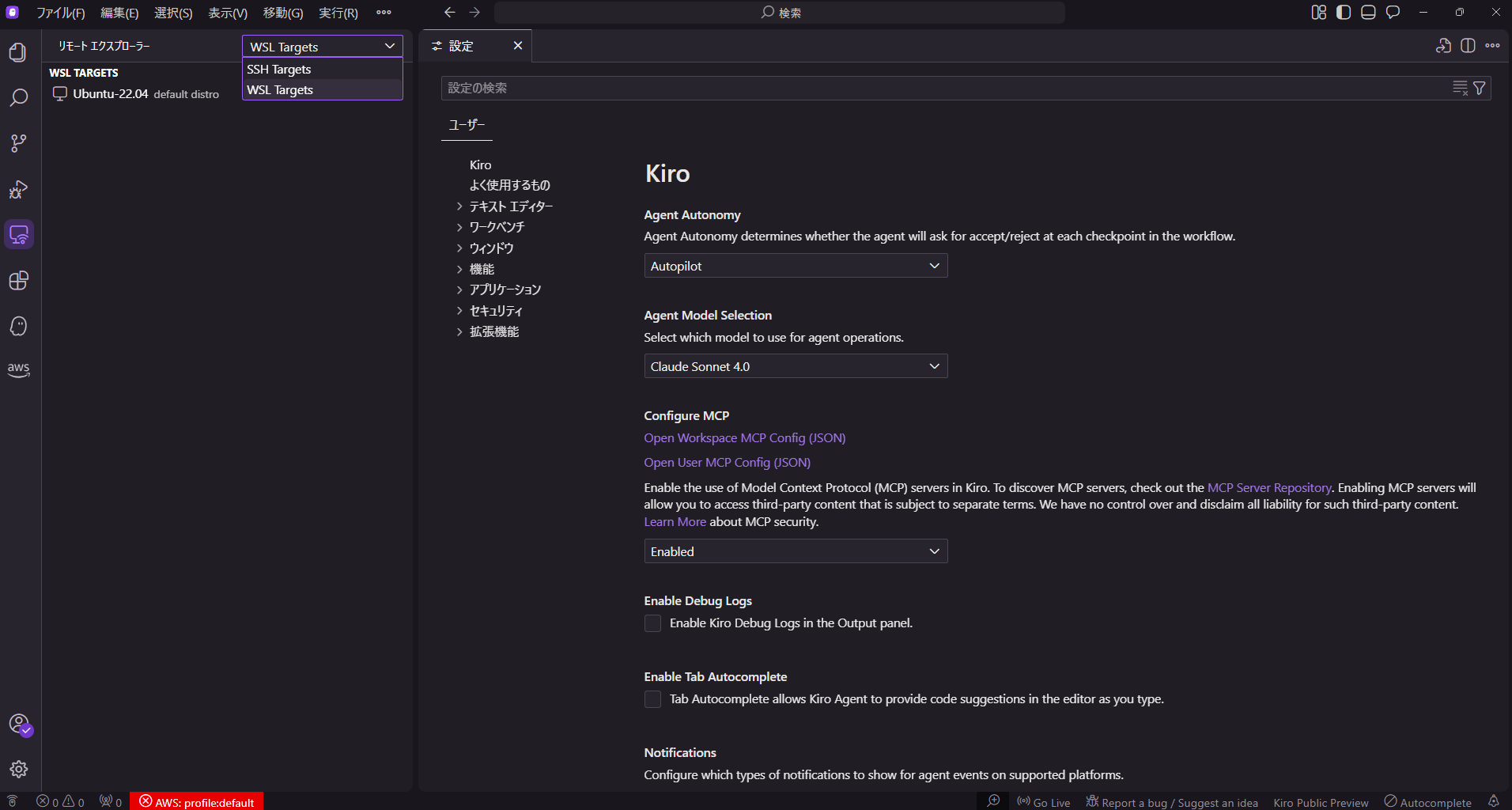
    image.png

参考

拡張機能のREADMEに記載があります。

image.png

3
0
0

Register as a new user and use Qiita more conveniently

  1. You get articles that match your needs
  2. You can efficiently read back useful information
  3. You can use dark theme
What you can do with signing up
3
0

Delete article

Deleted articles cannot be recovered.

Draft of this article would be also deleted.

Are you sure you want to delete this article?