
始め方
- Azureアカウント作成
- サブスクリプション用意
- Oeganization作成
- Reposに登録(Azure DevOpsでリポジトリ管理する場合)
- Pipeline作成
この記事について
- devOps初心者のセットアップ方法をまとめる為のメモ
Azure DevOps セットアップ
1. Azure アカウント作成
- https://azure.microsoft.com/ にアクセス
- Microsoft アカウントでサインアップ
- Azure Portal にログインできることを確認
2. サブスクリプション用意
- Azure Portal (https://portal.azure.com) にログイン
- 「サブスクリプション」を開く
- 以下のいずれかを用意
- 無料試用版サブスクリプション
- 既存の課金サブスクリプション
- サブスクリプションが「有効」状態であることを確認
3. Azure DevOps Organization 作成
- https://dev.azure.com にアクセス
- Azure アカウントでサインイン
- 「New organization」をクリック(create new organization)
https://aex.dev.azure.com

- Organization 名を入力して作成
4. Repos に登録(プロジェクト作成)
- Azure DevOps 画面で Organization を選択
- 「New project」をクリック
- Project 名を入力して作成
- 左メニュー「Repos」→「Files」を開く(初回)
- 以下いずれかを実施
- GitHub リポジトリを Import
- Import repositoryを選択

- cloneのURLやユーザー名、PATを入力

- Import repositoryを選択
- ローカルリポジトリを push
- GitHub リポジトリを Import
5. Pipeline 作成
-
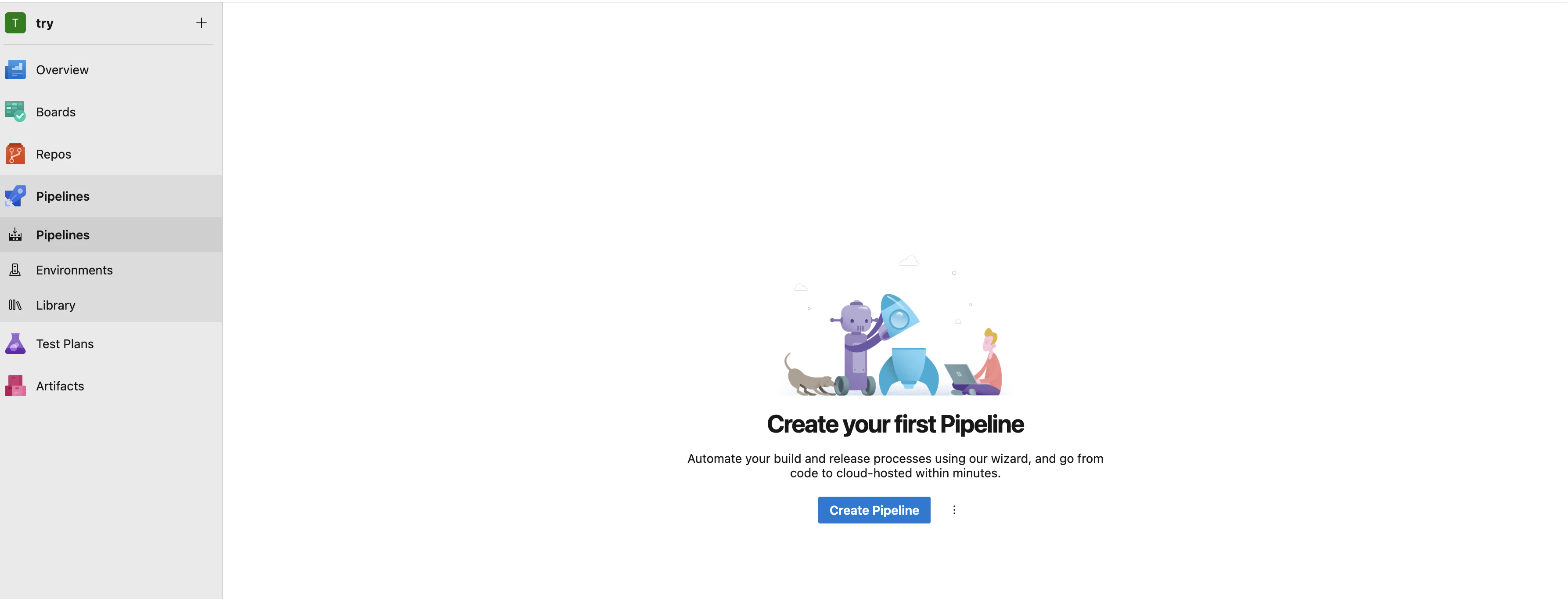
左メニュー「Pipelines」→「Create Pipeline」
-
ソースに「Azure Repos Git」を選択

-
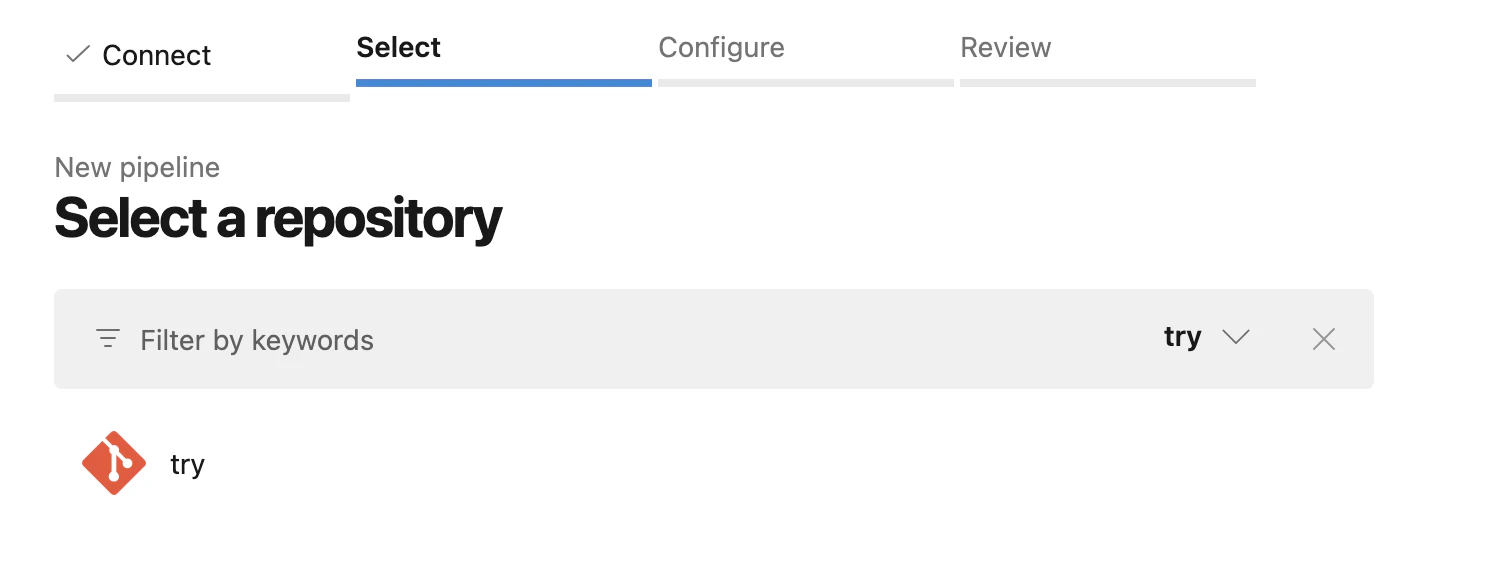
対象リポジトリを選択
-
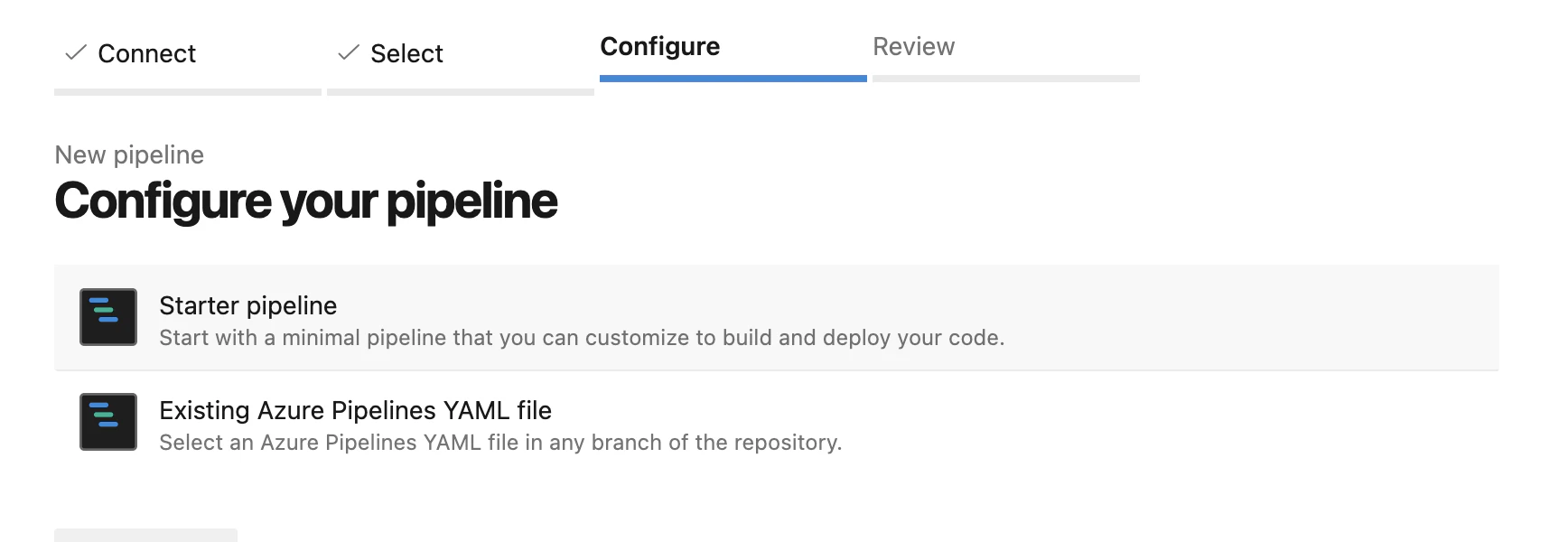
「Starter pipeline」を選択
-
azure-pipelines.ymlを編集
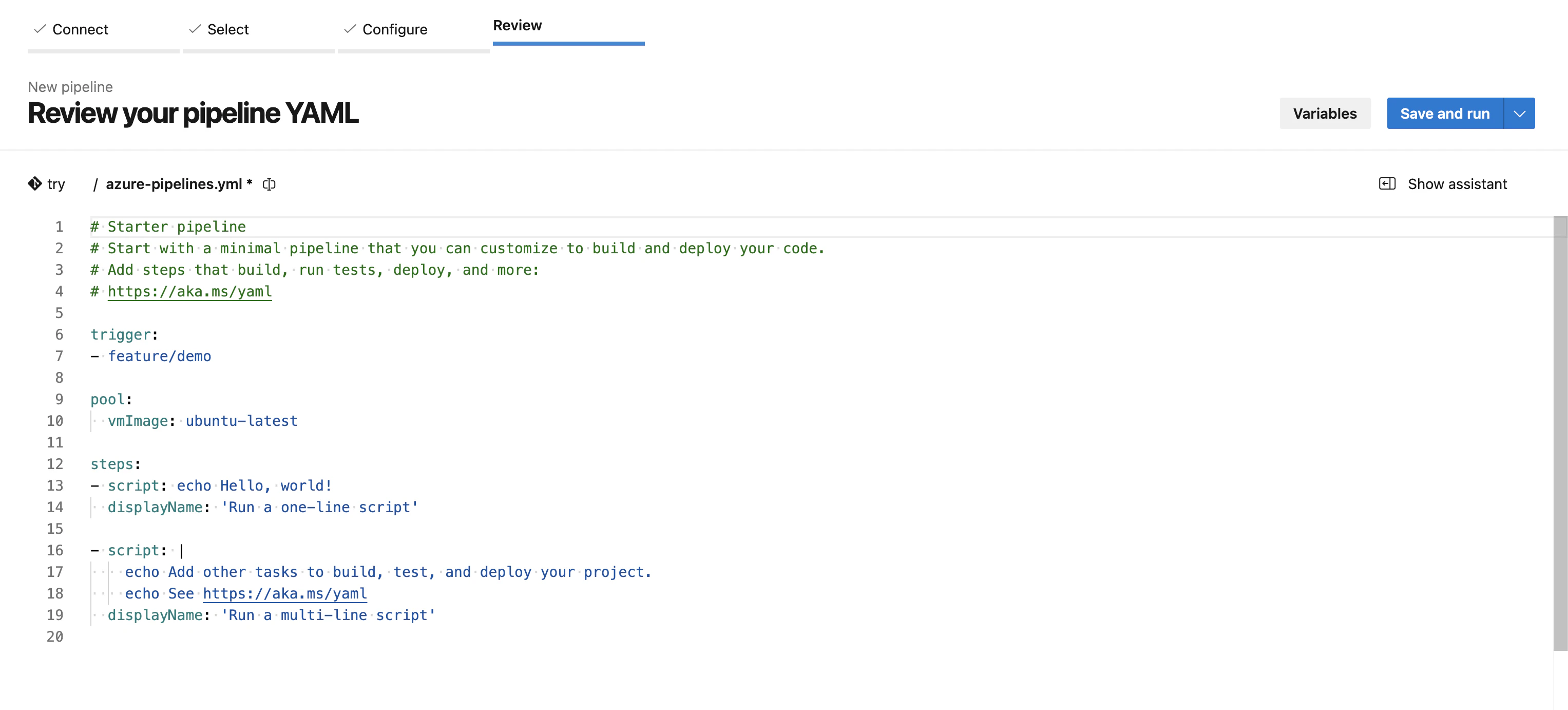
# Starter pipeline # Start with a minimal pipeline that you can customize to build and deploy your code. # Add steps that build, run tests, deploy, and more: # https://aka.ms/yaml trigger: ## これらのbranchのpush時にpipeline実行させる branches: include: - main - feature/demo ## これらのfile更新ではpipeline実行をさせない paths: exclude: - README.md - .gitignore ## pipelineを動かす実行環境 pool: vmImage: ubuntu-latest ## 実行する各処理を以降に記載 ## build stages: - stage: Build ## script→lint→test→build jobs: - job: build-pipeline-start steps: - script: echo Hello, world! displayName: 'Run a one-line script' - script: | echo Add other tasks to build, test, and deploy your project. echo See https://aka.ms/yaml displayName: 'Run a multi-line script' - job: lint dependsOn: build-pipeline-start steps: - script: echo "lint phase (placeholder)" - job: test dependsOn: lint steps: - script: echo "test phase (placeholder)" - job: build dependsOn: test steps: - script: echo "build phase (placeholder)" -
「Save and run」でパイプライン作成・実行

-
結果を確認
失敗している

ページ下部にエラー内容が記載

job名に -(ハイフン)が使えないためエラーになっているため、スネークケースに変えるためEdit pipelineを選択

変更したので保存

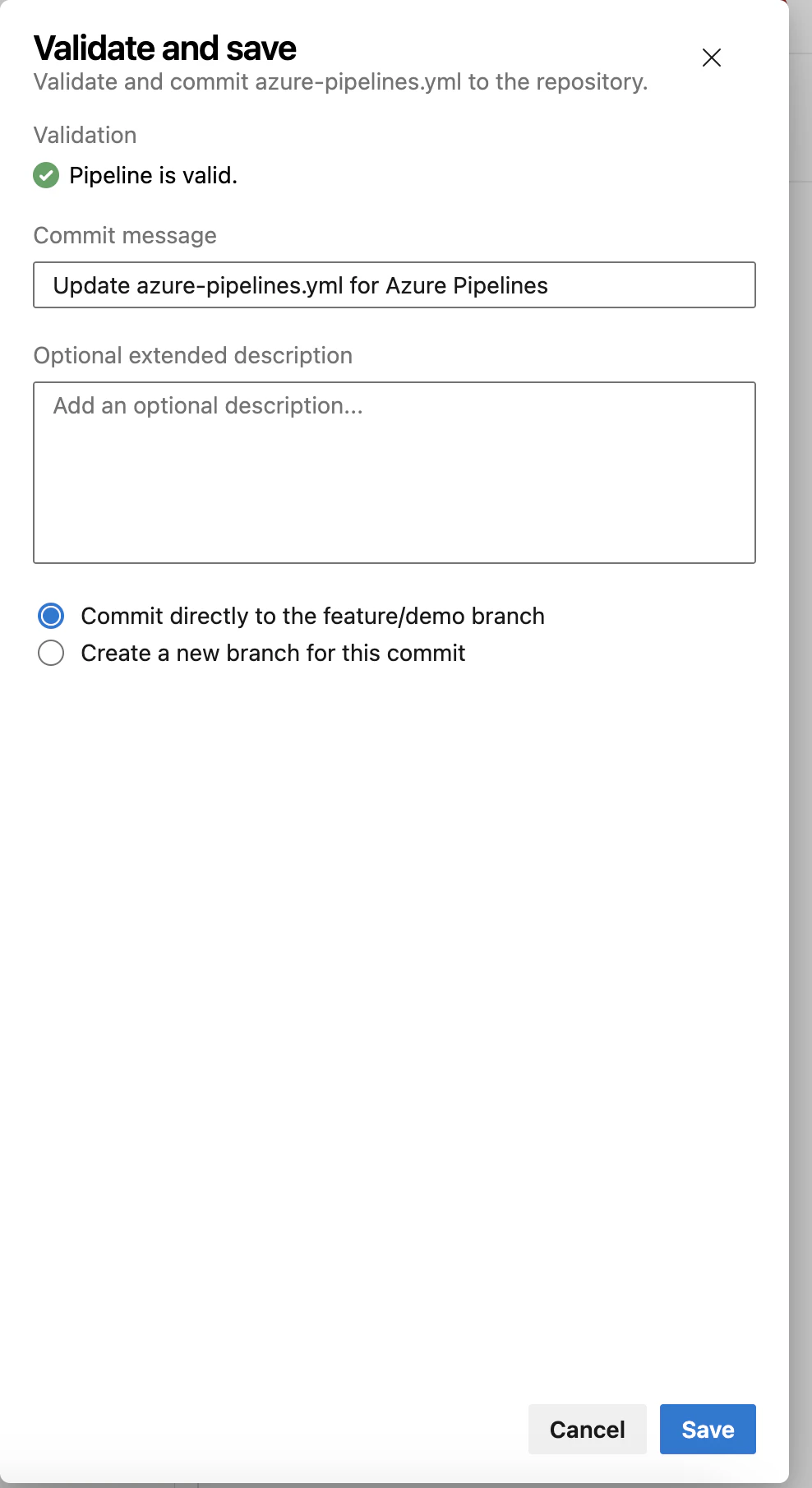
Runを実施して再度試みる

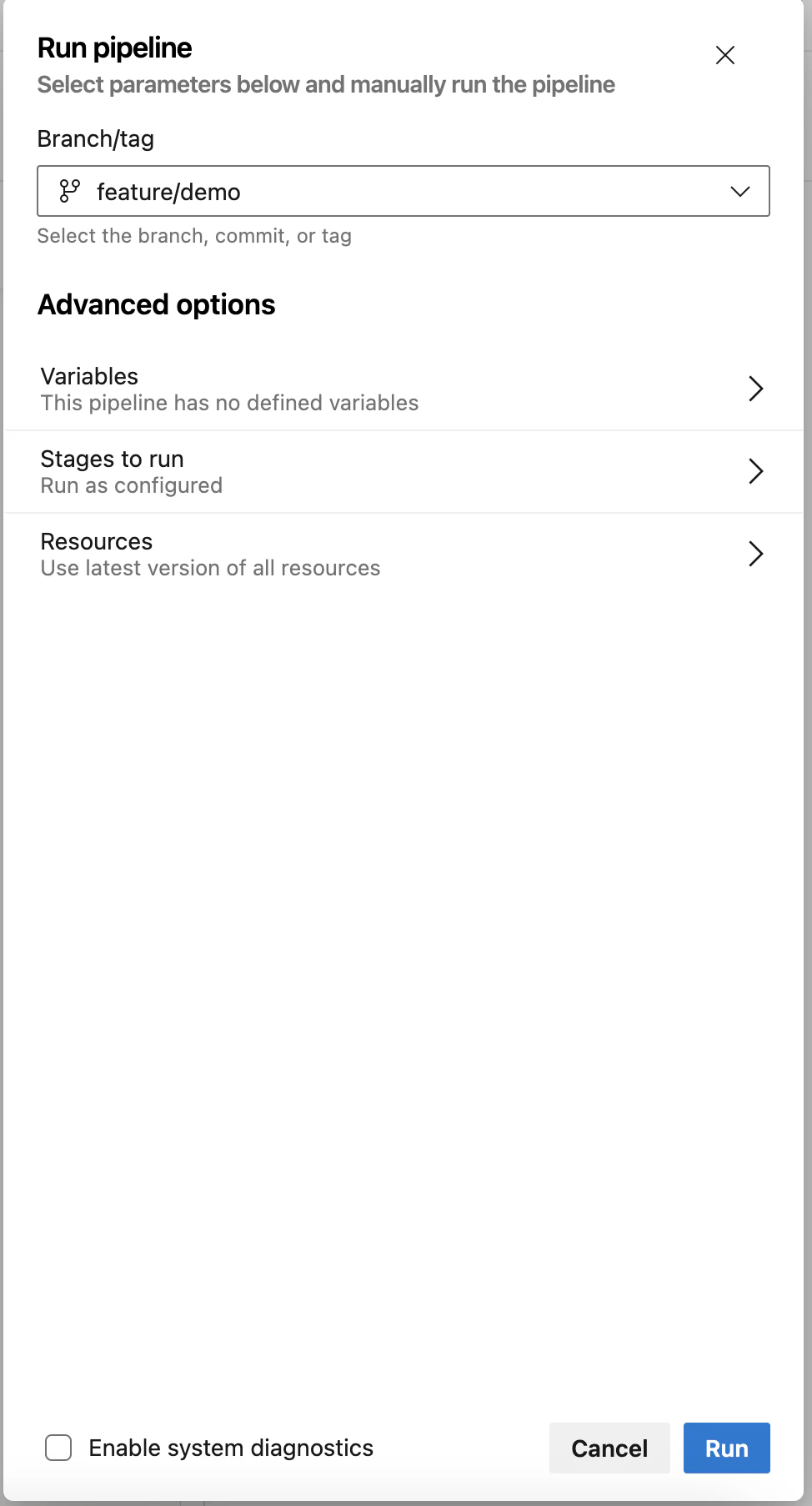
またエラー

エラー部分をクリックするとよく見る詳細部分での確認も可能

利用許可が無く、申請が必要らしい
https://forms.office.com/pages/responsepage.aspx?id=v4j5cvGGr0GRqy180BHbR5zsR558741CrNi6q8iTpANURUhKMVA3WE4wMFhHRExTVlpET1BEMlZSTCQlQCN0PWcu&route=shorturl
5.1 Pipeline作成時の選択肢の違いは?
違いは「コードを管理する場所」
GitHub を選ぶ場合
- ソースコード管理:GitHub
- Pipeline実行:Azure Pipelines
- GitHub push / PR をトリガーに実行
- 既存のGitHubリポジトリをそのまま利用可能
向いているケース
- 既にGitHubで管理しているリポジトリがある
- OSS / 個人開発
- GitHub Actionsとの比較・併用をしたい
Azure Repos Git を選ぶ場合
- ソースコード管理:Azure Repos
- Pipeline実行:Azure Pipelines
- Azure Reposのpush / PR をトリガーに実行
- Repo・Pipeline・PRを一体管理できる
向いているケース
- 企業内システム開発
- ガバナンス・権限管理を重視
- Azure DevOpsを一気通貫で使いたい
5.2 Azure Pipelines:steps と jobs の使い分け
書き方の違いと用途
jobsを明示する方が一般的だと感じます。
| 観点 | stepsのみ(省略形) | jobsを明示する書き方 |
|---|---|---|
| 記述量 | 少ない | やや多い |
| 主な用途 | 学習・検証・小規模 | 実務・中規模以上 |
| 実行単位 | 暗黙の1 job | jobを明示的に定義 |
| 並列実行 | 不可 | 可能 |
| job依存関係 | 不可 |
dependsOn で指定可 |
| 条件分岐 | 限定的 |
condition で柔軟に指定可 |
| Agent切替 | 不可 | jobごとに指定可 |
| 将来拡張性 | 低い | 高い(stagesへ拡張しやすい) |
5.3 Azure Pipelines:stages、jobs、stepsの使い分け
| 項目 | stages | jobs | steps |
|---|---|---|---|
| 主な役割 | 処理の大分類 | 実行単位 | 実際の処理 |
| 粒度 | 大 | 中 | 小 |
| 主な用途 | Build / Deploy / Release | test / build / deploy | コマンド実行 |
| 実行環境指定 | ❌ | ⭕(pool) | ❌ |
| 並列実行 | ⭕(stage単位) | ⭕ | ❌ |
| 依存関係 | ⭕(dependsOn) | ⭕ | ❌ |
| 条件分岐 | ⭕(condition) | ⭕ | ⭕ |
| 成果物共有 | ⭕(stage間) | ⭕(job間) | ❌ |
| 承認(Approval) | ⭕(Environment) | ❌ | ❌ |
| 再実行単位 | stage | job | step |
典型的な命名例
| レイヤ | よくある名前 |
|---|---|
| stage |
Build / DeployDev / DeployProd
|
| job |
lint / test / build / deploy
|
| step |
Install dependencies / Run tests
|
記述例
stages:
- stage: Build
  jobs:
  - job: test
    pool:
      vmImage: ubuntu-latest
    steps:
    - script: pip install -r requirements.txt
    - script: pytest

- stage: DeployDev
  dependsOn: Build
  jobs:
  - job: deploy
    steps:
    - script: echo "Deploy to Dev"

- stage: DeployProd
  dependsOn: DeployDev
  jobs:
  - job: deploy
    steps:
    - script: echo "Deploy to Prod"