
すごく基礎の基礎だと思うのですが投稿します(o*。_。)o わ、忘れないように…
わからないけど、qiitaに書くと定着する気がする(✿´ ꒳ ` )いや、気のせいだ、またすぐ忘れる…
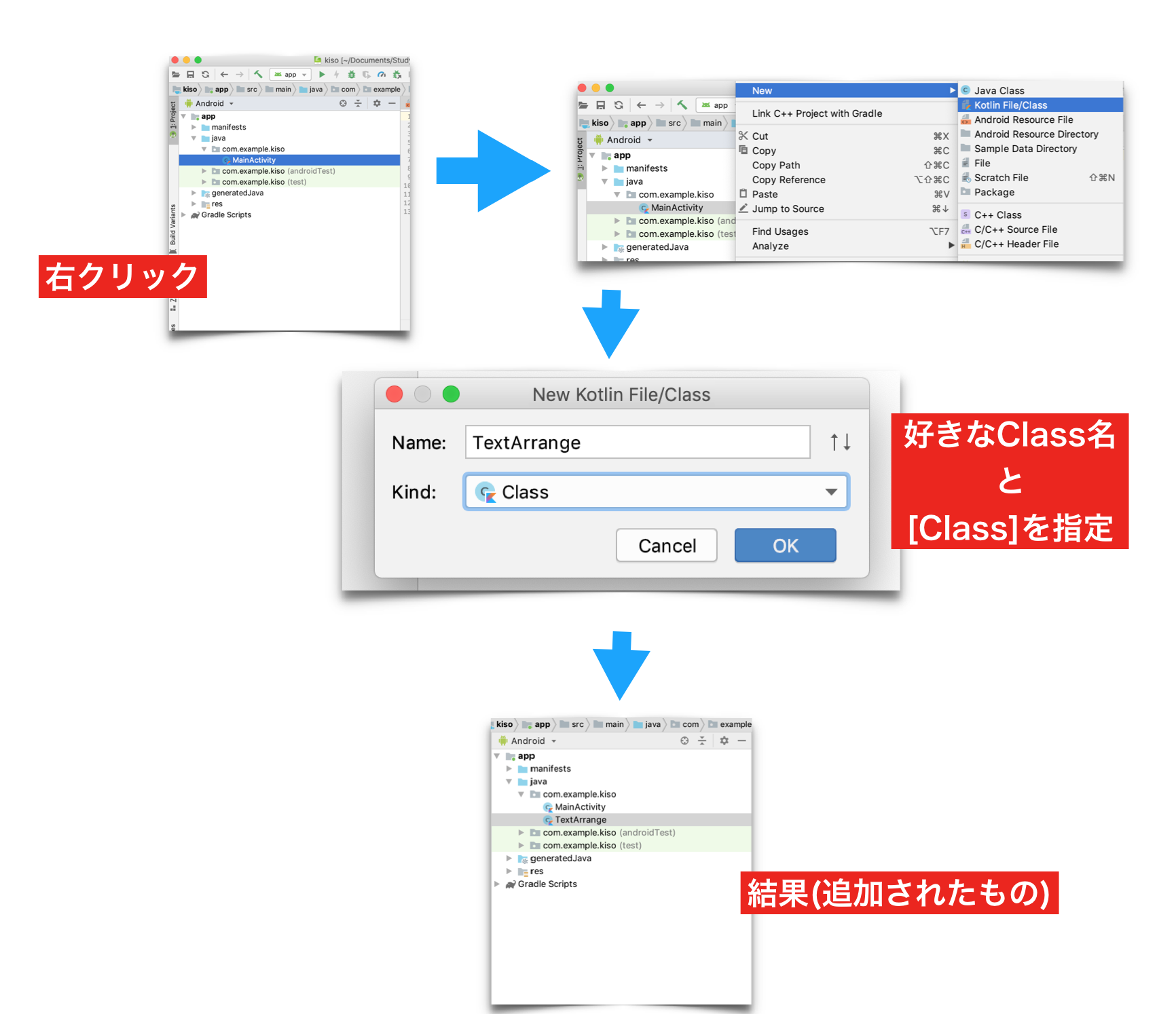
ファイルの追加
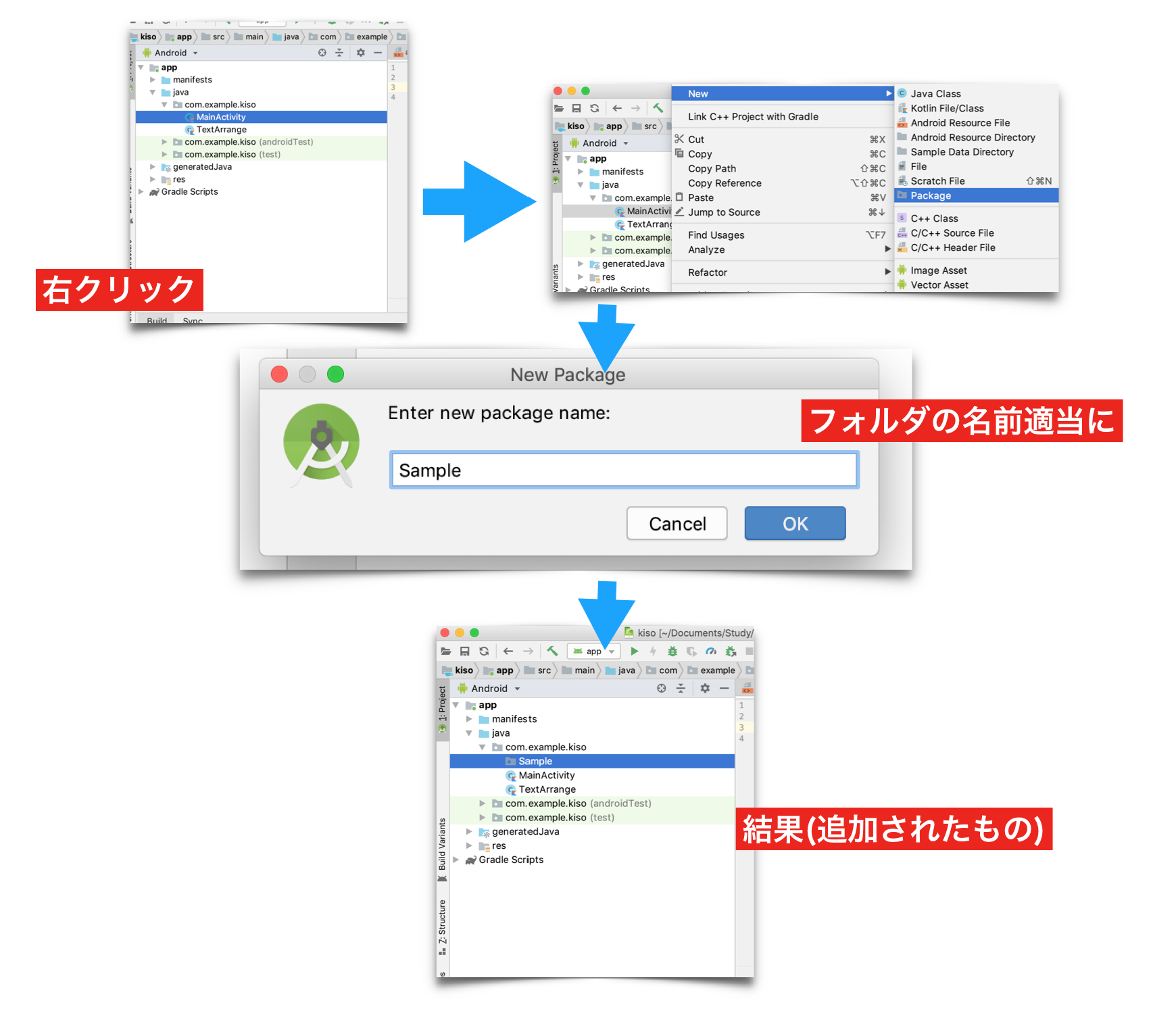
フォルダの追加
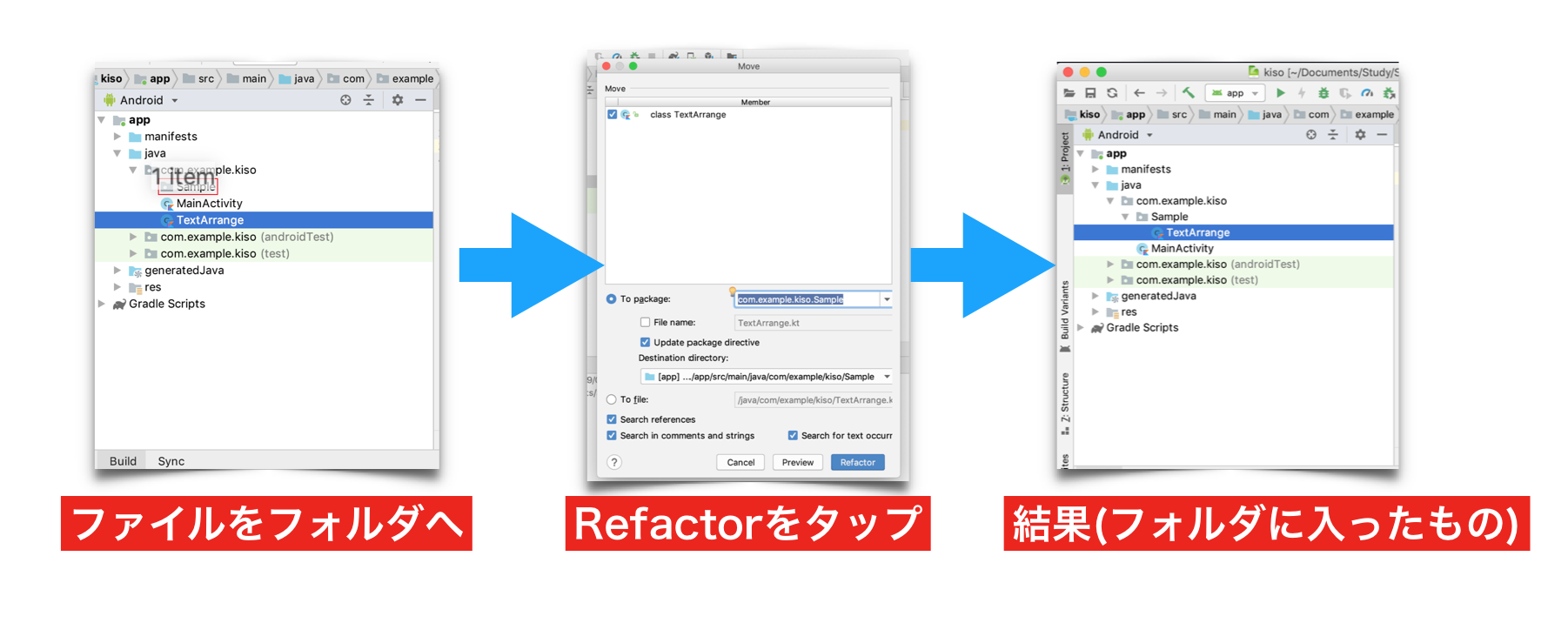
フォルダの中にファイルを入れる
使ってみる
※クラスを使うものと、もともとのクラス(String)の拡張を使ったもの。
TextArrange.kt
package com.example.kiso.Sample

class TextArrange {

    fun sample(){
        println("TextArrangeクラスのsampleです!")
    }
}

fun String.addText(text:String):String {
    return this + text
}
MainActivity.kt
package com.example.kiso

import android.os.Bundle
import android.support.v7.app.AppCompatActivity
import com.example.kiso.Sample.TextArrange
import com.example.kiso.Sample.addText

class MainActivity : AppCompatActivity() {

    override fun onCreate(savedInstanceState: Bundle?) {
        super.onCreate(savedInstanceState)
        setContentView(R.layout.activity_main)

        println("おはよう".addText("ございます"))

        val textArrange = TextArrange()
        textArrange.sample()
    }
}
出力結果
