
はじめに
今日ふとメールを見ると、こんな案内が来てました。
Hello,
On July 31, 2025, AWS Identity and Access Management (IAM) began enforcing the evaluation of the "cognito-identity.amazonaws.com:aud" condition key in role trust policies associated with the Amazon Cognito Identity Provider (IdP). Your account has IAM roles that are configured to trust Cognito as an Open ID Connect (OIDC) IdP. The role trust policy associated with these roles is missing this condition key, which could potentially allow identities outside of your AWS account to access your role and AWS resources.
To create or modify IAM roles, you must update your roles to trust Cognito OIDC IdP with the "cognito-identity.amazonaws.com:aud" condition key. If you do not take action, you will continue to receive an error if you set or modify a role trust policy for a role associated with this IdP. For additional information, refer to our "Identity provider controls for OIDC providers" user guide [1].
Please refer to the "Affected resources" tab of your AWS Health Dashboard for your affected IAM Role(s). From this list, choose the name of the role that you want to modify. Choose the "Trust relationships" tab, and then choose "Edit trust policy." Update existing trust policies to evaluate the "cognito-identity.amazonaws.com:aud" condition key. For more information on how to update the role trust policy, refer to our "Update a role trust policy" user guide [2].
The following example trust policy demonstrates how to limit access to a specific group, project, branch, or tag. The condition key "cognito-identity.amazonaws.com:aud" value in the following example is the default audience value format documented by Cognito [3].
"StringEquals": {
"cognito-identity.amazonaws.com:aud": "us-west-2:abcdefg-1234-5678-910a-0e8443553f95"
}Additionally, if you use AWS CloudTrail, you can review your AssumeRoleWithWebIdentity API calls and the associated subject claim to confirm those calls are as you expected.
If you have any questions or concerns, please reach out to AWS Support [4].
[1] https://docs.aws.amazon.com/IAM/latest/UserGuide/id_roles_providers_oidc_secure-by-default.html
[2] https://docs.aws.amazon.com/IAM/latest/UserGuide/id_roles_update-role-trust-policy.html#id_roles_update-trust-policy-console
[3] https://docs.aws.amazon.com/cognito/latest/developerguide/iam-roles.html
[4] https://aws.amazon.com/supportSincerely,
Amazon Web Services
7月31日からIAMがCognito IDプールに関連付けられた信頼ポリシーにおいて、cognito-identity.amazonaws.com:aud条件キーの評価の適用を開始しました、とのこと。
心当たりなかったので、ちょっと調べてみた記事です。
対象のロール
対象のロールを見てみると、cognito-identity.amazonaws.com:audが確かに*になってました。
Cognitoいじってる時に危険なロールを作ってたみたいです。
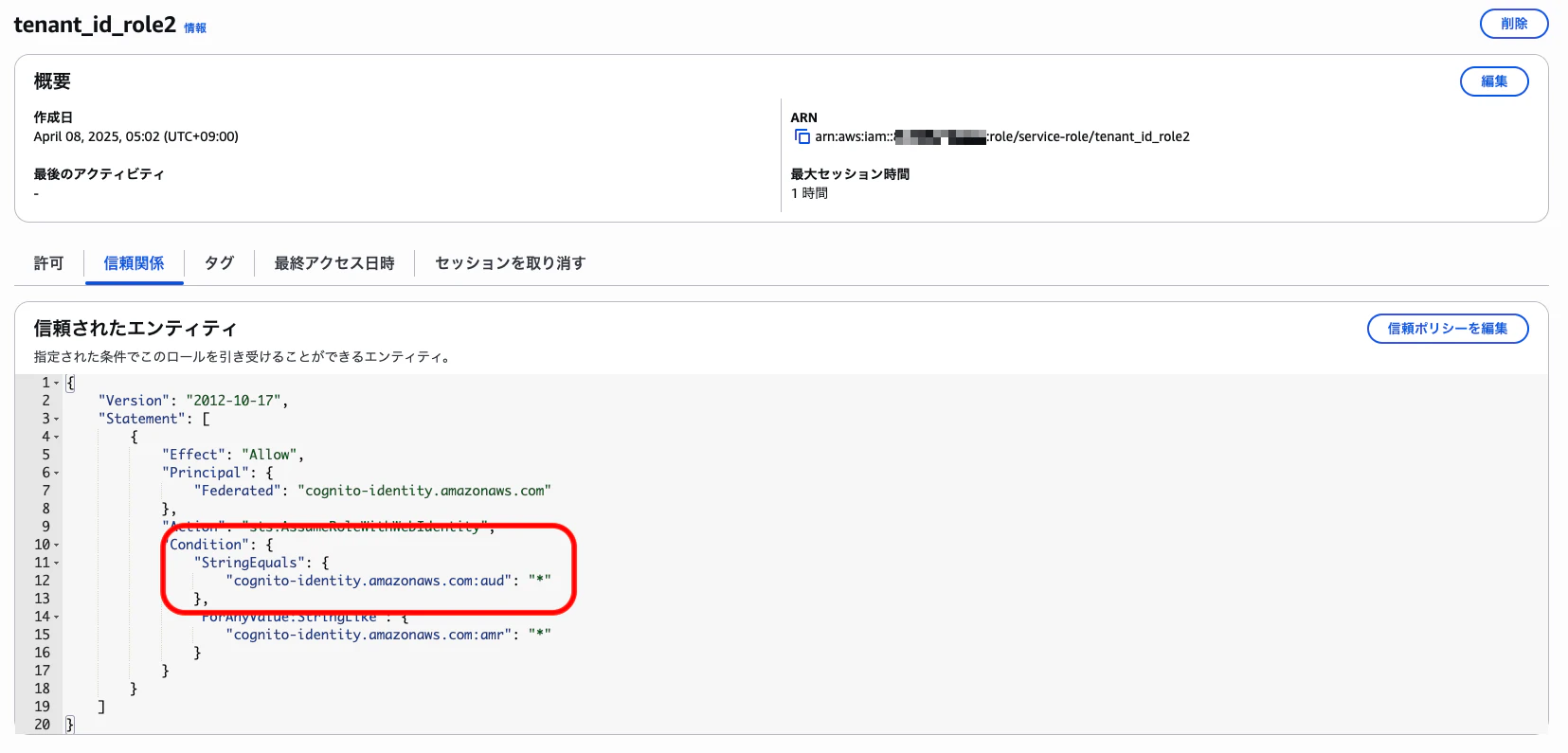
{
    "Version": "2012-10-17",
    "Statement": [
        {
            "Effect": "Allow",
            "Principal": {
                "Federated": "cognito-identity.amazonaws.com"
            },
            "Action": "sts:AssumeRoleWithWebIdentity",
            "Condition": {
                "StringEquals": {
+                    "cognito-identity.amazonaws.com:aud": "*"
                },
                "ForAnyValue:StringLike": {
                    "cognito-identity.amazonaws.com:amr": "*"
                }
            }
        }
    ]
}
どこで使ってるやつ?
以前作ったLT資料用の構成図で言うと、この赤枠のところですね。(きっと)
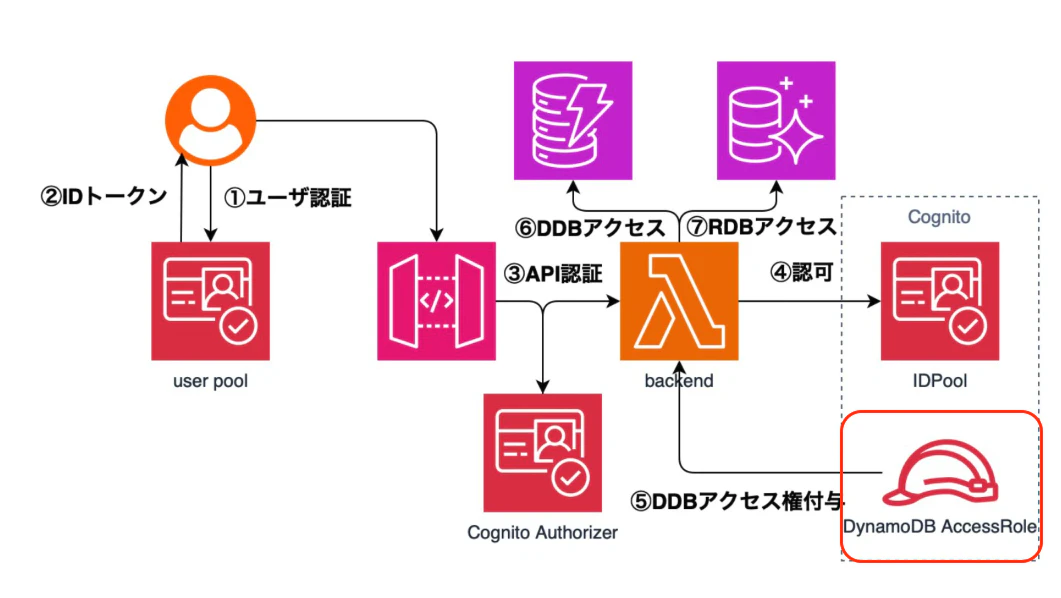
本来、認可を与えるIDプールをcognito-identity.amazonaws.com:audで指定しないといけないのに*となっているせいで、他人のIDプールからもこのロールを委任することができてしまうってことかな?
対処法
最終のアクティブティが-になってるから、今回はロール自体を消してしまいましたが本来は対象のIDプールを指定すべきです。
IDプールのIDap-northeast-1:4628f762-0dad-4dc3-a1d3-0854bedc068fとかを指定すれば良いですね!

最後に
ただのメモ用です。
ふと気になったことを1時間くらいで調べてアウトプットできるようになりたいです!