

Azure KinectをJetson Xavier NXで試す
Azure KinectをJetson NanoやXavier NXシリーズで動かすまでのメモ
どうやらAzure Kinectを使用するためのSDKが
いままではARM64には対応していなかったが最近対応したらしい
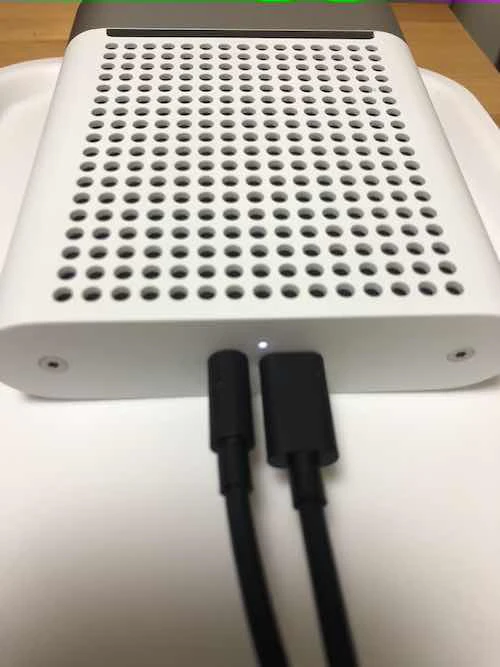
Azure Kinectの配線はこんな感じです。
左側は充電コードでコンセントに挿して使用します。
右側のコードをXavier NXに繋げます。
充電コードの先はusbタイプですがNXにつなげると電力不足になってしまうので注意(電力不足の時はLEDが黄色で点滅します)
Azure Kinectを使用するためのSDKのインストール
参考:https://github.com/microsoft/Azure-Kinect-Sensor-SDK/blob/develop/docs/usage.md
curl -sSL https://packages.microsoft.com/keys/microsoft.asc | sudo apt-key add -

# レポジトリの追加
# ARMアーキテクチャに対応したものをDL
sudo apt-add-repository https://packages.microsoft.com/ubuntu/18.04/multiarch/prod


sudo apt-get update
次にlibk4a-devをインストールする
デモを動かす時には必要らしい。
インストールしたSDKとバージョンを合わせる必要があるらしく
今回はSDK1.4.1をインストールしたため
libk4a1.4-devをインストールしています。
命名規則はこんな感じになっているので自分のバージョンを合わせる必要があります
libk4a(major).(minor)-dev
(major)と(minor)にバージョンの数字をいれるような感じになっています。
sudo apt install libk4a1.4-dev
cd /usr/bin/
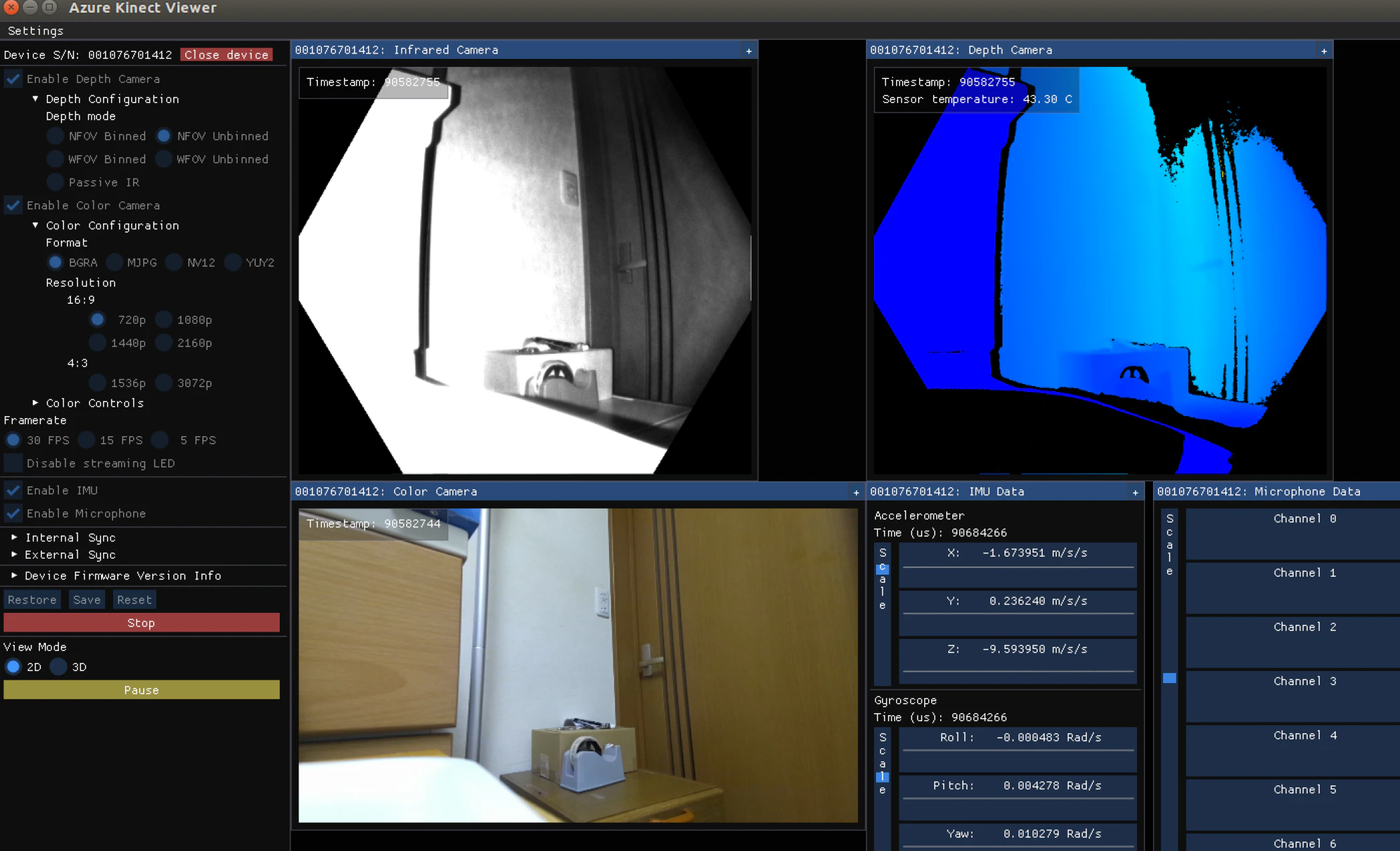
sudo ./k4aviewer
こんな感じでできたら成功です!
今後
トラッキングのデモとかもあるらしいので試していこうと思います