はじめに
これまで CloudFormation で管理していた AWS リソースを Terraform 管理下へ移行するケースが参画プロジェクトで何度かあったので備忘として残します。
TL;DR
CloudFormation Stack 削除前に実体が削除されないように DeletionPolicy: Retain を設定してから Stack 削除して、その後 Terraform で import する。
サンプルユースケース
今回のサンプルは VPC リソースを移管するユースケースシナリオです。
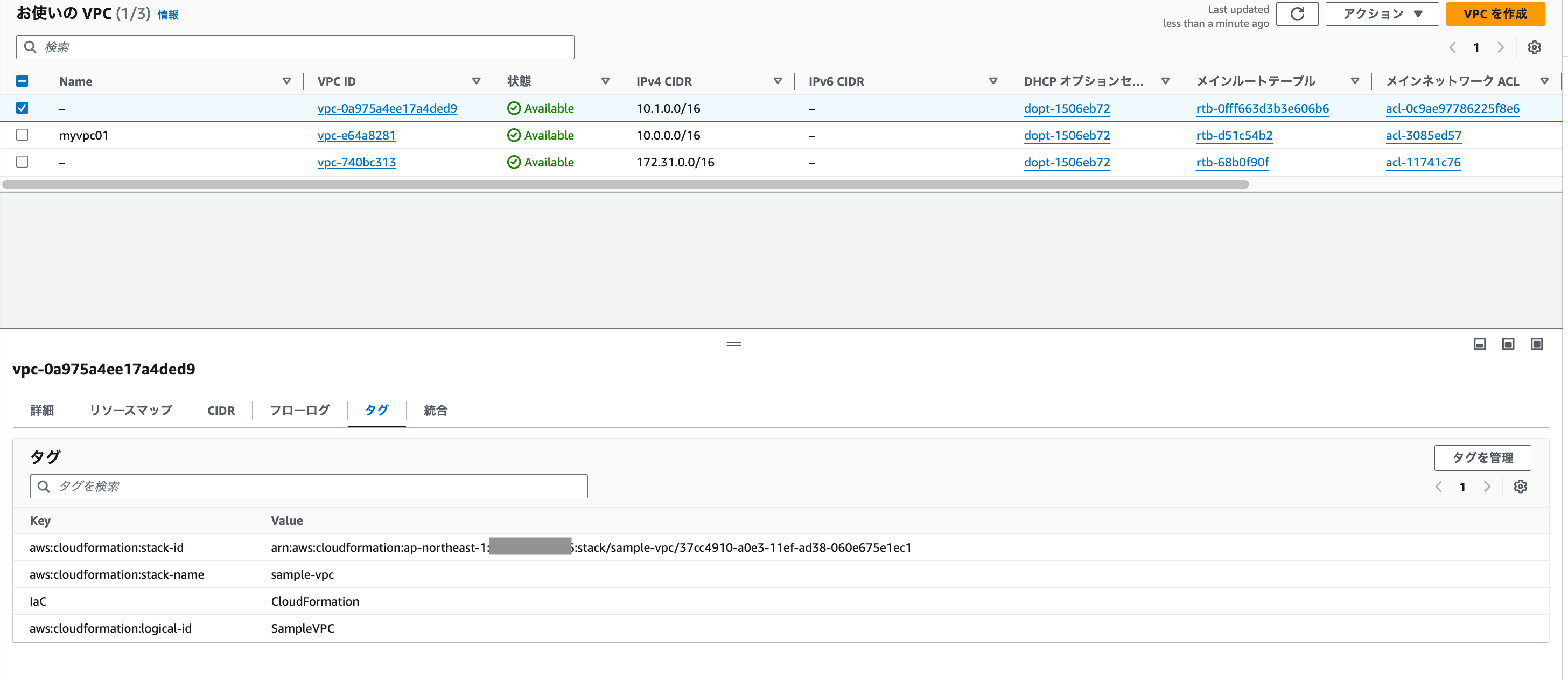
以下のテンプレートで作成された VPC の Stack があります。
シンプルにしたかったので Stack は VPC リソースのみで構成しています。
AWSTemplateFormatVersion: '2010-09-09'
Resources:
  SampleVPC:
    Type: AWS::EC2::VPC
    Properties:
      CidrBlock: 10.1.0.0/16
実体
1. CloudFormation の Stack 削除
削除前準備
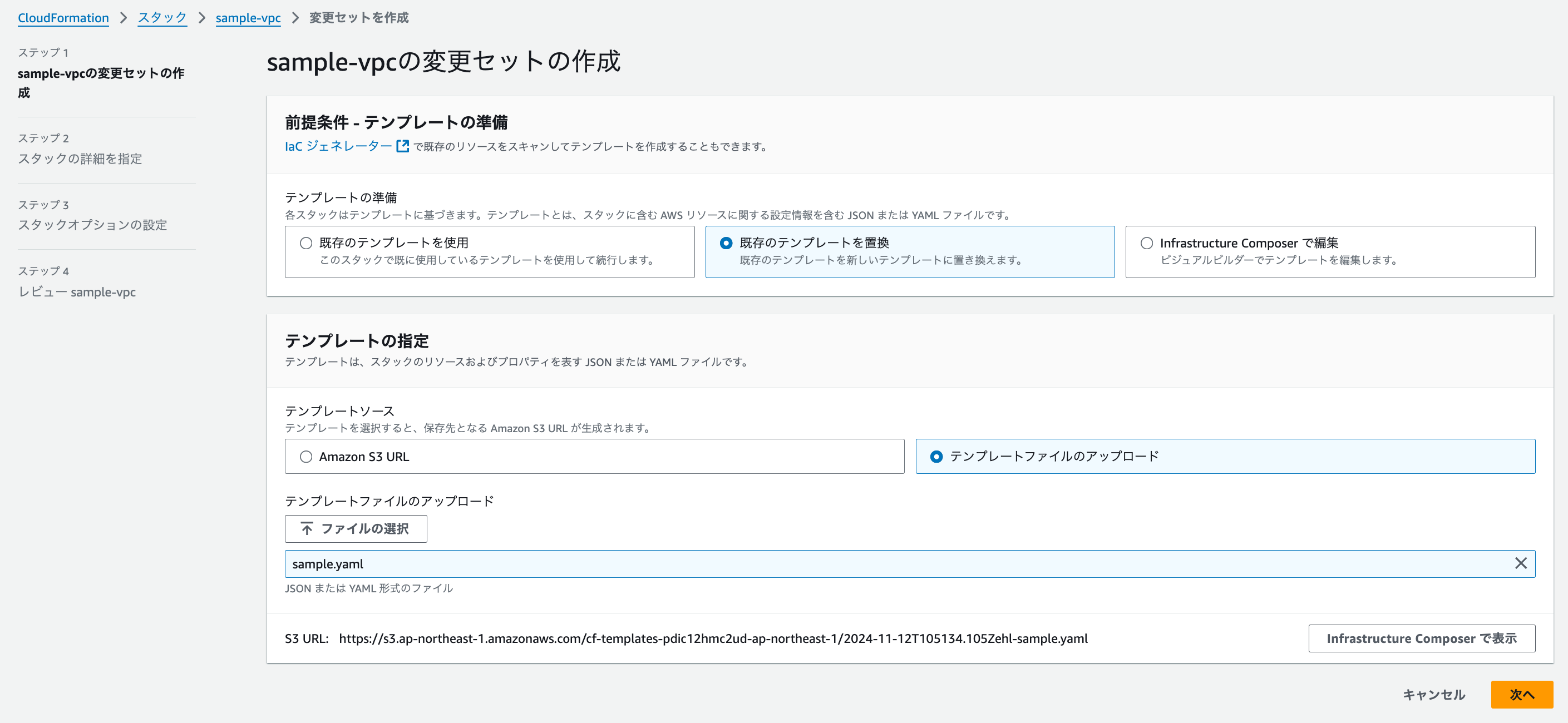
Stack が削除されても実体はそのまま残るようにテンプレートに DeletionPolicy: Retain を追加します。
テンプレートをローカルにダウンロードして、変更を加えて「変更セットの作成」からアップロードし画面に沿って変更セットを作成します。
AWSTemplateFormatVersion: '2010-09-09'
Resources:
  SampleVPC:
    Type: AWS::EC2::VPC
    Properties:
      CidrBlock: 10.1.0.0/16
    DeletionPolicy: Retain # ←追加
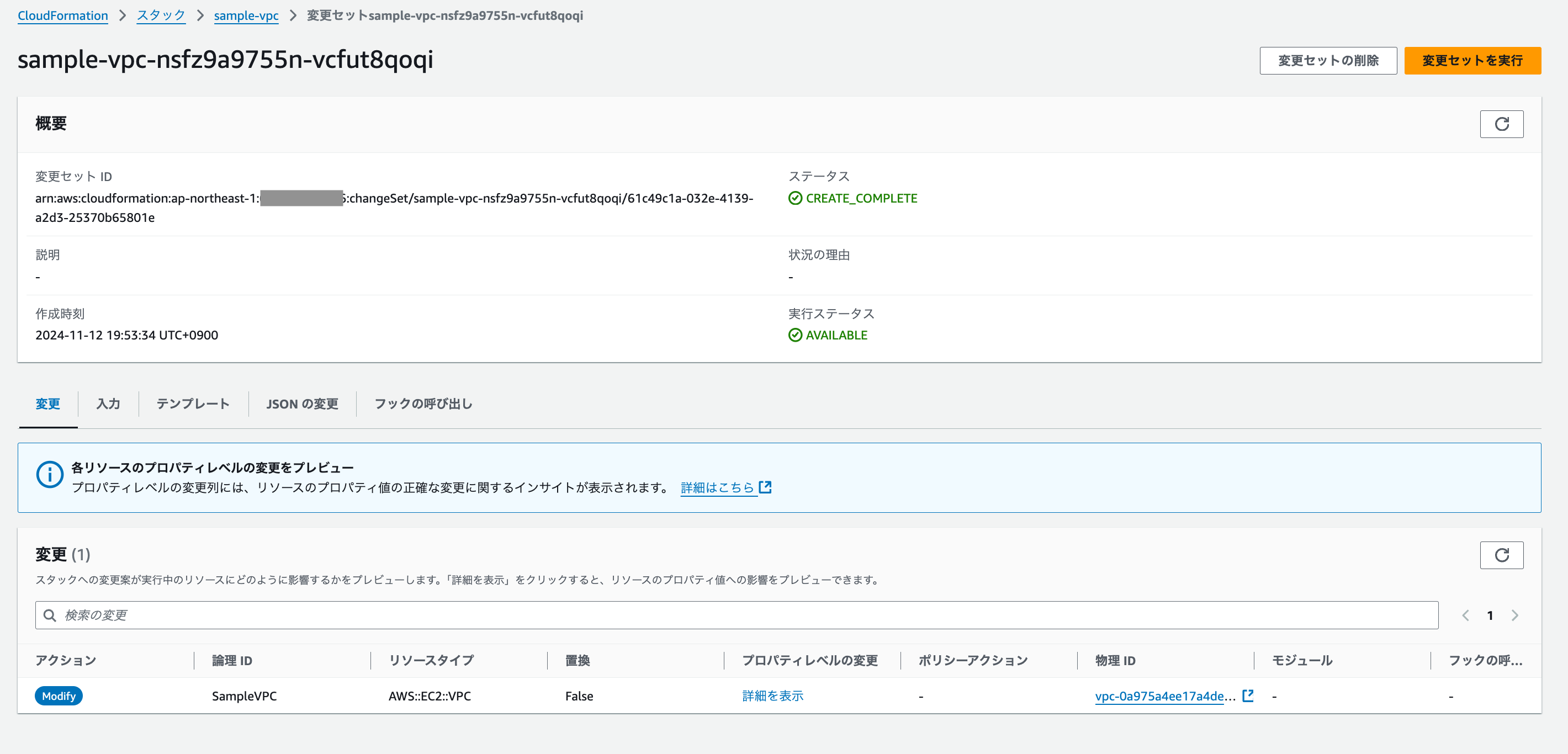
「変更セットの実行」で上記を反映させます。
Stack 削除
これで準備が整ったので Stack を削除します。
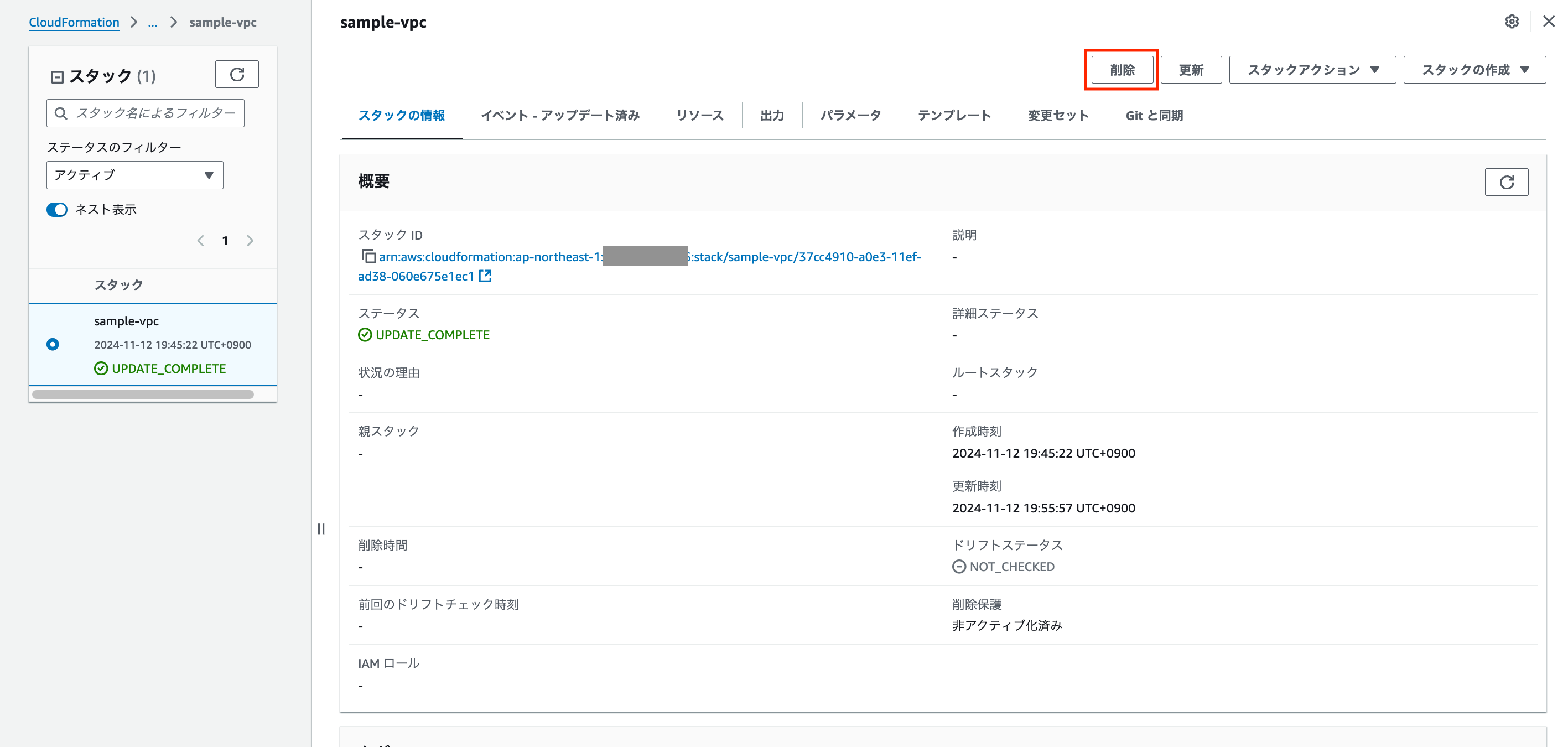
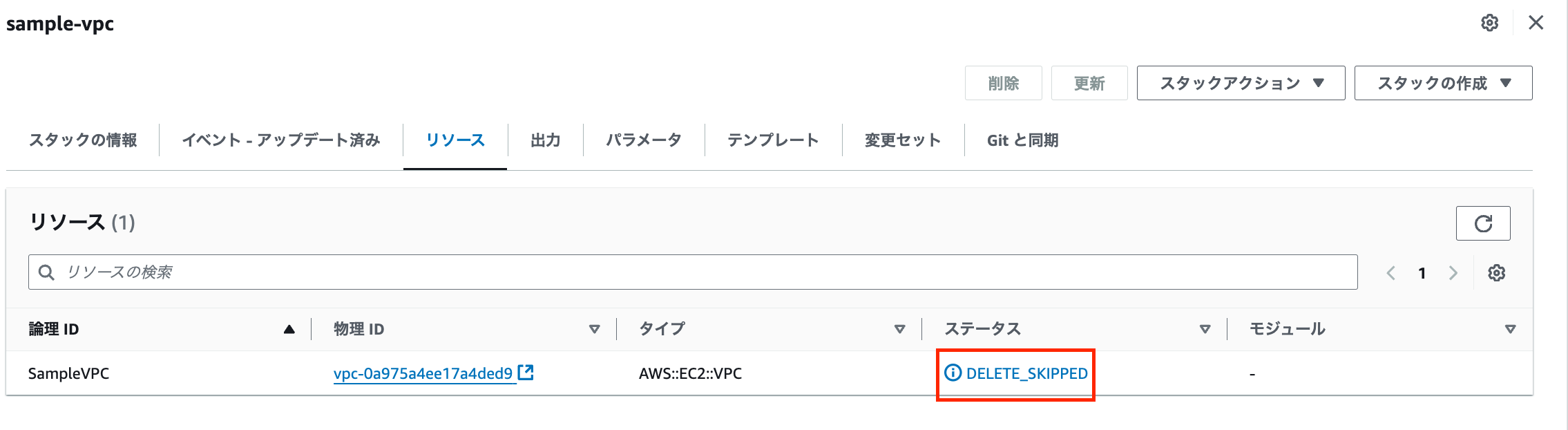
Stack 自体のステータスは DELETE_COMPLETE になり Stack は削除されましたが、リソース自体は DELETE_SKIPPED で削除されなかったことが分かります。
実体も変わらず残っています。
(cloudformation 関連タグは残ってしまっていますね。。)
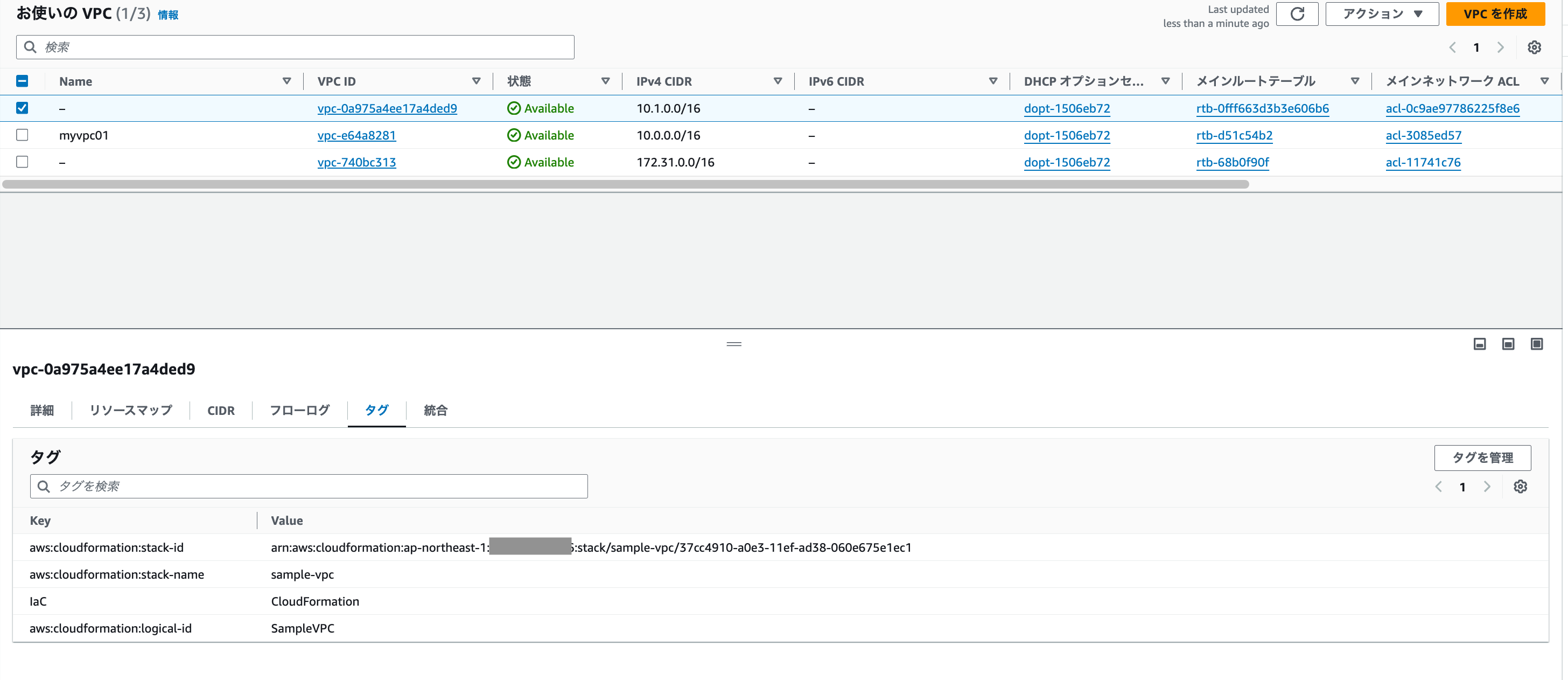
この時点で VPC リソース自体はどの IaC 管理下にもなっていないフリーな状態となっています。
2. Terraform に import する
import 準備
まず、対象の tf ファイルに import ブロックを記載します。
# main.tf (←任意のファイル名)

import {
  to = aws_vpc.sample
  id = "vpc-0a975a4ee17a4ded9"
}
import ブロックに使用する id はリソースの種類ごとに異なるので、公式ドキュメントの import 欄にて確認します。
VPCの例
続いてステートを出力するので -generate-config-out オプションを付加して plan を打ちます。
$ terraform plan -generate-config-out=generated.tf # generated.tf は任意のファイル名
$ terraform plan -generate-config-out=generated.tf
aws_vpc.sample: Preparing import... [id=vpc-0a975a4ee17a4ded9]
aws_vpc.sample: Refreshing state... [id=vpc-0a975a4ee17a4ded9]

Planning failed. Terraform encountered an error while generating this plan.

╷
│ Warning: Config generation is experimental
│
│ Generating configuration during import is currently experimental, and the generated configuration format may change in future versions.
╵
╷
│ Error: Missing required argument
│
│   with aws_vpc.sample,
│   on generated.tf line 12:
│   (source code not available)
│
│ "ipv6_netmask_length": all of `ipv6_ipam_pool_id,ipv6_netmask_length` must be specified
上記ではエラーが発生していますが後述で対応します。(この記事の本質的な部分ではないので気にしなくてもOKです)
generated.tf が生成されているので、適宜に移動します。(もちろん移動せずそのまま使うでもOK)
main.tf に移動した例
# main.tf

resource "aws_vpc" "sample" {
  assign_generated_ipv6_cidr_block     = false
  cidr_block                           = "10.1.0.0/16"
  enable_dns_hostnames                 = false
  enable_dns_support                   = true
  enable_network_address_usage_metrics = false
  instance_tenancy                     = "default"
  ipv4_ipam_pool_id                    = null
  ipv4_netmask_length                  = null
  ipv6_cidr_block                      = null
  ipv6_cidr_block_network_border_group = null
  # ipv6_ipam_pool_id                    = null # 上記でエラーとなった部分なのでコメントアウトで対応
  # ipv6_netmask_length                  = 0    # 同上
  tags = {
    IaC = "Terraform" # タグの値を変更
  }
  tags_all = {
    IaC = "Terraform" # タグの値を変更
  }
}
import
続いて apply
$ terraform apply
Terraform used the selected providers to generate the following execution plan. Resource actions are indicated with the following symbols:
  ~ update in-place

Terraform will perform the following actions:

  # aws_vpc.sample will be updated in-place
  # (imported from "vpc-0a975a4ee17a4ded9")
  ~ resource "aws_vpc" "sample" {
        arn                                  = "arn:aws:ec2:ap-northeast-1:999999999999:vpc/vpc-0a975a4ee17a4ded9"
        assign_generated_ipv6_cidr_block     = false
        cidr_block                           = "10.1.0.0/16"
        default_network_acl_id               = "acl-0c9ae97786225f8e6"
        default_route_table_id               = "rtb-0fff663d3b3e606b6"
        default_security_group_id            = "sg-0b200dd30006da9b8"
        dhcp_options_id                      = "dopt-1506eb72"
        enable_dns_hostnames                 = false
        enable_dns_support                   = true
        enable_network_address_usage_metrics = false
        id                                   = "vpc-0a975a4ee17a4ded9"
        instance_tenancy                     = "default"
        ipv6_association_id                  = null
        ipv6_cidr_block                      = null
        ipv6_cidr_block_network_border_group = null
        ipv6_ipam_pool_id                    = null
        ipv6_netmask_length                  = 0
        main_route_table_id                  = "rtb-0fff663d3b3e606b6"
        owner_id                             = "999999999999"
      ~ tags                                 = {
          ~ "IaC" = "CloudFormation" -> "Terraform"
        }
      ~ tags_all                             = {
          ~ "IaC" = "CloudFormation" -> "Terraform"
        }
    }

Plan: 1 to import, 0 to add, 1 to change, 0 to destroy.

Do you want to perform these actions?
  Terraform will perform the actions described above.
  Only 'yes' will be accepted to approve.

  Enter a value: yes

aws_vpc.sample: Importing... [id=vpc-0a975a4ee17a4ded9]
aws_vpc.sample: Import complete [id=vpc-0a975a4ee17a4ded9]
aws_vpc.sample: Modifying... [id=vpc-0a975a4ee17a4ded9]
aws_vpc.sample: Modifications complete after 1s [id=vpc-0a975a4ee17a4ded9]

Apply complete! Resources: 1 imported, 0 added, 1 changed, 0 destroyed.
これで Terraform 管理下になりました!
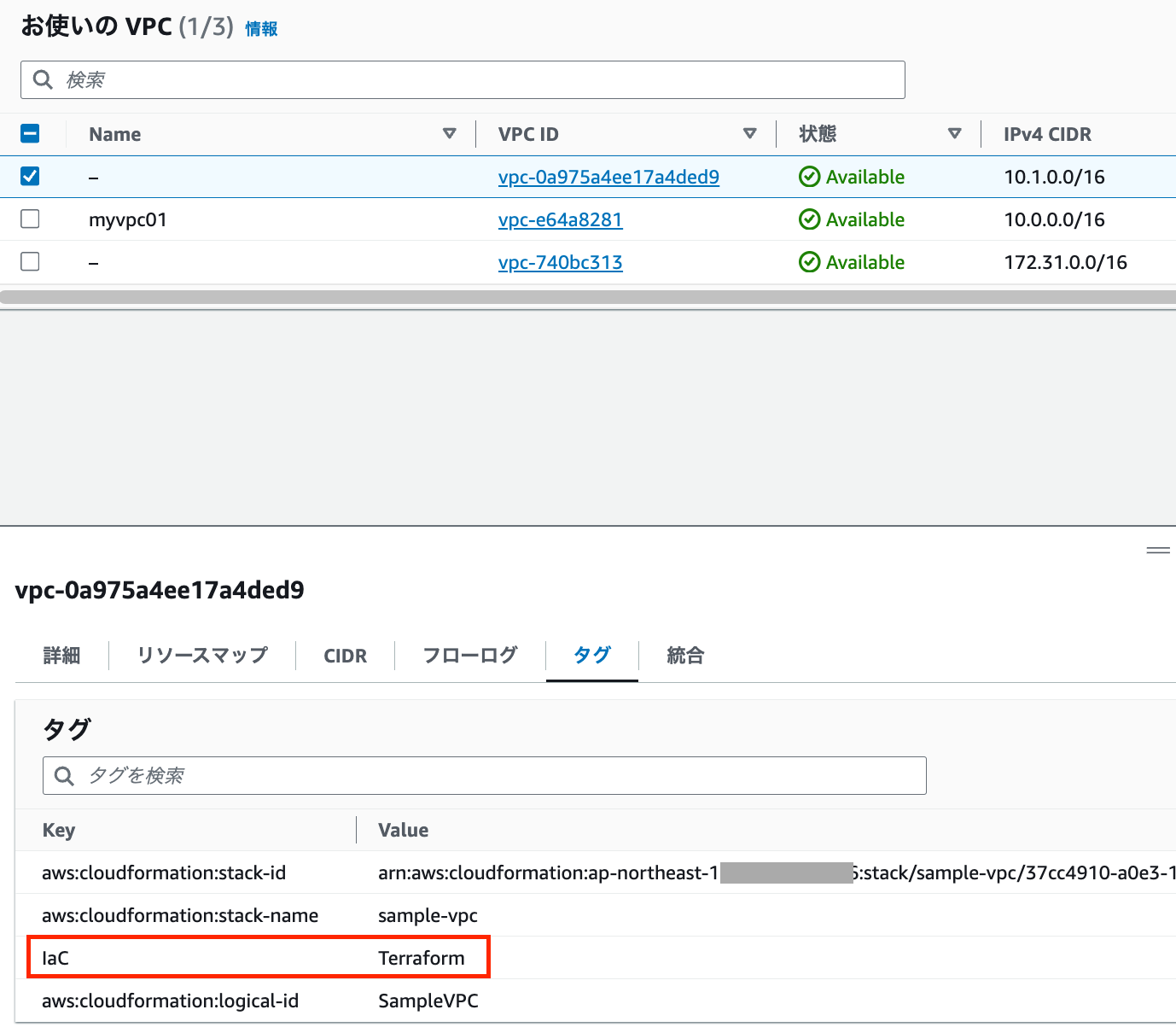
実体のタグも変わっていることが確認出来ます。