Blender 4.5 LTS をインストール済みの環境を前提にします。
1. Tripo 3D のアカウント作成
以下にアクセスして、Tripo 3D のアカウントを作成してください。
https://studio.tripo3d.ai/
2. API Key(Secret Key)の作成
以下にアクセスします。
https://platform.tripo3d.ai/api-keys
「Create new Secret key」ボタンを押して API Key を作成します。
このとき表示される
tsk_******************************
が API Key なので、必ず控えてください(再表示できない場合があります)。
3. aiohttp のインストール
注意:下記のコマンドは $env:APPDATA を使っているため、コマンドプロンプトではなく PowerShell で実行してください。
PowerShell を起動して、以下を実行し aiohttp をインストールします。
"C:\Program Files\Blender Foundation\Blender 4.5\4.5\python\bin\python.exe" -m pip install --target "$env:APPDATA\Blender Foundation\Blender\4.5\scripts\modules" aiohttp
4. Tripo Blender アドオンのダウンロード
以下のリリースページから tripo-3d-for-blender-v0.7.7.zip をダウンロードします。
https://github.com/VAST-AI-Research/tripo-3d-for-blender/releases/tag/v0.7.7
5. Blender にアドオンをインストール
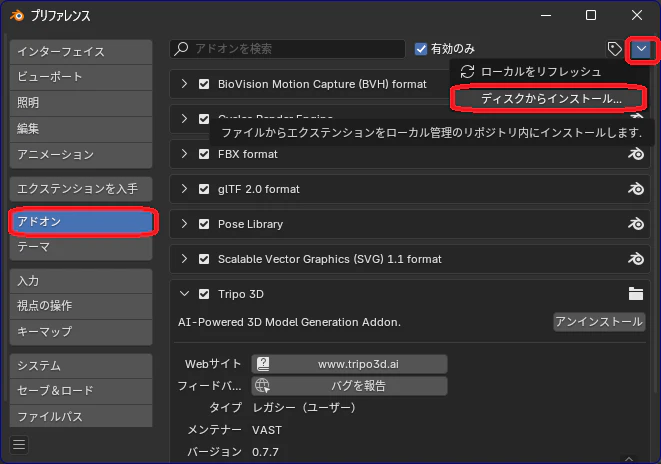
Blender 4.5 LTS を起動して、以下を開きます。
編集 => プリファレンス => アドオン => ディスクからインストール
ダウンロードした tripo-3d-for-blender-v0.7.7.zip を選択します。
6. Tripo Model Generator の設定
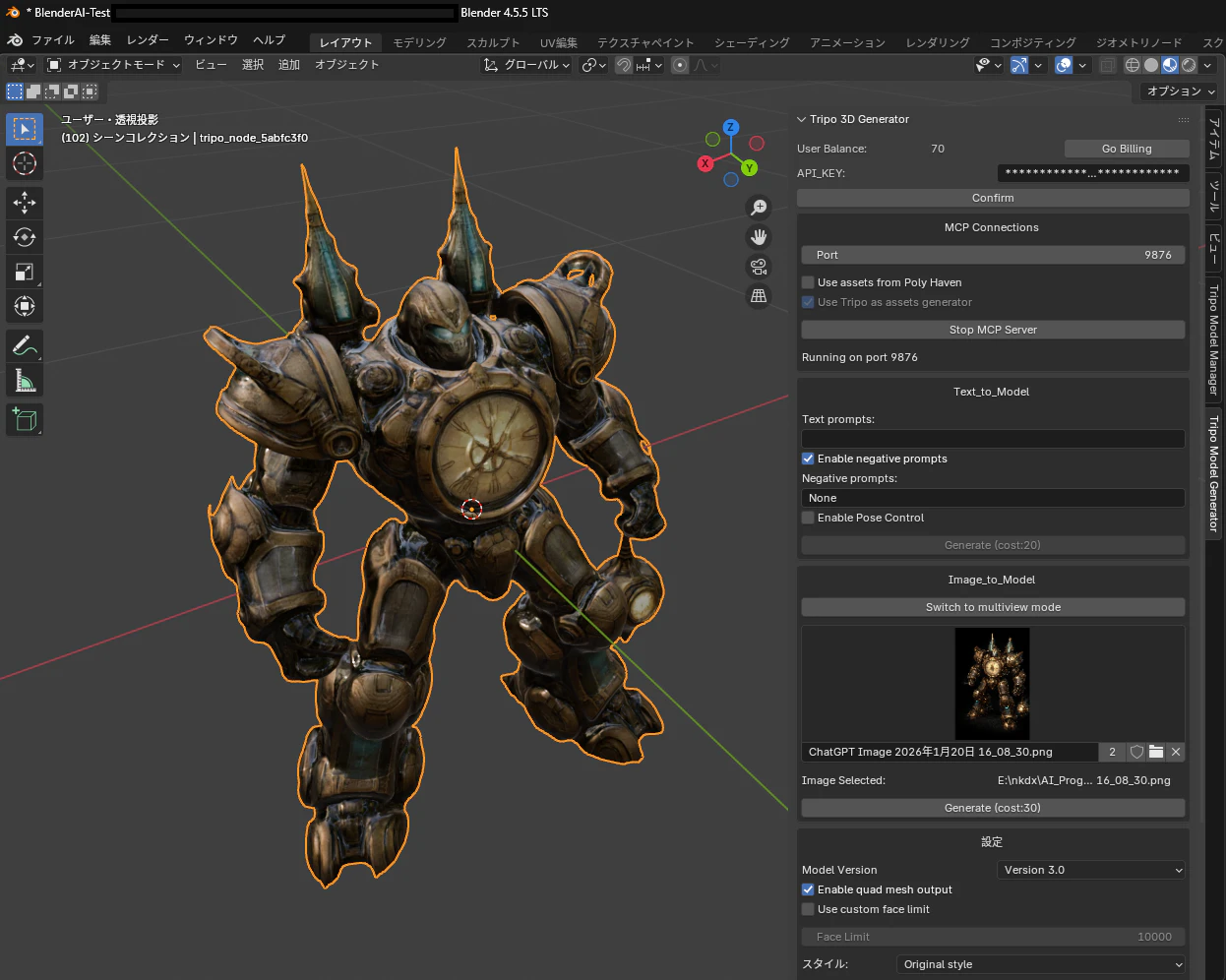
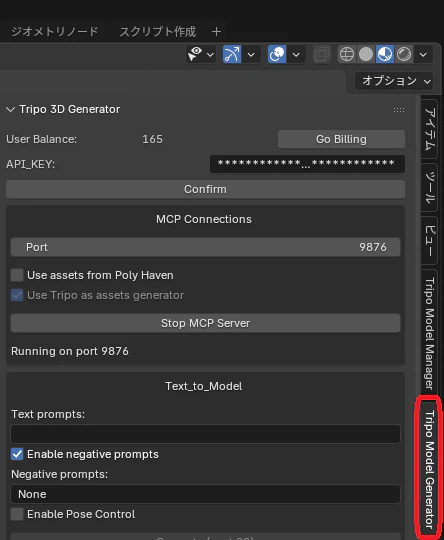
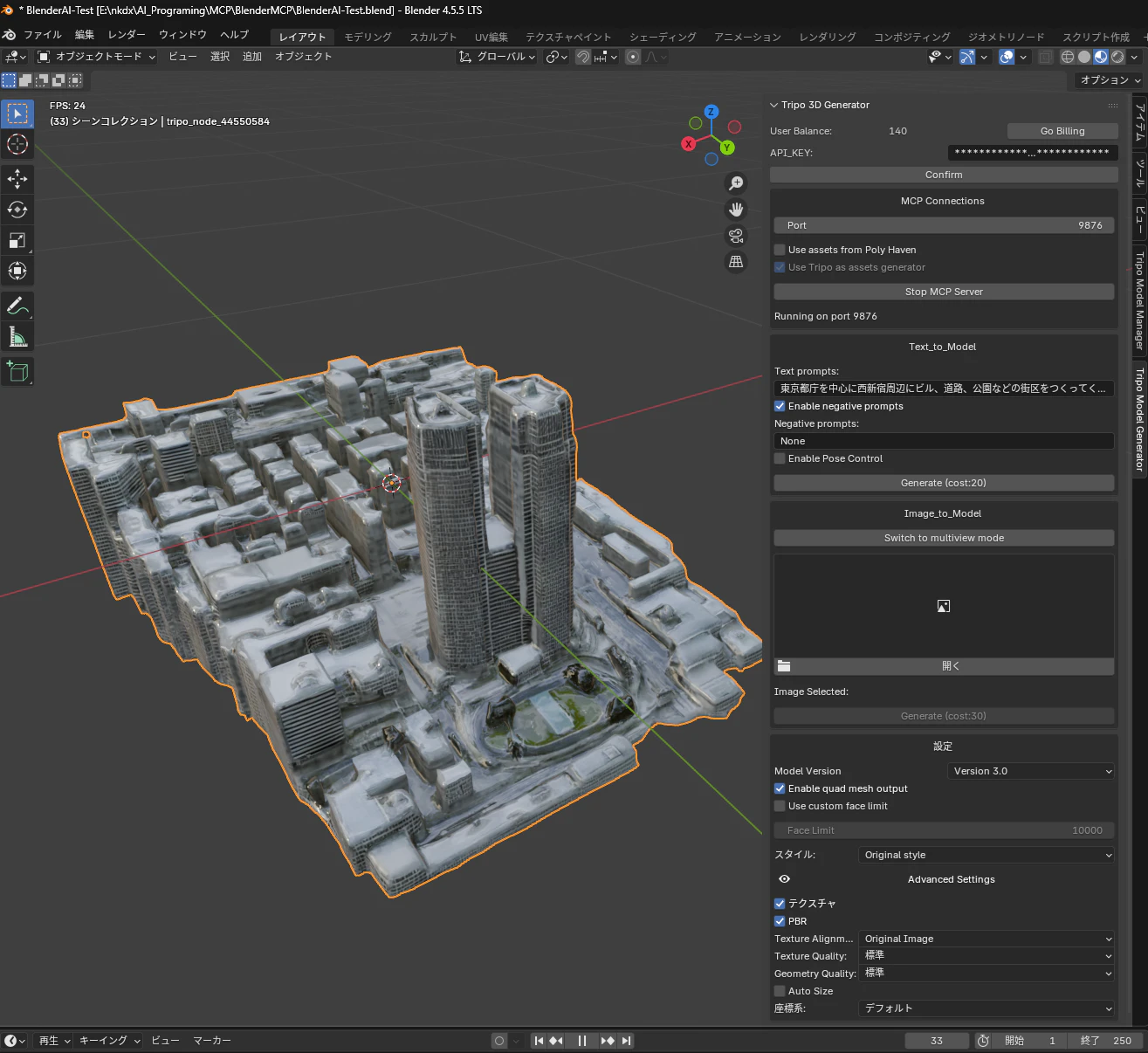
Blender のサイドバーから Tripo Model Generator をクリックします。
API-KEY: に
tsk_******************************
を入力し、Confirm ボタンを押します。
7. 残高(Wallet)と接続の確認
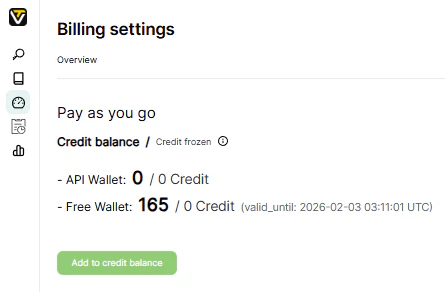
Go Billing ボタンを押して Tripo 3D にアクセスし、Free Wallet が 0 ではないことを確認します。
API Key が認識されていれば、Blender 側に User Balance: として 0 以外の数字が表示されます。
また、以下も確認してください。
表示が Stop MCP Server になっていること
もし Start MCP Server が表示されている場合は、Start MCP Server を押してください
8. テキストから 3D モデル生成
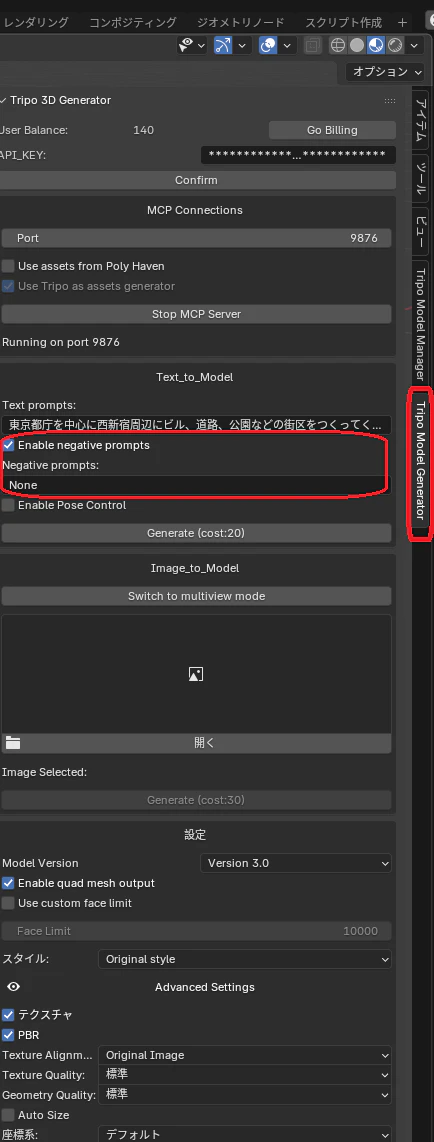
Enable negative prompts: のチェックを入れて
negative prompts: に None を入力して下さい
これを設定しないとエラーになりました。
Text prompts: に生成したいモデルの説明を入力し、Generate ボタンを押します。
9 . 生成状況の確認
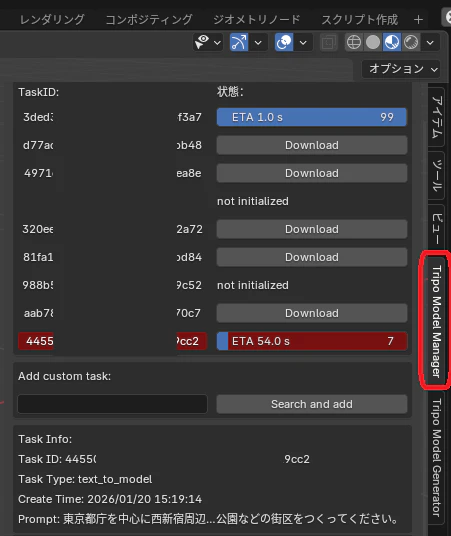
Tripo Model Manager で進行状況を確認できます。
10. プロンプト例(テキスト生成)
Text prompts:
東京都庁を中心に西新宿周辺にビル、道路、公園などの街区をつくってください。
11. 画像から 3D モデルを作成する例
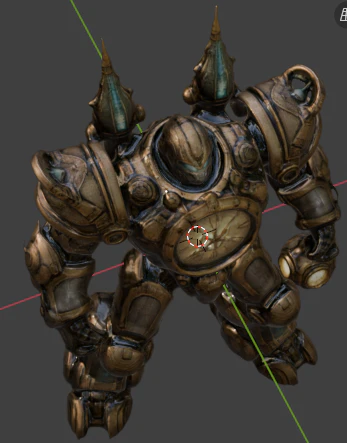
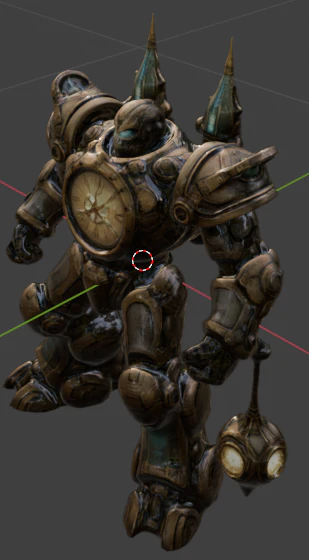
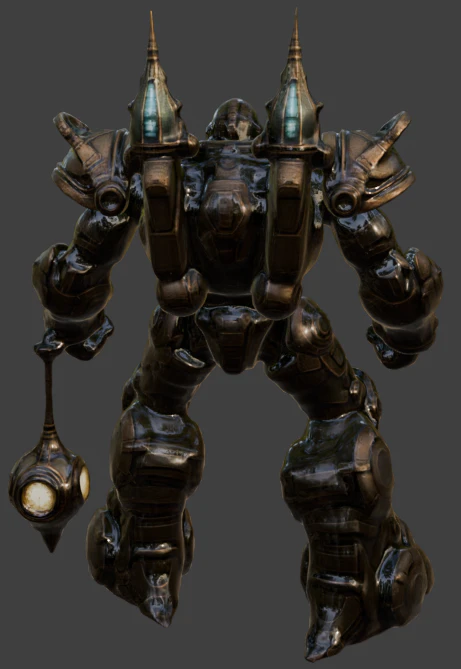
1枚の画像から、かなりクオリティの高いモデルが生成されました。