0
0

Delete article

Deleted articles cannot be recovered.

Draft of this article would be also deleted.

Are you sure you want to delete this article?

【7日目】25日間でCocos Creatorでゲームを作る

0
Posted at

メニューシーンにボタンを配置する

MenuSceneにButtonを追加、配置する

  1. MenuScene直下のCanvasを右クリック→Create→UI Compornent→Buttonを選択する
  2. StartButtonにリネームする
  3. インスペクターのAddComponentからcc.Widgetを追加する
  4. 画像と同じ設定をする
    image.png

ボタンにテキストを追加する

  1. ヒエラルキーパネルのStartButton選択する
  2. 子ノードのLabelを選択する
  3. インスペクターのcc.Label内のstringにGAME STARTと入力する
  4. ボタンのサイズやフォントサイズを任意のサイズに変更する

テキストが表示されない場合

SceneRootがMenuSceneのCanvasより下に配置されていると、裏側に隠れている場合があります。
並び替えてMenuSceneを読み込み直すと表示される場合があります。

まとめ

これでボタンが配置できました🎉
フォントを変えたり、ボタンのデザインを変えたりはまた別の機会に。
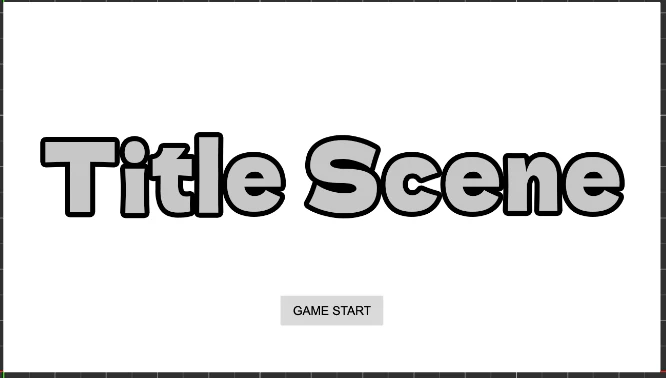
image.png

0
0
0

Register as a new user and use Qiita more conveniently

  1. You get articles that match your needs
  2. You can efficiently read back useful information
  3. You can use dark theme
What you can do with signing up
0
0

Delete article

Deleted articles cannot be recovered.

Draft of this article would be also deleted.

Are you sure you want to delete this article?