2
1

Delete article

Deleted articles cannot be recovered.

Draft of this article would be also deleted.

Are you sure you want to delete this article?

More than 5 years have passed since last update.

VScodeのファイル名検索(Mac)&自動セーブ機能

2
Last updated at Posted at 2019-05-25
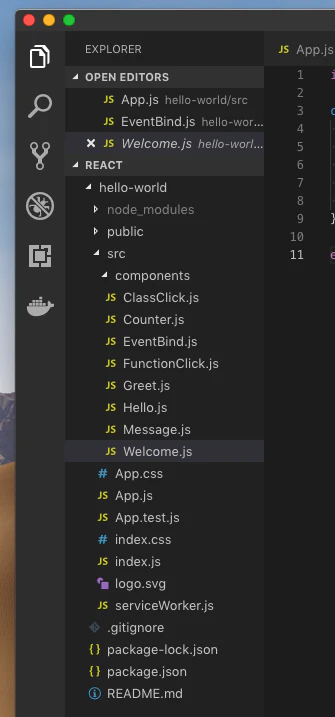
こんな経験ありませんか?

VScodeでファイルを検索する際に左側の一覧から探すが、見つからない、、、
ファイル検索バーで解決します。

検索バーの表示

VScode内で下記入力

commandキー + p

すると下記のような検索バーが現れるので、対象のファイル名を入力すると結果が現れる。

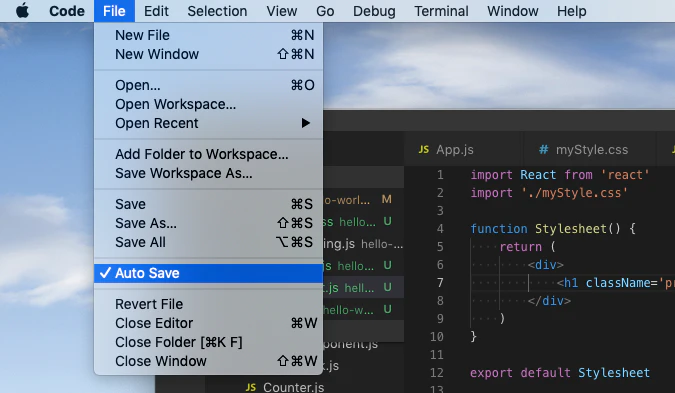
自動セーブ機能

下記画面のAuto Saveを選択。
以後、自動セーブ機能が働きます。

2
1
0

Register as a new user and use Qiita more conveniently

  1. You get articles that match your needs
  2. You can efficiently read back useful information
  3. You can use dark theme
What you can do with signing up
2
1

Delete article

Deleted articles cannot be recovered.

Draft of this article would be also deleted.

Are you sure you want to delete this article?