

はじめに
「車両が走り出した瞬間にアプリの画面が切り替わる」 そんな AAOS アプリはどのように作成されているのか?
AAOS Emulator では adb から VHAL イベントを注入できるため、実機がなくても車速やギアなどの車両状態を自由に変更してアプリの挙動を確認できる。
今回は、車両状態に応じて「走っています」「止まっています」を切り替えるシンプルなアプリを題材に、実装方法と検証結果を紹介する。
検証を始める前は「車速を変更すれば走行状態になるだろう」と考えていた。しかし実際に試してみると、表示を切り替えていたのは速度ではなくギアだった。その理由も含めて見ていく。
作成したもの
画面中央の文字だけを車両状態に応じて切り替えるだけのアプリを作成した。
-
UX_RESTRICTIONS_NO_VIDEOが有効 → 走っています - 無効 → 止まっています
| 停止中 | 走行中 |
|---|---|
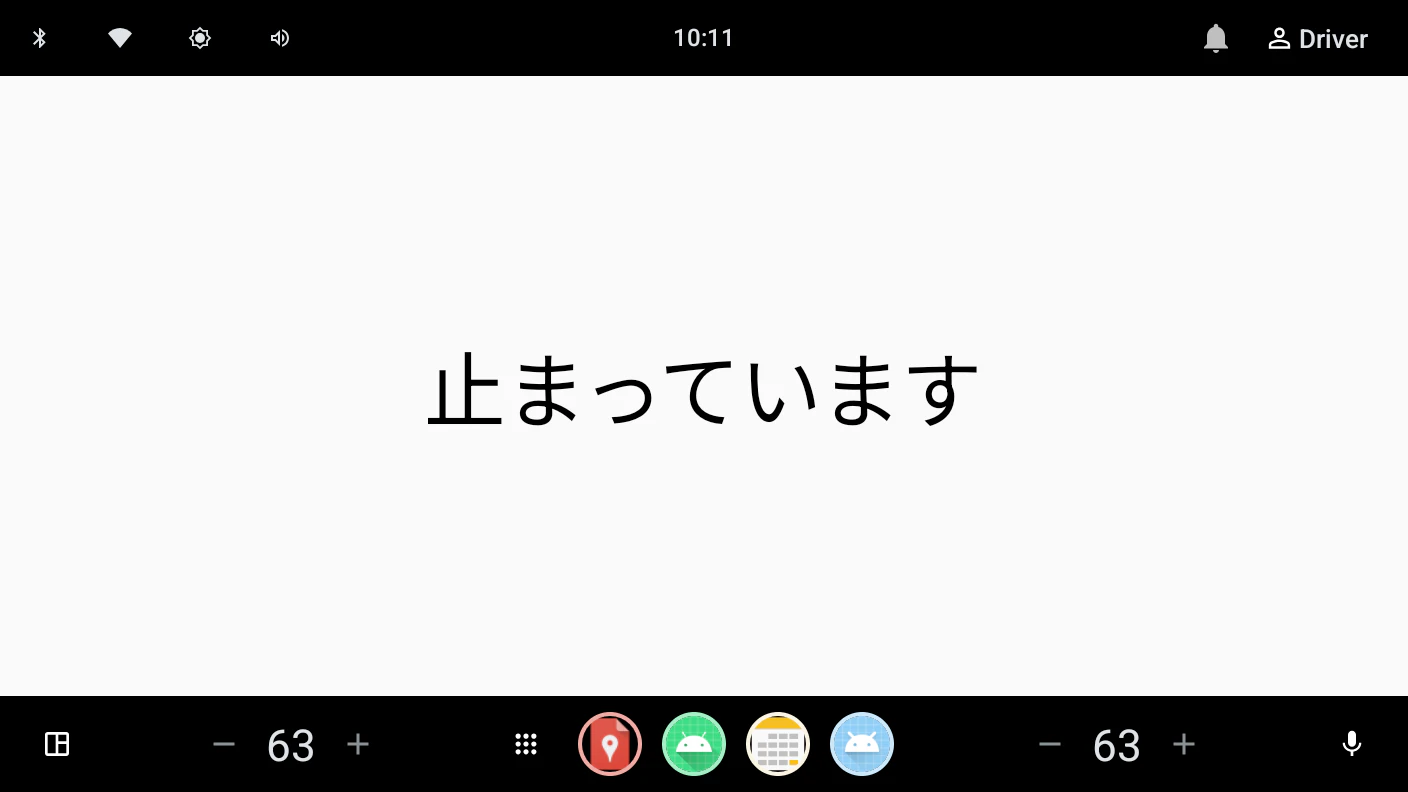 |
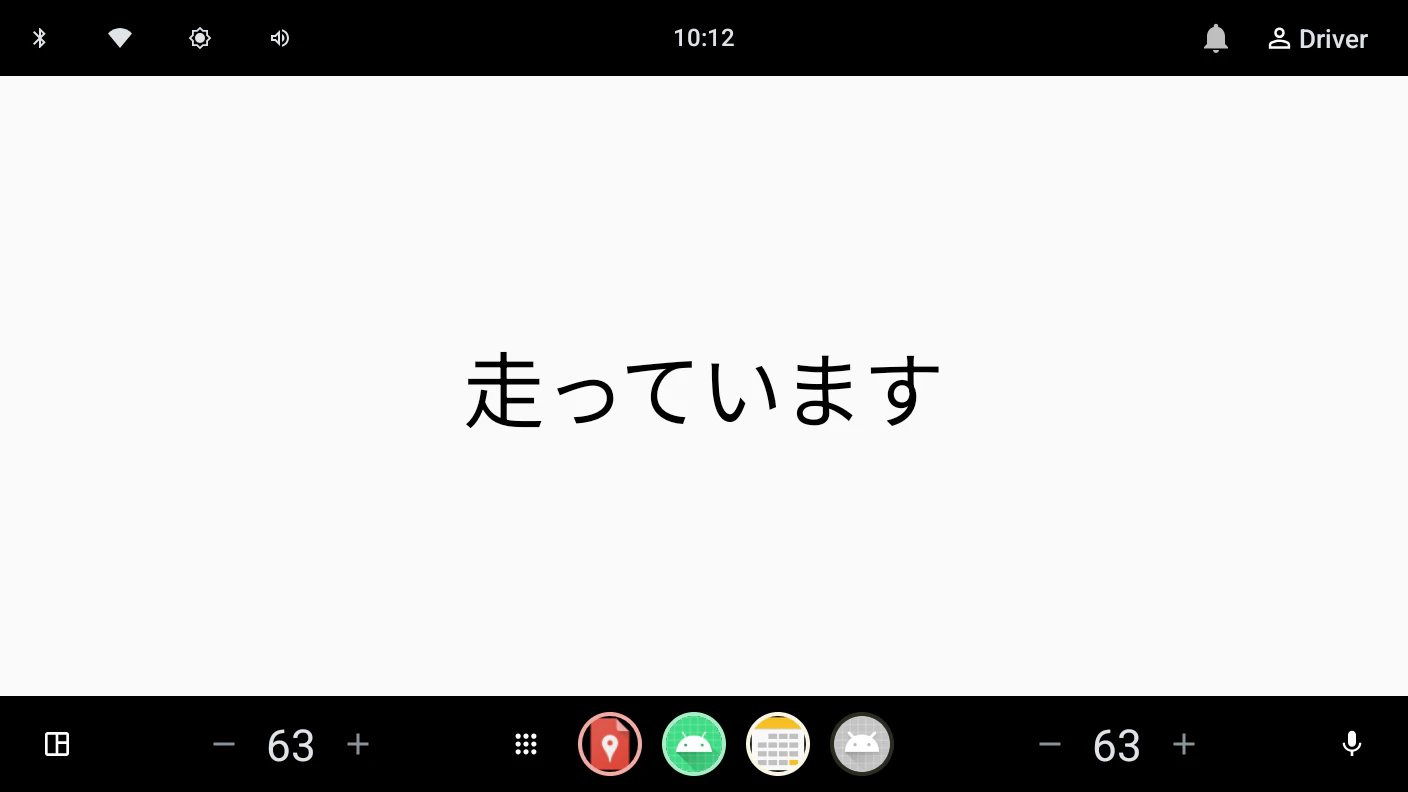 |
Emulator で試す
AAOS Emulator では inject-vhal-event を使って VHAL の値を書き換えられる。
まずはギアを変更してみる。
# GEAR_SELECTION
adb shell dumpsys activity service com.android.car inject-vhal-event 0x11400400 8
adb shell dumpsys activity service com.android.car inject-vhal-event 0x11400400 4
ログを見ると UX_RESTRICTIONS_NO_VIDEO が切り替わり、画面表示も期待どおり変化した。
D VehicleStateDemo: activeRestrictions=0xff, moving=true
D VehicleStateDemo: activeRestrictions=0x0,  moving=false
ここまでは予想どおりだった。
速度を変えても画面は切り替わらない
次に、速度だけを変更してみる。
# PERF_VEHICLE_SPEED
adb shell dumpsys activity service com.android.car inject-vhal-event 0x11600207 10
adb shell dumpsys activity service com.android.car inject-vhal-event 0x11600207 0
「車速が 10 になれば『走っています』へ切り替わる」と思っていたが、画面は変わらなかった。
ログを見ても UX_RESTRICTIONS_NO_VIDEO は変化していない。
なぜ速度ではなくギアで切り替わるのか
理由は、CarUxRestrictionsManager が速度を直接見ているわけではないためだ。
AAOS は速度だけではなく、ギアやパーキングブレーキなどの情報から Driving State を計算し、その結果をもとに UX Restriction を決定している。
既定の設定では
PARKEDIDLINGMOVING
のうち、IDLING と MOVING に同じ UX Restriction が割り当てられている。
そのため Park を抜けた時点で UX_RESTRICTIONS_NO_VIDEO が有効になり、その後は速度が変わっても状態は変化しない。
このため、速度を直接判定するより CarUxRestrictionsManager が提供する UX Restriction を利用した方が AAOS の判定と一致する。
実装
実装は CarUxRestrictionsManager を監視するだけでよい。
Car.createCar() で Car API に接続し、CAR_UX_RESTRICTION_SERVICE を取得する。画面表示中だけ Listener を登録し、終了時に解除する。初回表示ではコールバックが来ないため、currentCarUxRestrictions を一度反映している。
class MainActivity : ComponentActivity() {
    private var car: Car? = null
    private var uxManager: CarUxRestrictionsManager? = null
    private var moving by mutableStateOf(false)
    private val listener = CarUxRestrictionsManager.OnUxRestrictionsChangedListener { r ->
        applyRestrictions(r)
    }
    override fun onCreate(savedInstanceState: Bundle?) {
        super.onCreate(savedInstanceState)
        car = Car.createCar(this)
        uxManager = car?.getCarManager(Car.CAR_UX_RESTRICTION_SERVICE) as? CarUxRestrictionsManager
        setContent {
            WebViewOnAndroid14Theme {
                Box(Modifier.fillMaxSize(), contentAlignment = Alignment.Center) {
                    Text(
                        text = if (moving) "走っています" else "止まっています",
                        style = MaterialTheme.typography.displayLarge
                    )
                }
            }
        }
    }
    override fun onStart() {
        super.onStart()
        val m = uxManager ?: return
        m.registerListener(listener)
        applyRestrictions(m.currentCarUxRestrictions) // 初期表示を反映
    }
    override fun onStop() {
        super.onStop()
        uxManager?.unregisterListener()
    }
    override fun onDestroy() {
        super.onDestroy()
        car?.disconnect()
        car = null
    }
    private fun applyRestrictions(r: CarUxRestrictions?) {
        val active = r?.activeRestrictions ?: 0
        moving = active and CarUxRestrictions.UX_RESTRICTIONS_NO_VIDEO != 0
        Log.d(TAG, "activeRestrictions=0x${active.toString(16)}, moving=$moving")
    }
}
もう一つのハマりどころ
ここまで実装して走行状態へ切り替えると、自作画面ではなく You can't use this feature while driving という AAOS 標準の画面が表示された。
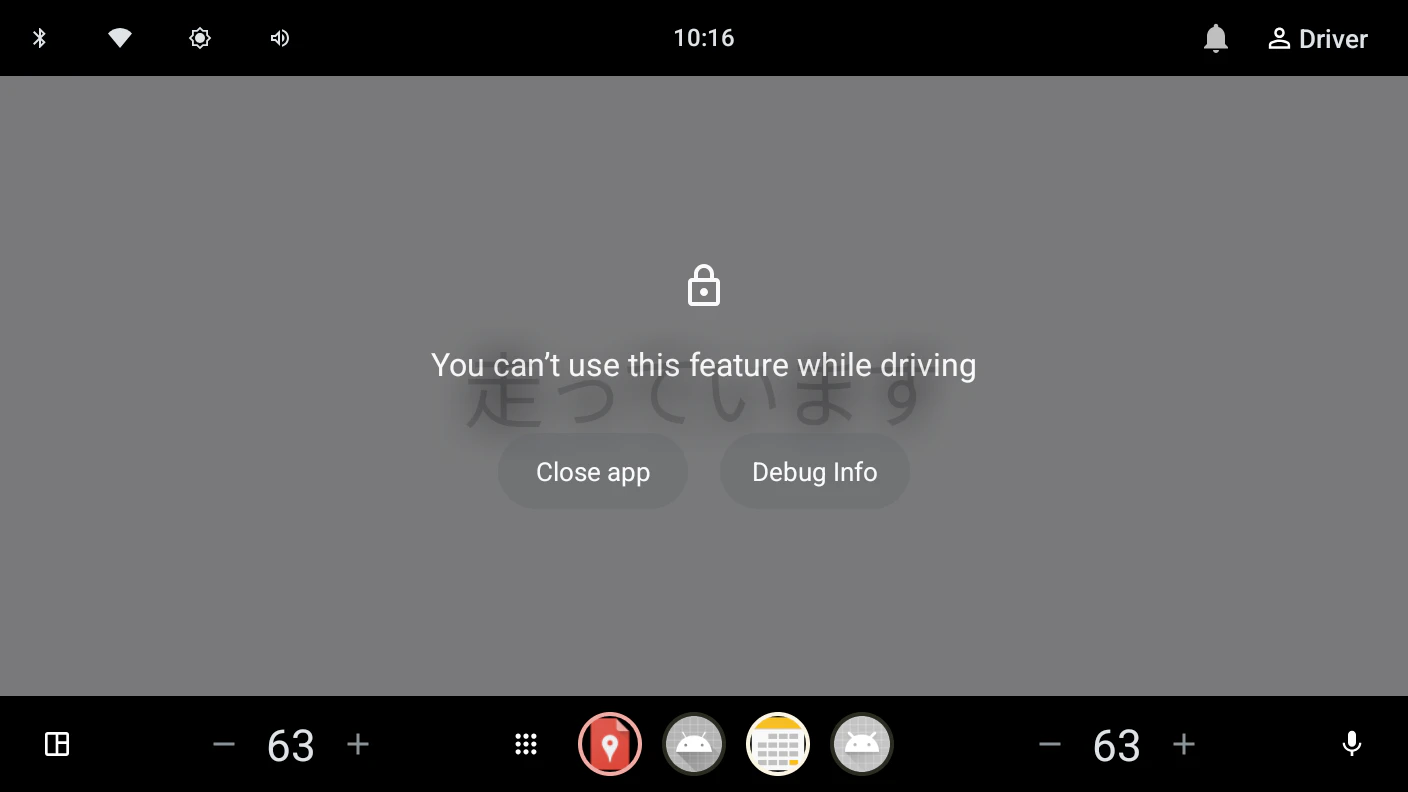
ログは
moving=true
のまま更新されている。つまりアプリ自体は動作しており、表示だけが AAOS に覆われていた。
原因は distractionOptimized を宣言していなかったことだった。
<meta-data
    android:name="distractionOptimized"
    android:value="true" />
これを追加すると自前画面が表示されるようになる。
| 設定 | 走行中 |
|---|---|
true |
自前画面 |
false |
AAOS ブロック画面 |
distractionOptimized は「アプリを動かすか」ではなく、「走行中でも自前 UI を表示する前提で設計されていること」を宣言するための属性である。
なお、量産車では OEM 側の審査やホワイトリスト登録も別途必要になる。Manifest の変更は再インストールしないと反映されない点にも注意したい。
メモ
記事用のスクリーンショットを撮影していると、Emulator 固有の問題にも遭遇した。AAOSのEmulatorがマルチディスプレイ構成のため、
adb exec-out screencap -p
の出力先頭に警告文字列が混ざり、PNG が壊れてしまった。
このような不具合が発生する場合には、PNG シグネチャ以降だけを書き出せば復元できる。
adb exec-out screencap -p > raw.bin
python3 -c 'import sys;d=open("raw.bin","rb").read();i=d.find(b"\x89PNG\r\n\x1a\n");open("shot.png","wb").write(d[i:])'
まとめ
-
UX_RESTRICTIONS_NO_VIDEOの切り替えは速度ではなくギアに依存 - 車両状態をアプリ側で独自に判定するよりも
CarUxRestrictionsManagerが提供する UX Restriction を利用した方が AAOS の判定と一致 - AAOS Emulator では
inject-vhal-eventを利用して実機なしで挙動を検証可能 - 走行中も自前画面を表示するには
distractionOptimizedの宣言が必要
参照
- サンプルのソース一式: https://github.com/aRaikoFunakami/VehicleStateDemo
- Android Automotive OS のドキュメント: https://source.android.com/devices/automotive
- 運転状態と UX 制限の利用: https://source.android.com/docs/automotive/driver_distraction/consume
- VehicleProperty.aidl: https://android.googlesource.com/platform/hardware/interfaces/+/refs/heads/main/automotive/vehicle/aidl_property/android/hardware/automotive/vehicle/VehicleProperty.aidl
- VehicleGear.aidl: https://android.googlesource.com/platform/hardware/interfaces/+/refs/heads/main/automotive/vehicle/aidl_property/android/hardware/automotive/vehicle/VehicleGear.aidl