0
0

Delete article

Deleted articles cannot be recovered.

Draft of this article would be also deleted.

Are you sure you want to delete this article?

Ubuntuの古いインストーラーを探してみた

0
Last updated at Posted at 2026-09-13

はじめに

Ubuntu初心者です。Ubuntuの古いバージョンのインストーラが欲しかったのですが、Ubuntu公式サイトを見ているはずなのに最新バージョンしか見つけられませんでした。
いろいろ探した結果、別のUbuntu公式サイトがあり、そこでダウンロードができるみたいです。
本記事でダウンロード方法をご紹介します。
作成時点での最新バージョンは26.04です。

まずは結論から

古いバージョンはUbuntu公式のリリースページよりダウンロード可能です。
https://releases.ubuntu.com/

ダウンロード方法

①Ubuntu公式のリリースページにアクセスします。

【URL】https://releases.ubuntu.com/

②欲しいバージョンをクリックします。

今回は24.04LTSを選択。
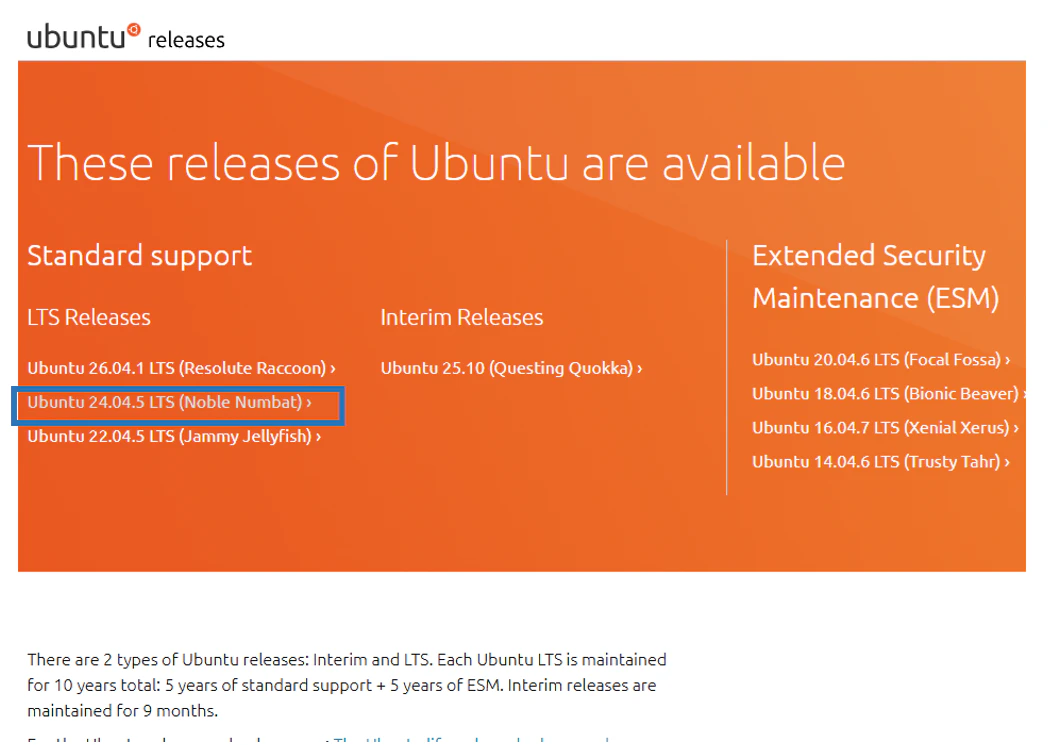
ホーム画面.png

③欲しいエディションをクリックします。

今回はserver版を選択。 ファイル名”ubuntu-24.04.5-live-server-amd64.iso”
クリックした時点でiso形式のインストーラーのダウンロードが始まります。
選択画面.png

【補足】③の画面下部ではダウンロードするファイルの形式を選ぶことができます。
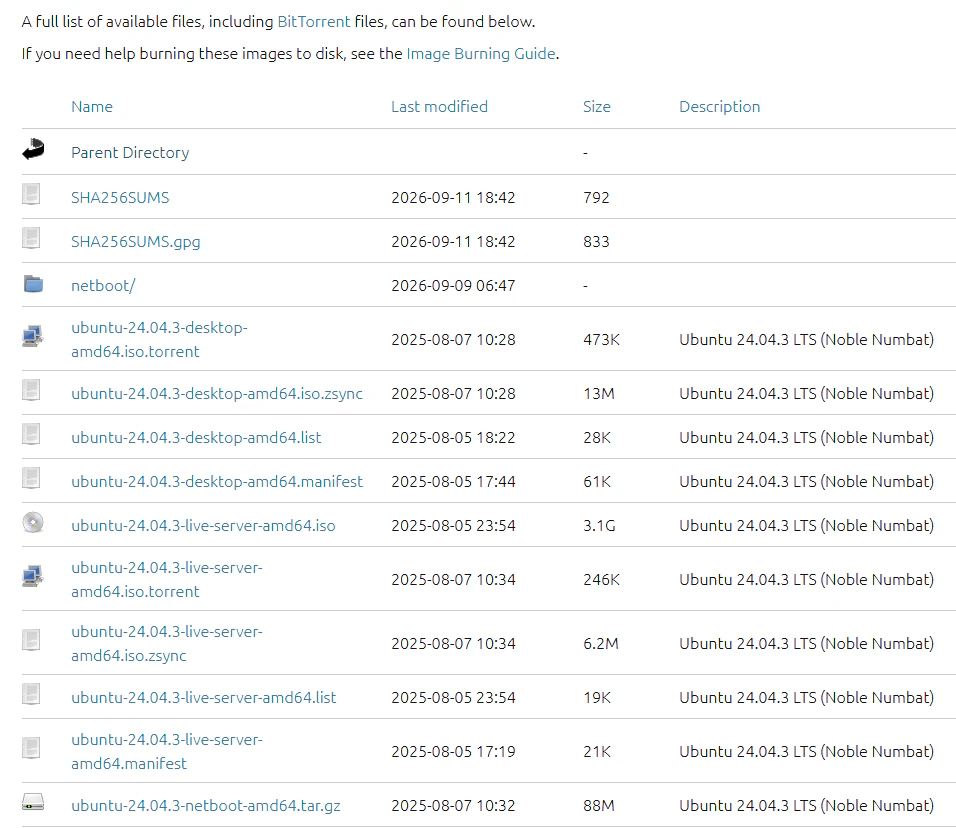
詳細画面.png

【補足】最新のバージョンはUbuntu公式の日本語版サイトでもダウンロード可能です。

【URL】https://jp.ubuntu.com/download

以上となります。お疲れさまでした。

0
0
0

Register as a new user and use Qiita more conveniently

  1. You get articles that match your needs
  2. You can efficiently read back useful information
  3. You can use dark theme
What you can do with signing up
0
0

Delete article

Deleted articles cannot be recovered.

Draft of this article would be also deleted.

Are you sure you want to delete this article?