
はじめに
自宅の検証環境にあるUbuntuがオフラインで運用しているため、直接インターネットからパッケージファイルをダウンロードできませんでした。そこでオフラインでパッケージをダウンロードする方法を調べたのでまとめておきます。
別記事で投稿しますが、Telnetの検証を今後行うので、本記事ではTelnetサーバーのパッケージをダウンロードすることが目標となります。
自分の作業記録がメインなので見にくいところもあるかと思いますがご了承ください。
①事前準備
1-1.ダウンロードしたいパッケージ名を調べる
今回はパッケージ名”inetutils-inetd”
1-2.Ubuntuサーバーの情報を確認する
今回はUbuntuなので次の2つのコマンドを実行して確認してください
コマンド” lsb_release -a ”
コマンド” dpkg --print-architecture ”
■lsb_release -aの結果
Description: Ubuntu 24.04.4 LTS
Release: 24.04
Codename: noble
■dpkg --print-architectureの結果
amd64
②パッケージのバージョンを調べる
2-1.パッケージのバージョンを確認する
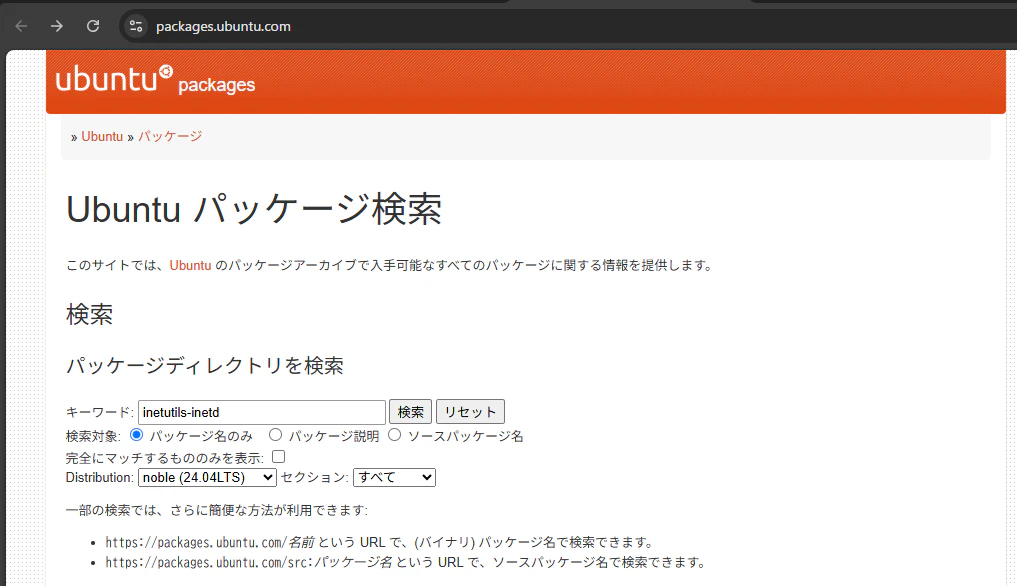
次のURLにアクセスして検索欄に”パッケージ名”を入れて検索して結果をメモする
確認サイト”https://packages.ubuntu.com/ ”
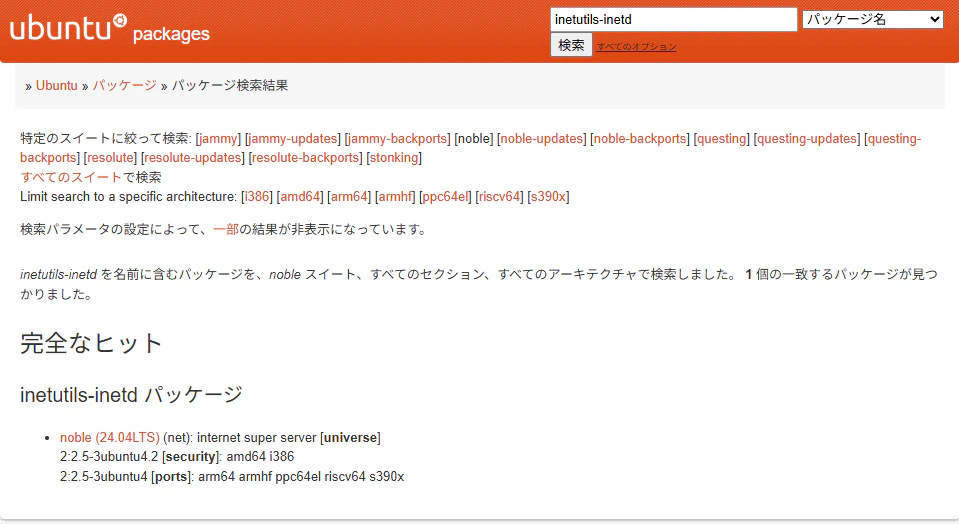
■確認結果
noble (24.04LTS) (net): internet super server [universe]
2:2.5-3ubuntu4.2 [security]: amd64 i386
2:2.5-3ubuntu4 [ports]: arm64 armhf ppc64el riscv64 s390x
↓検索画面のキーワードにパッケージ名を入力する
↓検索結果で”inetutils-inetdパッケージ”と書かれたところの下にある情報をメモする
③Ubuntu公式サイトからダウンロードする
3-1.サイトにアクセスする
サイト”https://jp.archive.ubuntu.com/ubuntu/pool/ ”
3-2.パッケージを探す
3-2-1.Index of /ubuntu/distsにて”universe”を選択
[補足]”uniberseは”2-1で確認した内容です。
3-2-2.パッケージの頭文字を選択
”inetutils-inetd”なので”i/”を選択
3-2-3.ソースパッケージ名を選択
”inetutils-inetd”なので”inetutils/”を選択
3-2-3.ファイル名をクリック
2-1.で調べた結果よりダウンロードするファイル名をクリックしてダウンロードする
今回は”2:2.5-3ubuntu4.2 [security]: amd64 i386”と書かれていたので、最初の2:は管理用の番号なのでスルーして、”2.5-3ubuntu4.2”を探す。
見つけたら”amd64”と書かれた”.deb”をクリックするとダウンロードが開始されます。
3-2-4.ダウンロードファイルを確認
ダウンロードフォルダに”inetutils-ftp_2.5-3ubuntu4.2_amd64.deb”と書かれたファイルがあることを確認
以上で完了となります。お疲れ様でした。