0
0

Delete article

Deleted articles cannot be recovered.

Draft of this article would be also deleted.

Are you sure you want to delete this article?

Windows11へVisual Studio 2026をインストール

0
Posted at

はじめに

この記事はWindows11にVisual Studio 2026をインストールし、GitHubを設定するまでの手順を記した記事です。事前にGitHubのアカウントとリポジトリを持っていることが前提になります。

導入環境

OS:Windows11
プロセッサ:AMD Ryzen 5 4500 6-Core Processor 3.60 GHz
RAM:32.0GB
システムの種類:64 ビット オペレーティング システム、x64 ベース プロセッサ
グラフィックボード:NVIDIA GeForce RTX 4060 8.0GB

Visual Studio 2026のダウンロード & インストール

必要な種類のVisual Studio2026をダウンロードする。
image.png
image.png
image.png
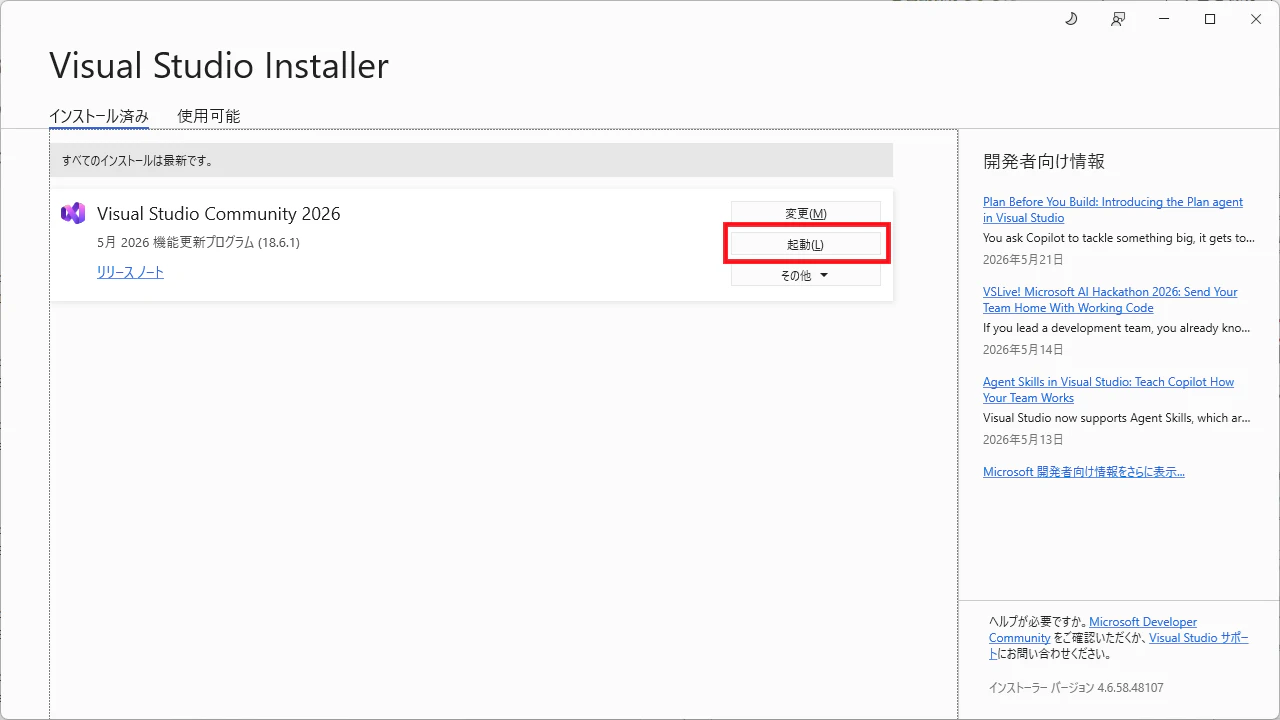
以降、インストールする手順を踏むと、インストールが完了する。
image.png
image.png
ここでは.NETデスクトップ開発をインストールしている。
image.png
image.png
image.png
ここでは起動後に、GitHubアカウントでサインインを行なっている。
image.png
image.png
image.png
image.png
image.png
GitHubアカウントとの連携が完了し、Visual Studioが使用可能となる。
image.png

おまけ(既存のリポジトリをクローン)

ここでは自分が作成した昔のアプリをクローンしている。
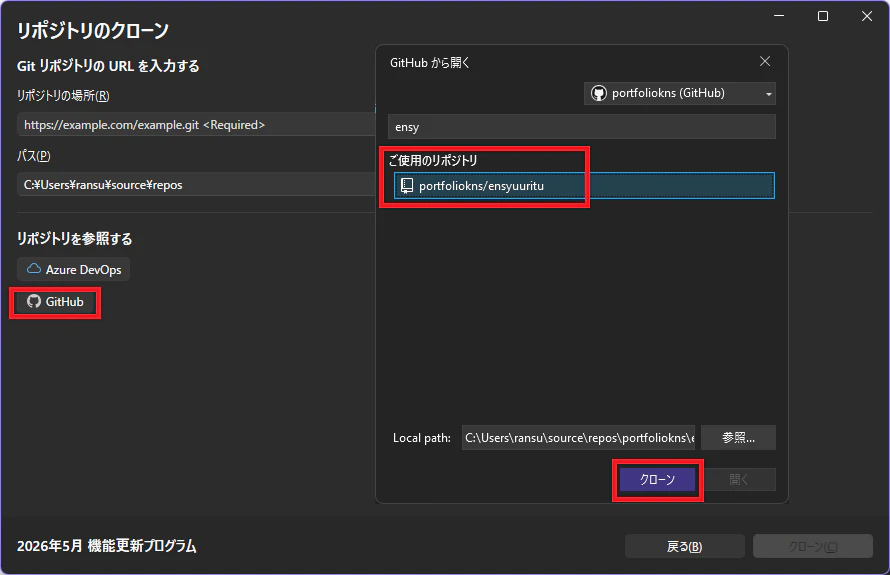
image.png
image.png
サポート対象外のコンポーネントをインストールしている。
image.png
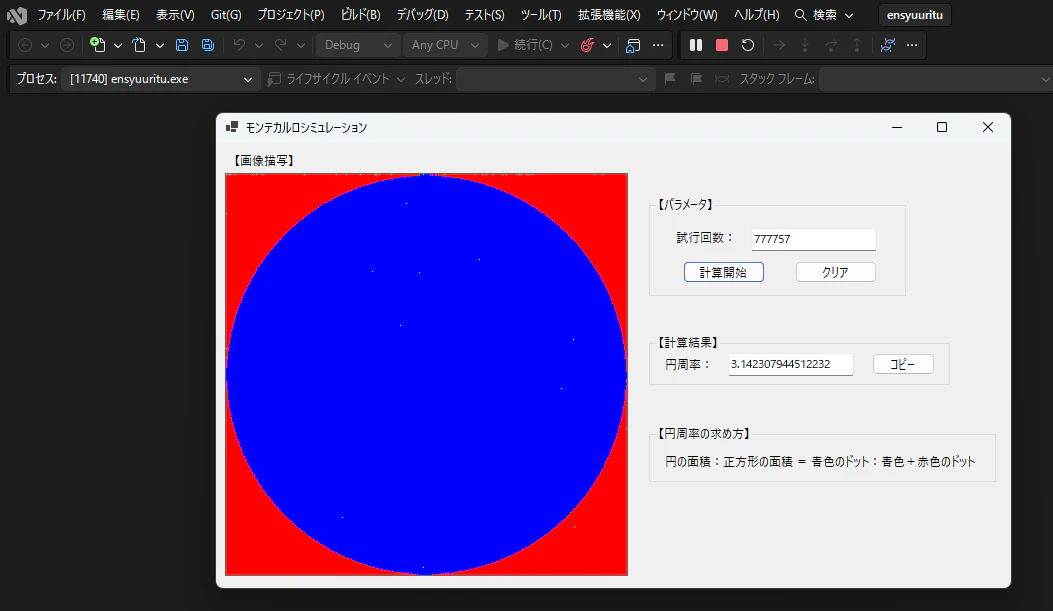
起動すれば、開発できるようになっているはず。
image.png
ちなみにこれは円周率を求めるためのアプリ。
image.png

0
0
0

Register as a new user and use Qiita more conveniently

  1. You get articles that match your needs
  2. You can efficiently read back useful information
  3. You can use dark theme
What you can do with signing up
0
0

Delete article

Deleted articles cannot be recovered.

Draft of this article would be also deleted.

Are you sure you want to delete this article?