AWS Bedrock Agents で IAM 認可を自動化する
📍 はじめに:パターンの統一性
記事1で学んだことを覚えていますか?
API Gateway + Lambda Authorizer で、ロール権限を制御する
実は、Bedrock Agents でも超絶便利、さすがBuildingBlockだぜ設計で同じ設計パターン がある。
同じ原則で認可制御できる = 覚えることが1つで済む
別記事API Gateway Authorizer で認可設計の基礎を学んだら、次のステップはAIもやんなきゃね、そのAIをただ使うだけじゃなくもうちっと使い倒さなきゃね。ってなる「 Bedrock Agents 」です。
APIGatewayを通過する時に、認証と認可をりようするためのRoleによって後続するLambda、さらにはDynamo、AIでいえばBedrock!なんてのも制御ができちゃうAWS!
時代に乗って、LLM エージェントを使うことで、認可処理もできちゃう仕組みがあるので、こちらをまず紹介します。 AI に判断・実行させる ことができます。
なんでか?どうやって学ぶか:(先に答えを書いてしまいます)
生成AIアプリ開発入門の本で、おーつきもAIは一通り使いこなせるようになりました。そんななClaudeが文章をはじめ「誤字・脱字」「なにいってるかわからないよ、お・お・つ・き くん!」なんて指摘も減りまくり。LoveAWSのつぎにくるのはLoveAI。
去年は、re:invent で 「エージェンティックAI」という単語「AIエージェントの英語版か?Alexaくるなー❤️」とおもってましたが、この人間のやりたいこと「誤字・脱字・伝わる」能力を引き出してくれているのがMCPというものが出たことによって性能がぐーんと上がってきています。今年は、そのえージェンティックな部分がいくつも生まれ・整備され始め・セキュリティ事故も整備され始めなんてところです。
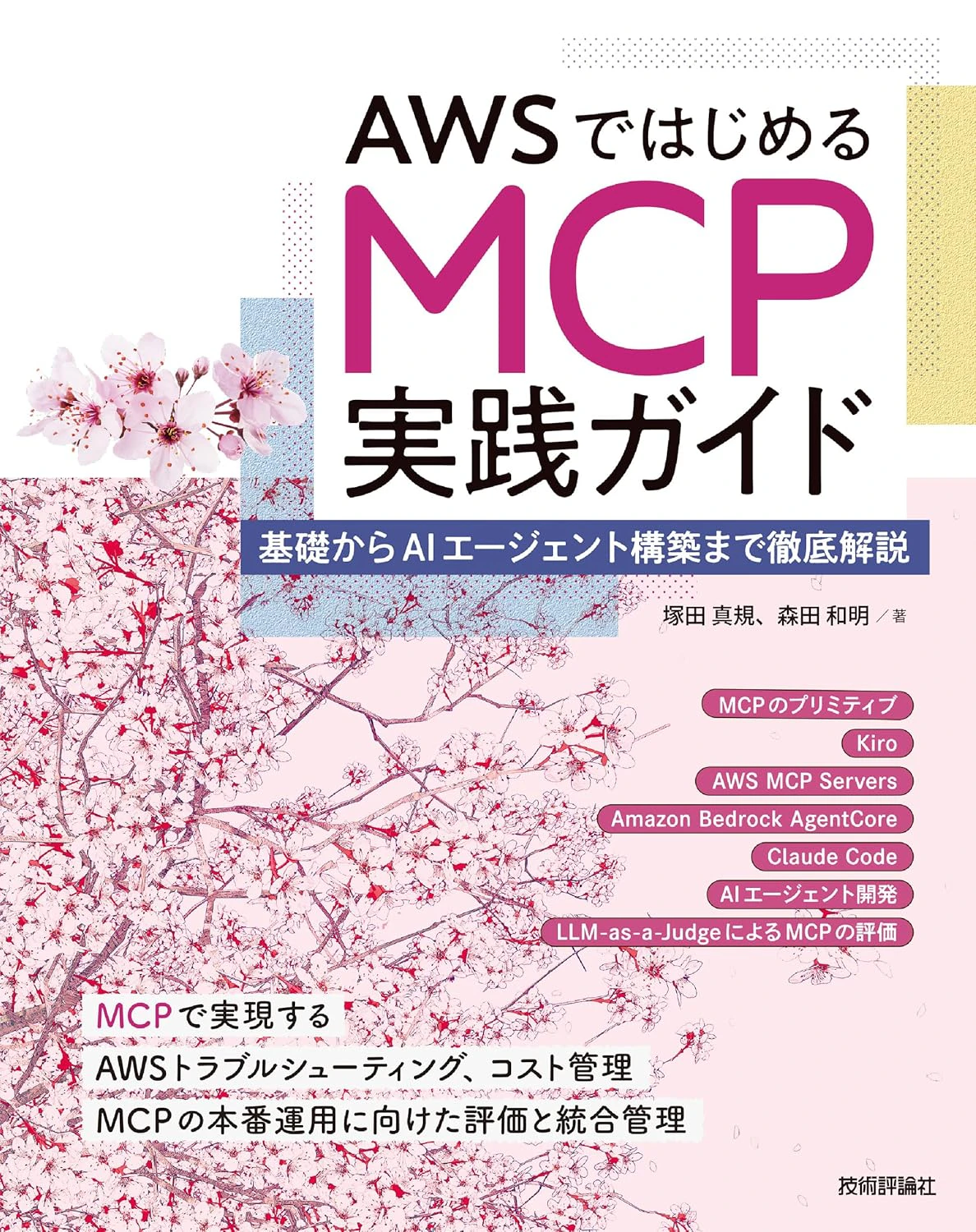
AWSではじめるMCP実践ガイド――基礎からAIエージェント構築まで徹底解説
発売日に購入しておいたら、同僚だった森田さんが 「いいもの書いたから、読んでみて。送るから」神のようなパイセン森田さんからMCPとその周り特に、この書籍では 4行でかけるBedrockから入門した生成AIの先にくる、特技や性能を上げるための仕組みと使い方、実際使いはじめると「AgentCoreとかStarandsAgentとかだんだんまた単語が増えてきて、Bedrockのなかにいろんなサービスも増えて、なんだかわかならないくなりそうを整理もしてくれます」作ったわいいがはまりそうな壁についてまで要所要所かいてある。そこから森田さんの得意なサンプルコード盛りだくさんが詰め込まれていて まず、皆が2歩目に立つことができるようになります。
🌾会社の同僚だった森田さんたちの買いた本(宣伝ではありません。めちゃくちゃ導入で復習するのに、わかりやすい本なのでまずお勧めします。)
🔗 StrandsAgentやAgentCoreは 別記事に移動します
(本件は、 API GatewayとCognito利用する際にIAM素晴らしい!って覚えたら、AIも同じようなことできんじゃね?特に LLMの拡張をしていくとカオスになるMCPたちの制御やアクセス関連)
についての説明をしたいと思います。
- MCPというものがある
- 色々作法に従って書くの大変だから Python でOSSとして StrandsAgentが出た
- そのStrandsAgentをコンテナイメージ化してデプロイしやすくしたのが AgentCore
- このデプロイされた機能をAIに所属させるとスキルだとか自立型Agentが強くなる
- QDeveloperやKiro、Claudeからもよべる (もともとMCPはClaudeがLinuxに寄与したもの)
- MCPたちをまとめないと 色々な制御がまた大変になってきてる・・・(それでBedrockAgentGatewayなんてものが登場)
- ※MCPをUSB-Cに例えられても「おーつき」はさっぱりわかんなかったw
AI エージェント開発も同じ!Agent Core Gateway で IAM 認可を制御する
🎯 API Gateway Authorizer と Agent Core Gateway の対応関係
| 構成要素 | API Gateway パターン | Agent Core Gateway パターン |
|---|---|---|
| ゲートウェイ | API Gateway | Agent Core Gateway |
| 認可判定 | Lambda Authorizer | Agent Authorizer |
| ロール割り当て | Context に userId 埋め込み | Agent に userId を渡す |
| リソースアクセス | DynamoDB (IAM ロール経由) | DynamoDB (IAM ロール経由) |
| 監査ログ | CloudWatch Logs | CloudWatch Logs |
「Agent Authorizer(エージェントオーソライザー)」は、AIエージェントがユーザーに代わって外部APIやリソースにアクセスする際、そのリクエストの「認証」と「認可」を安全に制御するための仕組みやコンポーネントを指します。主な用途と仕組みAIエージェントの本人確認: AIが外部のシステム(GitHub、SaaS、社内データなど)を操作する際、適切な権限を持っているか検証します。セキュリティの担保: OAuth 2.0 (PKCEなど) や JWT (JSON Web Tokens) を用いて、エージェントが不正なアクセスを行わないよう制限を設けます。
Part 1: Agent Core Gateway の仕組み
1. API Gateway Authorizer の流れ(おさらい)
[リクエスト]
↓
[API Gateway]
↓
[Lambda Authorizer] ← トークン検証、ロール取得
├─ Token を確認
├─ IAM ロール取得
└─ Context に userId を埋め込む
↓
[ビジネスロジック Lambda]
├─ Context から userId を取得
└─ DynamoDB アクセス(IAM ロール経由)
2. Agent Core Gateway の流れ(同じ構造)
[ユーザーの質問]
↓
[Agent Core Gateway]
↓
[Agent Authorizer] ← トークン検証、ロール取得(同じ考え方!)
├─ Token を確認
├─ IAM ロール取得
└─ Agent に userId を埋め込む
↓
[Bedrock Agent (Claude)]
├─ userId 情報を持った状態で実行
└─ DynamoDB アクセス(IAM ロール経由)
ポイント: Lambda Authorizer か Agent Authorizer か の違いだけで、ロジックは全く同じ
Part 2: Agent Core Gateway の実装
1. Agent の IAM ロール設定(API Gateway と同じ考え方)
{
"Version": "2012-10-17",
"Statement": [
{
"Effect": "Allow",
"Action": [
"dynamodb:GetItem",
"dynamodb:Query",
"dynamodb:UpdateItem"
],
"Resource": "arn:aws:dynamodb:ap-northeast-1:*:table/UserData",
"Condition": {
"StringEquals": {
"dynamodb:LeadingKeys": "${aws:username}"
}
}
}
]
}
API Gateway Authorizer と同じ : ロール定義は変わらない
2. CloudFormation:Agent Core Gateway を構築
AWSTemplateFormatVersion: '2010-09-09'
Description: 'Agent Core Gateway による認可制御'
Resources:
# ========================================
# Step 1: Agent Authorizer Lambda
# (API Gateway の Lambda Authorizer と同じ役割)
# ========================================
AgentAuthorizerLambda:
Type: AWS::Lambda::Function
Properties:
FunctionName: agent-authorizer
Runtime: python3.11
Role: !GetAtt AuthorizerLambdaRole.Arn
Code:
ZipFile: |
import json
from jose import jwt
import time
def lambda_handler(event, context):
"""
Agent Authorizer: API Gateway Authorizer と同じ
トークン検証 → userId を取得 → Agent に渡す
"""
try:
# トークンを取得
token = event.get('token')
# JWT 検証
payload = jwt.get_unverified_claims(token)
user_id = payload['sub']
# 検証OK → userId を Agent コンテキストに埋め込む
return {
'statusCode': 200,
'userId': user_id,
'userRole': payload.get('custom:role', 'user'),
'timestamp': str(int(time.time()))
}
except Exception as e:
print(f"Auth failed: {e}")
return {
'statusCode': 401,
'error': 'Unauthorized'
}
# ========================================
# Step 2: Agent 実行用 IAM ロール
# (API Gateway パターンと同じ)
# ========================================
AgentExecutionRole:
Type: AWS::IAM::Role
Properties:
AssumeRolePolicyDocument:
Version: '2012-10-17'
Statement:
- Effect: Allow
Principal:
Service: bedrock.amazonaws.com
Action: sts:AssumeRole
ManagedPolicyArns:
- arn:aws:iam::aws:policy/AmazonBedrockFullAccess
Policies:
- PolicyName: DynamoDBAccess
PolicyDocument:
Version: '2012-10-17'
Statement:
- Effect: Allow
Action:
- dynamodb:GetItem
- dynamodb:Query
- dynamodb:UpdateItem
Resource: arn:aws:dynamodb:ap-northeast-1:*:table/UserData
# ========================================
# Step 3: Bedrock Agent
# (API Gateway の "ビジネスロジック Lambda" に相当)
# ========================================
CoreAgent:
Type: AWS::Bedrock::Agent
Properties:
AgentName: UserDataCoreAgent
AgentResourceRoleArn: !GetAtt AgentExecutionRole.Arn
FoundationModel: anthropic.claude-3-sonnet-20240229-v1:0
Description: User data agent with IAM role-based authorization
AgentInstructions: |
You are an AI assistant that queries user data.
You have access to DynamoDB with IAM role-based permissions.
Always respect the LeadingKeys condition - only access the user's own data.
When querying, use the userId parameter that was provided during initialization.
# ========================================
# Step 4: Action Group
# (Agent が実行するビジネスロジック)
# ========================================
UserDataActionGroup:
Type: AWS::Bedrock::AgentActionGroup
Properties:
AgentId: !Ref CoreAgent
ActionGroupName: UserDataOperations
Description: Query and update user data
ApiSchema:
Payload: |
{
"openapi": "3.0.0",
"info": {
"title": "User Data API",
"version": "1.0.0"
},
"paths": {
"/get-user-data": {
"post": {
"summary": "Get user data from DynamoDB",
"requestBody": {
"content": {
"application/json": {
"schema": {
"type": "object",
"properties": {
"userId": {
"type": "string",
"description": "User ID"
}
},
"required": ["userId"]
}
}
}
},
"responses": {
"200": {
"description": "User data retrieved"
}
}
}
}
}
}
ActionGroupExecutor:
Lambda: !GetAtt ActionExecutorLambda.Arn
# ========================================
# Step 5: Action Executor Lambda
# (DynamoDB アクセスの実装)
# ========================================
ActionExecutorLambda:
Type: AWS::Lambda::Function
Properties:
FunctionName: agent-action-executor
Runtime: python3.11
Role: !GetAtt ActionExecutorRole.Arn
Code:
ZipFile: |
import json
import boto3
dynamodb = boto3.resource('dynamodb')
table = dynamodb.Table('UserData')
def lambda_handler(event, context):
"""
Agent Core Gateway を通じた Authorization済みのリクエスト
IAM ロール権限で DynamoDB にアクセス
"""
body = json.loads(event['body'])
user_id = body['userId']
# IAM ロール経由で DynamoDB Query
response = table.get_item(Key={'userId': user_id})
return {
'statusCode': 200,
'body': json.dumps(response.get('Item', {}))
}
3. Agent Core Gateway の呼び出し(Python)
import boto3
import json
bedrock_agent_runtime = boto3.client('bedrock-agent-runtime')
def query_agent_with_authorization(user_question, user_token):
"""
Agent Core Gateway を通じて Agent を呼び出す
Flow:
1. Agent Authorizer でトークン検証
2. userId を抽出
3. userId を Agent コンテキストに埋め込む
4. Agent が IAM ロール権限で DynamoDB アクセス
"""
# Step 1: Agent Authorizer を実行
authorizer = boto3.client('lambda')
auth_response = authorizer.invoke(
FunctionName='agent-authorizer',
InvocationType='RequestResponse',
Payload=json.dumps({'token': user_token})
)
auth_result = json.loads(auth_response['Payload'].read())
if auth_result['statusCode'] != 200:
raise Exception("Authorization failed")
user_id = auth_result['userId']
# Step 2: 認可済みユーザーの userId を Agent に渡す
response = bedrock_agent_runtime.invoke_agent(
agentId='CoreAgent',
agentAliasId='TSTALIASID',
sessionId=user_id, # ← Authorization 済みの userId
inputText=user_question
)
# Step 3: Agent の応答を取得
result = []
for event in response['completion']:
if 'chunk' in event:
result.append(event['chunk']['bytes'].decode('utf-8'))
return ''.join(result)
# 使用例
user_token = 'eyJxxx...' # Cognito から発行されたトークン
question = 'Show me my profile data'
response = query_agent_with_authorization(question, user_token)
print(response)
Part 3: API Gateway Authorizer パターンとの完全な対応表
比較:API vs Agent
API Gateway パターン
API Gateway
↓
Lambda Authorizer
├─ トークン検証
├─ IAM ロール確認
└─ Context に userId 埋め込み
↓
ビジネスロジック Lambda
├─ Context から userId を取得
└─ DynamoDB Query(IAM ロール経由)
Agent Core Gateway パターン
Agent Core Gateway
↓
Agent Authorizer Lambda
├─ トークン検証
├─ IAM ロール確認
└─ userId を Agent に渡す
↓
Bedrock Agent (Claude)
├─ userId を受け取る
└─ DynamoDB Query(IAM ロール経由)
違いは何か?
| 項目 | API Gateway | Agent Core Gateway |
|---|---|---|
| ゲートウェイ | API Gateway | Agent Core Gateway |
| 認可層 | Lambda Authorizer | Agent Authorizer |
| ビジネスロジック | Lambda Function | Bedrock Agent |
| 認可制御 | IAM Role(同じ) | IAM Role(同じ) |
| ロール権限 | LeadingKeys(同じ) | LeadingKeys(同じ) |
ほぼ同じ!違うのは「実行エンジン」だけ
Part 4:実際のフロー
API Gateway Authorizer フロー
[クライアント]
↓ (Token: eyJxxx...)
[API Gateway]
↓
[Lambda Authorizer]
├─ トークン検証: OK ✓
├─ userId: user-123
└─ Return: {userId: "user-123", userRole: "user"}
↓
[ビジネスロジック Lambda]
├─ event['requestContext']['authorizer']['userId'] = "user-123"
├─ IAM ロール: arn:aws:dynamodb:...:table/UserData
│ Condition: dynamodb:LeadingKeys = "user-123"
└─ DynamoDB Query → ユーザー123のデータのみ取得 ✓
↓
[CloudWatch Logs]
└─ "user-123 accessed UserData table" 🔒
Agent Core Gateway フロー
[ユーザー]
↓ (Question: "Show my profile", Token: eyJxxx...)
[Agent Core Gateway]
↓
[Agent Authorizer Lambda]
├─ トークン検証: OK ✓
├─ userId: user-123
└─ Return: {userId: "user-123", userRole: "user"}
↓
[Bedrock Agent (Claude)]
├─ userId パラメータ: "user-123"
├─ IAM ロール: arn:aws:dynamodb:...:table/UserData
│ Condition: dynamodb:LeadingKeys = "user-123"
└─ DynamoDB Query → ユーザー123のデータのみ取得 ✓
↓
[CloudWatch Logs]
└─ "user-123 accessed UserData table via Agent" 🤖🔒
監査ログまで同じ!
Part 5:学習の段階性
【段階1】基礎:API Gateway + Lambda Authorizer で IAM 認可を理解
↓
「あ、ロール権限で制御できるんだ」
【段階2】応用:Agent Core Gateway で同じパターンを AI で実装
↓
「あ、同じ仕組みだ。覚えること少ない」
【段階3】発展:複数の Action Group で複雑な Agent を構築
↓
「IAM ロール1つで、複数のアクションを統一制御」
🎯 結論:「1つ覚えたら2つできる」
API Gateway Authorizer を理解すれば...
Agent Core Gateway も同じ考え方で実装できる
API Gateway Authorizer ─→ Agent Authorizer
↓
IAM Role
↓
LeadingKeys
↓
CloudWatch Logs
メリット
| 観点 | 利点 |
|---|---|
| 学習効率 | API パターンを理解すれば Agent も自動的に理解できる |
| 実装効率 | テンプレートを流用できる |
| 保守効率 | 認可制御ロジックが統一されている |
| 監査効率 | 全て CloudWatch Logs に記録 |
最後に
API 開発も AI エージェント開発も、AWS IAM の仕組みは同じ。
これが 「シンプルに、細かいことができる」 AWS の本当の価値です。なんどもいう!「BuildingBlockって素晴らしい」
記事1で学んだ API Gateway Authorizer のパターンが、そのまま Agent Core Gateway で使える。
つまり、エンジニアが覚えることは1つで済み、2つの領域で応用できる。
これこそが、「0を1にする」「1を10にする」 設計の本質です。
2にしていくにはここからデータやアクセスについてのセキュリティをふかぼっていくことが大事。まずお仕事であろうが趣味であろうが「AWSはセキュリティのことを第一優先に考える」「Amazonはお客様(使い人)のことを第一優先に考える」。こういう設計と真のある思想があってこそ、責任も共有してられる。昔言われた責任分界点とはまた違う話〜


