
Core Graphicsでの矢印の描き方はこちら:
http://stackoverflow.com/questions/13528898/how-can-i-draw-an-arrow-using-core-graphics
Sprite Kitの場合は、上記を参考に矢印の形のCGPathを作り、SKShapeNodeのインスタンスに割り当てて簡単に描けます。
ただ、この方法だとジャギーが出て不満だったので、一旦ビットマップ画像を作ってそれをテクスチャとするSKSpriteNodeの子クラスを作りました。
https://github.com/oinariman/RMArrowNode (iOS専用)
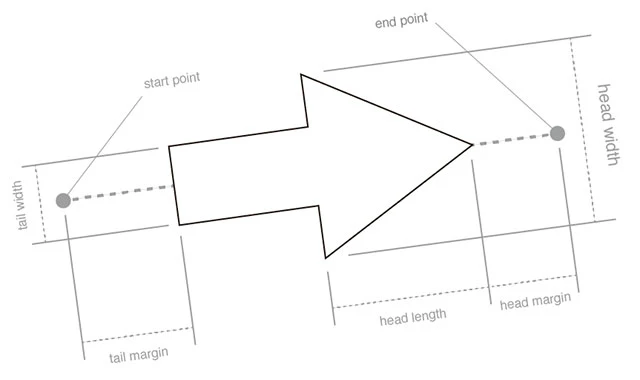
また、上記回答のコードの機能に加えて、始点/終点から内側に余白を設けられるようにしました。
下図のhead margin/tail marginがそれです。(marginという英単語は妥当でしょうか。)
使い方
RMArrowNode *node =
[RMArrowNode arrowNodeWithStartPoint:startPoint
                            endPoint:endPoint
                           headWidth:7.0
                          headLength:14.0
                          headMargin:0.0
                           tailWidth:1.0
                          tailMargin:0.0
                               color:[SKColor blackColor]];
[self addChild:node];
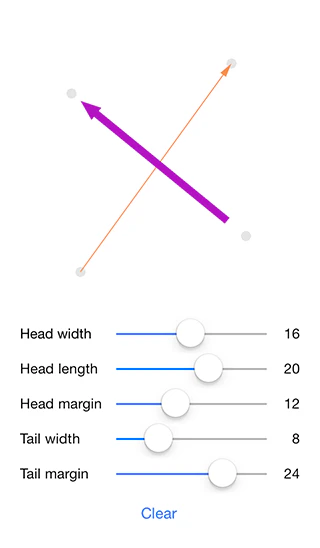
使用例
以上です。