

少し前に簡単な環境でTransitGateway環境を作ってみたのですが、いささか簡単に書きすぎたのでもう少し細かくアウトプットしておこうと思います。
用語
TGW (Transit Gateway)
複数のVPC、VPN、Direct Connectを相互接続するためのネットワークハブ。
従来の複雑なピアリング構成を簡素化し、中央集約型のルーティングを実現。
リージョン内の全ネットワークリソースを一元管理できる。
TGW Attachment
Transit GatewayとVPC/VPN/Direct Connectなどを接続するためのリソース。
各VPCやネットワークリソースごとに個別のAttachmentが作成される。
Attachmentを通じてトラフィックがTransit Gatewayに出入りする。
TGWRTB (TGW Route Table)
Transit Gateway内でトラフィックの転送先を決定するルーティングテーブル。
複数のRoute Tableを作成することで、ネットワークセグメンテーションが可能。
各Attachmentは必ず1つのRoute Tableに関連付け(Association)られる。
Association (関連付け)
AttachmentをどのRoute Tableに所属させるかを定義する設定。
Associationにより、そのAttachmentから送信されるトラフィックが使用するRoute Tableが決まる。
1つのAttachmentは1つのRoute Tableにのみ関連付けできる。
Propagation (伝播)
AttachmentのCIDRレンジを指定したRoute Tableに自動的に追加する機能。
手動でルートを追加する必要がなく、動的にルート情報が更新される。
1つのAttachmentは複数のRoute Tableにプロパゲート可能。
平たく言うと、AssociationされているAttachmentはこのPropagationに記載のルートであればルーティングすることが出来るという事
AssociationとPropagationのポイント
「Association=どのテーブルを見るか(入口)」「Propagation=どのテーブルに自分の存在を教えるか(出口)」ということ
環境イメージ
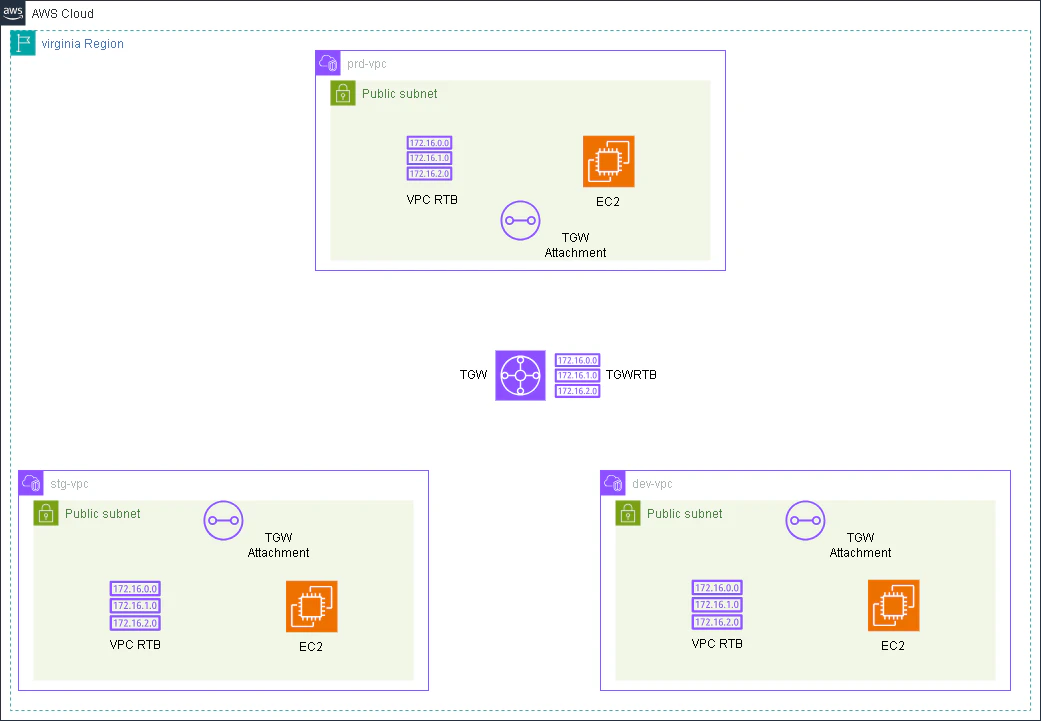
同じリージョンにVPCを3つ作ります。
これをベースに色々を設定を変えていくことでTGWAttachmentとTGWRTB,Association/Propagationを理解していきたいと思います。
※TGW用のサブネットを別途作るのがベストプラクティスでありますが、今回は省略します。
ハンズオン
環境準備
今回はバージニアに環境を用意していきます。
私の環境ではdefaultのVPCすら存在していません。
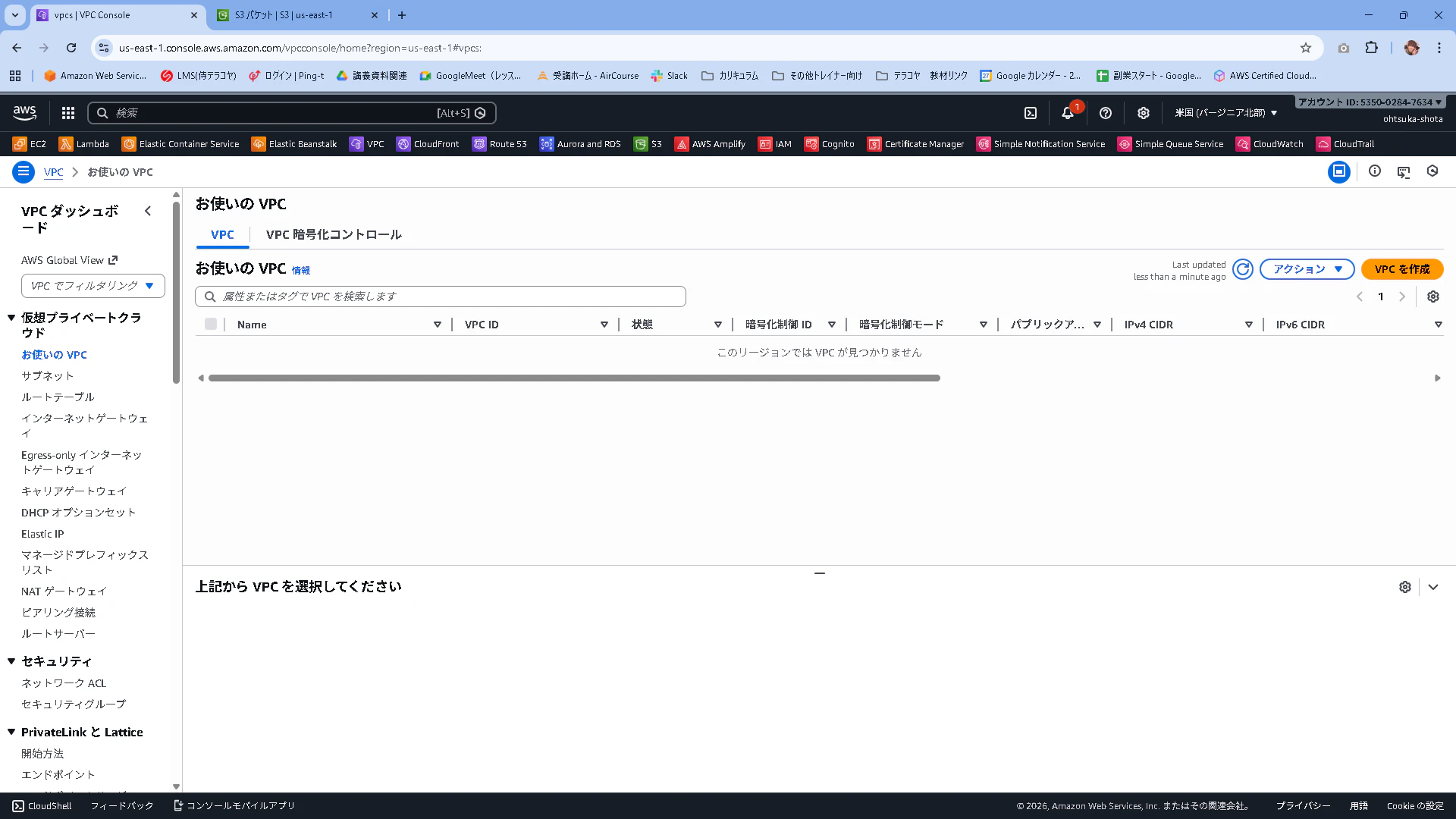
VPCやサブネットを3つ用意していきます。
それぞれこのyamlを使って環境をデプロイしていきます。
dev-env.yaml
AWSTemplateFormatVersion: '2010-09-09'
Description: 'VPC, Subnet, and Internet Gateway CloudFormation Template for Dev Environment'

Parameters:
  Environment:
    Type: String
    Default: 'dev'
    Description: Environment prefix for resource names

  VpcCidr:
    Type: String
    Default: '172.16.0.0/16'
    Description: CIDR block for VPC

  PublicSubnetCidr:
    Type: String
    Default: '172.16.1.0/24'
    Description: CIDR block for Public Subnet

Resources:
  # VPC
  MyVPC:
    Type: AWS::EC2::VPC
    Properties:
      CidrBlock: !Ref VpcCidr
      EnableDnsHostnames: true
      EnableDnsSupport: true
      Tags:
        - Key: Name
          Value: !Sub '${Environment}-vpc'

  # Internet Gateway
  MyInternetGateway:
    Type: AWS::EC2::InternetGateway
    Properties:
      Tags:
        - Key: Name
          Value: !Sub '${Environment}-igw'

  # IGWをVPCにアタッチ
  AttachGateway:
    Type: AWS::EC2::VPCGatewayAttachment
    Properties:
      VpcId: !Ref MyVPC
      InternetGatewayId: !Ref MyInternetGateway

  # パブリックサブネット
  PublicSubnet:
    Type: AWS::EC2::Subnet
    Properties:
      VpcId: !Ref MyVPC
      CidrBlock: !Ref PublicSubnetCidr
      AvailabilityZone: !Select [0, !GetAZs '']
      MapPublicIpOnLaunch: true
      Tags:
        - Key: Name
          Value: !Sub '${Environment}-public-subnet'

  # ルートテーブル
  PublicRouteTable:
    Type: AWS::EC2::RouteTable
    Properties:
      VpcId: !Ref MyVPC
      Tags:
        - Key: Name
          Value: !Sub '${Environment}-public-rtb'

  # インターネットへのルート
  PublicRoute:
    Type: AWS::EC2::Route
    DependsOn: AttachGateway
    Properties:
      RouteTableId: !Ref PublicRouteTable
      DestinationCidrBlock: '0.0.0.0/0'
      GatewayId: !Ref MyInternetGateway

  # サブネットとルートテーブルの関連付け
  SubnetRouteTableAssociation:
    Type: AWS::EC2::SubnetRouteTableAssociation
    Properties:
      SubnetId: !Ref PublicSubnet
      RouteTableId: !Ref PublicRouteTable

Outputs:
  VPCId:
    Description: VPC ID
    Value: !Ref MyVPC
    Export:
      Name: !Sub '${Environment}-VPC-ID'

  PublicSubnetId:
    Description: Public Subnet ID
    Value: !Ref PublicSubnet
    Export:
      Name: !Sub '${Environment}-PublicSubnet-ID'

  InternetGatewayId:
    Description: Internet Gateway ID
    Value: !Ref MyInternetGateway
    Export:
      Name: !Sub '${Environment}-IGW-ID'

  PublicRouteTableId:
    Description: Public Route Table ID
    Value: !Ref PublicRouteTable
    Export:
      Name: !Sub '${Environment}-public-rtb-id'
dev-sg.yaml
AWSTemplateFormatVersion: '2010-09-09'
Description: 'Security Group for DEV Environment EC2 instances'

Parameters:
  Environment:
    Type: String
    Default: 'dev'
    Description: Environment prefix for resource names

  VPCId:
    Type: String
    Description: VPC ID where the security group will be created

Resources:
  # EC2用セキュリティグループ(全ての通信を許可)
  EC2SecurityGroup:
    Type: AWS::EC2::SecurityGroup
    Properties:
      GroupName: !Sub '${Environment}-ec2-sg'
      GroupDescription: !Sub 'Security group for ${Environment} EC2 instances - Allow all traffic'
      VpcId: !Ref VPCId
      SecurityGroupIngress:
        - IpProtocol: -1
          CidrIp: 0.0.0.0/0
          Description: Allow all inbound traffic
      SecurityGroupEgress:
        - IpProtocol: -1
          CidrIp: 0.0.0.0/0
          Description: Allow all outbound traffic
      Tags:
        - Key: Name
          Value: !Sub '${Environment}-ec2-sg'
        - Key: Environment
          Value: !Ref Environment

Outputs:
  EC2SecurityGroupId:
    Description: EC2 Security Group ID
    Value: !Ref EC2SecurityGroup
    Export:
      Name: !Sub '${Environment}-EC2-SG-ID'
prd-env.yaml
AWSTemplateFormatVersion: '2010-09-09'
Description: 'VPC, Subnet, and Internet Gateway CloudFormation Template for Production Environment'

Parameters:
  Environment:
    Type: String
    Default: 'prd'
    Description: Environment prefix for resource names

  VpcCidr:
    Type: String
    Default: '192.168.0.0/16'
    Description: CIDR block for VPC

  PublicSubnetCidr:
    Type: String
    Default: '192.168.1.0/24'
    Description: CIDR block for Public Subnet

Resources:
  # VPC
  MyVPC:
    Type: AWS::EC2::VPC
    Properties:
      CidrBlock: !Ref VpcCidr
      EnableDnsHostnames: true
      EnableDnsSupport: true
      Tags:
        - Key: Name
          Value: !Sub '${Environment}-vpc'

  # Internet Gateway
  MyInternetGateway:
    Type: AWS::EC2::InternetGateway
    Properties:
      Tags:
        - Key: Name
          Value: !Sub '${Environment}-igw'

  # IGWをVPCにアタッチ
  AttachGateway:
    Type: AWS::EC2::VPCGatewayAttachment
    Properties:
      VpcId: !Ref MyVPC
      InternetGatewayId: !Ref MyInternetGateway

  # パブリックサブネット
  PublicSubnet:
    Type: AWS::EC2::Subnet
    Properties:
      VpcId: !Ref MyVPC
      CidrBlock: !Ref PublicSubnetCidr
      AvailabilityZone: !Select [0, !GetAZs '']
      MapPublicIpOnLaunch: true
      Tags:
        - Key: Name
          Value: !Sub '${Environment}-public-subnet'

  # ルートテーブル
  PublicRouteTable:
    Type: AWS::EC2::RouteTable
    Properties:
      VpcId: !Ref MyVPC
      Tags:
        - Key: Name
          Value: !Sub '${Environment}-public-rtb'

  # インターネットへのルート
  PublicRoute:
    Type: AWS::EC2::Route
    DependsOn: AttachGateway
    Properties:
      RouteTableId: !Ref PublicRouteTable
      DestinationCidrBlock: '0.0.0.0/0'
      GatewayId: !Ref MyInternetGateway

  # サブネットとルートテーブルの関連付け
  SubnetRouteTableAssociation:
    Type: AWS::EC2::SubnetRouteTableAssociation
    Properties:
      SubnetId: !Ref PublicSubnet
      RouteTableId: !Ref PublicRouteTable

Outputs:
  VPCId:
    Description: VPC ID
    Value: !Ref MyVPC
    Export:
      Name: !Sub '${Environment}-VPC-ID'

  PublicSubnetId:
    Description: Public Subnet ID
    Value: !Ref PublicSubnet
    Export:
      Name: !Sub '${Environment}-PublicSubnet-ID'

  InternetGatewayId:
    Description: Internet Gateway ID
    Value: !Ref MyInternetGateway
    Export:
      Name: !Sub '${Environment}-IGW-ID'

  PublicRouteTableId:
    Description: Public Route Table ID
    Value: !Ref PublicRouteTable
    Export:
      Name: !Sub '${Environment}-public-rtb-id'
prd-sg.yaml
AWSTemplateFormatVersion: '2010-09-09'
Description: 'Security Group for PRD Environment EC2 instances'

Parameters:
  Environment:
    Type: String
    Default: 'prd'
    Description: Environment prefix for resource names

  VPCId:
    Type: String
    Description: VPC ID where the security group will be created

Resources:
  # EC2用セキュリティグループ(全ての通信を許可)
  EC2SecurityGroup:
    Type: AWS::EC2::SecurityGroup
    Properties:
      GroupName: !Sub '${Environment}-ec2-sg'
      GroupDescription: !Sub 'Security group for ${Environment} EC2 instances - Allow all traffic'
      VpcId: !Ref VPCId
      SecurityGroupIngress:
        - IpProtocol: -1
          CidrIp: 0.0.0.0/0
          Description: Allow all inbound traffic
      SecurityGroupEgress:
        - IpProtocol: -1
          CidrIp: 0.0.0.0/0
          Description: Allow all outbound traffic
      Tags:
        - Key: Name
          Value: !Sub '${Environment}-ec2-sg'
        - Key: Environment
          Value: !Ref Environment

Outputs:
  EC2SecurityGroupId:
    Description: EC2 Security Group ID
    Value: !Ref EC2SecurityGroup
    Export:
      Name: !Sub '${Environment}-EC2-SG-ID'
stg-env.yaml
AWSTemplateFormatVersion: '2010-09-09'
Description: 'VPC, Subnet, and Internet Gateway CloudFormation Template'

Parameters:
  Environment:
    Type: String
    Default: 'stg'
    Description: Environment prefix for resource names

  VpcCidr:
    Type: String
    Default: '10.0.0.0/16'
    Description: CIDR block for VPC

  PublicSubnetCidr:
    Type: String
    Default: '10.0.1.0/24'
    Description: CIDR block for Public Subnet

Resources:
  # VPC
  MyVPC:
    Type: AWS::EC2::VPC
    Properties:
      CidrBlock: !Ref VpcCidr
      EnableDnsHostnames: true
      EnableDnsSupport: true
      Tags:
        - Key: Name
          Value: !Sub '${Environment}-vpc'

  # Internet Gateway
  MyInternetGateway:
    Type: AWS::EC2::InternetGateway
    Properties:
      Tags:
        - Key: Name
          Value: !Sub '${Environment}-igw'

  # IGWをVPCにアタッチ
  AttachGateway:
    Type: AWS::EC2::VPCGatewayAttachment
    Properties:
      VpcId: !Ref MyVPC
      InternetGatewayId: !Ref MyInternetGateway

  # パブリックサブネット
  PublicSubnet:
    Type: AWS::EC2::Subnet
    Properties:
      VpcId: !Ref MyVPC
      CidrBlock: !Ref PublicSubnetCidr
      AvailabilityZone: !Select [0, !GetAZs '']
      MapPublicIpOnLaunch: true
      Tags:
        - Key: Name
          Value: !Sub '${Environment}-public-subnet'

  # ルートテーブル
  PublicRouteTable:
    Type: AWS::EC2::RouteTable
    Properties:
      VpcId: !Ref MyVPC
      Tags:
        - Key: Name
          Value: !Sub '${Environment}-public-rtb'

  # インターネットへのルート
  PublicRoute:
    Type: AWS::EC2::Route
    DependsOn: AttachGateway
    Properties:
      RouteTableId: !Ref PublicRouteTable
      DestinationCidrBlock: '0.0.0.0/0'
      GatewayId: !Ref MyInternetGateway

  # サブネットとルートテーブルの関連付け
  SubnetRouteTableAssociation:
    Type: AWS::EC2::SubnetRouteTableAssociation
    Properties:
      SubnetId: !Ref PublicSubnet
      RouteTableId: !Ref PublicRouteTable

Outputs:
  VPCId:
    Description: VPC ID
    Value: !Ref MyVPC
    Export:
      Name: !Sub '${Environment}-VPC-ID'

  PublicSubnetId:
    Description: Public Subnet ID
    Value: !Ref PublicSubnet
    Export:
      Name: !Sub '${Environment}-PublicSubnet-ID'

  InternetGatewayId:
    Description: Internet Gateway ID
    Value: !Ref MyInternetGateway
    Export:
      Name: !Sub '${Environment}-IGW-ID'

  PublicRouteTableId:
    Description: Public Route Table ID
    Value: !Ref PublicRouteTable
    Export:
      Name: !Sub '${Environment}-public-rtb-id'
stg-sg.yaml
AWSTemplateFormatVersion: '2010-09-09'
Description: 'Security Group for STG Environment EC2 instances'

Parameters:
  Environment:
    Type: String
    Default: 'stg'
    Description: Environment prefix for resource names

  VPCId:
    Type: String
    Description: VPC ID where the security group will be created

Resources:
  # EC2用セキュリティグループ(全ての通信を許可)
  EC2SecurityGroup:
    Type: AWS::EC2::SecurityGroup
    Properties:
      GroupName: !Sub '${Environment}-ec2-sg'
      GroupDescription: !Sub 'Security group for ${Environment} EC2 instances - Allow all traffic'
      VpcId: !Ref VPCId
      SecurityGroupIngress:
        - IpProtocol: -1
          CidrIp: 0.0.0.0/0
          Description: Allow all inbound traffic
      SecurityGroupEgress:
        - IpProtocol: -1
          CidrIp: 0.0.0.0/0
          Description: Allow all outbound traffic
      Tags:
        - Key: Name
          Value: !Sub '${Environment}-ec2-sg'
        - Key: Environment
          Value: !Ref Environment

Outputs:
  EC2SecurityGroupId:
    Description: EC2 Security Group ID
    Value: !Ref EC2SecurityGroup
    Export:
      Name: !Sub '${Environment}-EC2-SG-ID'
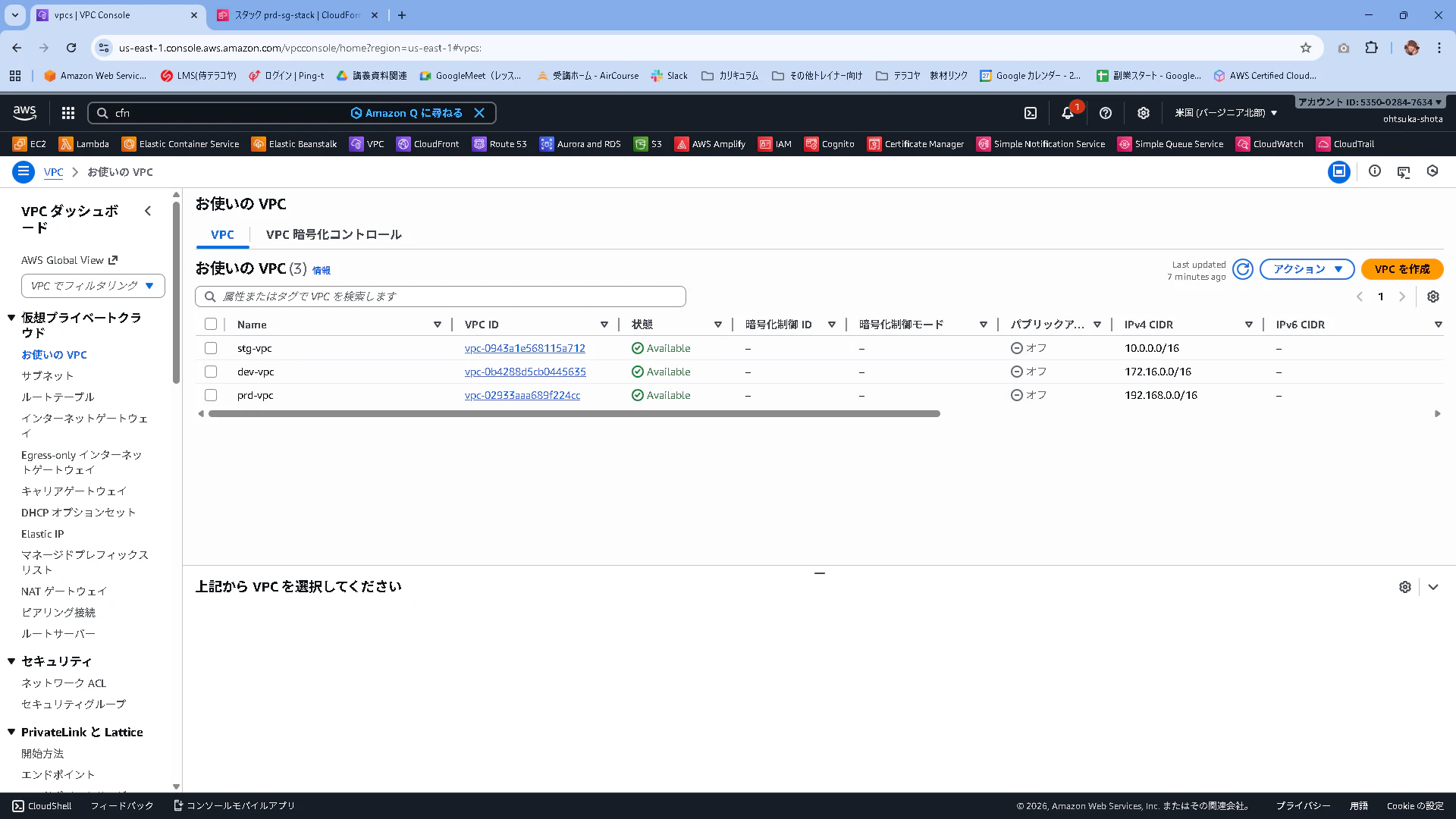
管理画面から作成されていることを確認します。
TransitGateway
TGWの作成
TGWの管理画面からTransit Gatewayを作成を押下します。

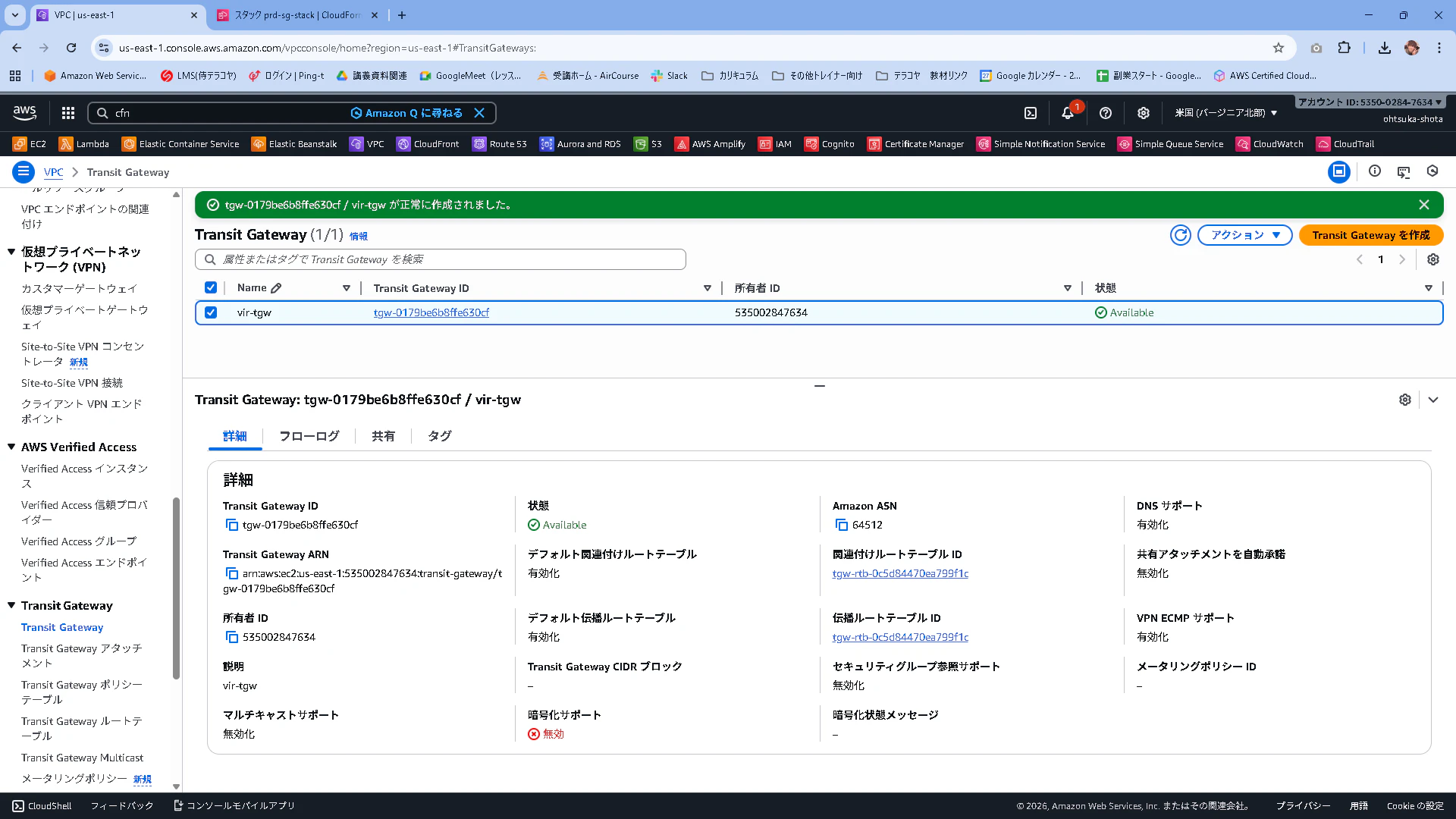
vir-tgwという名前で作成します。他の設定は特にいじらずで大丈夫です。

作成が完了することを確認します。少し時間がかかります。
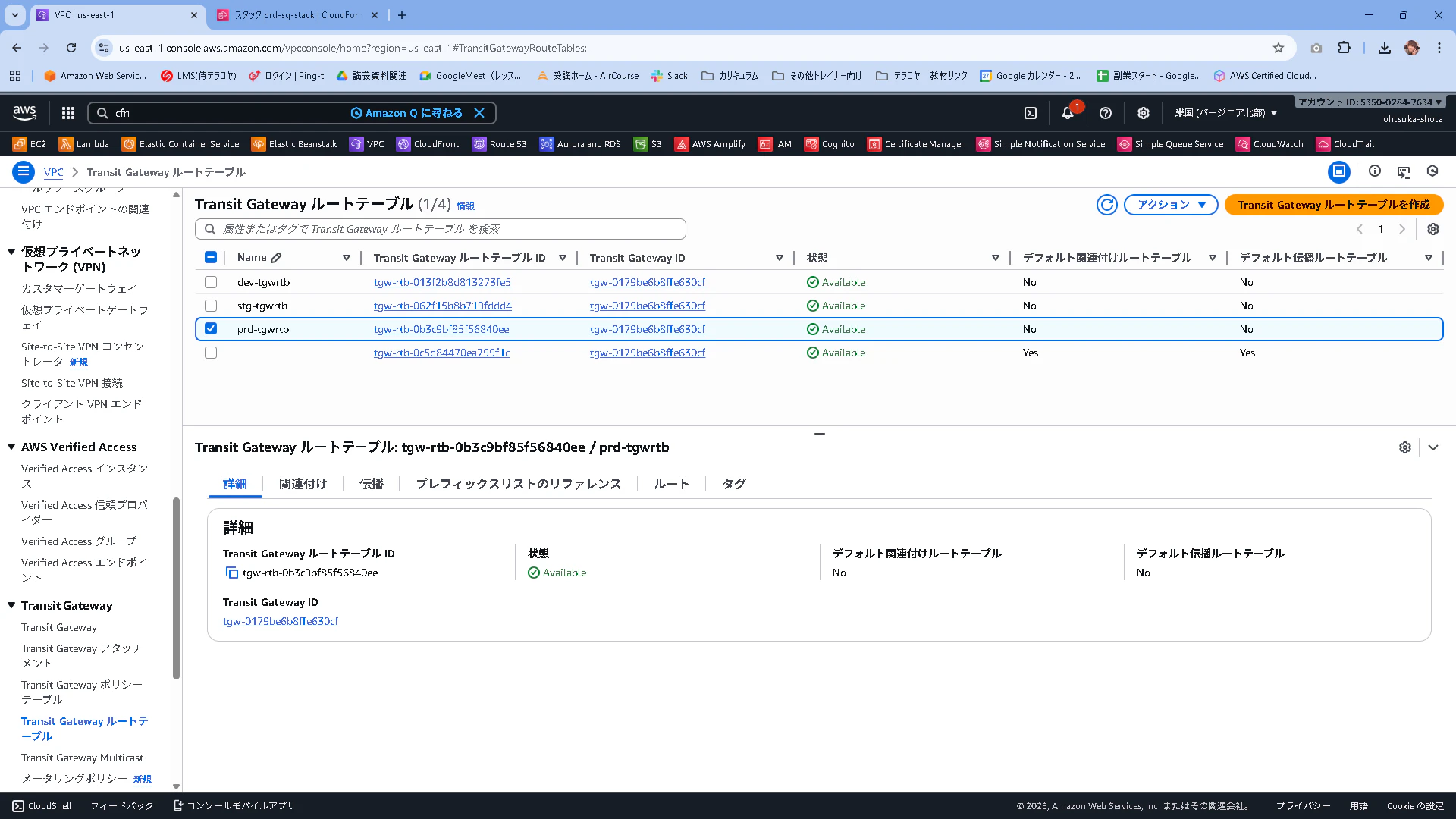
TGWRTBの作成
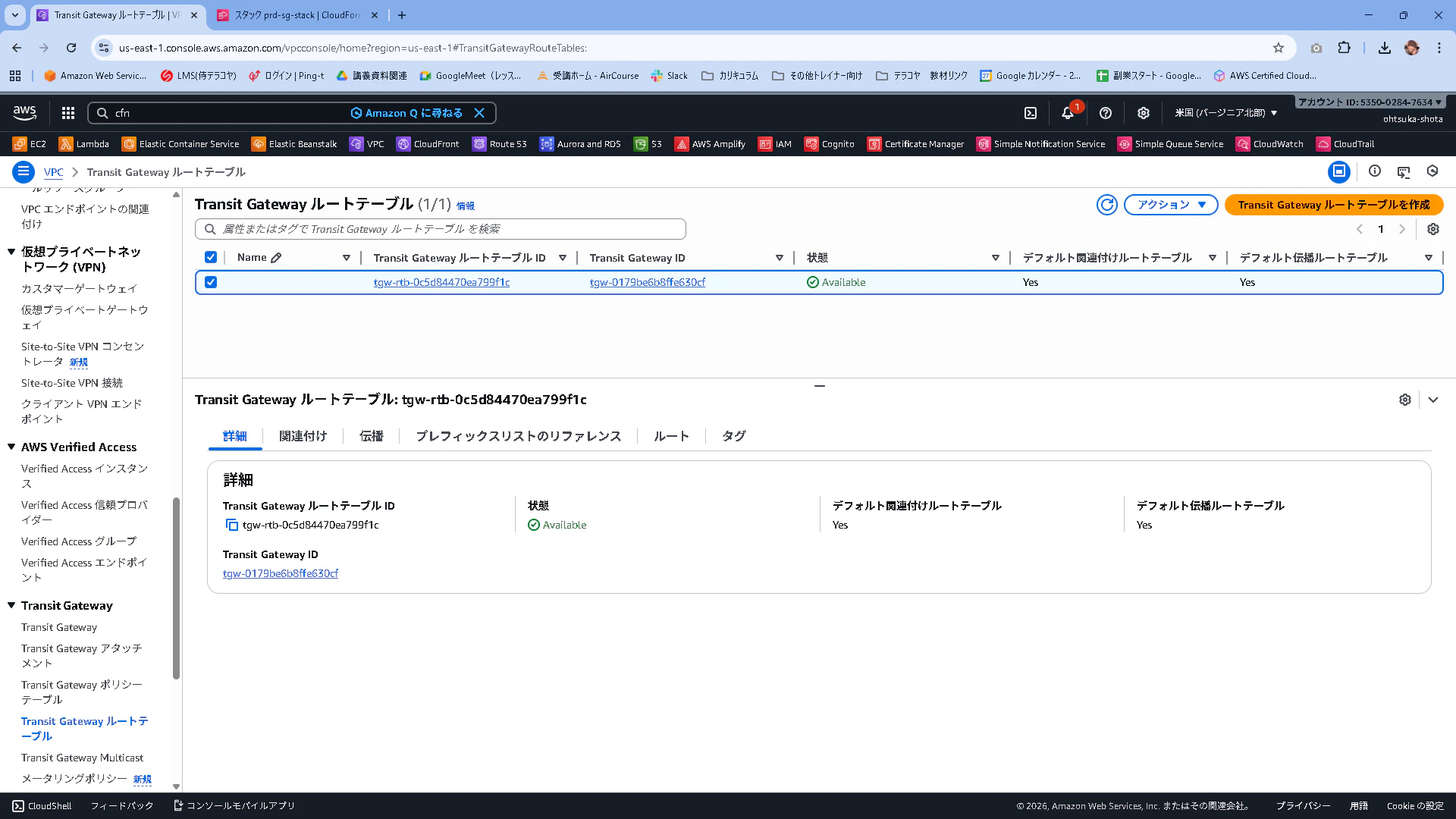
TGWRTBを作成していきます。
TGWを作成するとそのタイミングで1つ作成されます。後程作成するAttachmentは最初にこのTGWRTBに紐づけられます。
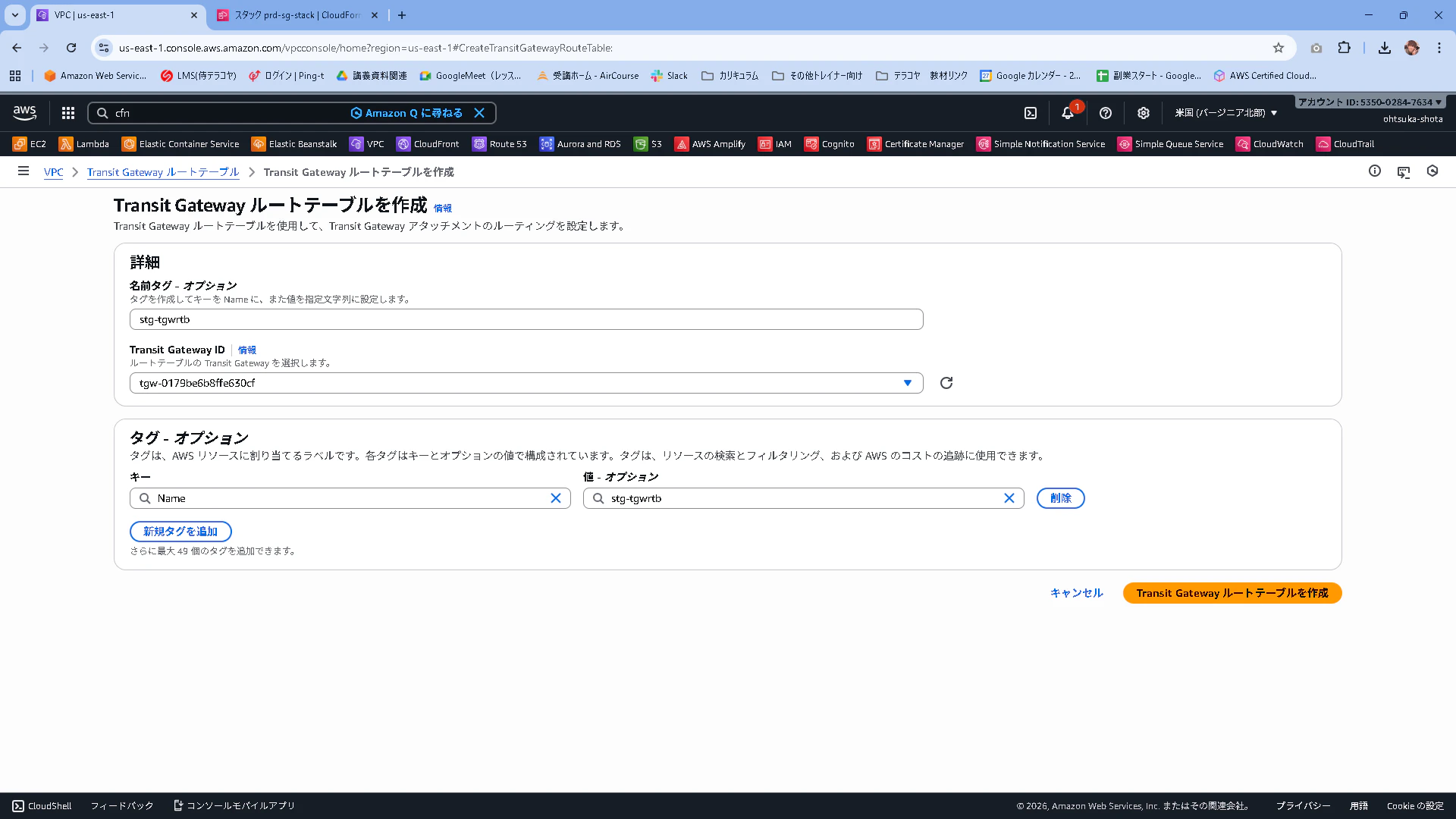
stg-tgwrtbという名前で作成します。TGWのIDは上記で作成したものを指定します。
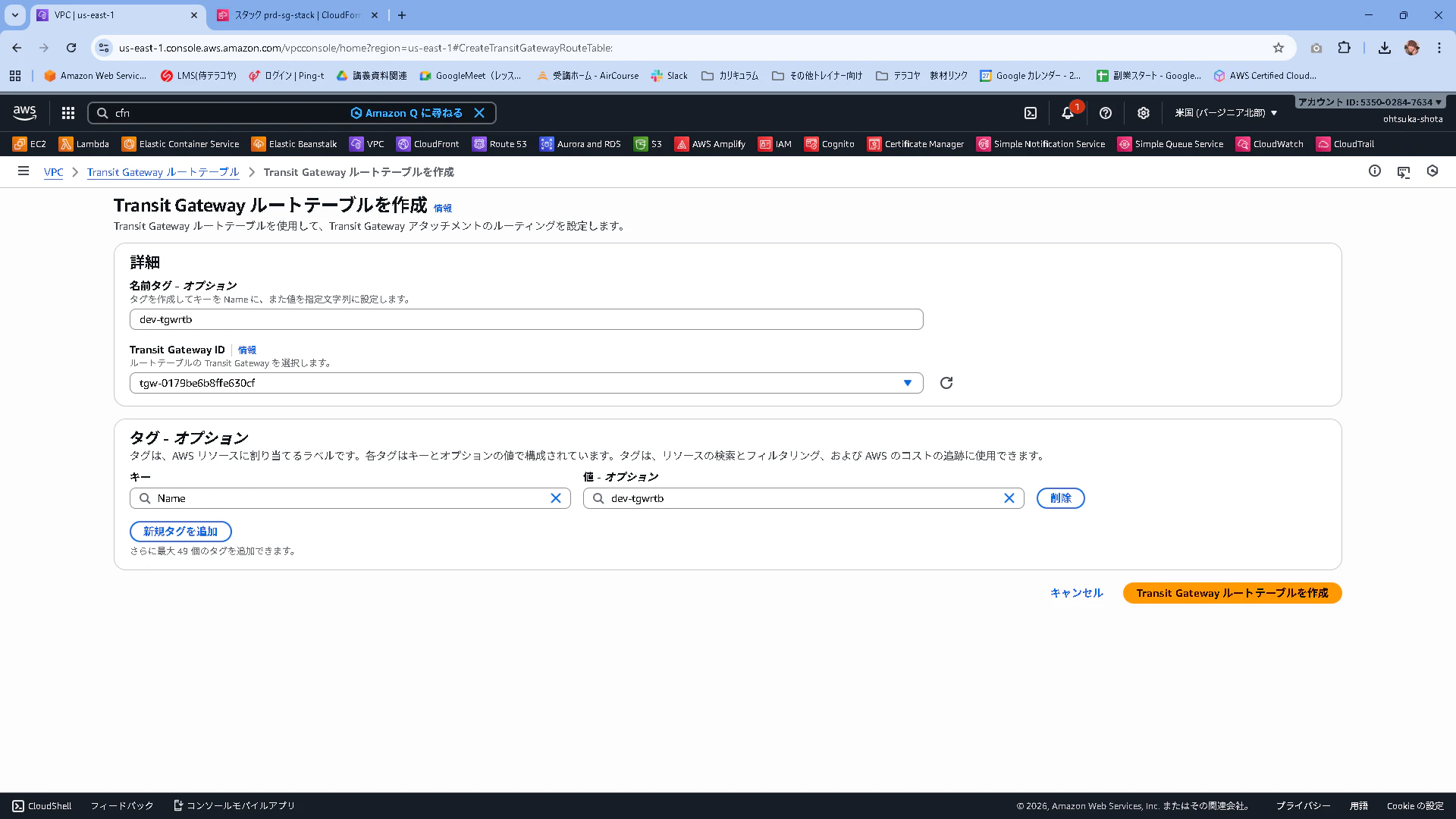
同じノリでdev-tgwrtbという名前でTGWRTBを作成。
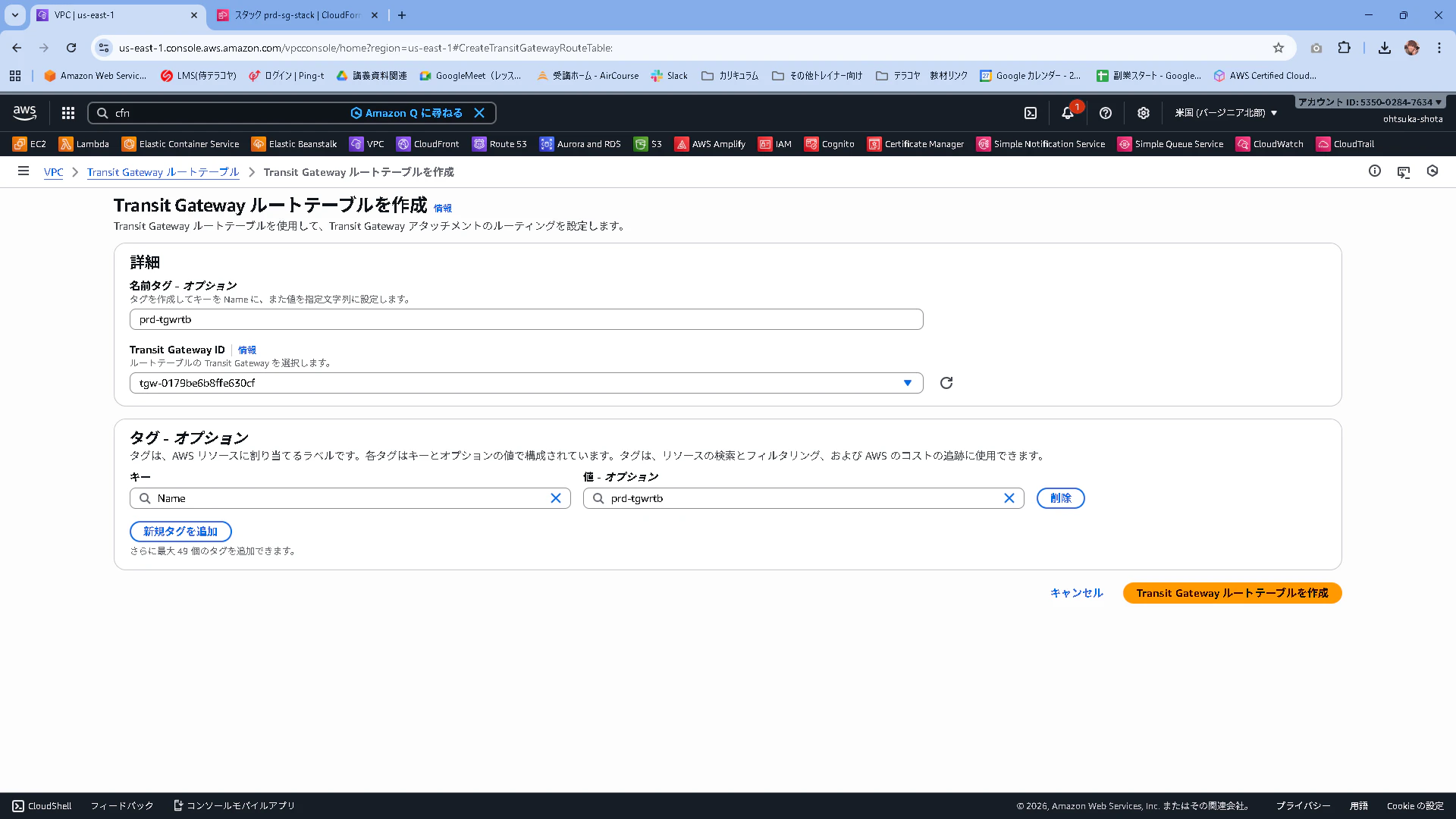
prd-tgwrtbというTGWRTBも作成。
作成されたことを確認します。
TGW Attachmentを作成
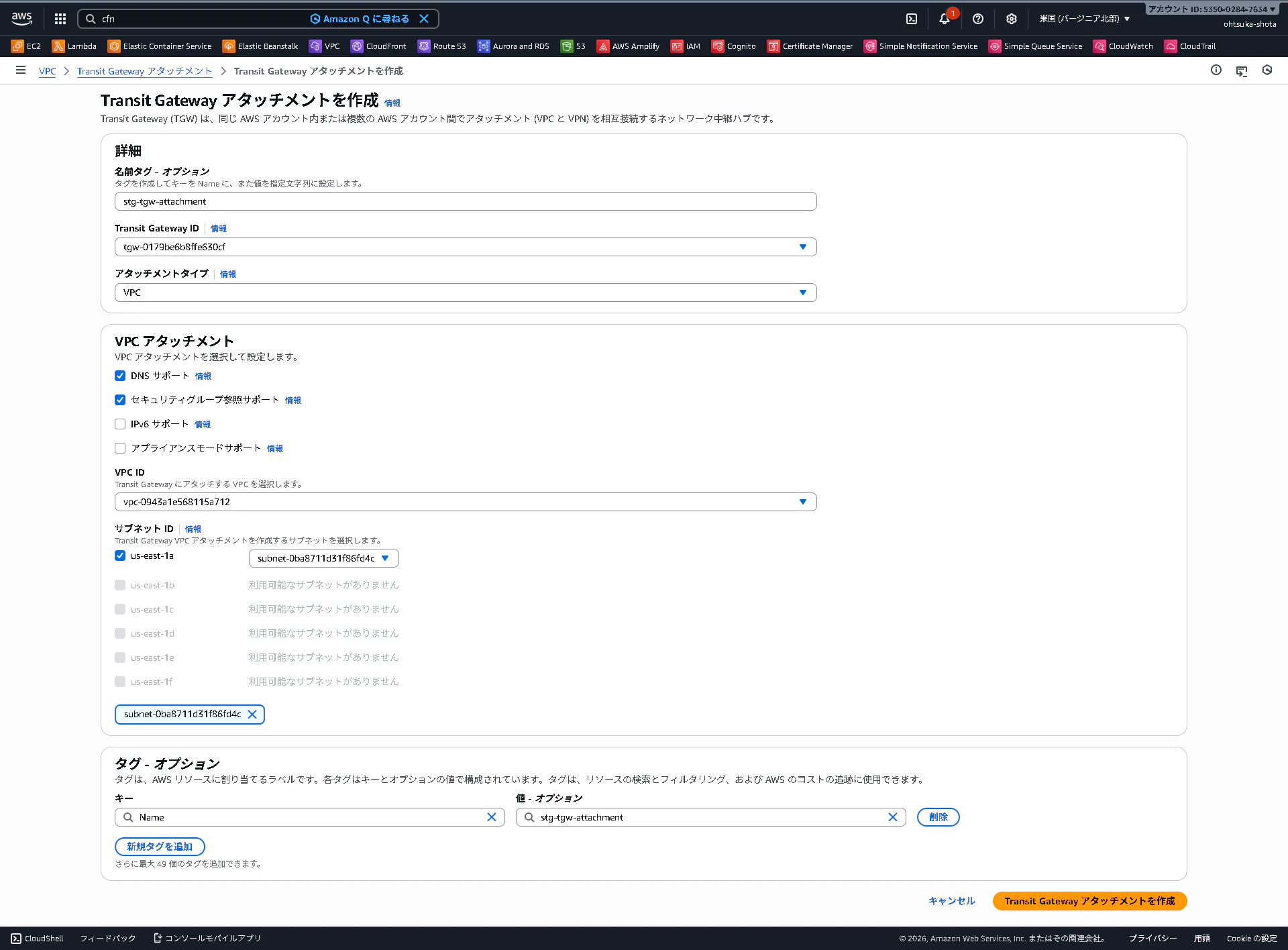
TGW Attachmentを作成していきます。

stg-vpc用のAttachmentを作成します。
名前はstg-tgw-attachmentとし、TGWのIDは上記で作成したTGWのものを指定。VPCはstg-vpcとします。
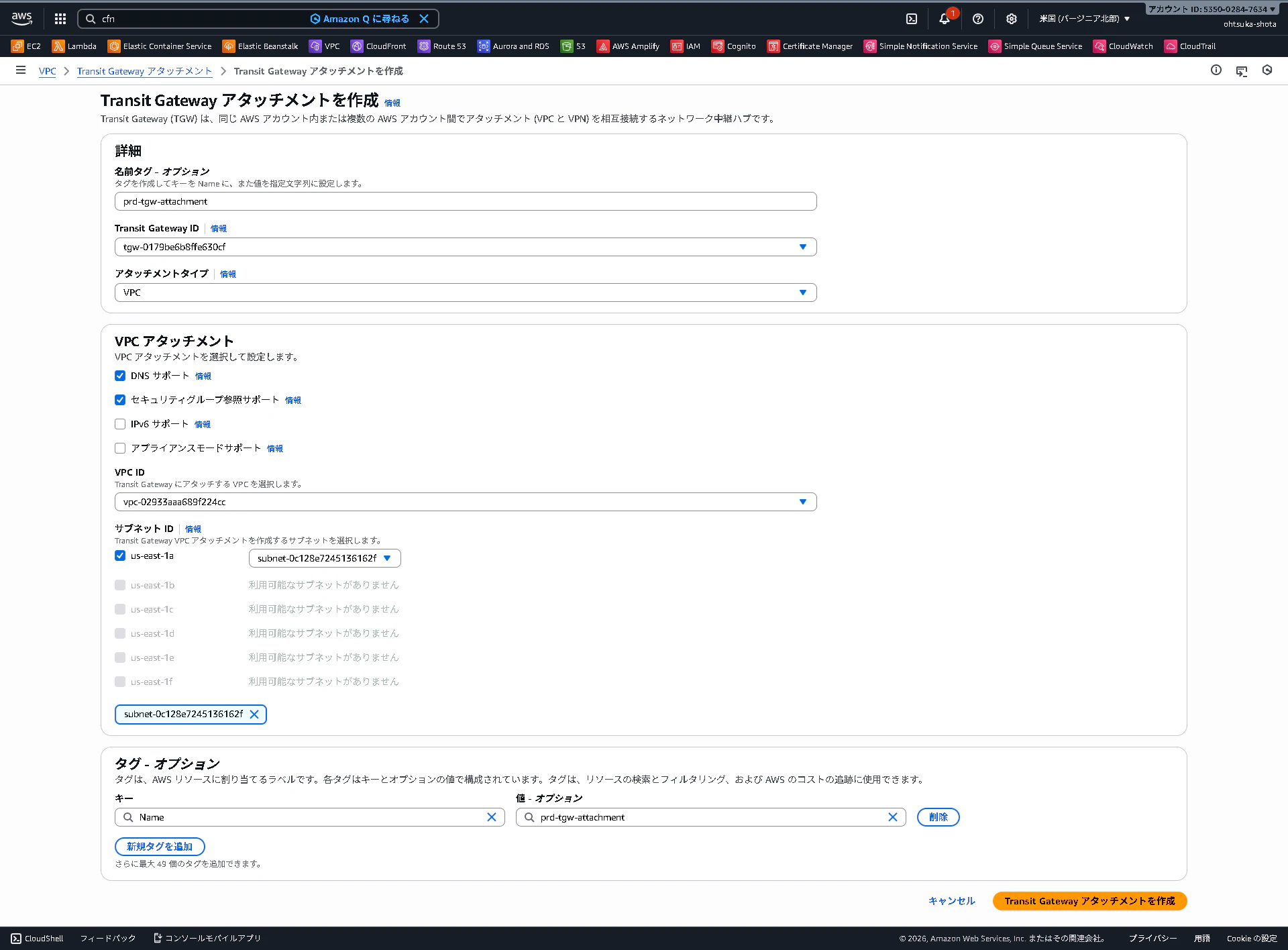
dev用

prd用
作成されたことを確認します。
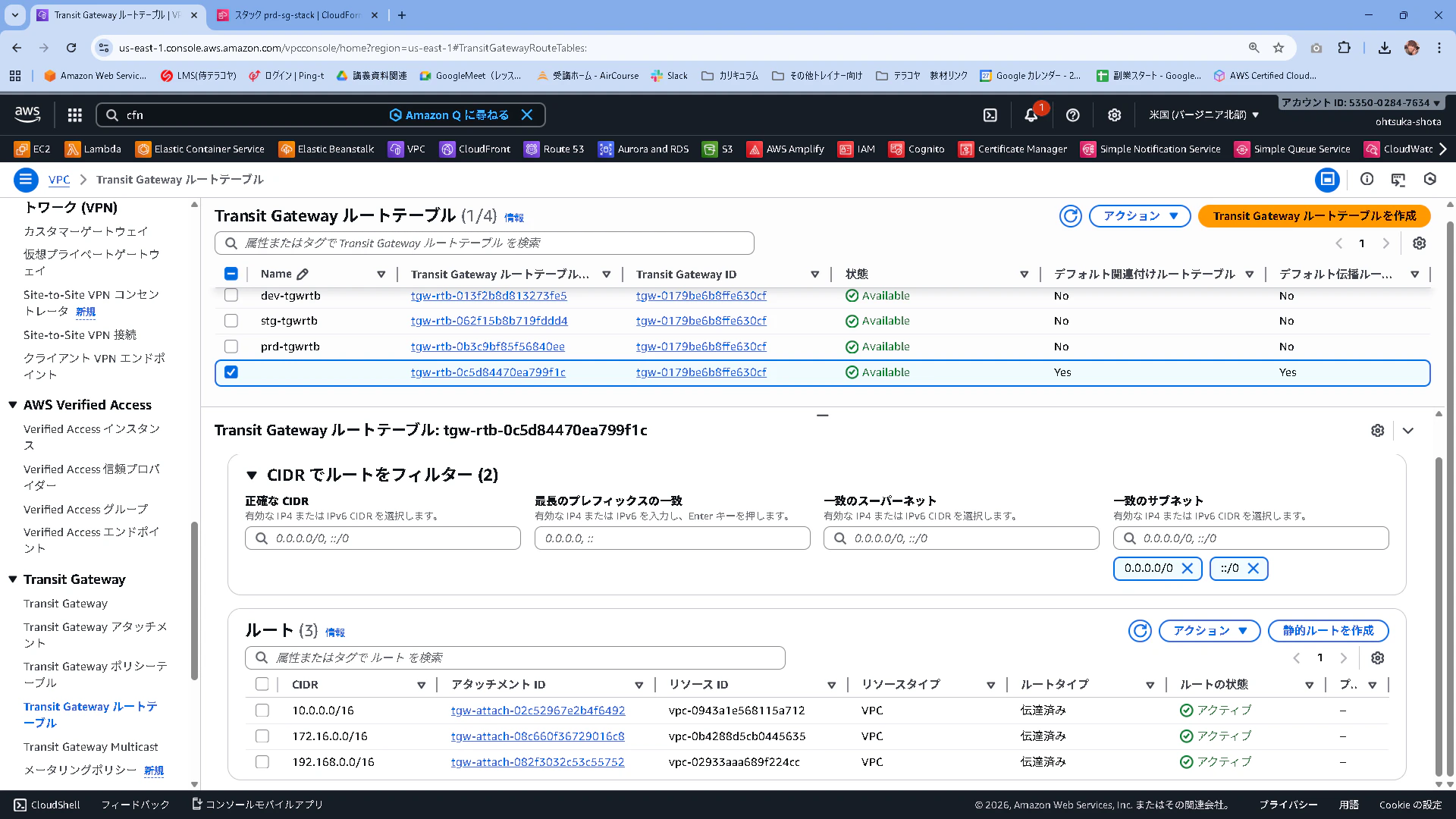
関連付けルートテーブルというのを確認すると、全て同じTGWRTBに紐づいていると思います。

TGWを作成したタイミングでデフォルトで作成されるTGWRTBを確認すると、関連付け(Association)に先ほどのAttachment(VPC)が紐づいていることがわかります。

また伝播(Propagation)にもAttachment(VPC)が紐づいていることを確認します。

ルートを見てみるとアタッチメントとVPCのCIDRがわかりやすく記載されています。
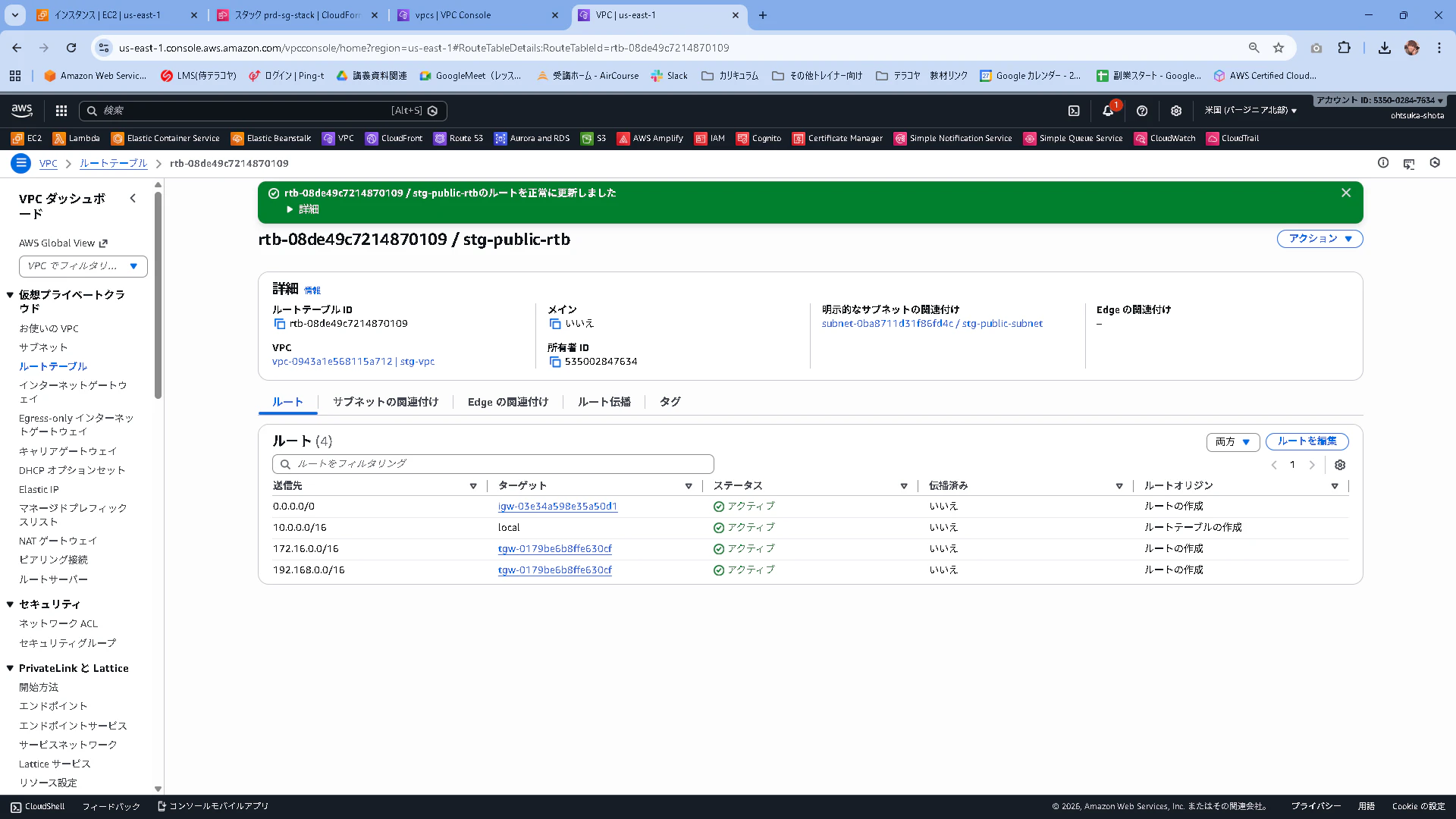
それぞれのVPCのRTB(TGWのRTBではない)にTGW Attachmentの情報を追加してあげます。
まずはstg-vpcのRTB
dev-vpc

prd-vpc
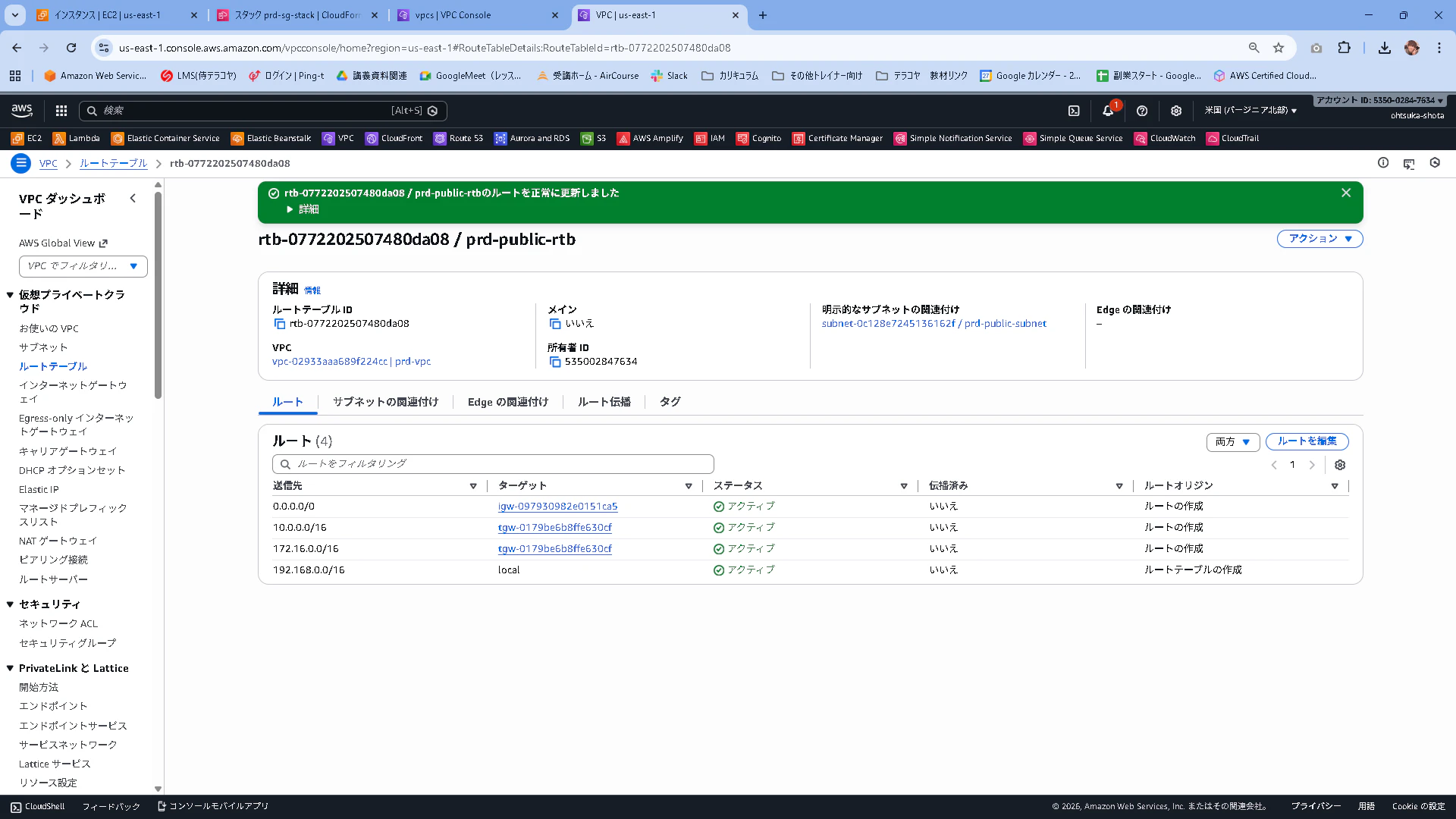
この時、それぞれのVPCの中にあるEC2は次のようなイメージで通信をすることが出来ます。
Associationで全てのAttachmentがデフォルトのTGWRTBに紐づいているので、それぞれのVPCからきた通信はTGWRTBのPropagationに記載のTGW Attachment(VPC)であれば通信が出来る。

ここまで環境で動作確認
実際に確認します。それぞれのVPC内のSubnetにEC2をデプロイします。

試しにprdのサーバにSSH接続してping疎通を確認してみたところ問題なく接続出来ていそうです
[root@ip-192-168-1-26 ~]# ping 10.0.1.54
PING 10.0.1.54 (10.0.1.54) 56(84) bytes of data.
64 bytes from 10.0.1.54: icmp_seq=1 ttl=126 time=3.93 ms
64 bytes from 10.0.1.54: icmp_seq=2 ttl=126 time=0.824 ms
64 bytes from 10.0.1.54: icmp_seq=3 ttl=126 time=0.869 ms
64 bytes from 10.0.1.54: icmp_seq=4 ttl=126 time=0.857 ms
64 bytes from 10.0.1.54: icmp_seq=5 ttl=126 time=0.855 ms
^C
--- 10.0.1.54 ping statistics ---
5 packets transmitted, 5 received, 0% packet loss, time 4004ms
rtt min/avg/max/mdev = 0.824/1.467/3.931/1.231 ms
[root@ip-192-168-1-26 ~]#
[root@ip-192-168-1-26 ~]# ping 172.16.1.196
PING 172.16.1.196 (172.16.1.196) 56(84) bytes of data.
64 bytes from 172.16.1.196: icmp_seq=1 ttl=126 time=5.56 ms
64 bytes from 172.16.1.196: icmp_seq=2 ttl=126 time=0.948 ms
64 bytes from 172.16.1.196: icmp_seq=3 ttl=126 time=1.06 ms
64 bytes from 172.16.1.196: icmp_seq=4 ttl=126 time=1.15 ms
64 bytes from 172.16.1.196: icmp_seq=5 ttl=126 time=1.01 ms
^C
--- 172.16.1.196 ping statistics ---
5 packets transmitted, 5 received, 0% packet loss, time 4006ms
rtt min/avg/max/mdev = 0.948/1.945/5.561/1.808 ms
またstgについても同様です。
[root@ip-10-0-1-54 ~]# ping 172.16.1.196
PING 172.16.1.196 (172.16.1.196) 56(84) bytes of data.
64 bytes from 172.16.1.196: icmp_seq=1 ttl=126 time=2.78 ms
64 bytes from 172.16.1.196: icmp_seq=2 ttl=126 time=0.921 ms
64 bytes from 172.16.1.196: icmp_seq=3 ttl=126 time=0.707 ms
64 bytes from 172.16.1.196: icmp_seq=4 ttl=126 time=1.37 ms
64 bytes from 172.16.1.196: icmp_seq=5 ttl=126 time=1.04 ms
^C
--- 172.16.1.196 ping statistics ---
5 packets transmitted, 5 received, 0% packet loss, time 4050ms
rtt min/avg/max/mdev = 0.707/1.363/2.778/0.739 ms
[root@ip-10-0-1-54 ~]#
[root@ip-10-0-1-54 ~]# ping 192.168.1.26
PING 192.168.1.26 (192.168.1.26) 56(84) bytes of data.
64 bytes from 192.168.1.26: icmp_seq=1 ttl=126 time=1.66 ms
64 bytes from 192.168.1.26: icmp_seq=2 ttl=126 time=0.874 ms
64 bytes from 192.168.1.26: icmp_seq=3 ttl=126 time=0.873 ms
64 bytes from 192.168.1.26: icmp_seq=4 ttl=126 time=0.853 ms
64 bytes from 192.168.1.26: icmp_seq=5 ttl=126 time=0.845 ms
^C
--- 192.168.1.26 ping statistics ---
5 packets transmitted, 5 received, 0% packet loss, time 4005ms
rtt min/avg/max/mdev = 0.845/1.021/1.663/0.320 ms
TGWRTBの紐づけを変えてみる
今はそれぞれのVPCに紐づいているTGW Attachmentが全て1つのTGWRTBに紐づいている為、これを解消し、それぞれのTGWRTBにアタッチを変更します。(Associationを変更します。)
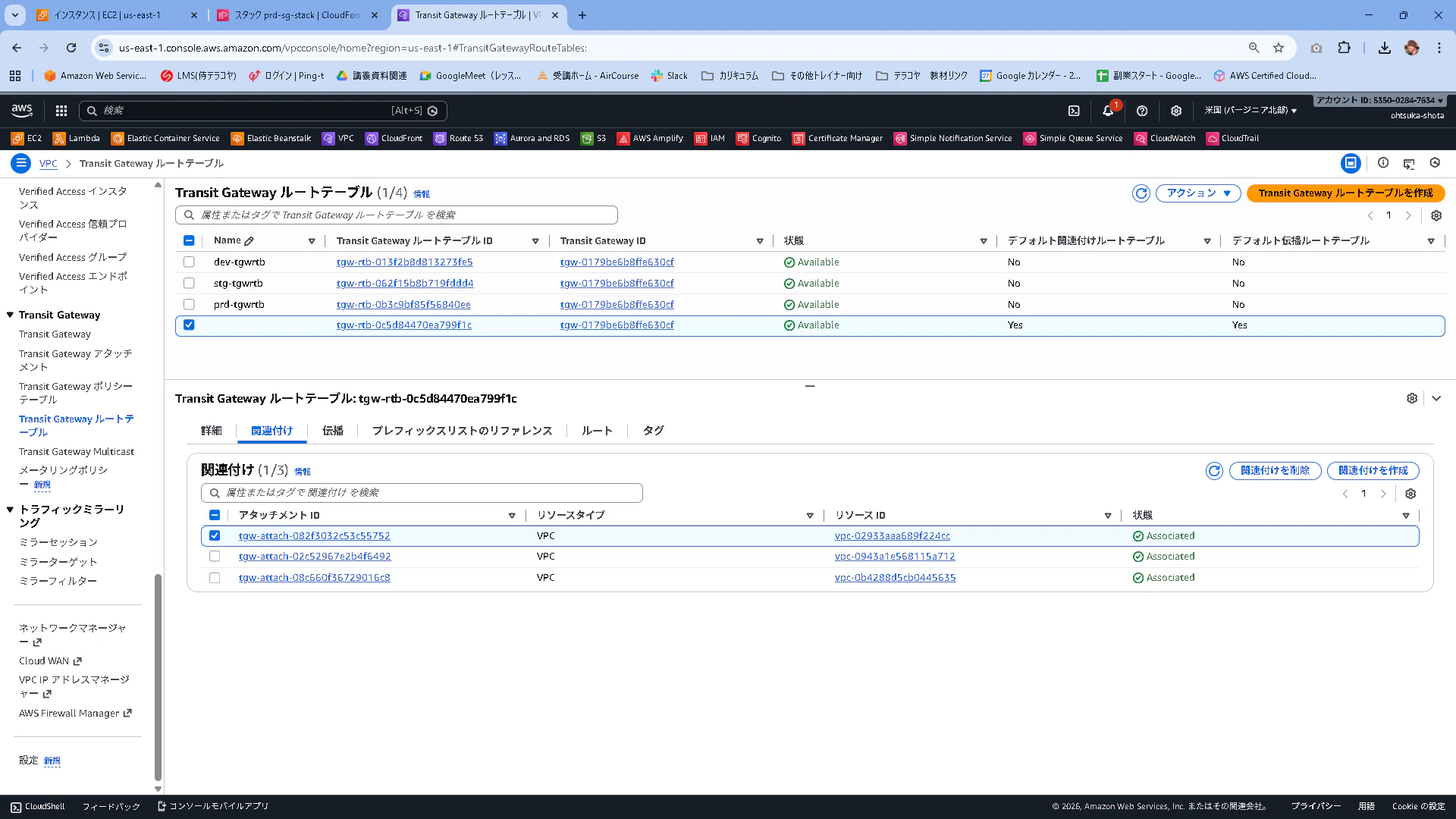
まず、デフォルトのTGWRTBに紐づいているAttachmentの関連付けを削除します。
関連付けタブから関連付けを削除を押下します。
関連付けが無くなったことを確認します。
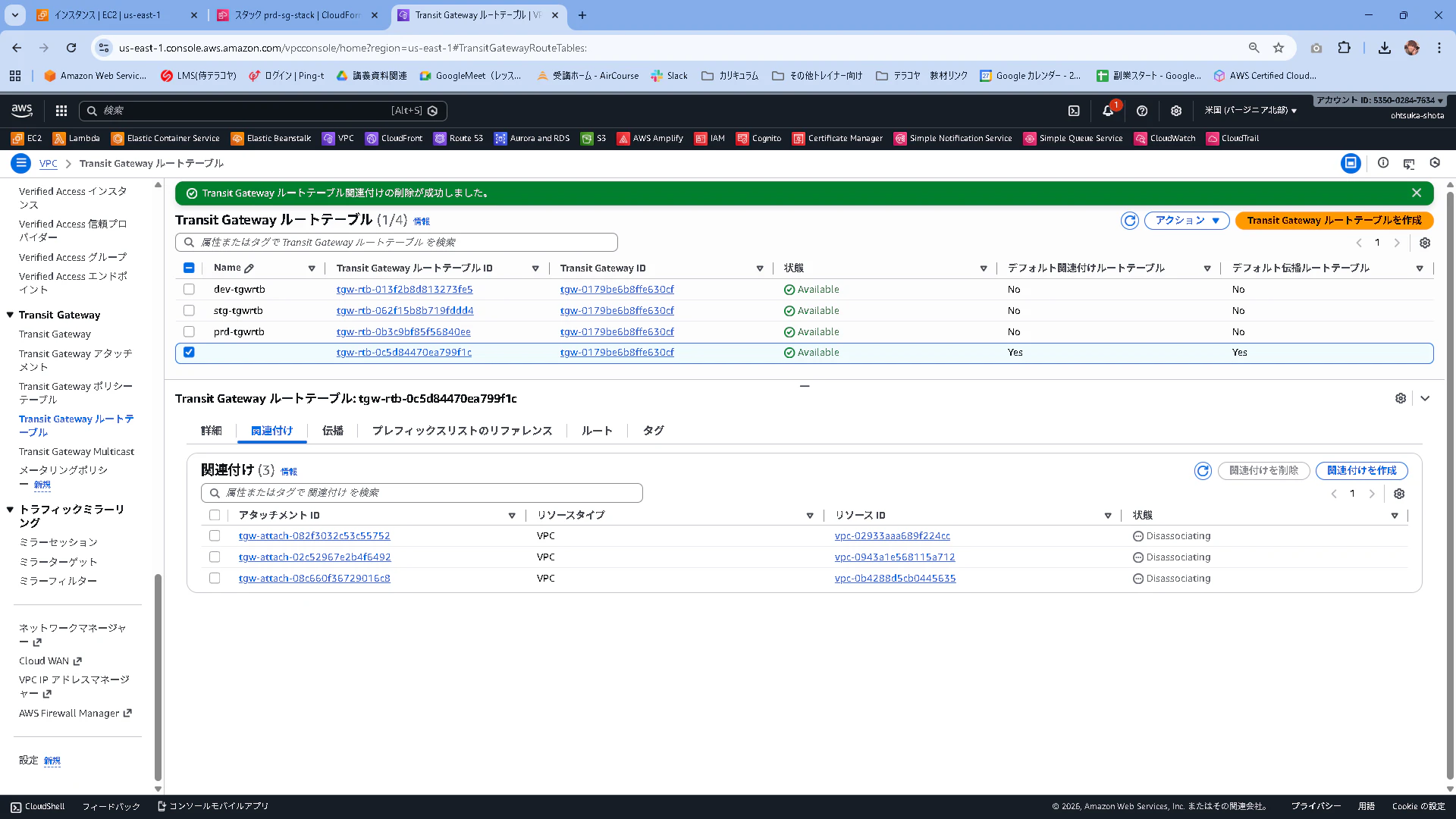
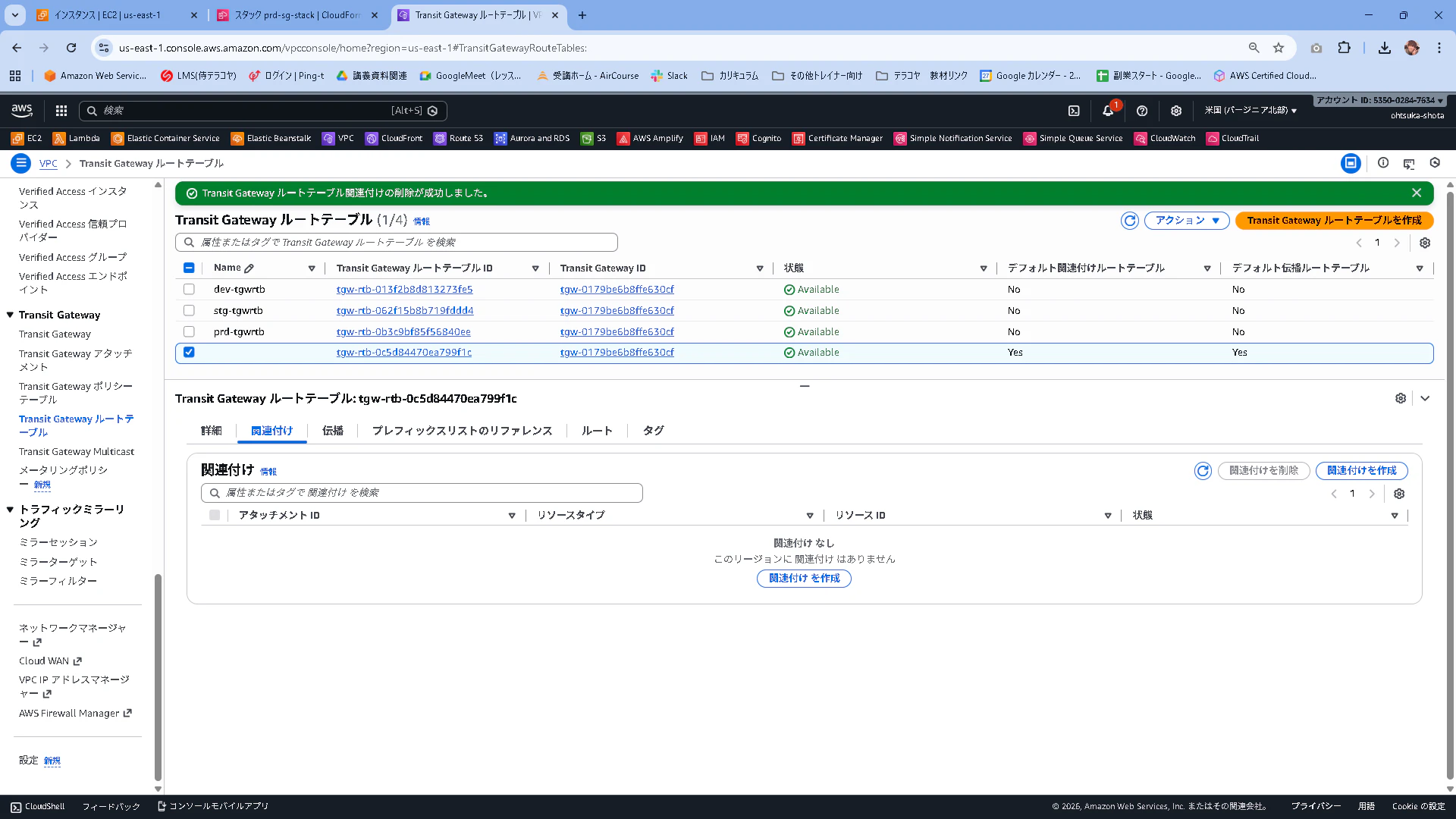
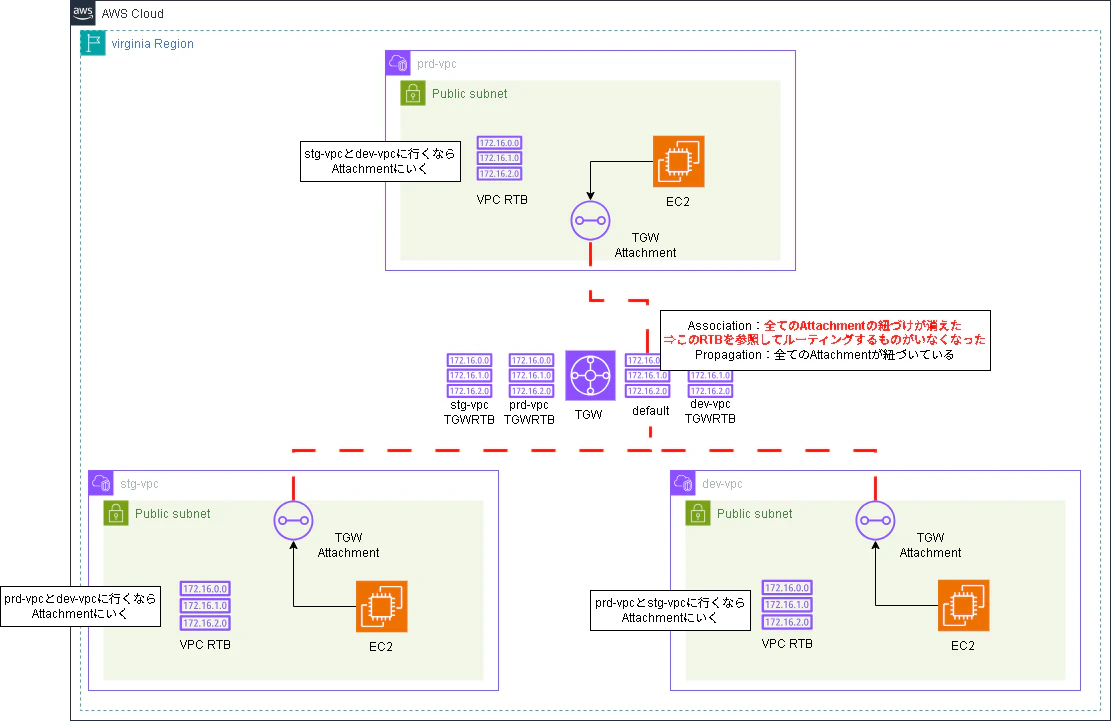
このタイミングでEC2からpingを飛ばしてみると、通信が失敗します。
AttachmentとTGWRTBの紐づけが外れたことで、Attachmentが参照するTGWRTBが無くなったため、ルーティングが出来なくなったという事になります。
[root@ip-10-0-1-54 ~]# ping 172.16.1.196
PING 172.16.1.196 (172.16.1.196) 56(84) bytes of data.
^C
--- 172.16.1.196 ping statistics ---
5 packets transmitted, 0 received, 100% packet loss, time 4192ms

[root@ip-10-0-1-54 ~]#
[root@ip-10-0-1-54 ~]# ping 192.168.1.26
PING 192.168.1.26 (192.168.1.26) 56(84) bytes of data.
^C
--- 192.168.1.26 ping statistics ---
5 packets transmitted, 0 received, 100% packet loss, time 4140ms
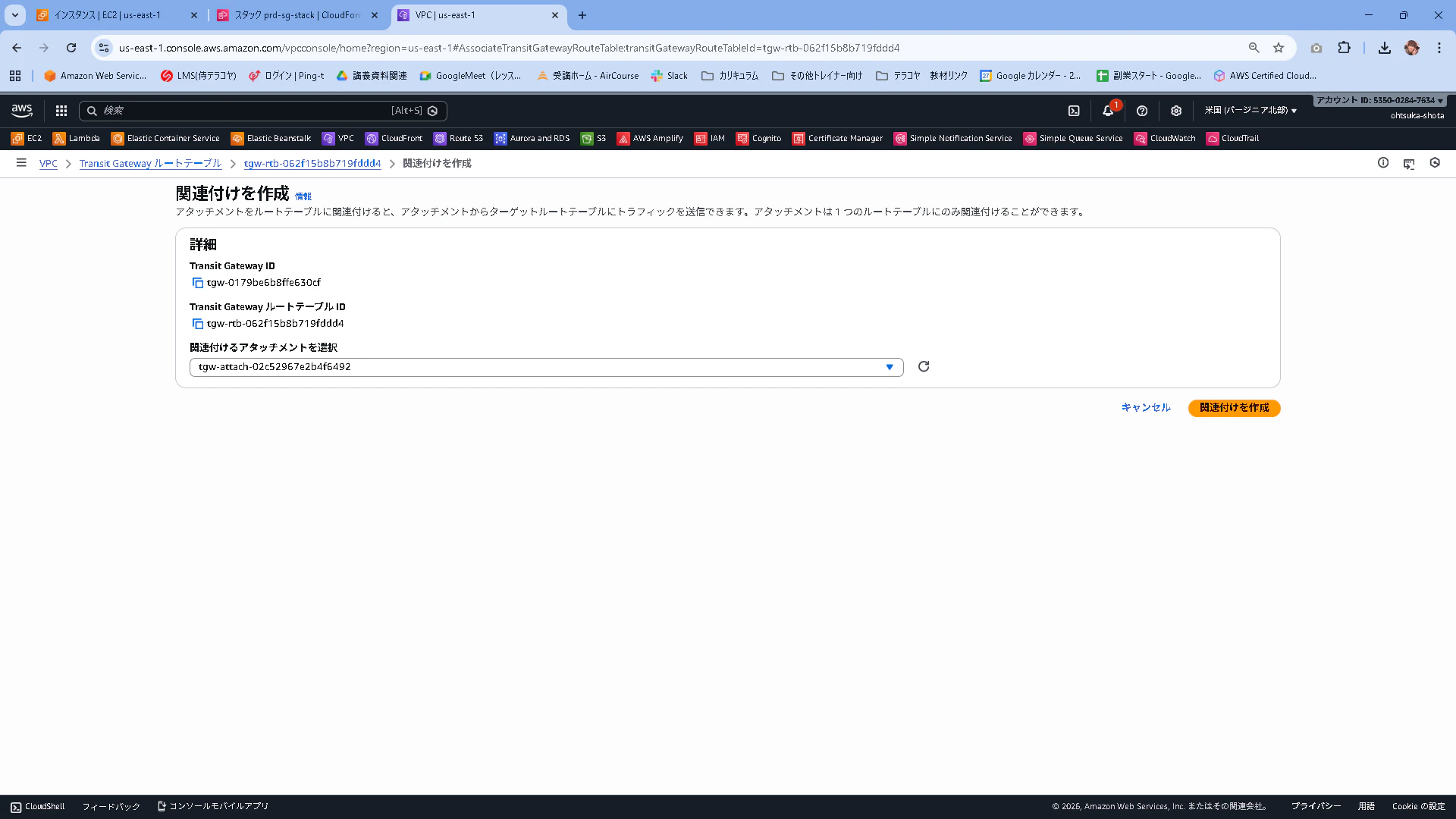
stg-vpcのAttachmentをstg用のTGWRTBに紐づけます。
関連付けを作成を押下します。

Attachmentはstgのものを選択。
紐づいたことを確認します。Associationはこれで完了です。

続いてプロパゲーションを設定していきます。このままでは、ここまで到達した通信がどこに出ていけばいいかがわかりません。
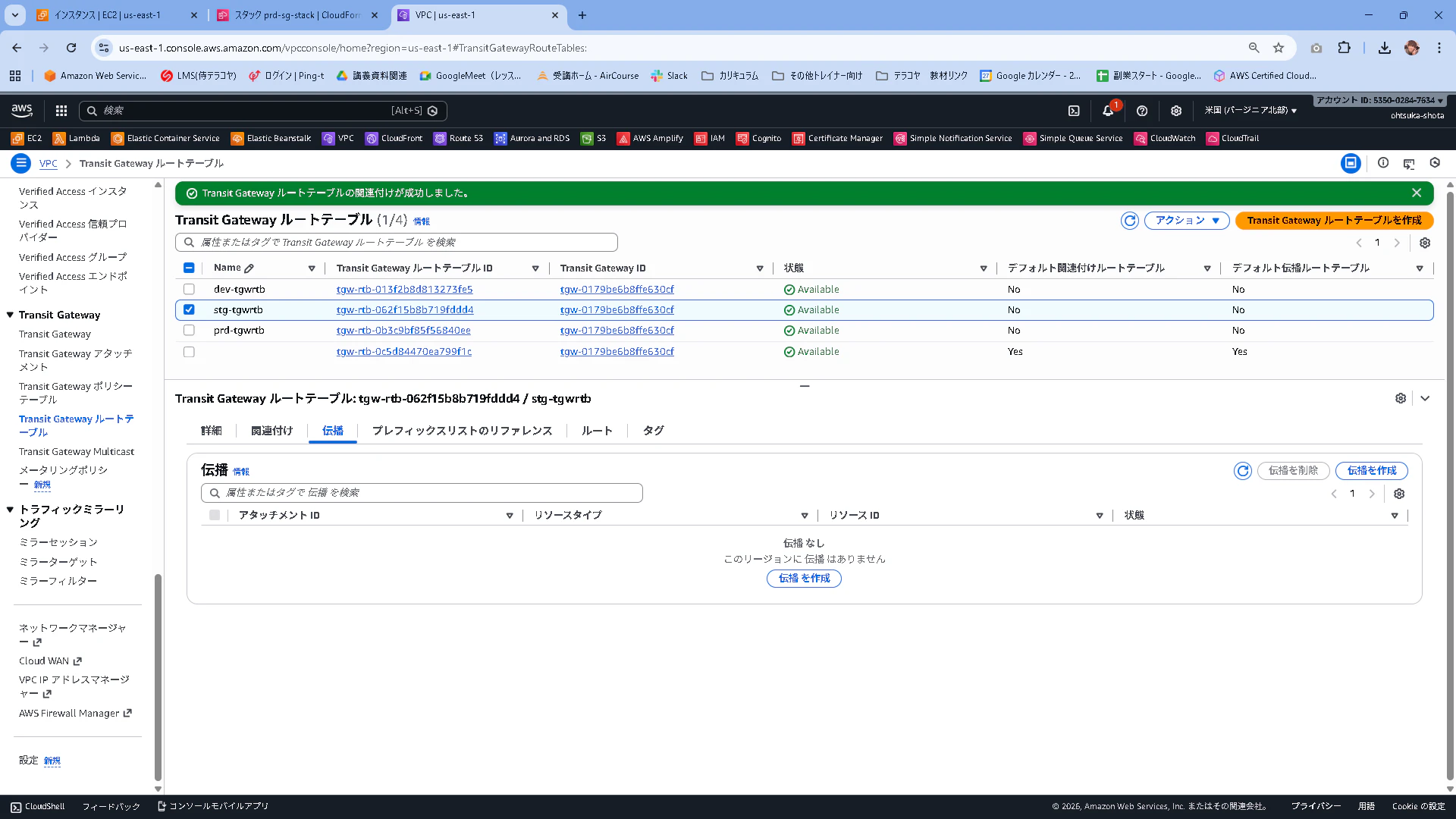
stg環境はdev環境としか通信が出来ないようにしたいので、このように設定します。
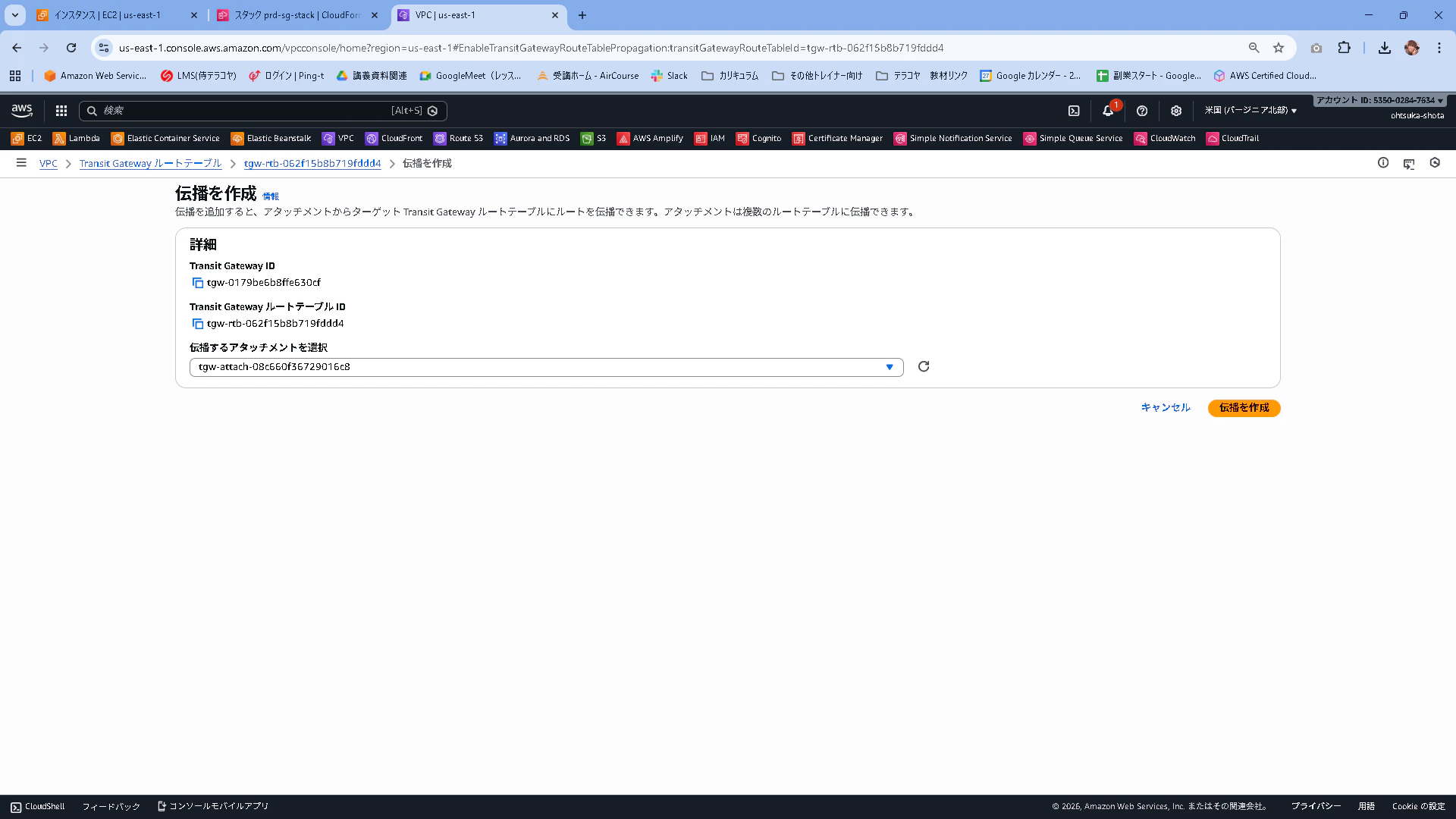
出口として登録されたことを確認します。
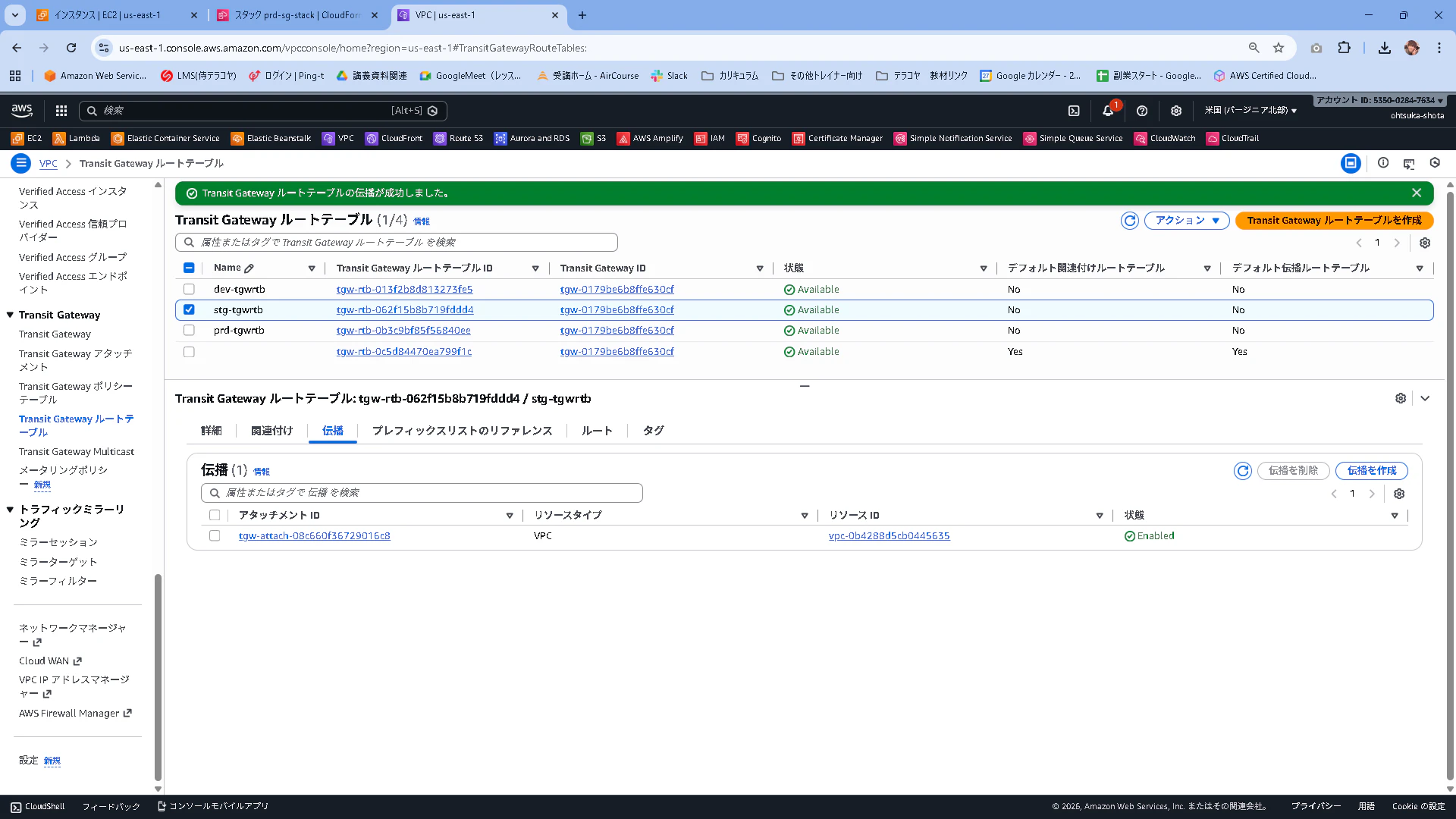

同じようにdev環境の設定を以下のように行います。
AssociationはdevのAttachmentを指定します。
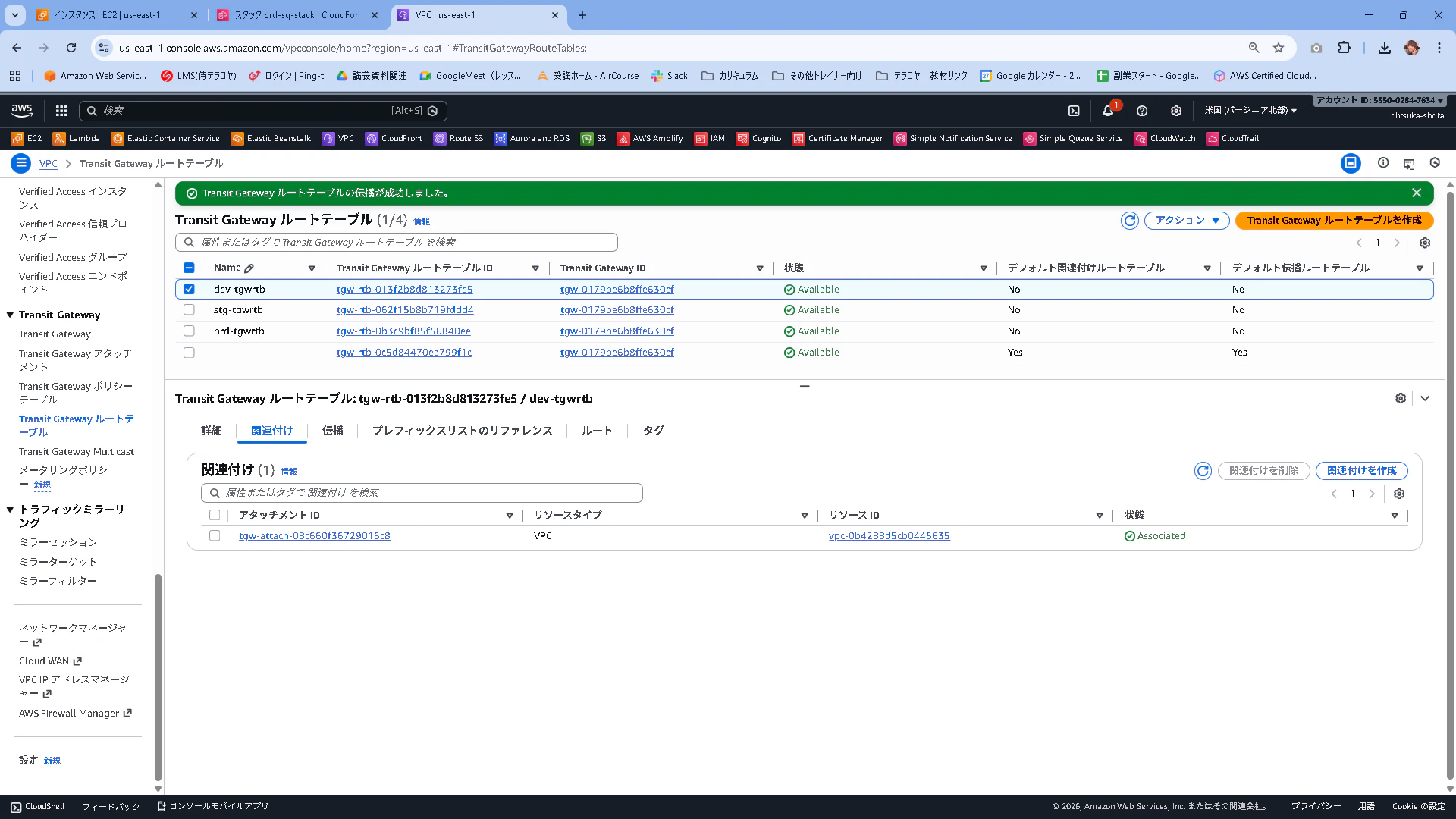
PropagationはstgのAttachmentを指定します。


prd環境の設定を以下のように行います。
AssociationはprdのAttachmentを指定します。
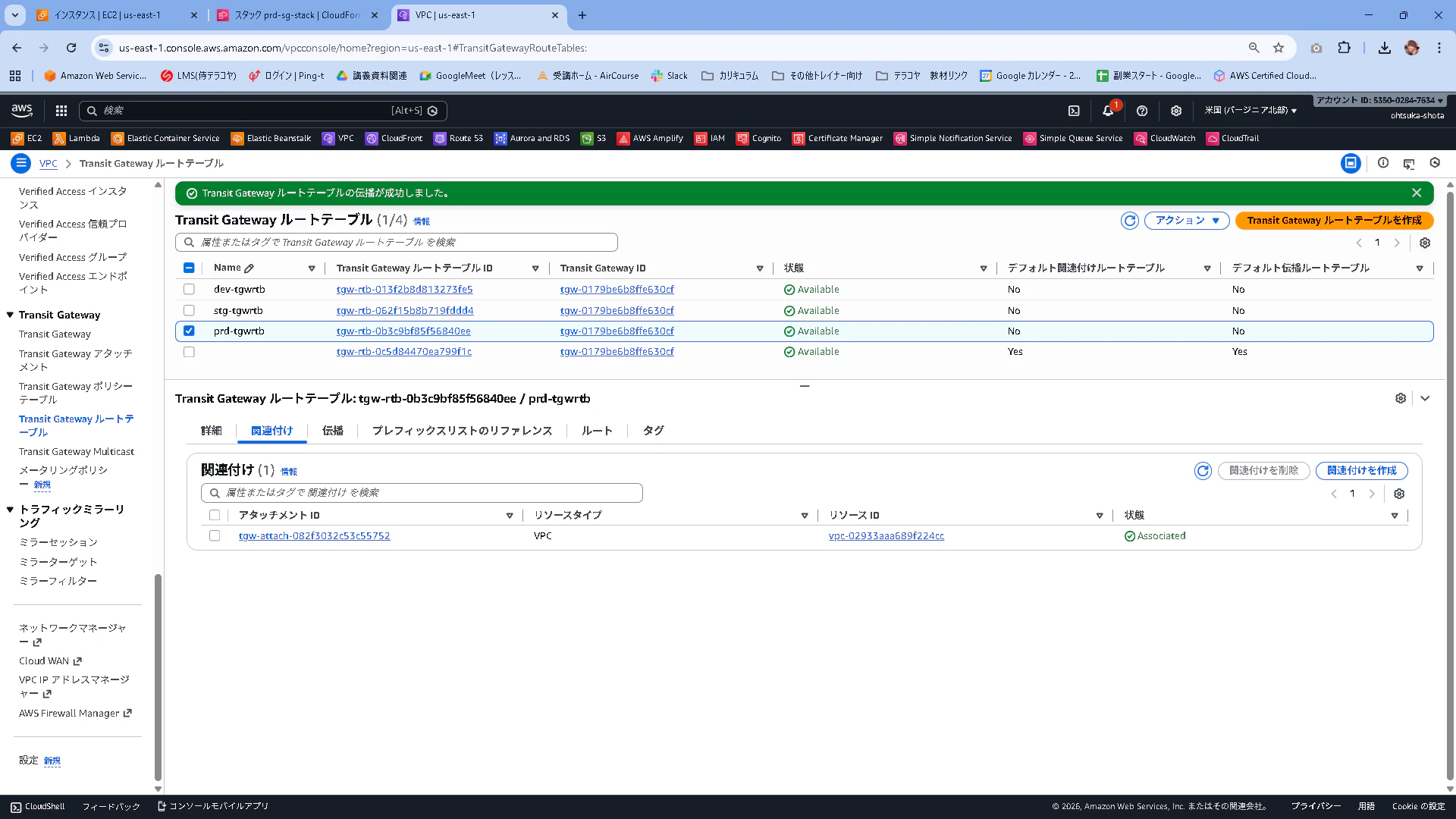
Propagationは何も紐づけません。
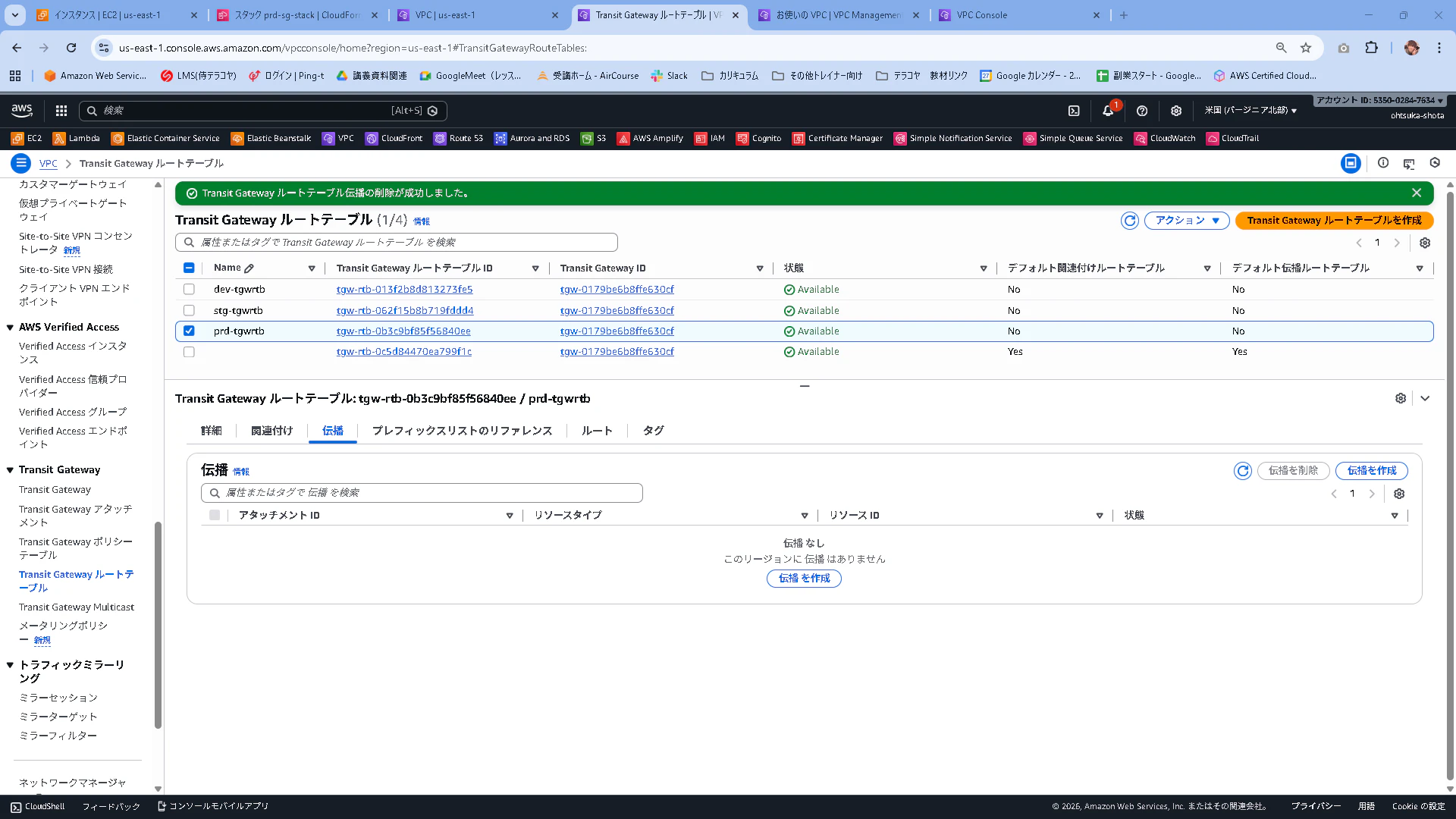
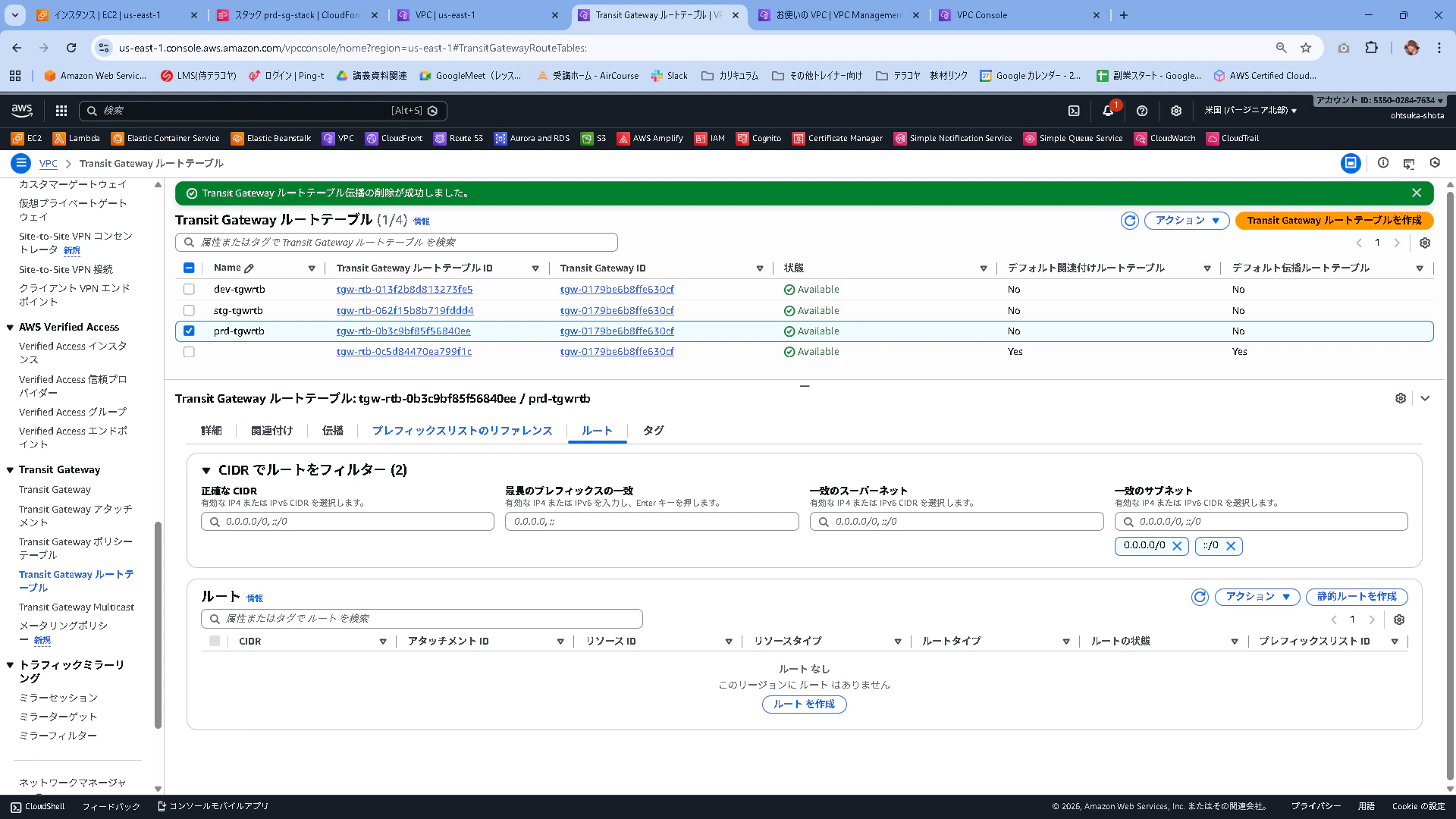
動作確認
先程の動作確認を改めて行ってみます。
まずはstgのec2からそれぞれのVPCのec2に通信出来るか確認します。
出力の結果から、devへの通信だけうまくいっていることがわかります。
[root@ip-10-0-1-54 ~]# ping 172.16.1.196
PING 172.16.1.196 (172.16.1.196) 56(84) bytes of data.
64 bytes from 172.16.1.196: icmp_seq=1 ttl=126 time=1.38 ms
64 bytes from 172.16.1.196: icmp_seq=2 ttl=126 time=1.47 ms
64 bytes from 172.16.1.196: icmp_seq=3 ttl=126 time=1.43 ms
64 bytes from 172.16.1.196: icmp_seq=4 ttl=126 time=0.984 ms
^C
--- 172.16.1.196 ping statistics ---
4 packets transmitted, 4 received, 0% packet loss, time 3005ms
rtt min/avg/max/mdev = 0.984/1.315/1.465/0.193 ms
[root@ip-10-0-1-54 ~]#
[root@ip-10-0-1-54 ~]# ping 192.168.1.26
PING 192.168.1.26 (192.168.1.26) 56(84) bytes of data.
^C
--- 192.168.1.26 ping statistics ---
5 packets transmitted, 0 received, 100% packet loss, time 4154ms
続いてdevのec2。
stgへは通信が飛んでいて、prdへは飛んでいないことがわかります。
[root@ip-172-16-1-196 ~]# ping 10.0.1.54
PING 10.0.1.54 (10.0.1.54) 56(84) bytes of data.
64 bytes from 10.0.1.54: icmp_seq=1 ttl=126 time=0.995 ms
64 bytes from 10.0.1.54: icmp_seq=2 ttl=126 time=1.58 ms
64 bytes from 10.0.1.54: icmp_seq=3 ttl=126 time=1.19 ms
64 bytes from 10.0.1.54: icmp_seq=4 ttl=126 time=1.13 ms
64 bytes from 10.0.1.54: icmp_seq=5 ttl=126 time=0.684 ms
^C
--- 10.0.1.54 ping statistics ---
5 packets transmitted, 5 received, 0% packet loss, time 4006ms
rtt min/avg/max/mdev = 0.684/1.116/1.584/0.291 ms
[root@ip-172-16-1-196 ~]#
[root@ip-172-16-1-196 ~]# ping 192.168.1.26
PING 192.168.1.26 (192.168.1.26) 56(84) bytes of data.
^C
--- 192.168.1.26 ping statistics ---
5 packets transmitted, 0 received, 100% packet loss, time 4140ms
最後にprdです。
どこにも通信が出来なくなったことがわかると思います。
[root@ip-192-168-1-26 ~]# ping 10.0.1.54
PING 10.0.1.54 (10.0.1.54) 56(84) bytes of data.
^C
--- 10.0.1.54 ping statistics ---
4 packets transmitted, 0 received, 100% packet loss, time 3102ms

[root@ip-192-168-1-26 ~]#
[root@ip-192-168-1-26 ~]# ping 172.16.1.196
PING 172.16.1.196 (172.16.1.196) 56(84) bytes of data.
^C
--- 172.16.1.196 ping statistics ---
5 packets transmitted, 0 received, 100% packet loss, time 4172ms
stgとdevが通信出来るのは、Associationで紐づているそれぞれのTGWRTBに相手先のAttachmentがPropagationで紐づいている為です。
prdにはAssociationで紐づいているTGWRTBはあるものの、Propagationで何も紐づいていない為TGW上でパケットがドロップするイメージになります。
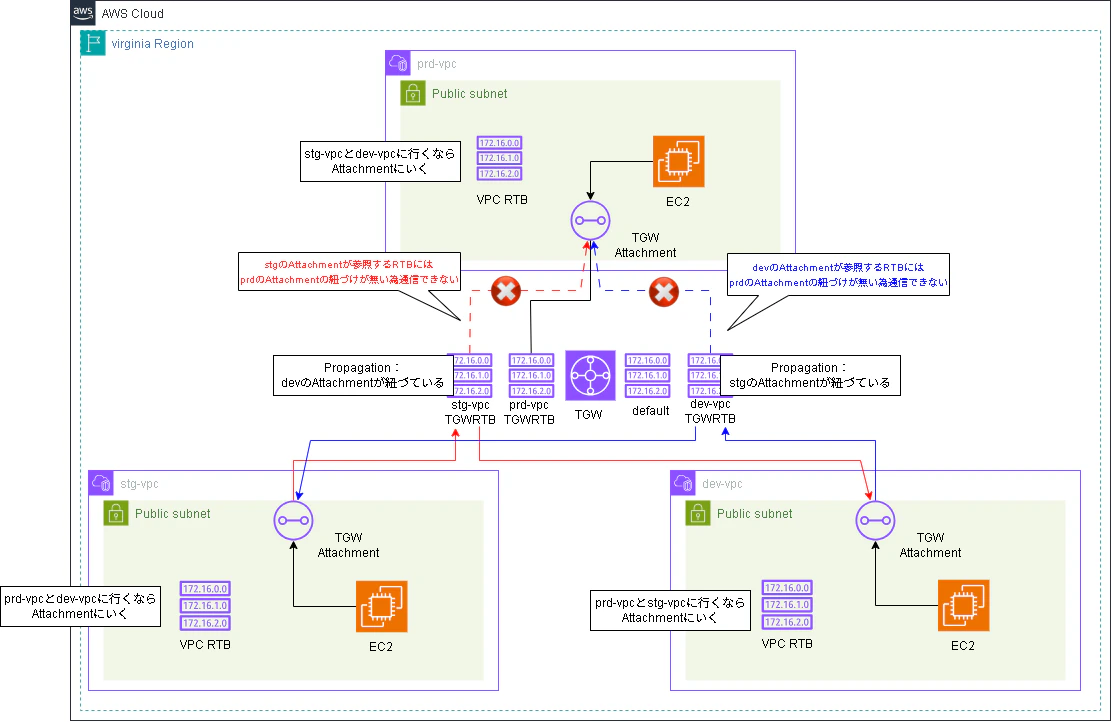
もう少し詳細にstgからdevへ通信する場合の処理フローを書きます。
まず行きの通信は
①stgのEC2はstgのVPCのRTBを参考にして、devに行く場合はstgのAttachmentに通信を投げることを理解します。
②stgのAttachmentは自身にAssociationで紐づいているTGWRTBがどれかを確認します。確認した後、Propagationに登録されているもので今回の通信に合致しているものがあるかを確認します。結果devのAttachmentであることがわかったので、devのAttachmentに連携します。
③ devのAttachmentは受け取った通信をdevのEC2に渡します。
帰りの通信は
④devのEC2はdevのVPCのRTBを参考にして、stgに行く場合はdevのAttachmentに通信を投げることを理解します。
⑤devのAttachmentは自身にAssociationで紐づいているTGWRTBがどれかを確認します。確認した後、Propagationに登録されているもので今回の通信に合致しているものがあるかを確認します。結果stgのAttachmentであることがわかったので、stgのAttachmentに連携します。
⑥ stgのAttachmentは受け取った通信をstgのEC2に渡します。
ハンズオンが終わったら少なくともTGW系は消しておきましょう。
残っているだけでお金が掛かるやつです。