

この記事の続きで開発を続けてみます。
具体的には、今はわざわざJSONやPowershell等で感情分析を行っていますがUX的には最悪なので、とりあえずWebアプリ化しようという話です。
環境イメージ
バックエンドの環境は前回のまま、フロントエンドの環境をAmplifyを使って自動構築していきます。
ローカルはNode.jsとVITEで開発環境を整備してアプリを開発。テスト実行で問題ないことを確認したら、Githubのリポジトリにgit push。リポジトリと紐づいているAmplifyはpushされたことを契機にフロントエンド環境をビルド&デプロイしていきます。
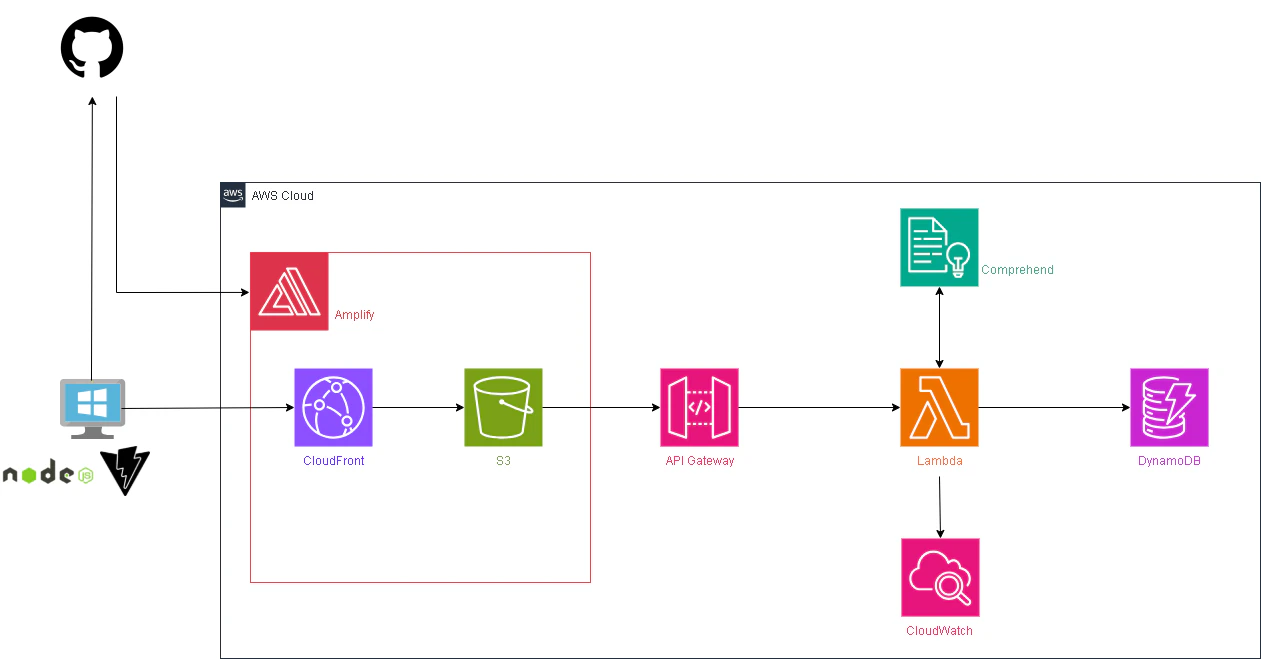
※Amplifyを使えば裏側のLambdaとかDynamoDBとか全部一気通貫で用意出来る気がしますが、、、
今後やってみようかな。
※Amplifyでアプリをデプロイすると、裏側ではCFとS3の環境が出来ているらしい・・・?
手順
[Amplify]初期セットアップ
過去に用意しているこの手順でAmplifyが使えるようになるまでセットアップしておきます。
リポジトリはシークレットにします。
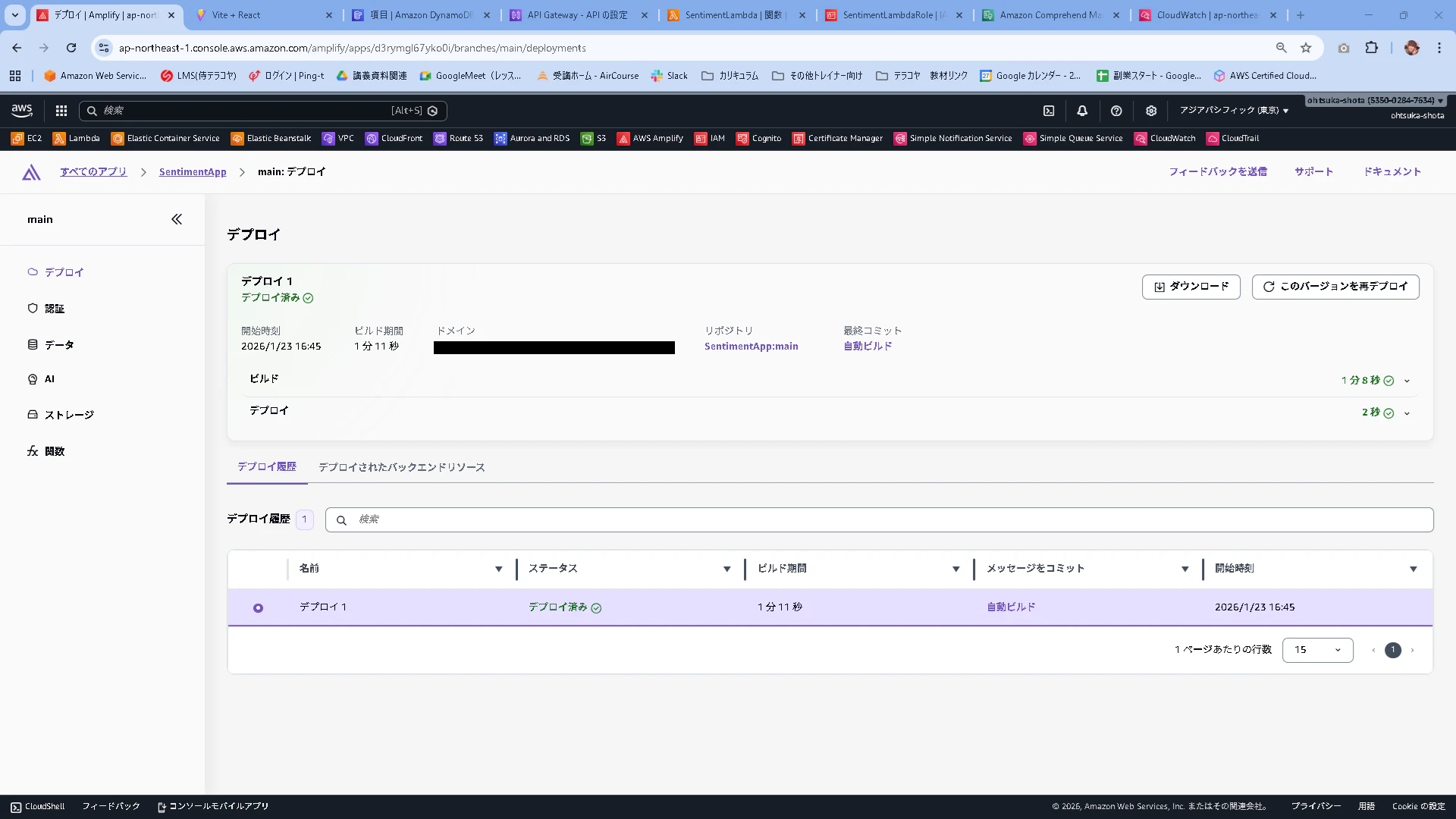
AmplifyでのWebアプリデプロイが成功して、ドメインが払い出されていることを確認します。
[API Gateway]Amplifyのドメインからのアクセスを許可する
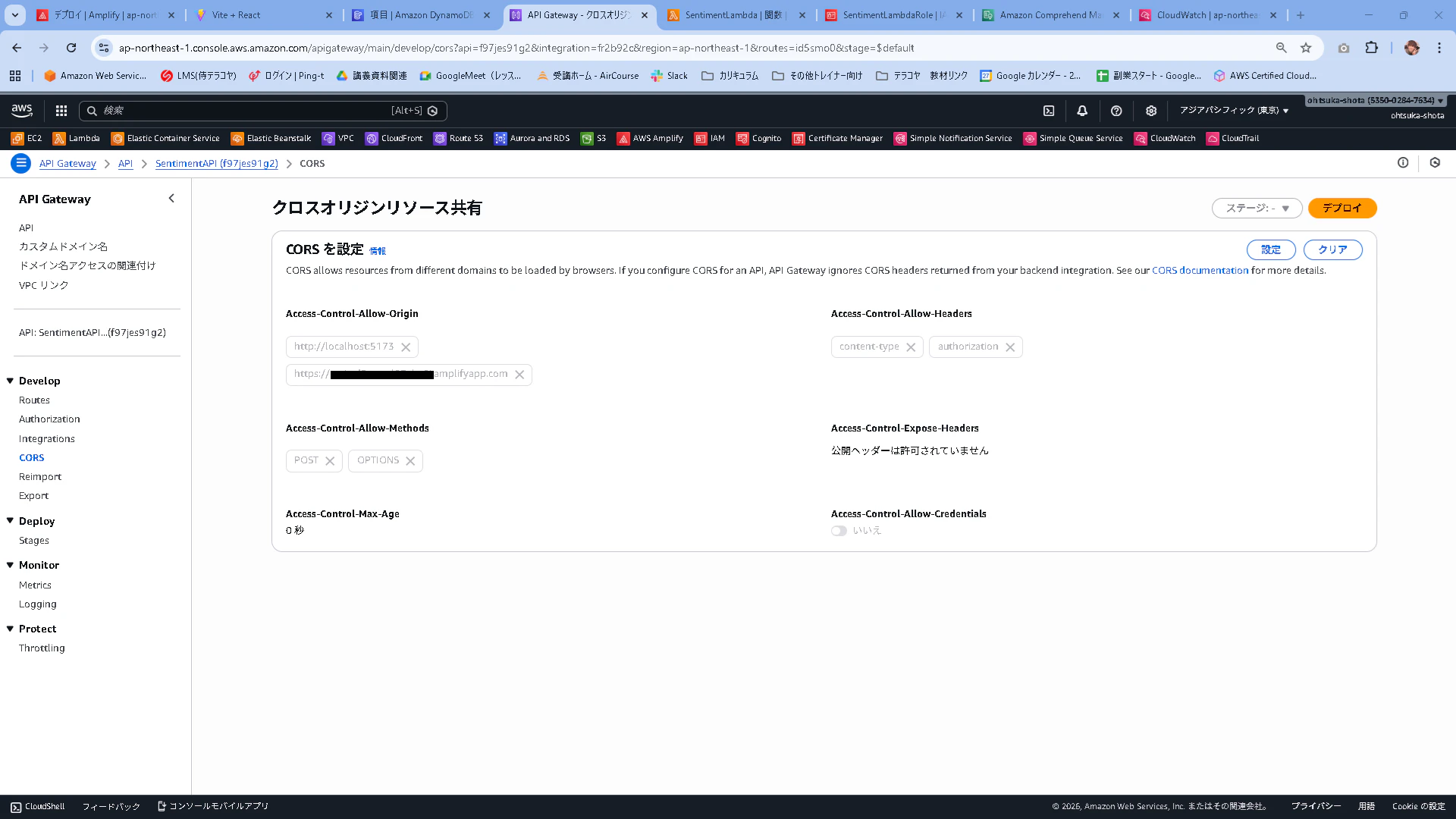
前回作成したAPIのCORSを押下して、設定を押下します。
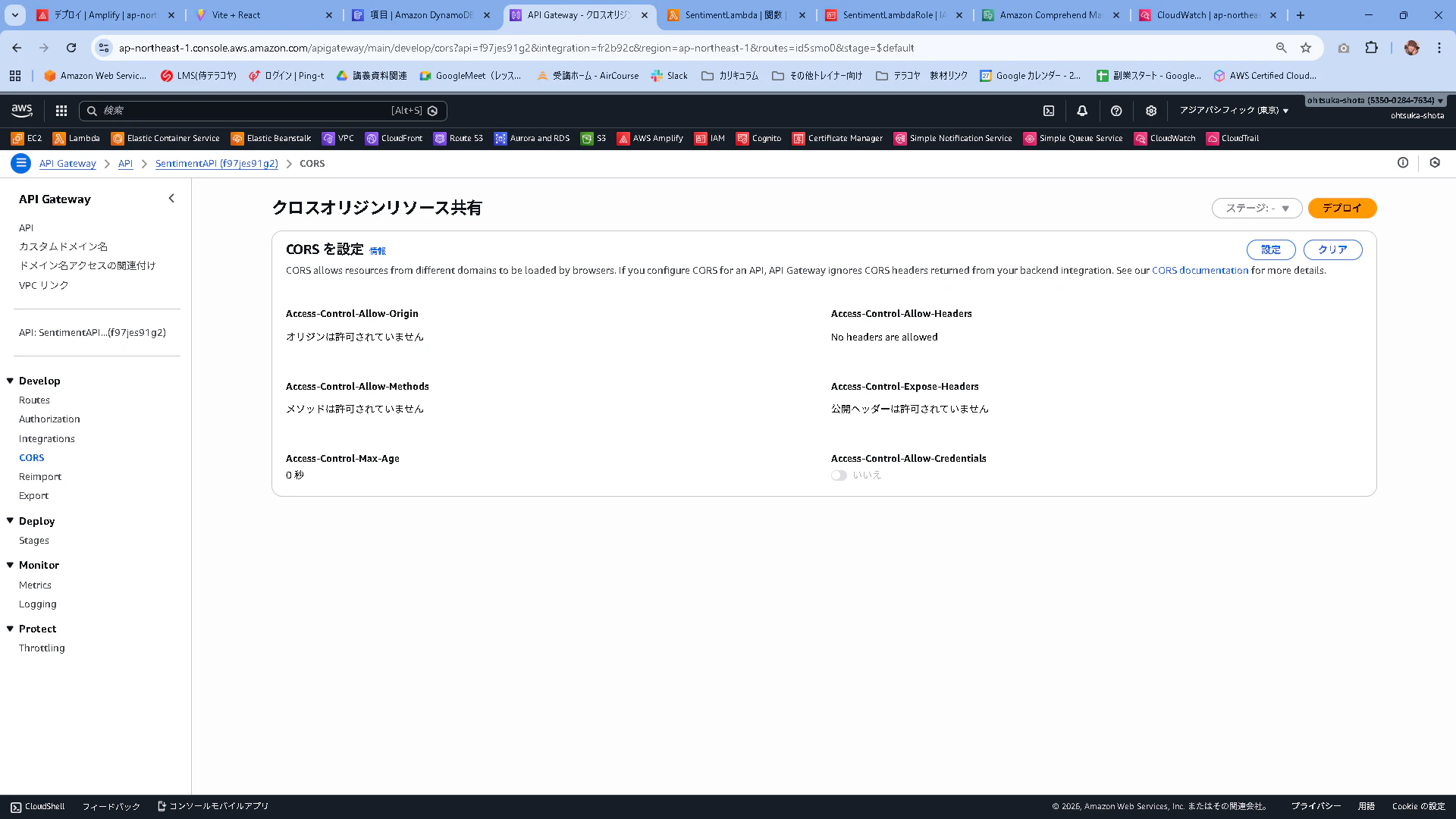
この設定で保存を押下します。
Access-Control-Allow-Origin:http://localhost:5173,https://Amplifyに払い出されているドメイン
Access-Control-Allow-Headers:content-type,authorization
Access-Control-Allow-Methods:POST,OPTIONS
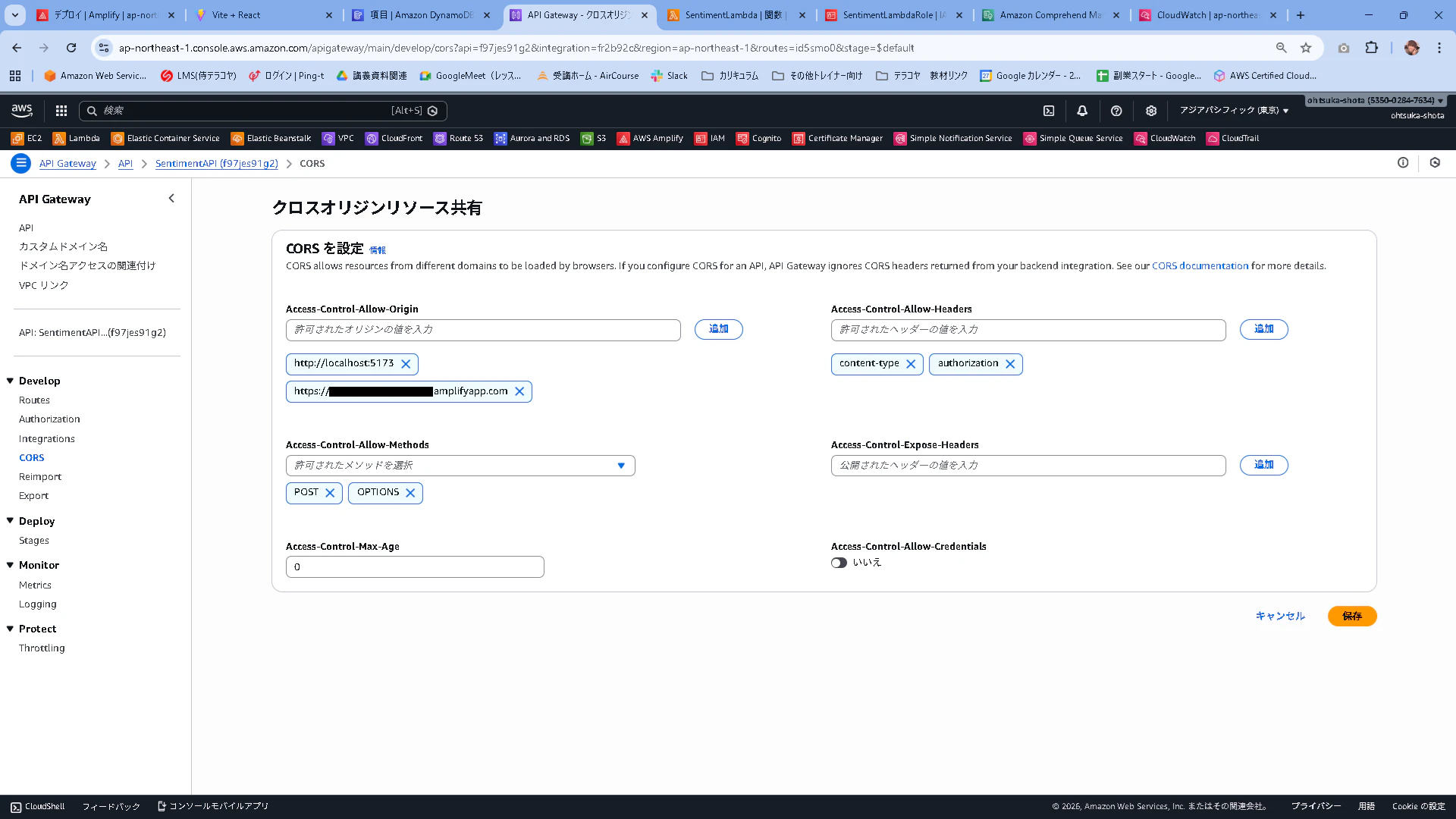
登録されていることを確認します。
[Amplify]コーディング
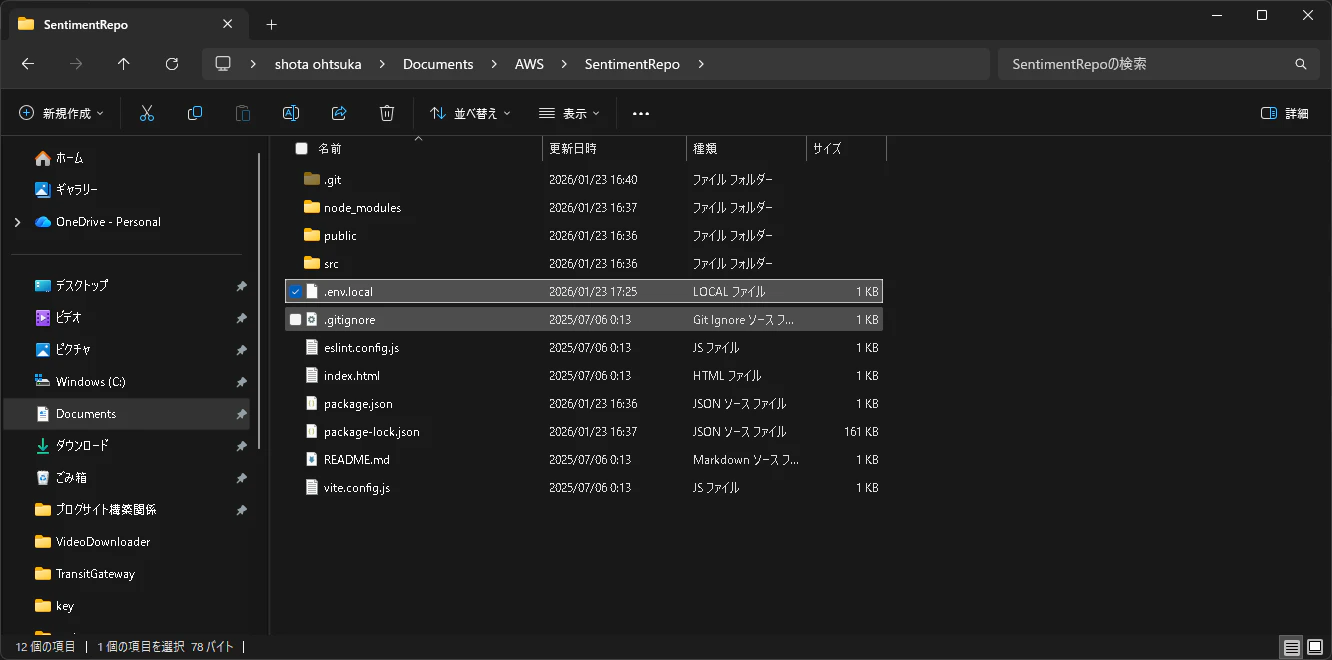
プロジェクトフォルダの直下に.env.localを置いて中身を以下とします。
VITE_API_BASE_URL=https://xxxxxxxx.execute-api.ap-northeast-1.amazonaws.com
App.jsxの中身を以下に書き換えます
import { useMemo, useState } from "react";

const API_BASE = (import.meta.env.VITE_API_BASE_URL ?? "").replace(/\/$/, "");

async function safeReadText(res) {
  try {
    return await res.text();
  } catch {
    return "";
  }
}

function formatScore(v) {
  if (typeof v !== "number" || Number.isNaN(v)) return "-";
  return v.toFixed(3);
}

export default function App() {
  const [text, setText] = useState("");
  const [loading, setLoading] = useState(false);
  const [error, setError] = useState("");
  const [result, setResult] = useState(null);

  // 接続ステータス: 未確認/OK/NG/未設定
  const [apiStatus, setApiStatus] = useState("unchecked"); // unchecked | ok | ng | unset

  const canSubmit = useMemo(() => {
    const len = text.trim().length;
    return !loading && len > 0 && len <= 1000;
  }, [text, loading]);

  const apiStatusLabel =
    !API_BASE
      ? "未設定"
      : apiStatus === "ok"
        ? "接続OK"
        : apiStatus === "ng"
          ? "接続NG"
          : "未確認";

  async function onSubmit(e) {
    e.preventDefault();
    setError("");
    setResult(null);

    if (!API_BASE) {
      setApiStatus("unset");
      setError("API の設定がありません(VITE_API_BASE_URL を確認してください)。");
      return;
    }

    setLoading(true);
    try {
      const res = await fetch(`${API_BASE}/analyze`, {
        method: "POST",
        headers: { "Content-Type": "application/json" },
        body: JSON.stringify({ text: text.trim() }),
      });

      if (!res.ok) {
        const bodyText = await safeReadText(res);
        throw new Error(bodyText || `HTTP ${res.status}`);
      }

      const data = await res.json();
      setResult(data);
      setApiStatus("ok"); // 成功=接続OK
    } catch (err) {
      setApiStatus("ng"); // 失敗=接続NG
      setError(err instanceof Error ? err.message : String(err));
    } finally {
      setLoading(false);
    }
  }

  const sentiment = result?.sentiment ?? "UNKNOWN";
  const scores = result?.scores ?? result?.SentimentScore ?? null;

  const sentimentClass =
    sentiment === "POSITIVE"
      ? "sentiment-positive"
      : sentiment === "NEGATIVE"
        ? "sentiment-negative"
        : sentiment === "MIXED"
          ? "sentiment-mixed"
          : sentiment === "NEUTRAL"
            ? "sentiment-neutral"
            : "sentiment-unknown";

  return (
    <div className="page">
      <main className="card">
        <div className="header">
          <div>
            <h1 className="title">感情分析デモ</h1>
            {/* URLは表示しない */}
            <p className="subtitle">API接続: {apiStatusLabel}</p>
          </div>
        </div>

        <form onSubmit={onSubmit} className="form">
          <textarea
            className="textarea"
            value={text}
            onChange={(e) => setText(e.target.value)}
            placeholder="ここに文章を入力してください(最大1000文字)"
          />

          <div className="row">
            <small className="counter">{text.length} / 1000</small>

            <button type="submit" className="btn" disabled={!canSubmit}>
              {loading ? "分析中..." : "分析する"}
            </button>
          </div>

          <p className="hint">
            改行しやすいように Enter 送信ではなくボタン送信にしています。
          </p>
        </form>

        {error && <div className="alert alert--error">{error}</div>}

        {result && (
          <section className="resultCard">
            <h2 className="h2">結果</h2>

            <div className="badges">
              <span className={`badge ${sentimentClass}`}>
                sentiment: <strong>{sentiment}</strong>
              </span>

              {scores && (
                <>
                  <span className="badge badge--pos">
                    Positive: <strong>{formatScore(scores.Positive)}</strong>
                  </span>
                  <span className="badge badge--neg">
                    Negative: <strong>{formatScore(scores.Negative)}</strong>
                  </span>
                  <span className="badge badge--neu">
                    Neutral: <strong>{formatScore(scores.Neutral)}</strong>
                  </span>
                  <span className="badge badge--mix">
                    Mixed: <strong>{formatScore(scores.Mixed)}</strong>
                  </span>
                </>
              )}
            </div>

            <pre className="pre">{JSON.stringify(result, null, 2)}</pre>
          </section>
        )}
      </main>
    </div>
  );
}
index.css
:root {
  font-family: Inter, system-ui, Avenir, Helvetica, Arial, sans-serif;
  line-height: 1.5;
  font-weight: 400;

  font-synthesis: none;
  text-rendering: optimizeLegibility;
  -webkit-font-smoothing: antialiased;
  -moz-osx-font-smoothing: grayscale;
}

*,
*::before,
*::after {
  box-sizing: border-box;
}

html, body, #root {
  height: 100%;
  width: 100%;
  margin: 0;
}

body {
  display: block;
  min-width: 320px;
  background: #0b1020;
  color: #e5e7eb;
}

/* Layout */
.page {
  min-height: 100vh;
  display: flex;
  align-items: center;
  justify-content: center;
  padding: 24px;
  background:
    radial-gradient(1200px 600px at 20% 10%, rgba(99,102,241,0.25), transparent 60%),
    radial-gradient(900px 500px at 80% 20%, rgba(16,185,129,0.18), transparent 55%),
    #0b1020;
}

.card {
  width: 100%;
  max-width: 760px;
  border-radius: 16px;
  padding: 20px;
  background: rgba(255,255,255,0.06);
  border: 1px solid rgba(255,255,255,0.10);
  box-shadow: 0 20px 60px rgba(0,0,0,0.45);
  backdrop-filter: blur(10px);
}

/* Header */
.header {
  display: flex;
  align-items: flex-start;
  justify-content: space-between;
  gap: 12px;
  margin-bottom: 14px;
}

.title {
  margin: 0;
  font-size: 22px;
  letter-spacing: 0.2px;
}

.subtitle {
  margin: 6px 0 0;
  opacity: 0.75;
  font-size: 12px;
}

/* Form */
.form {
  display: grid;
  gap: 10px;
}

.textarea {
  width: 100%;
  resize: vertical;
  min-height: 140px;
  padding: 12px;
  border-radius: 12px;
  border: 1px solid rgba(255,255,255,0.14);
  background: rgba(0,0,0,0.20);
  color: #e5e7eb;
  outline: none;
  line-height: 1.5;
}

.textarea:focus {
  border-color: rgba(99,102,241,0.55);
  box-shadow: 0 0 0 4px rgba(99,102,241,0.18);
}

.row {
  display: flex;
  align-items: center;
  justify-content: space-between;
  gap: 12px;
}

.counter {
  font-size: 12px;
  opacity: 0.8;
}

.btn {
  padding: 10px 14px;
  border-radius: 12px;
  border: 1px solid rgba(255,255,255,0.14);
  background: #6366f1;
  color: white;
  cursor: pointer;
  font-weight: 700;
  user-select: none;
}

.btn:active {
  transform: translateY(1px);
}

.btn:disabled {
  background: rgba(255,255,255,0.10);
  color: rgba(255,255,255,0.65);
  cursor: not-allowed;
}

.hint {
  margin: 8px 0 0;
  opacity: 0.8;
  font-size: 12px;
}

/* Alerts */
.alert {
  margin-top: 12px;
  padding: 12px;
  border-radius: 12px;
  border: 1px solid;
}

.alert--error {
  background: rgba(239,68,68,0.12);
  border-color: rgba(239,68,68,0.35);
  color: #fecaca;
}

/* Result */
.resultCard {
  margin-top: 12px;
  padding: 12px;
  border-radius: 12px;
  border: 1px solid rgba(255,255,255,0.12);
  background: rgba(0,0,0,0.18);
  overflow-x: auto;
}

.h2 {
  margin: 0 0 8px;
  font-size: 14px;
  opacity: 0.9;
}

.pre {
  margin: 8px 0 0;
  font-size: 12px;
  line-height: 1.5;
  opacity: 0.95;
}

/* Badges */
.badges {
  display: flex;
  gap: 8px;
  flex-wrap: wrap;
  margin-top: 8px;
}

.badge {
  display: inline-flex;
  align-items: center;
  gap: 8px;
  padding: 6px 10px;
  border-radius: 999px;
  border: 1px solid rgba(255,255,255,0.12);
  font-size: 12px;
  color: #e5e7eb;
}

/* sentiment badge color */
.sentiment-positive { background: rgba(16,185,129,0.25); }
.sentiment-negative { background: rgba(239,68,68,0.25); }
.sentiment-mixed    { background: rgba(245,158,11,0.25); }
.sentiment-neutral,
.sentiment-unknown  { background: rgba(148,163,184,0.18); }

/* fixed colored badges */
.badge--pos { background: rgba(99,102,241,0.20); }
.badge--neg { background: rgba(244,63,94,0.18); }
.badge--neu { background: rgba(148,163,184,0.18); }
.badge--mix { background: rgba(245,158,11,0.18); }
以下のコマンドを実行して、テスト実行します。
npm run dev
http://localhost:5173/をWebブラウジングします。
次のような画面が表示されます。
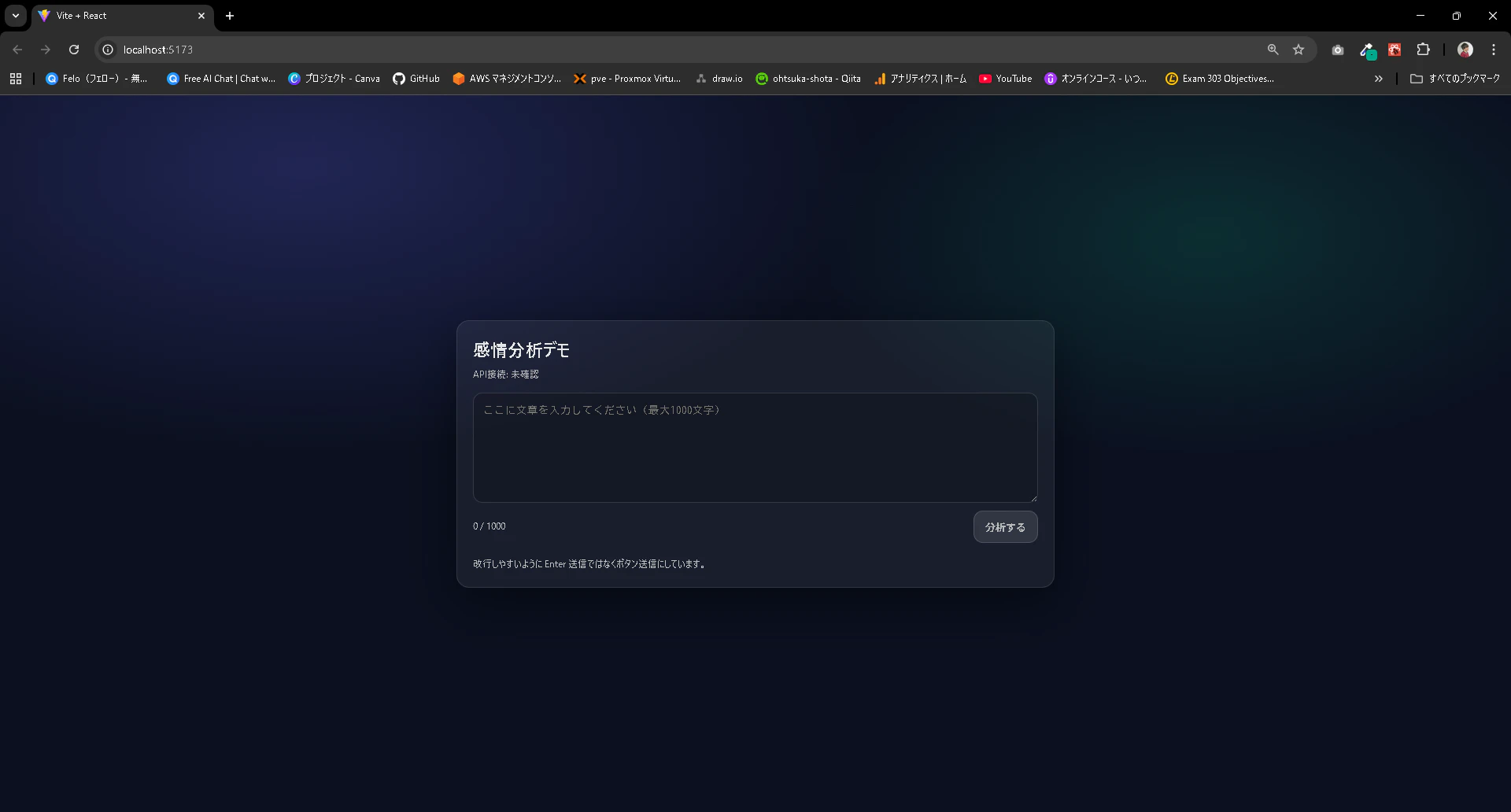
以下の文言を入力して分析するを押下します。
最悪。電車遅延で遅刻確定だし、上司に詰められて気分どん底。もう今日はやる気ゼロ。
結果が出てきました。
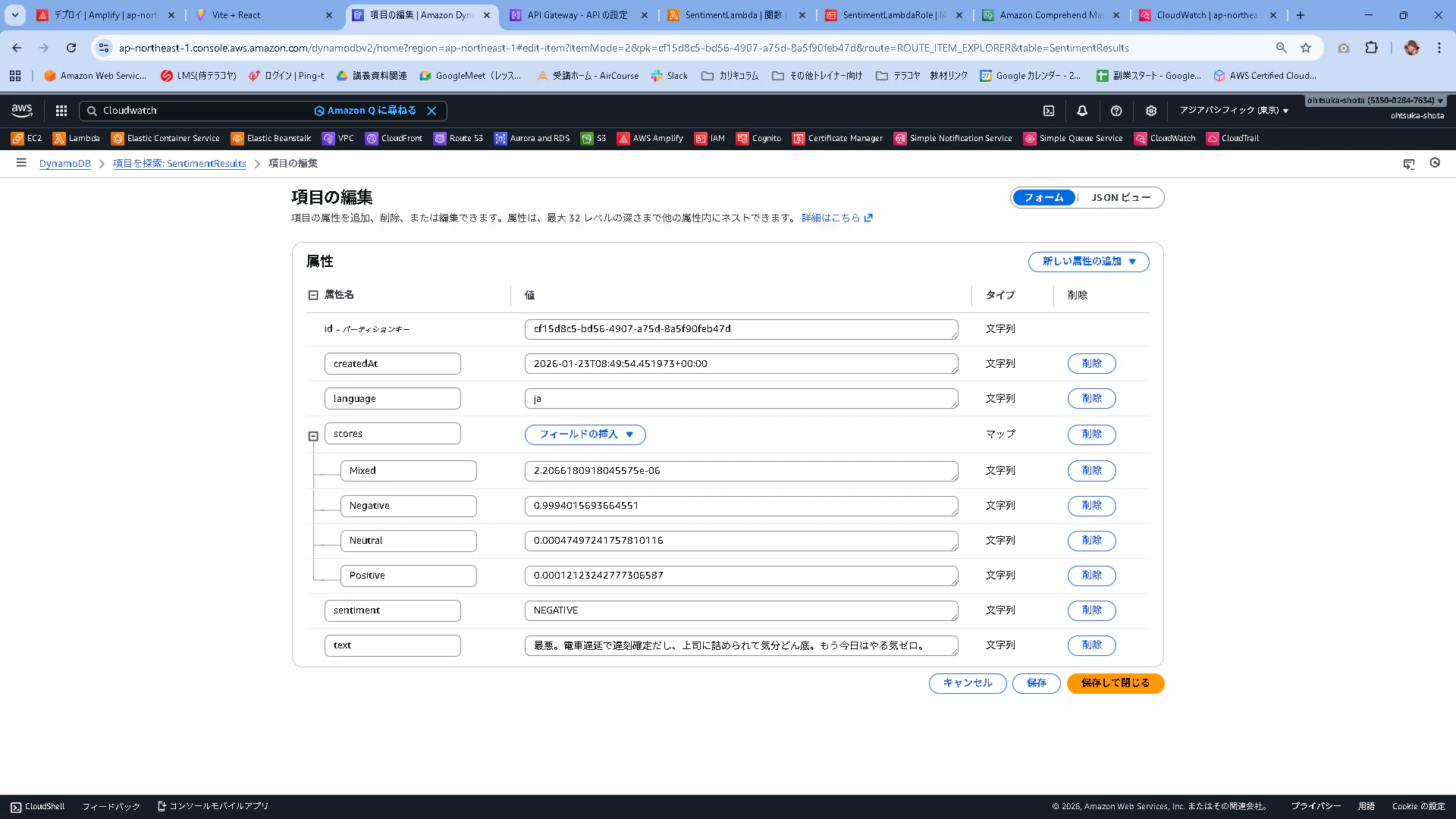
NEGATIVEと出ているので想定通りではありそうです。
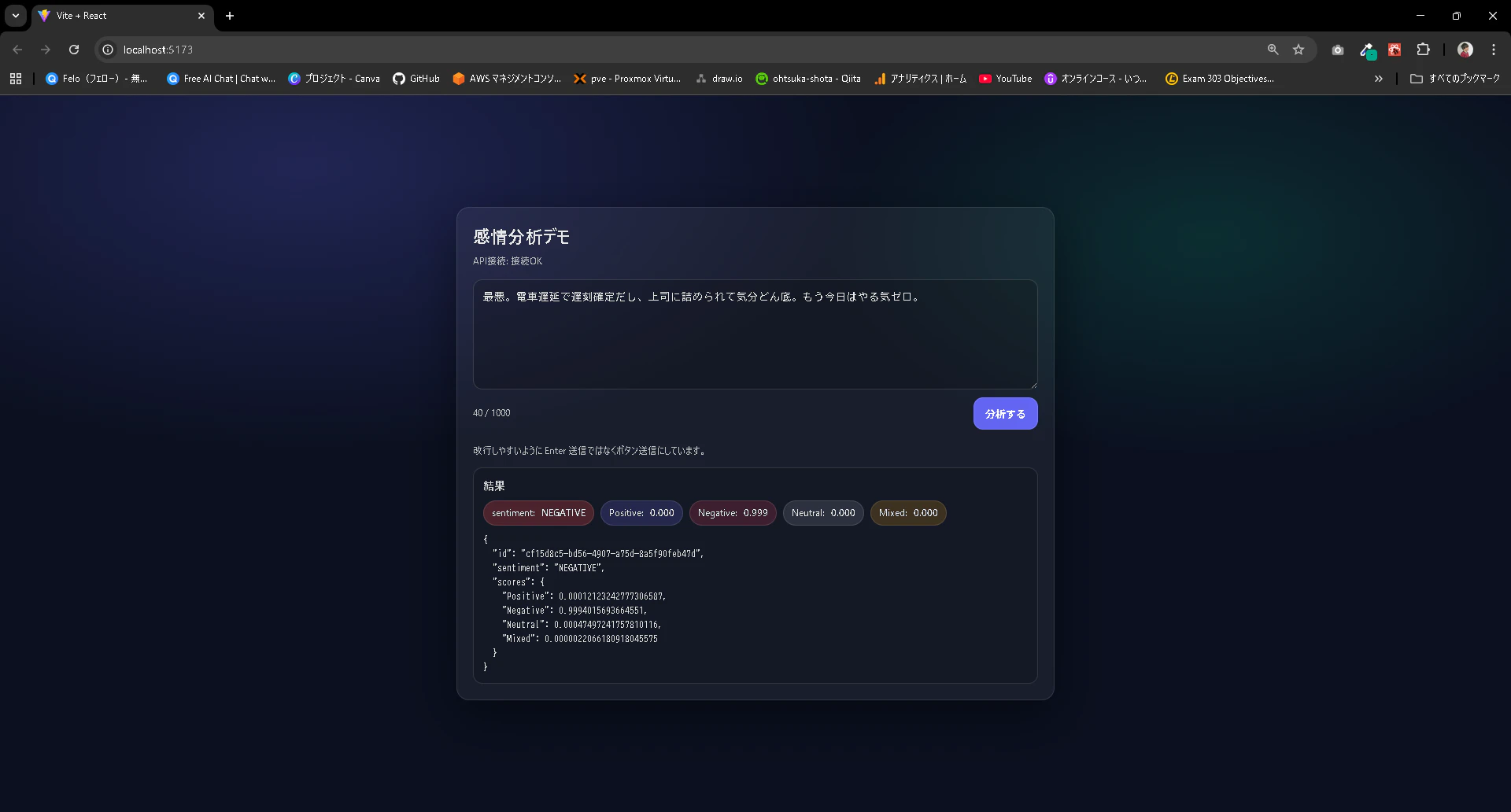
DynamoDBにもデータが格納されていることからバックエンドも問題なさそうです。
本番環境へのデプロイ・動作確認
ではこれをAmplify経由で本番環境にデプロイしていきます。
C:\Users\ohtsu\Documents\AWS\SentimentRepo>git add .
warning: in the working copy of 'src/App.jsx', LF will be replaced by CRLF the next time Git touches it
warning: in the working copy of 'src/index.css', LF will be replaced by CRLF the next time Git touches it

C:\Users\ohtsu\Documents\AWS\SentimentRepo>git commit -m "ver1.0"
[main 8614dc5] ver1.0
 2 files changed, 332 insertions(+), 72 deletions(-)

C:\Users\ohtsu\Documents\AWS\SentimentRepo>git push origin main
Enumerating objects: 9, done.
Counting objects: 100% (9/9), done.
Delta compression using up to 20 threads
Compressing objects: 100% (5/5), done.
Writing objects: 100% (5/5), 3.39 KiB | 3.39 MiB/s, done.
Total 5 (delta 1), reused 0 (delta 0), pack-reused 0
remote: Resolving deltas: 100% (1/1), completed with 1 local object.
To https://github.com/ohtsuka-shota/SentimentRepo.git
   5ff1fea..8614dc5  main -> main
AmplifyがGitHubへのpushに呼応して自動でビルド&デプロイを走らせます。
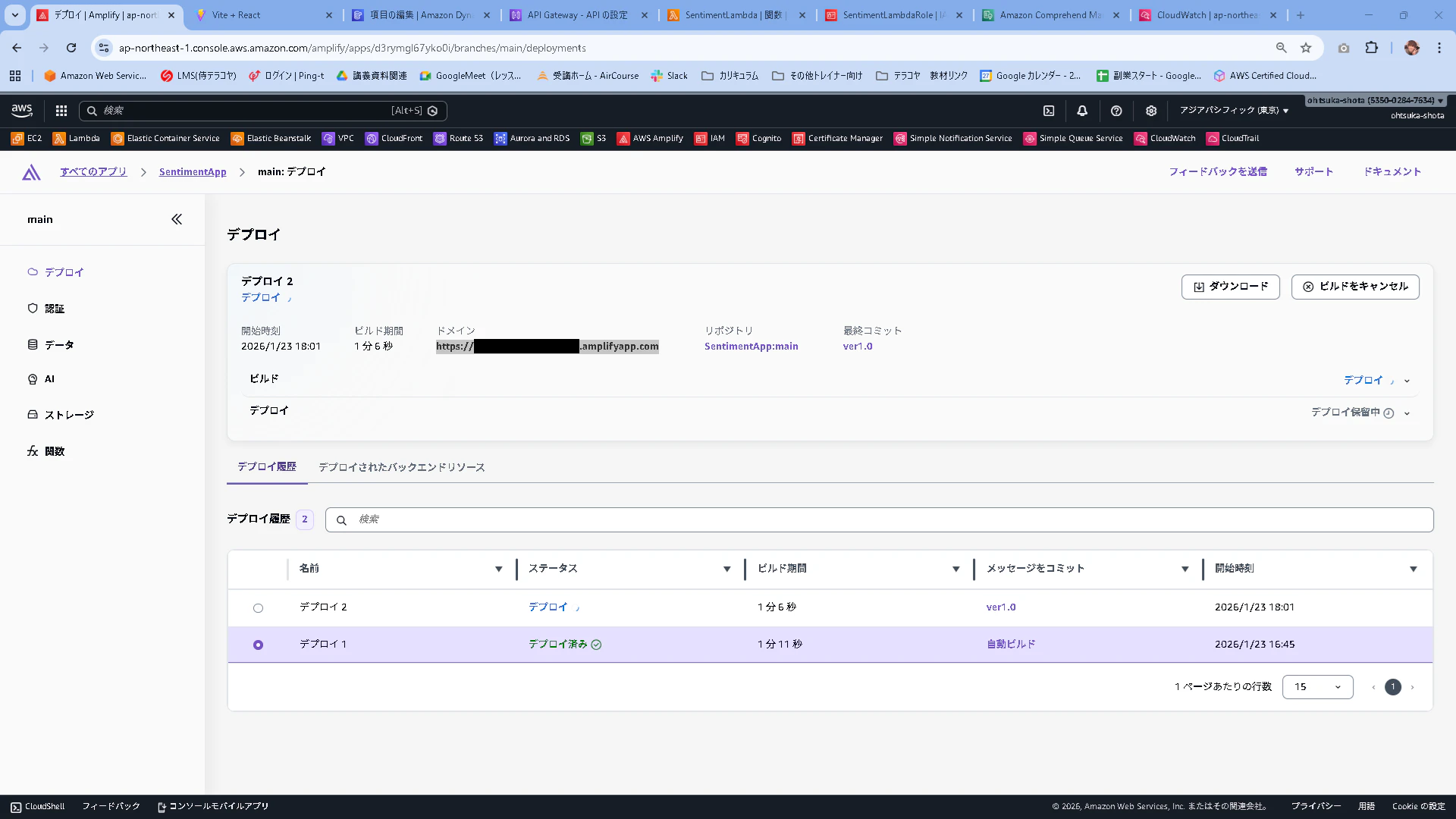
デプロイ済みとなることを確認します。
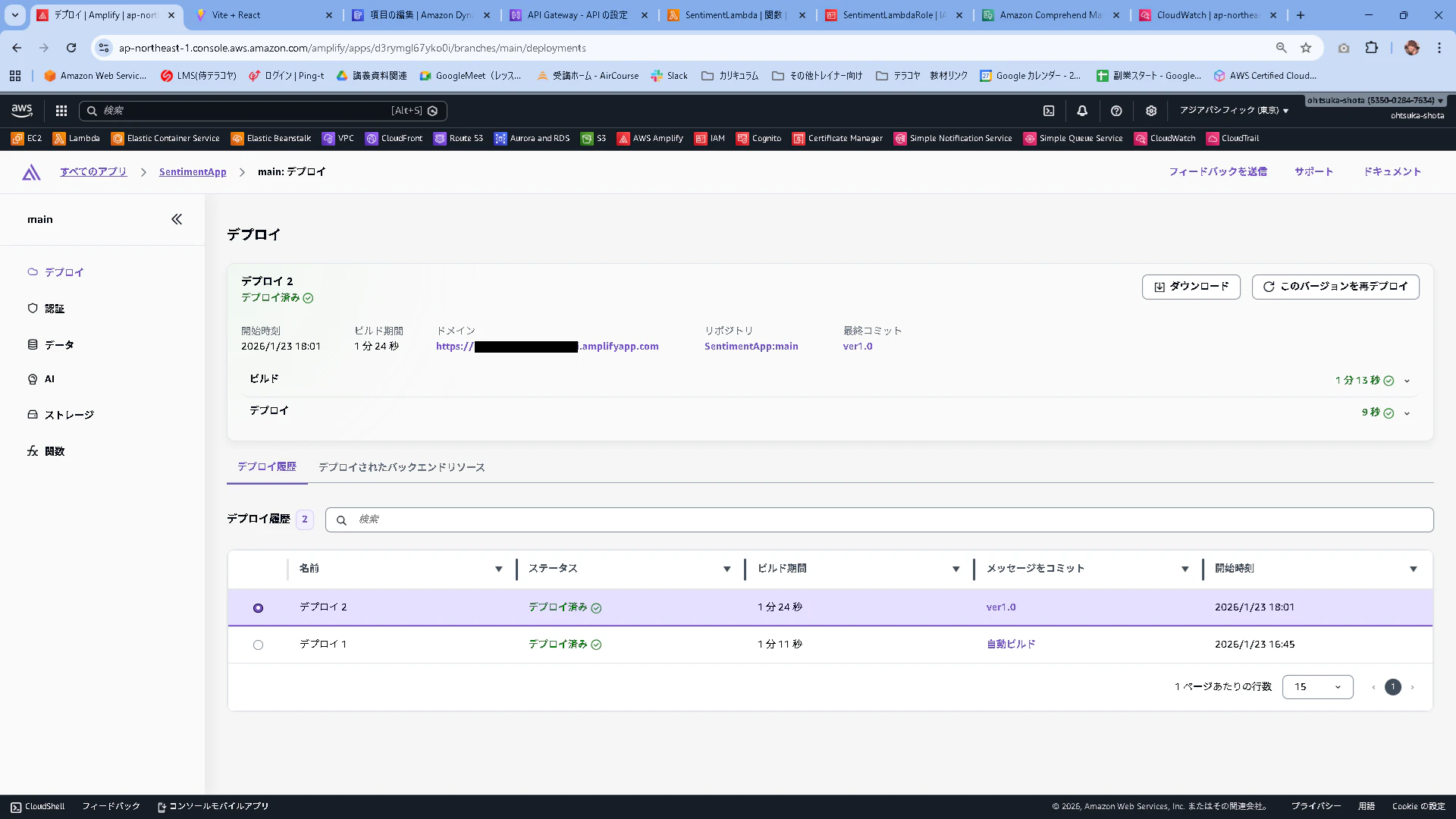
これだけだと少し足りないので、設定を追加していきます。
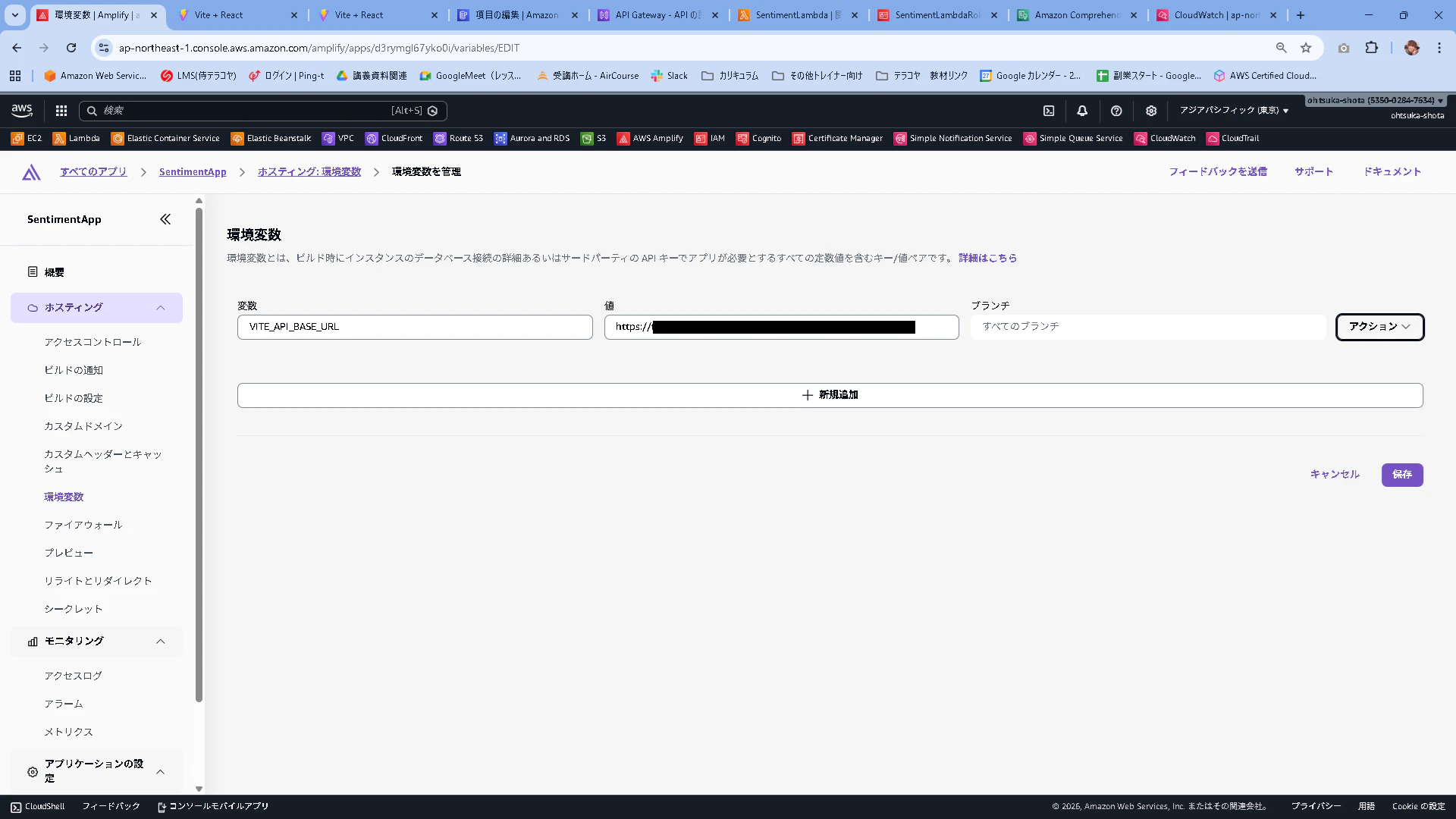
Amplifyで作成したアプリの環境変数から変数を管理ボタンを押下します。
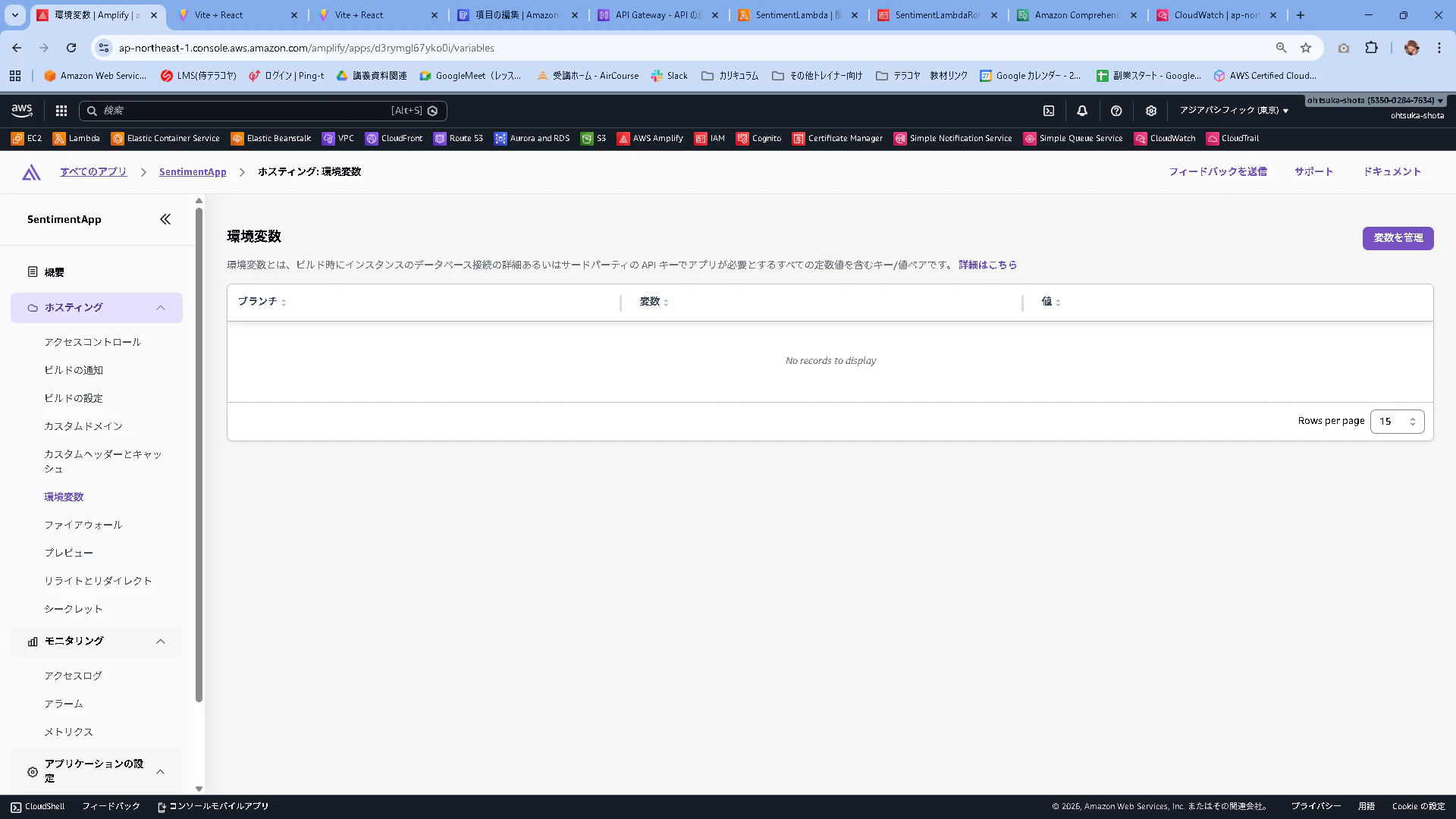
変数:VITE_API_BASE_URL
値:https://API GatewayのURL
として保存していきます。
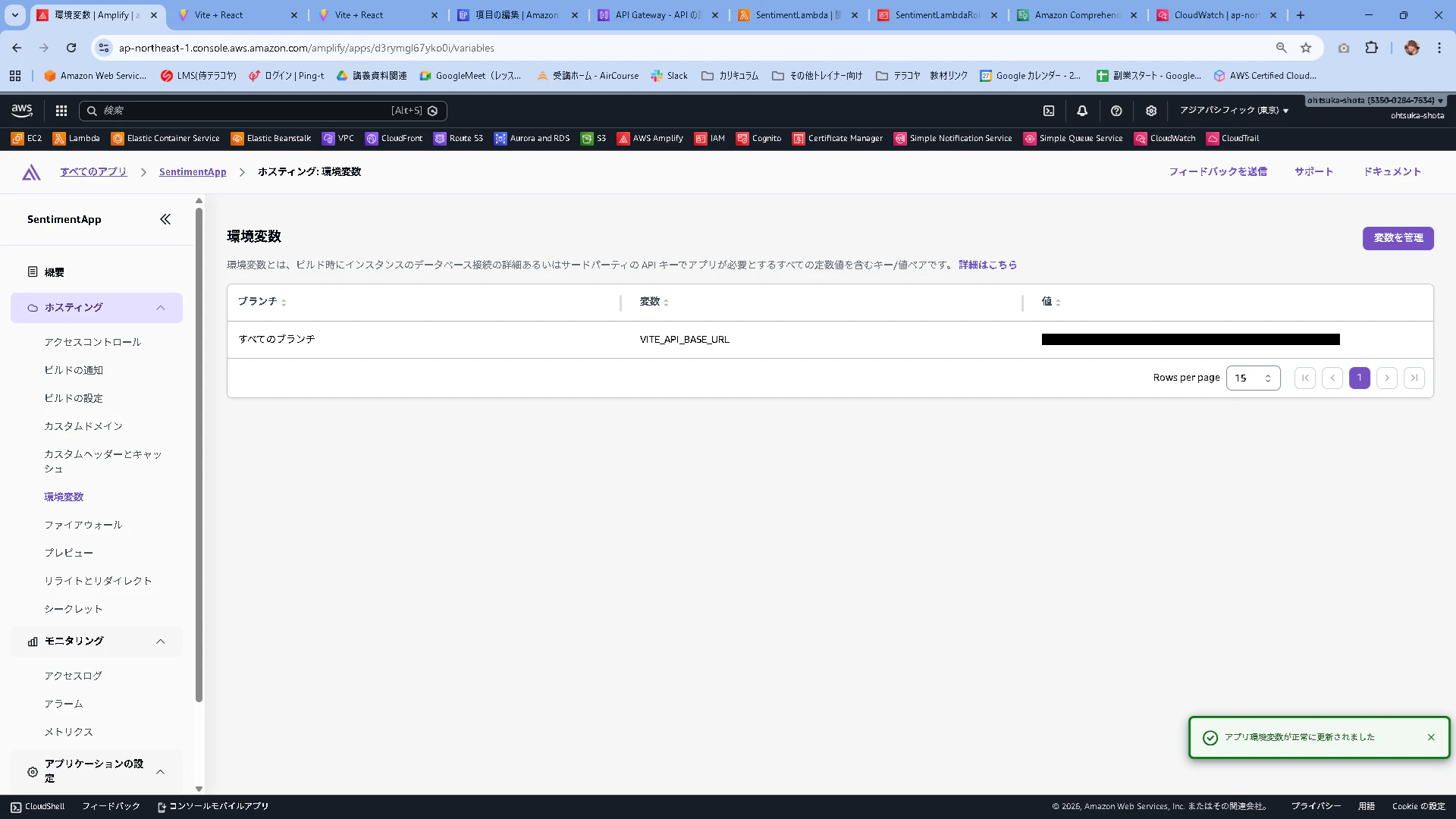
保存されたことを確認します。
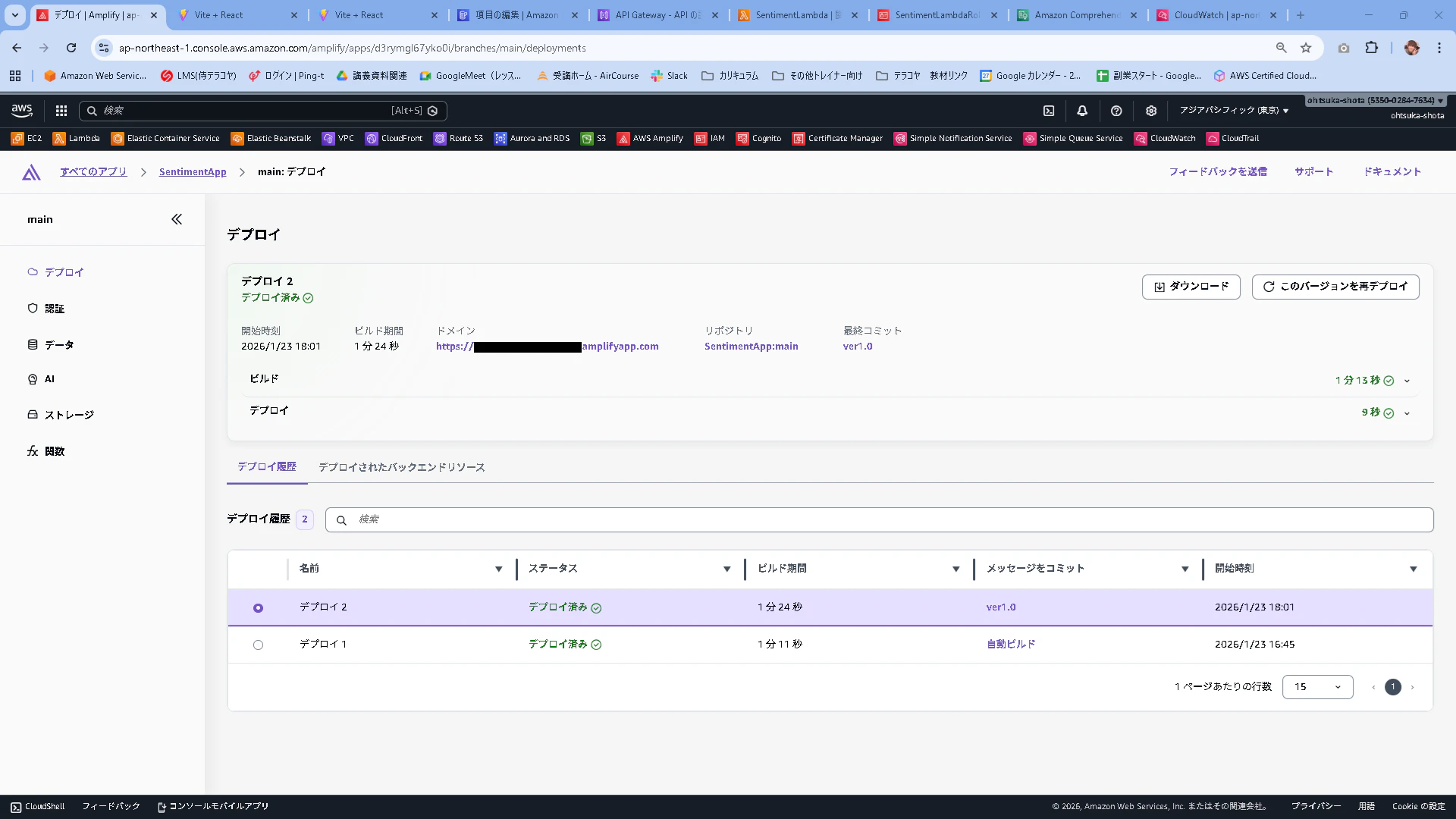
再デプロイを走らせます。最新のデプロイを選択した状態で、このバージョンを再デプロイを押下します。
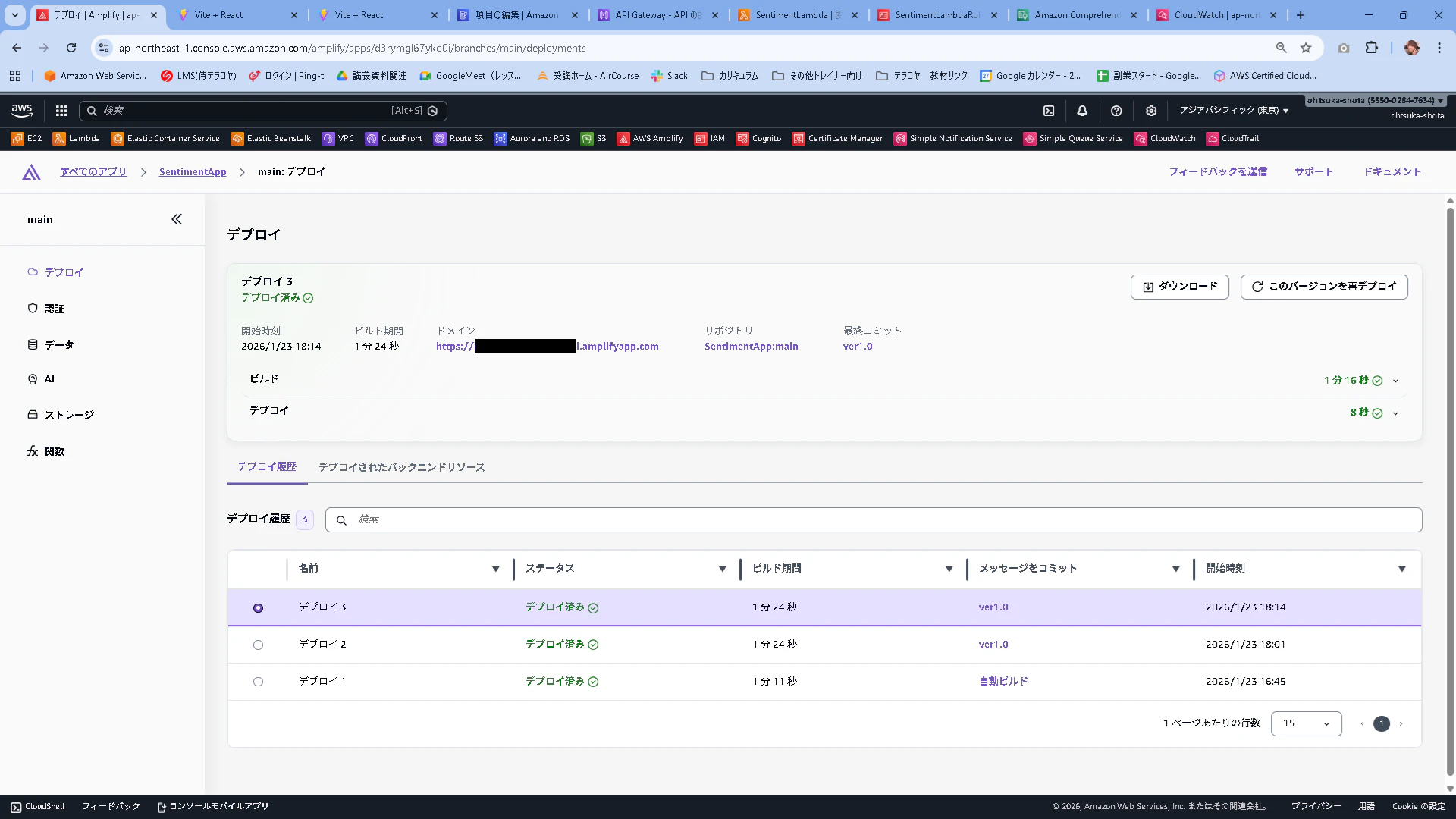
デプロイされたことを確認します。
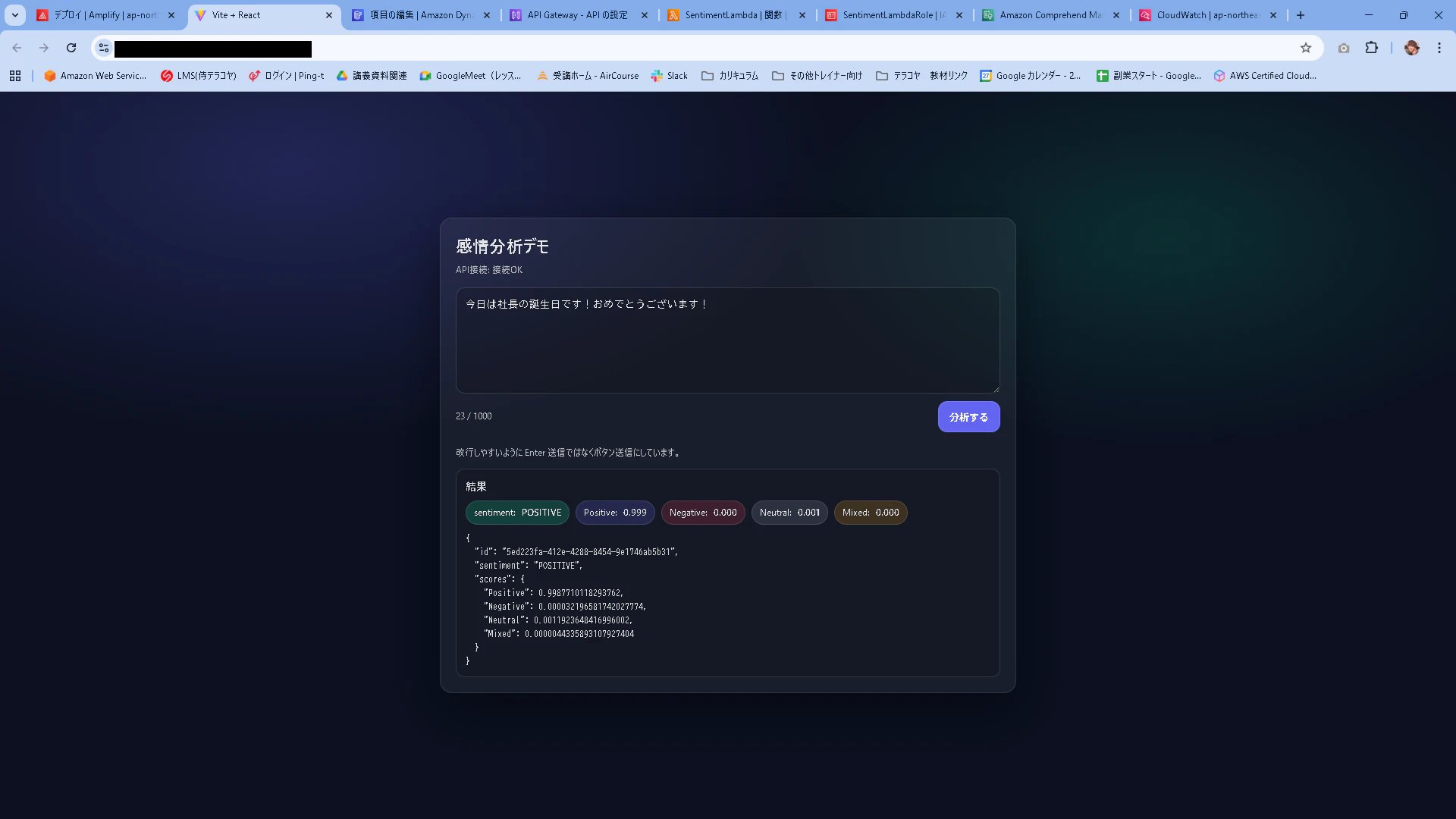
Amplifyで払い出されているドメインにアクセスして、先ほどと同様の結果となっていることを確認します。
問題なさそうですね!
感情分析Webアプリの開発からリリース迄完了です!
補足
Amplifyで環境変数をわざわざ定義した意味
ローカルにある.gitignoreというファイルに以下のような記載があり、.env.localは"*.local"に該当するため、GitHubにはアップロードされていない⇒Amplifyにも存在しない為。
node_modules
dist
dist-ssr
*.local
環境構築用
NVSインストール
gitインストール
※下記はGitLabについて書かれていますが、gitコマンドのインストールだけ参照ください。