はじめに
前回の記事では、NiktoによるWeb脆弱性スキャンがQRadarでオフェンスとして検知されない課題を確認しました。
本記事では、カスタムルールを作成してNiktoスキャンを検知できるようにします。
検知の方針
- 検知対象: HTTP 404エラーの大量発生
- 検知条件: 同一送信元IPから1分間に50回以上の404エラー
- 理由: Niktoは存在しないパスを多数リクエストするため、404エラーが集中的に発生します
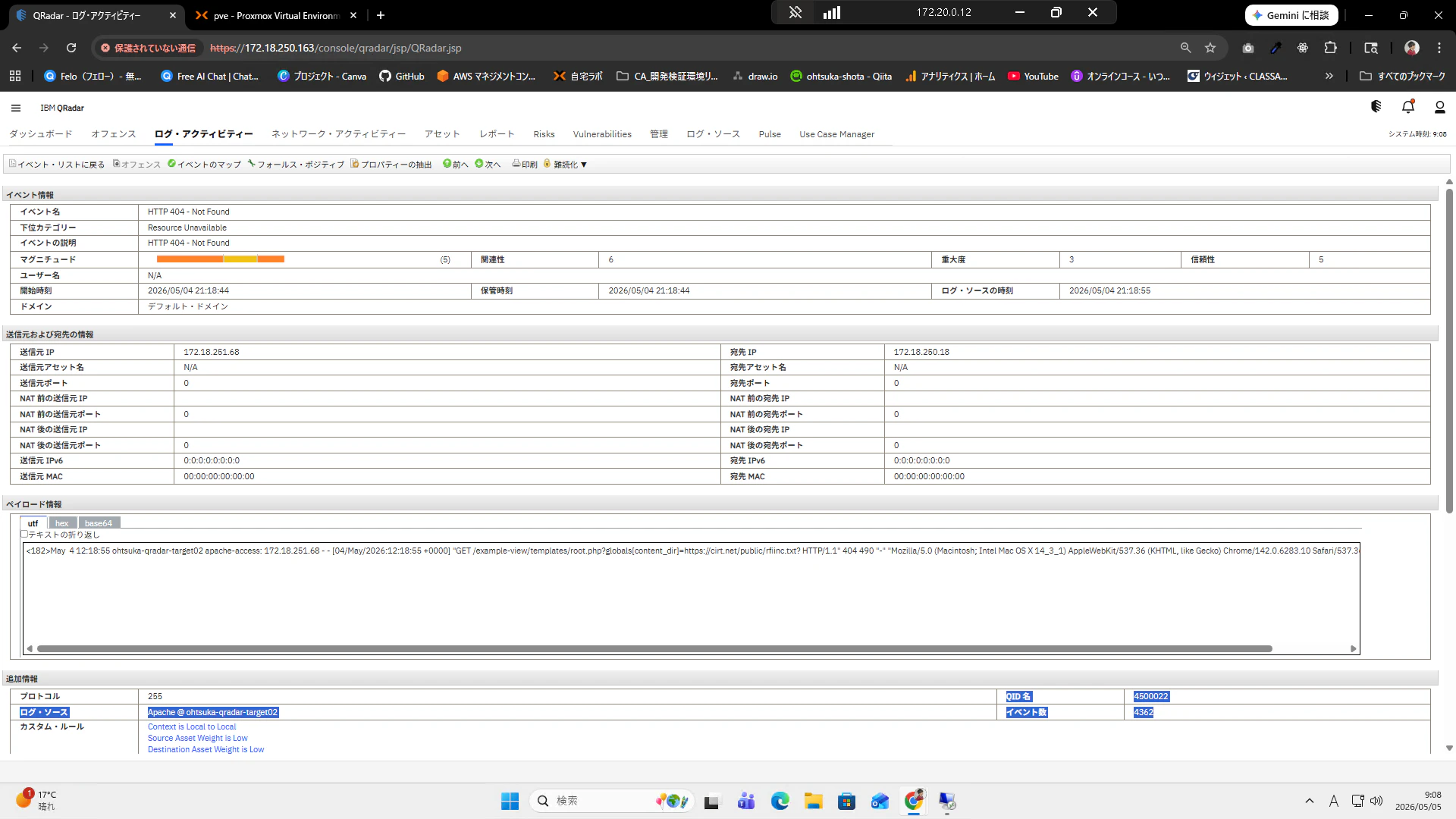
設定対象はこちらのイベント名"HTTP 404 - Not Found"になります。イベント数を見ると、"4362"となっておりこれがNiktoで脆弱性調査をしたという事を示しています。QID"4500022"は後程使用します。
なぜ404エラーで検知するのか?
Niktoは既知の脆弱性パスやファイルを網羅的にチェックするため、存在しないパスへのアクセスが大量に発生します。
この特性を利用して、短時間での404エラーの集中をスキャン行為として検知します。
閾値の考え方
- 50回/1分: 通常のユーザーアクセスでは発生しにくい頻度
- 送信元IP単位: 攻撃元を特定しやすくする
- 環境に応じて調整が必要(例:大規模サイトでは閾値を上げる)
構築
ルール作成
今回は「同一IPからの短時間での大量404エラー」という内容でオフェンスを発生させるための設定を行っていきます。
まずQRadarにログインし、ログ・アクティビティーを開きます。
その後、ルール > ルールの順で遷移して押下します。
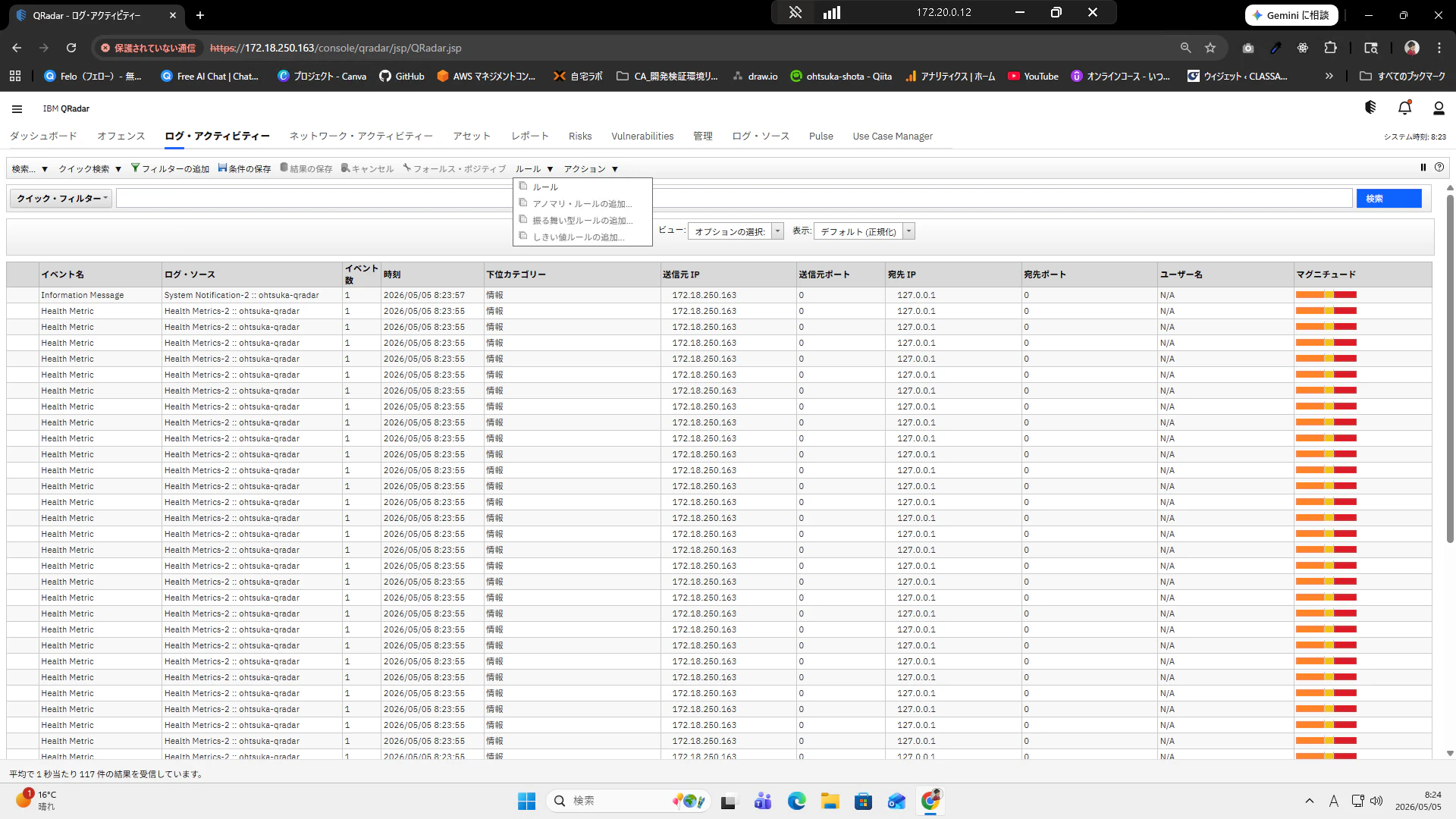
現在のルール一覧が表示されます。新規イベント・ルールを押下します。
※新規オフェンス・ルールというのは既に発生しているオフェンスに対して重要度を更に上げる等のような時に使うようです。
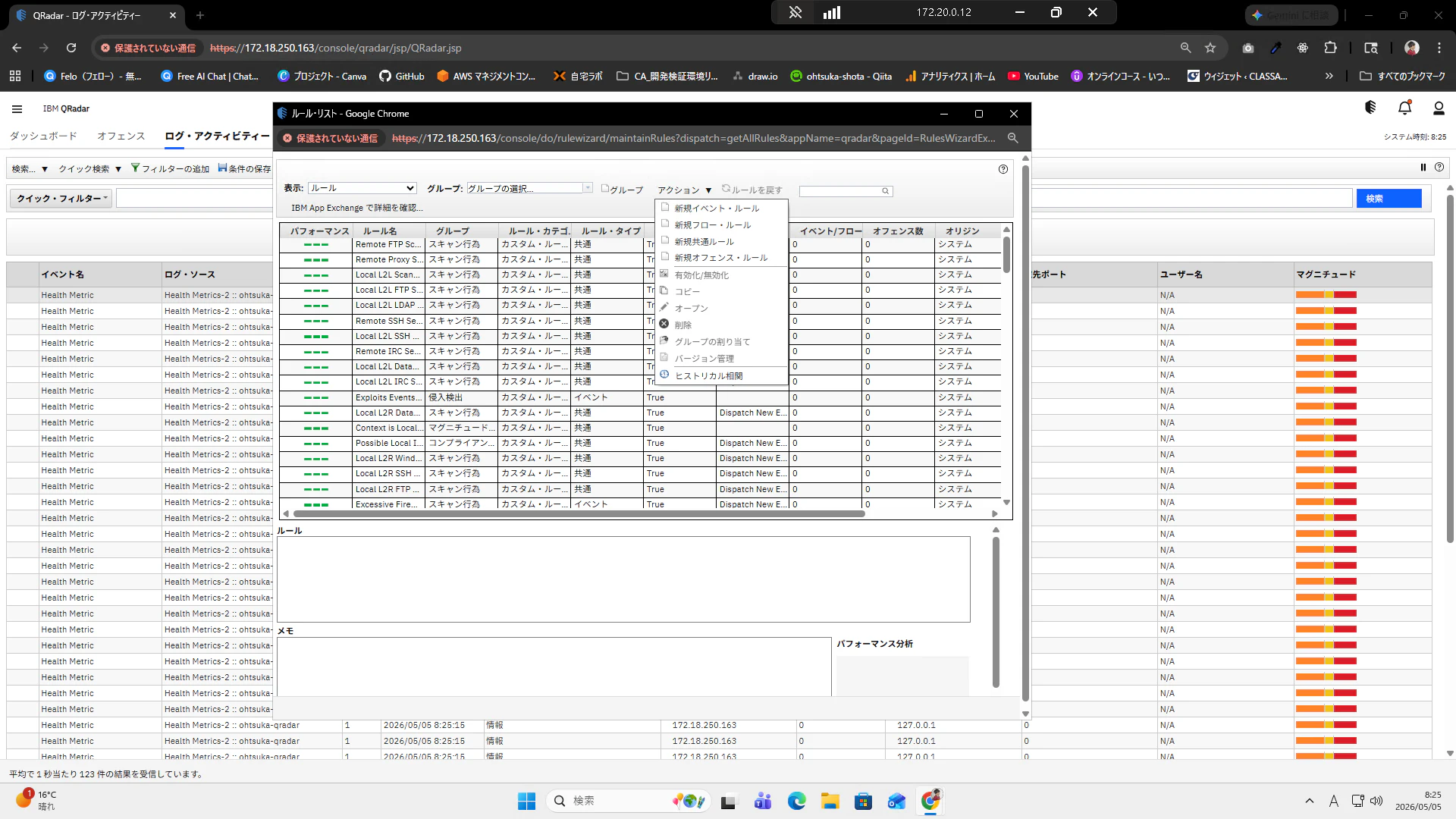
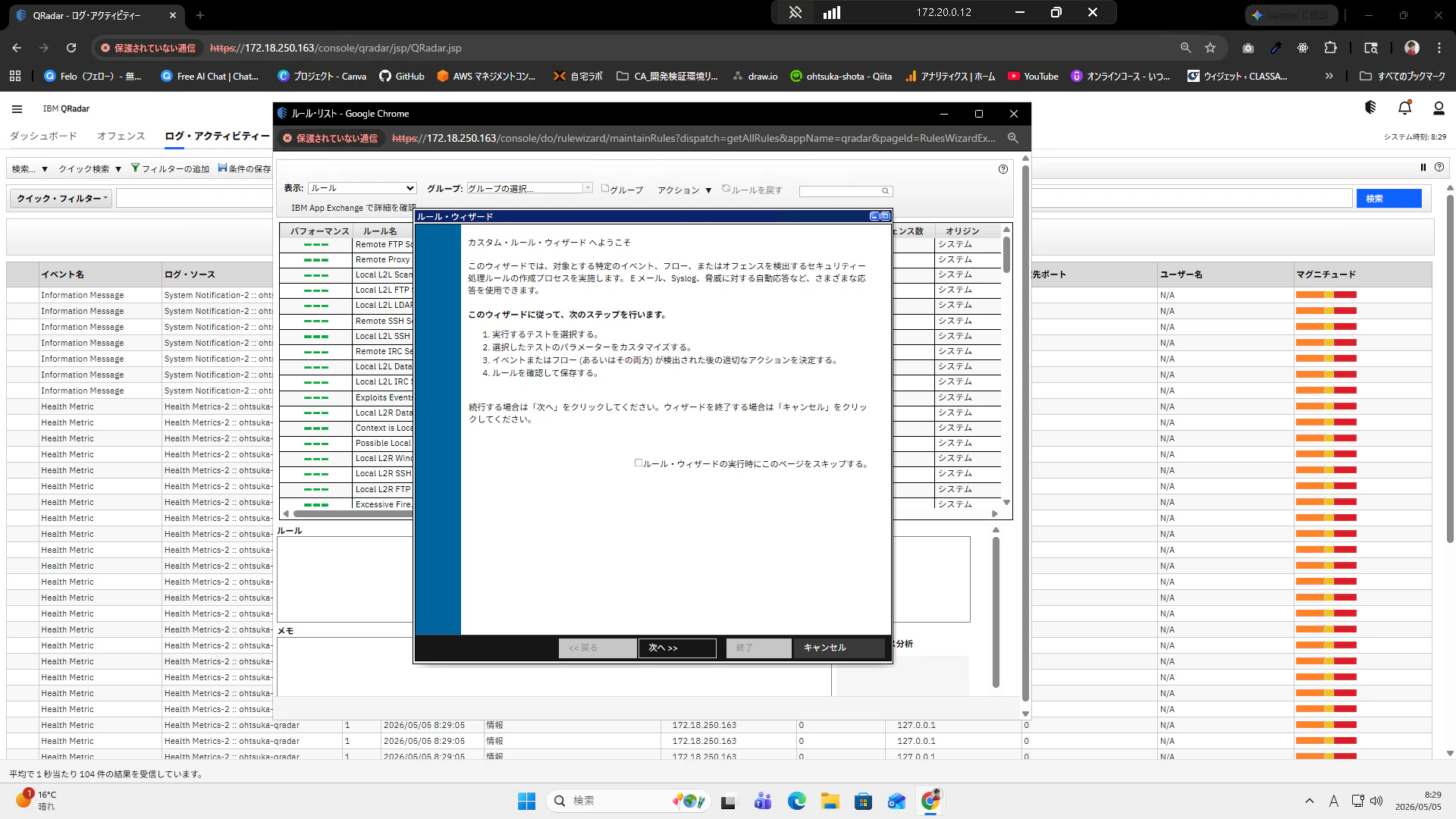
ルール・ウィザードが開きます。
次へボタンを押下します。
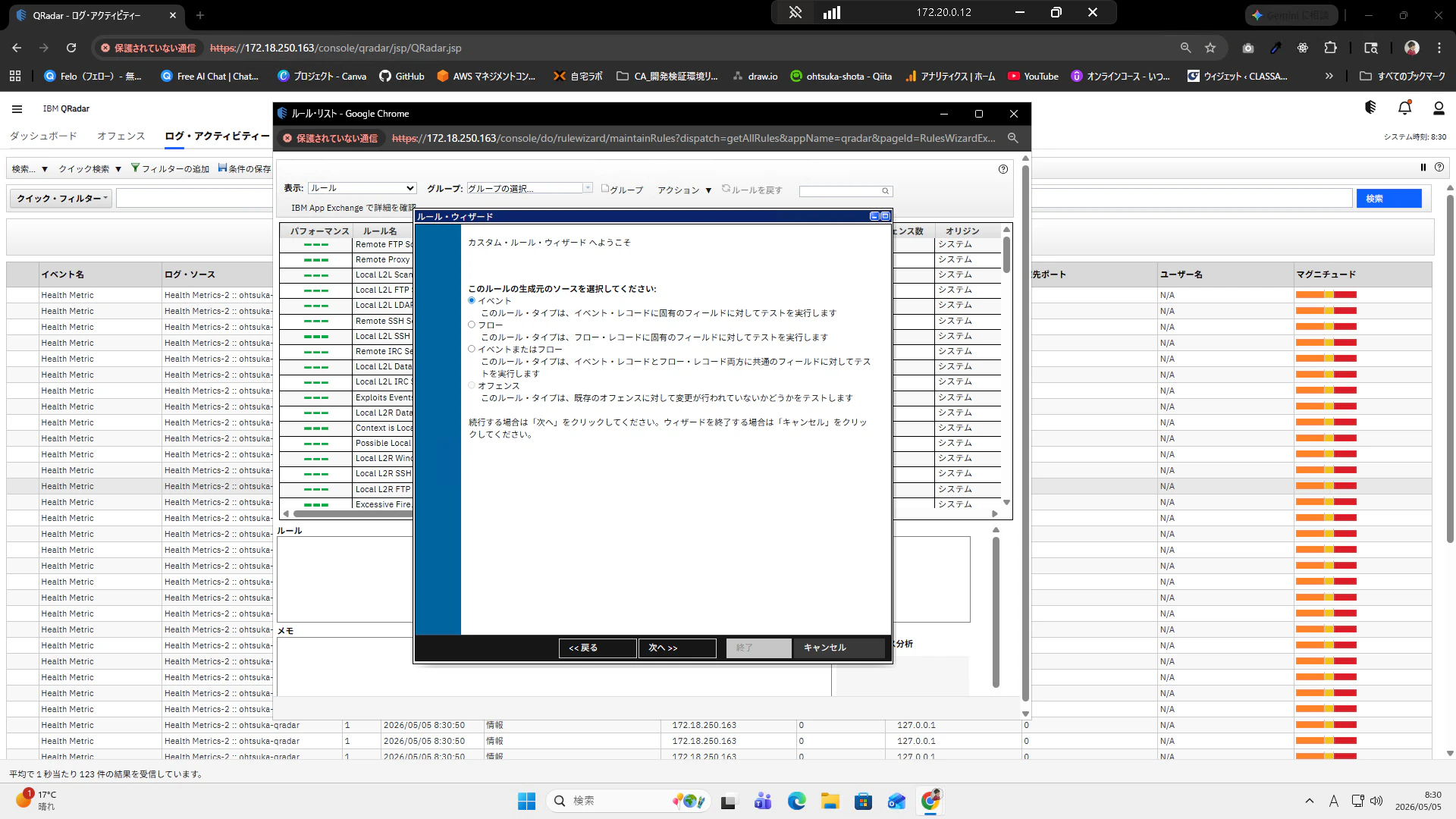
イベントを選択して次に進みます。
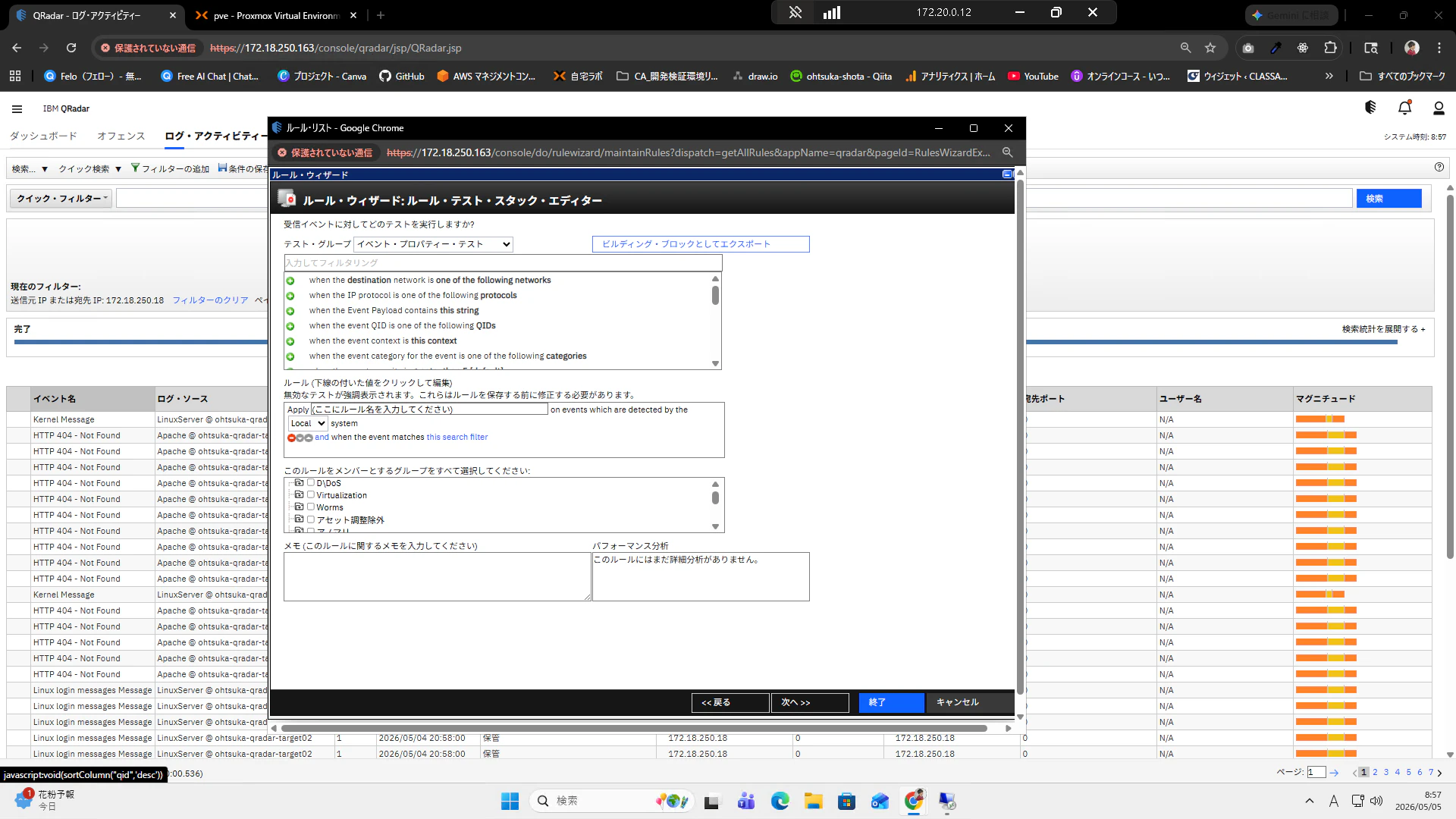
ルール・ウィザード: ルール・テスト・スタック・エディターが開きます。
テスト・グループをイベント・プロパティー・テストにして、"when the event matches this search filter"を押下します。すると、下に"and when the event matches this search filter"と表示されます。
this search filterがリンクになっているので、これを押下します。
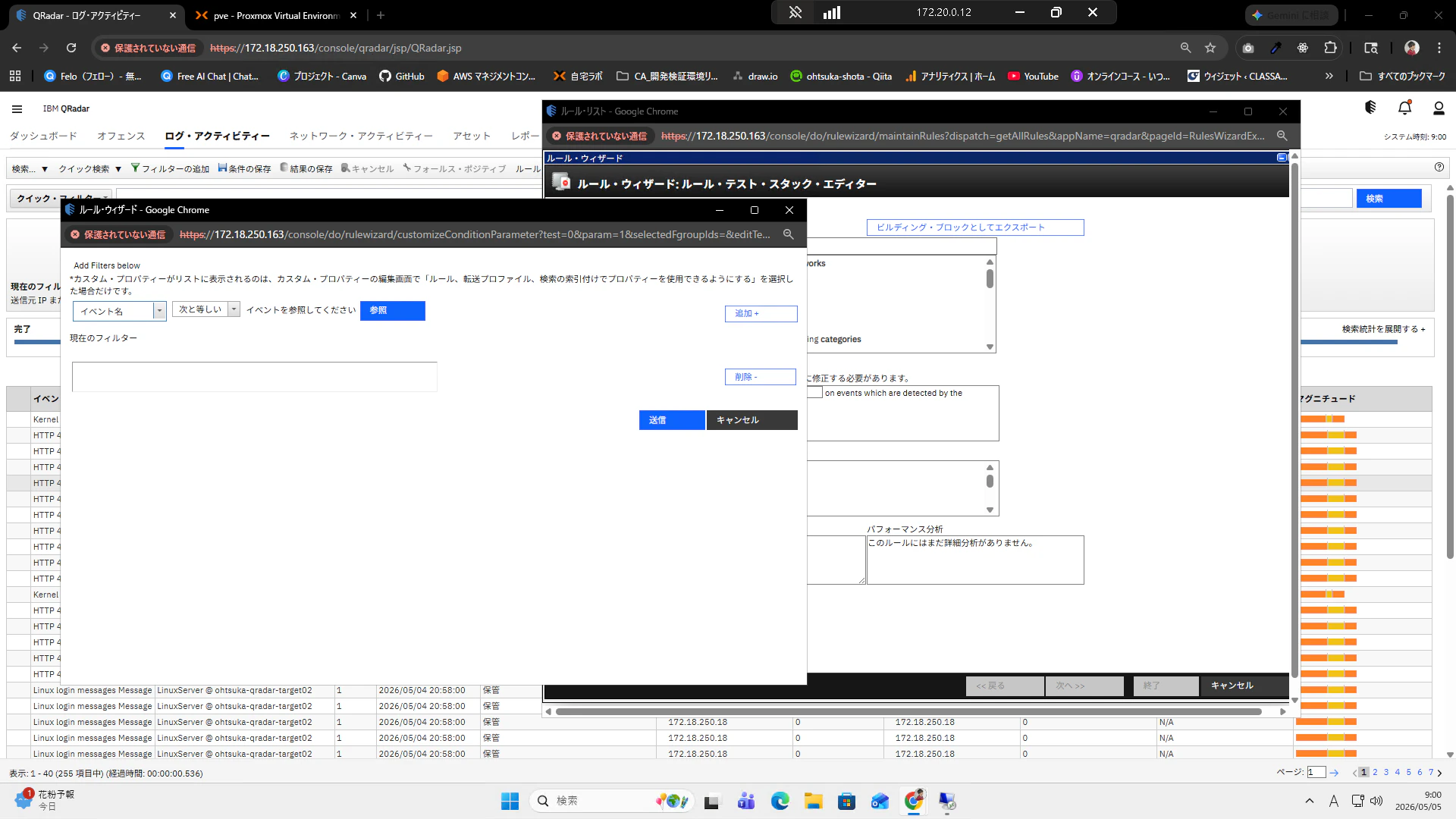
イベント名で次と等しいを選択します。
この状態で参照を押下します。
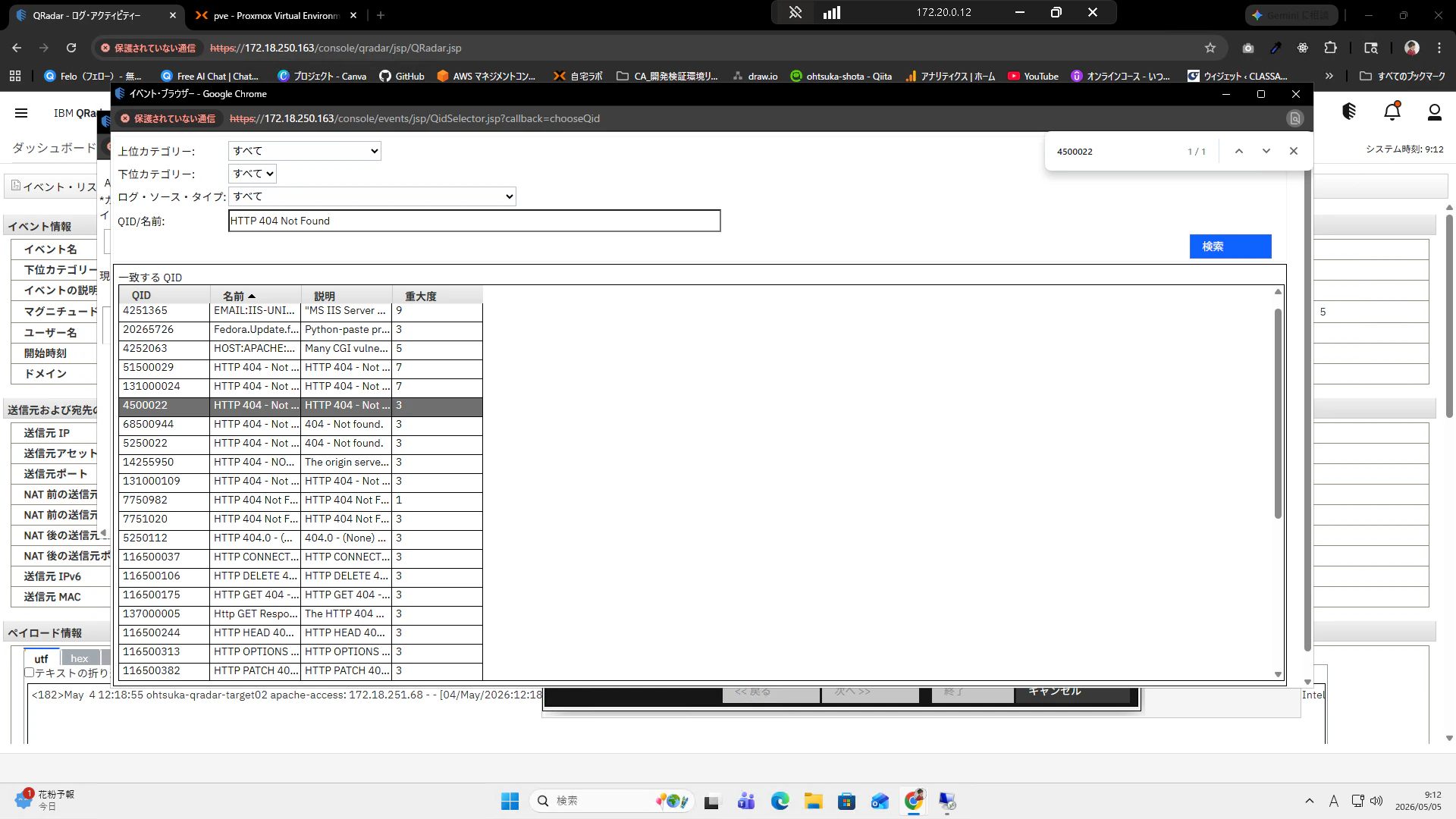
上位・下位カテゴリなどは特段いじらずに、名前のところで"HTTP 404 Not Found"と入力します。するとQRadar上で検知してきたものが一覧で表示されます。ここで控えておいたQIDを検索して選択します。この状態でOKを押下します。
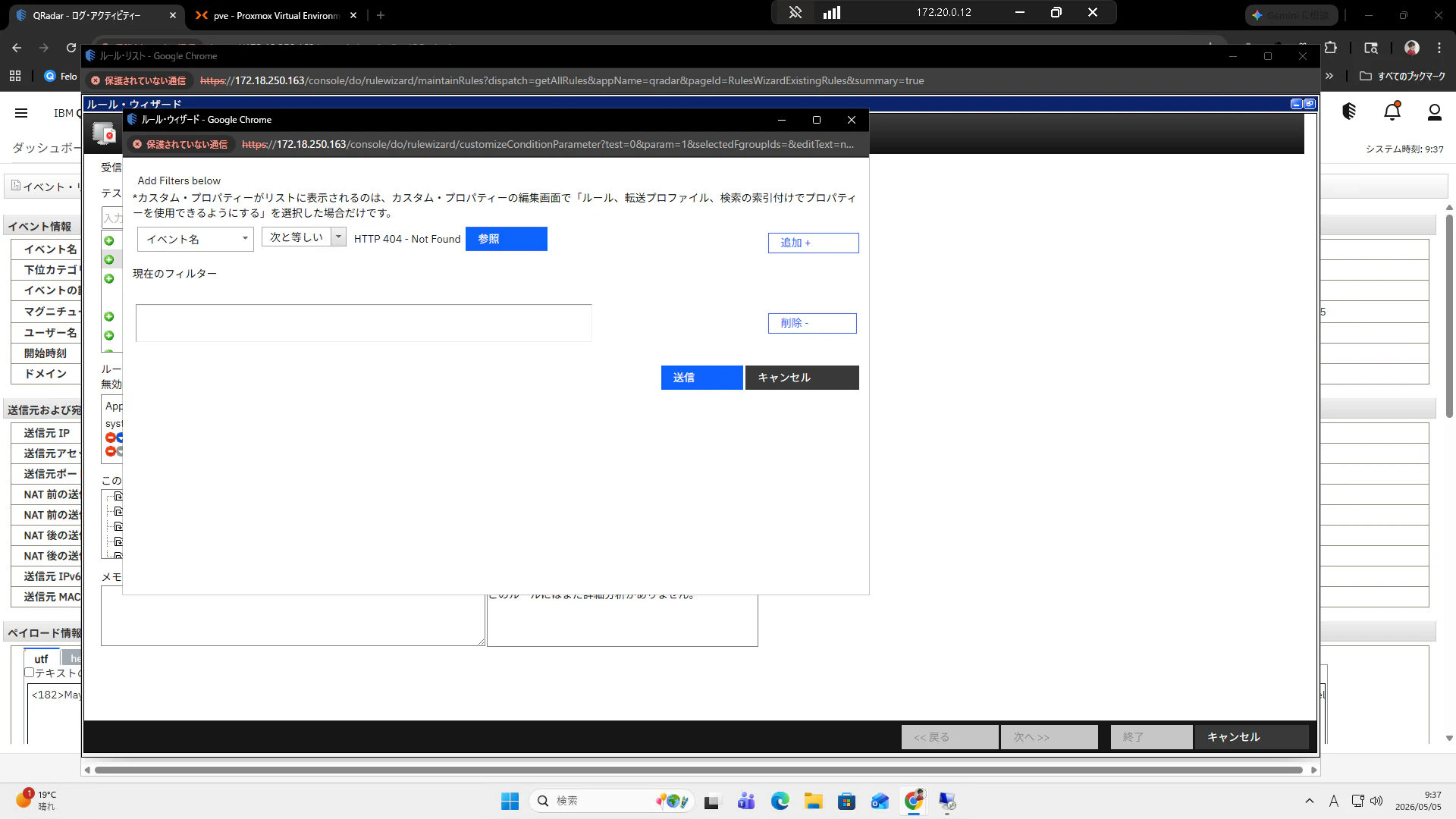
HTTP 404 Not Foundが表示されると思います。
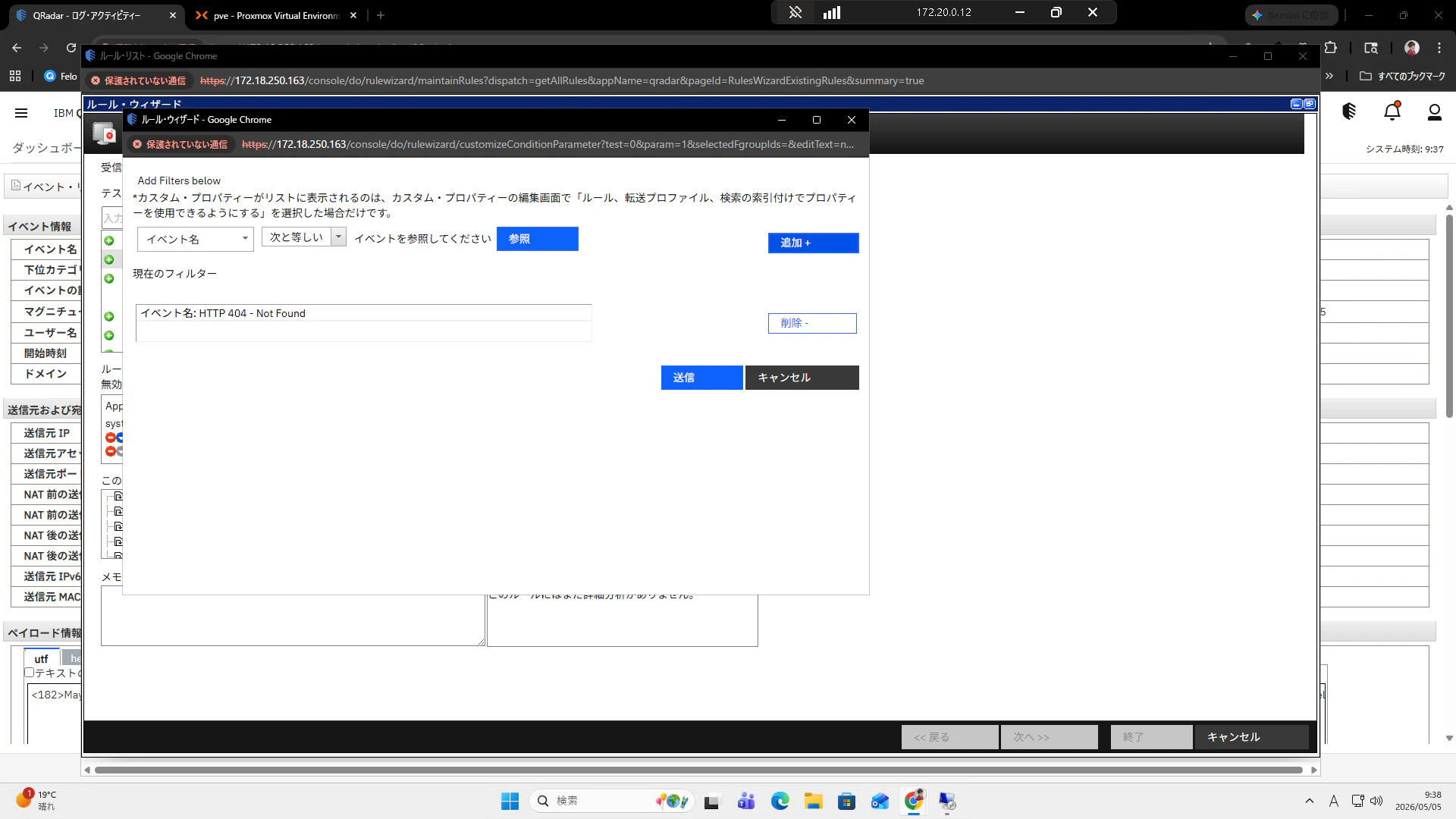
追加を押下します。
下の欄に404 Not Foundの表記が現れます。
送信を押下します。
元の画面に戻ります。今の設定のままだと1回でも404が発生すると発報するようになっているので、ここで1分間で50回の間という条件を追加してみます。
"when at least this many events are seen with the same event properties in this many event"をダブルクリックすると下に、"and when at least this many events are seen with the same event properties in this many minutes"と表示されます。"this many"を押下します。
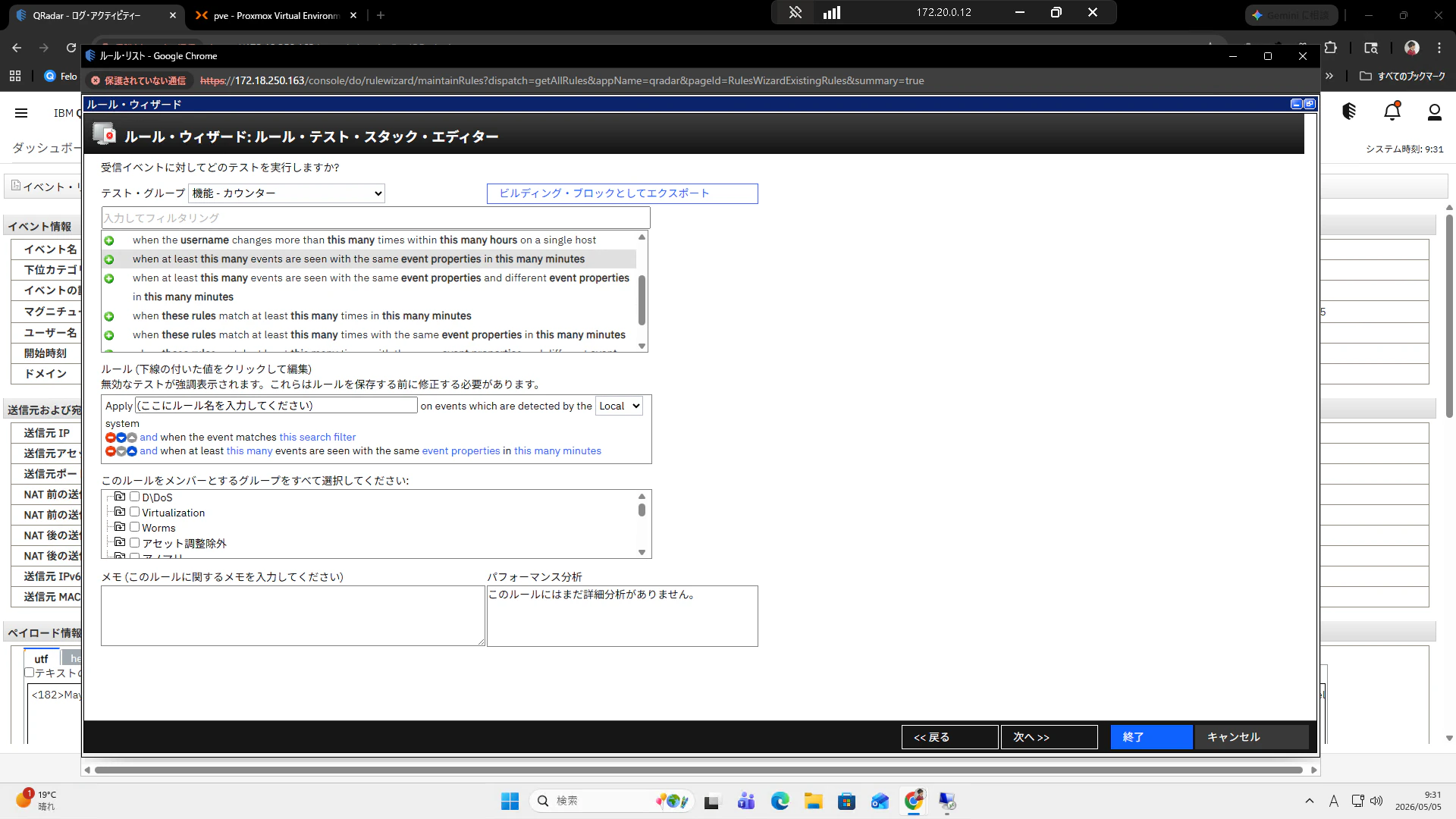
Enter a valueに1を入力して送信を押下します。
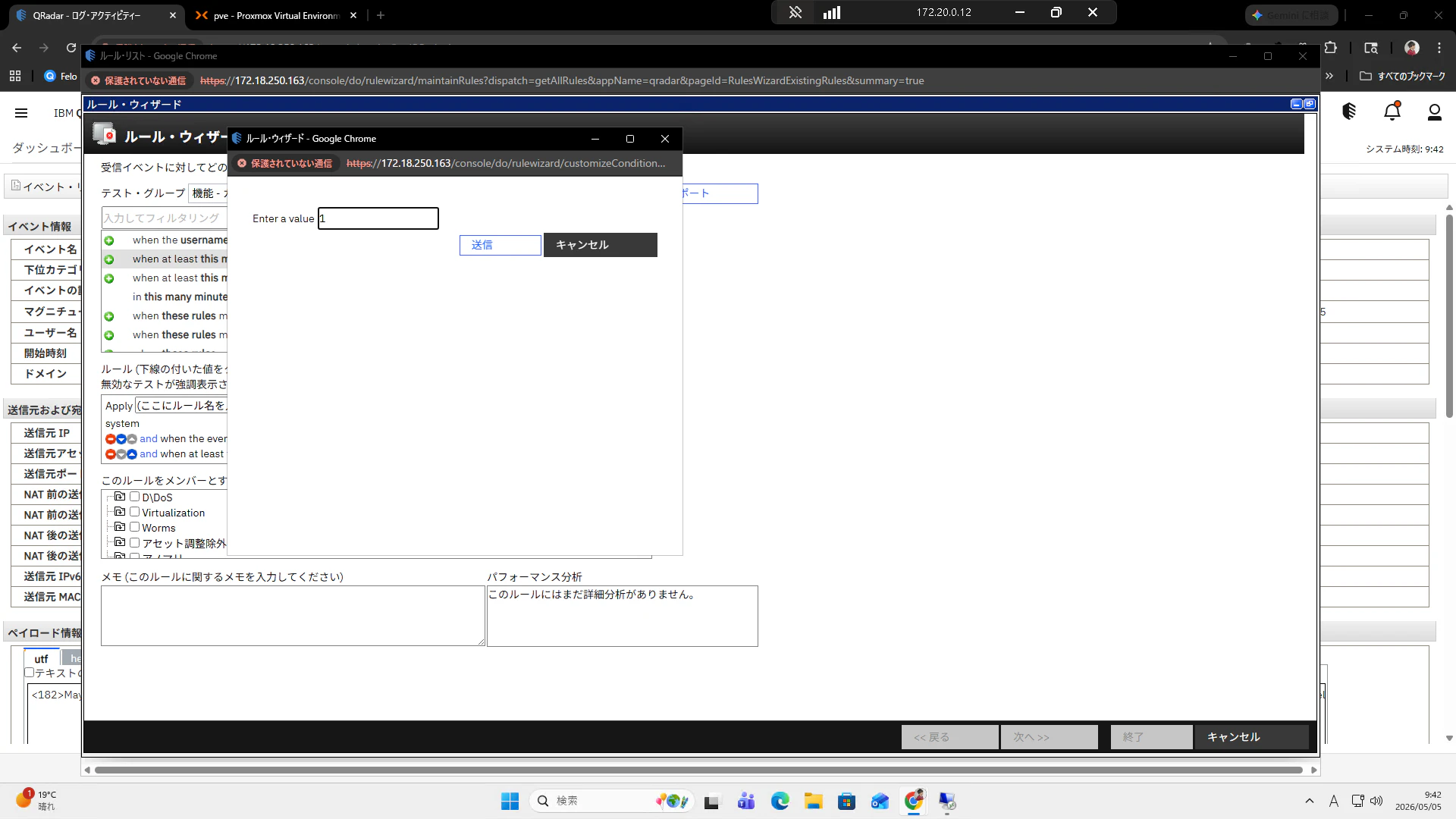
元の画面に戻ります。"event properties"を押下します。
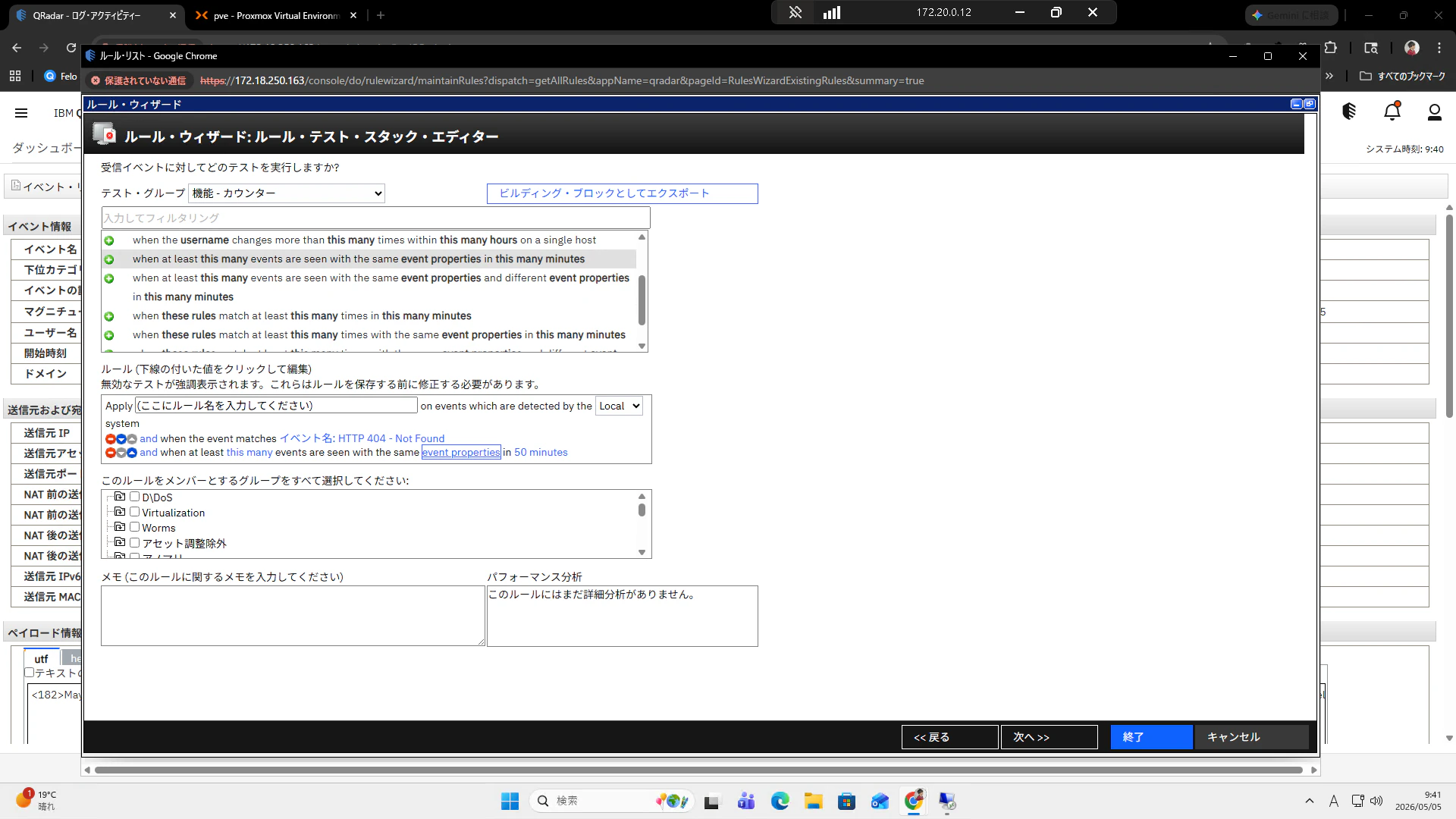
送信元IPを追加します。選択された項目に表示されたら送信を押下します。
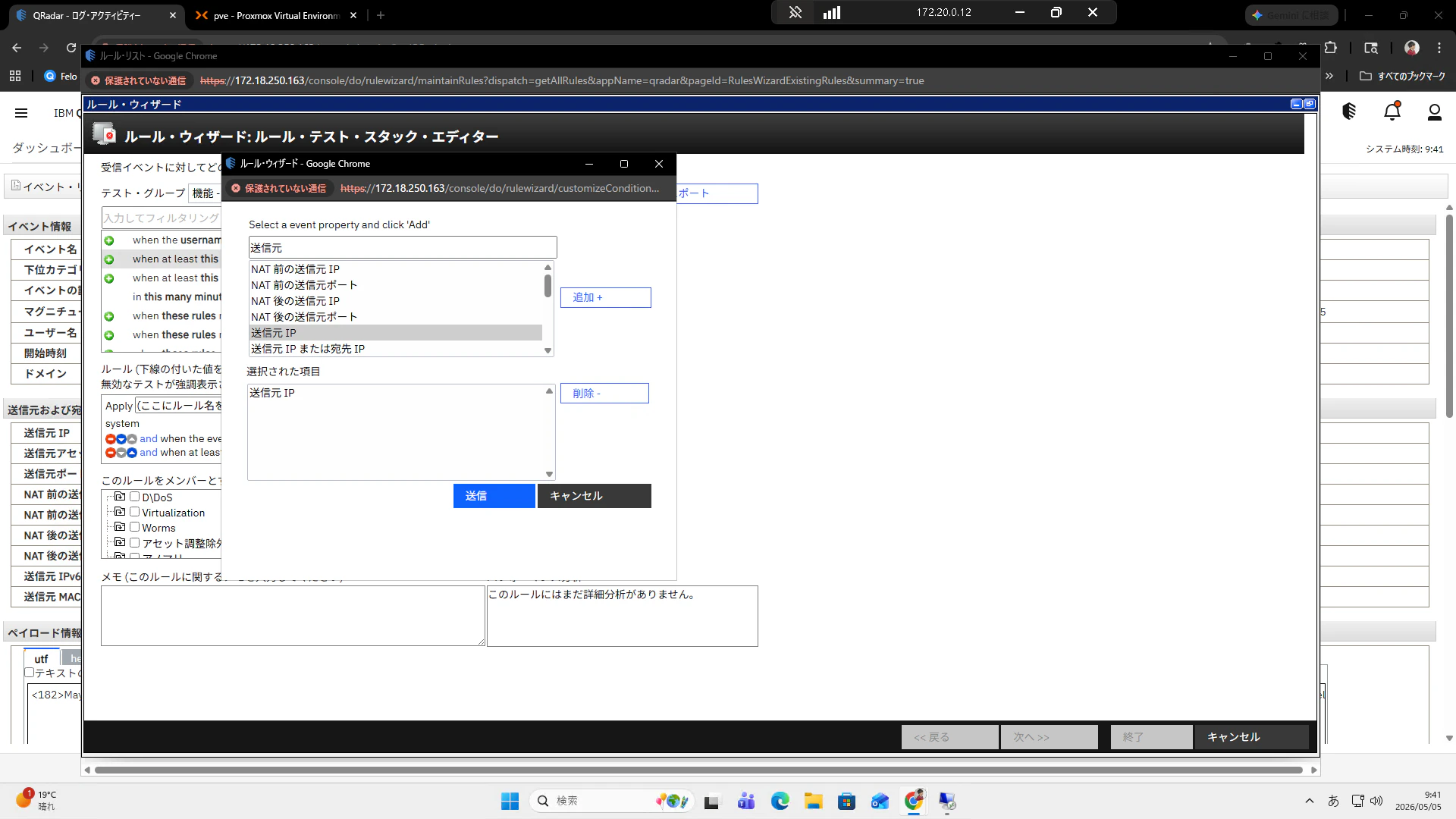
元の画面に戻ります。"this many"を選択します。
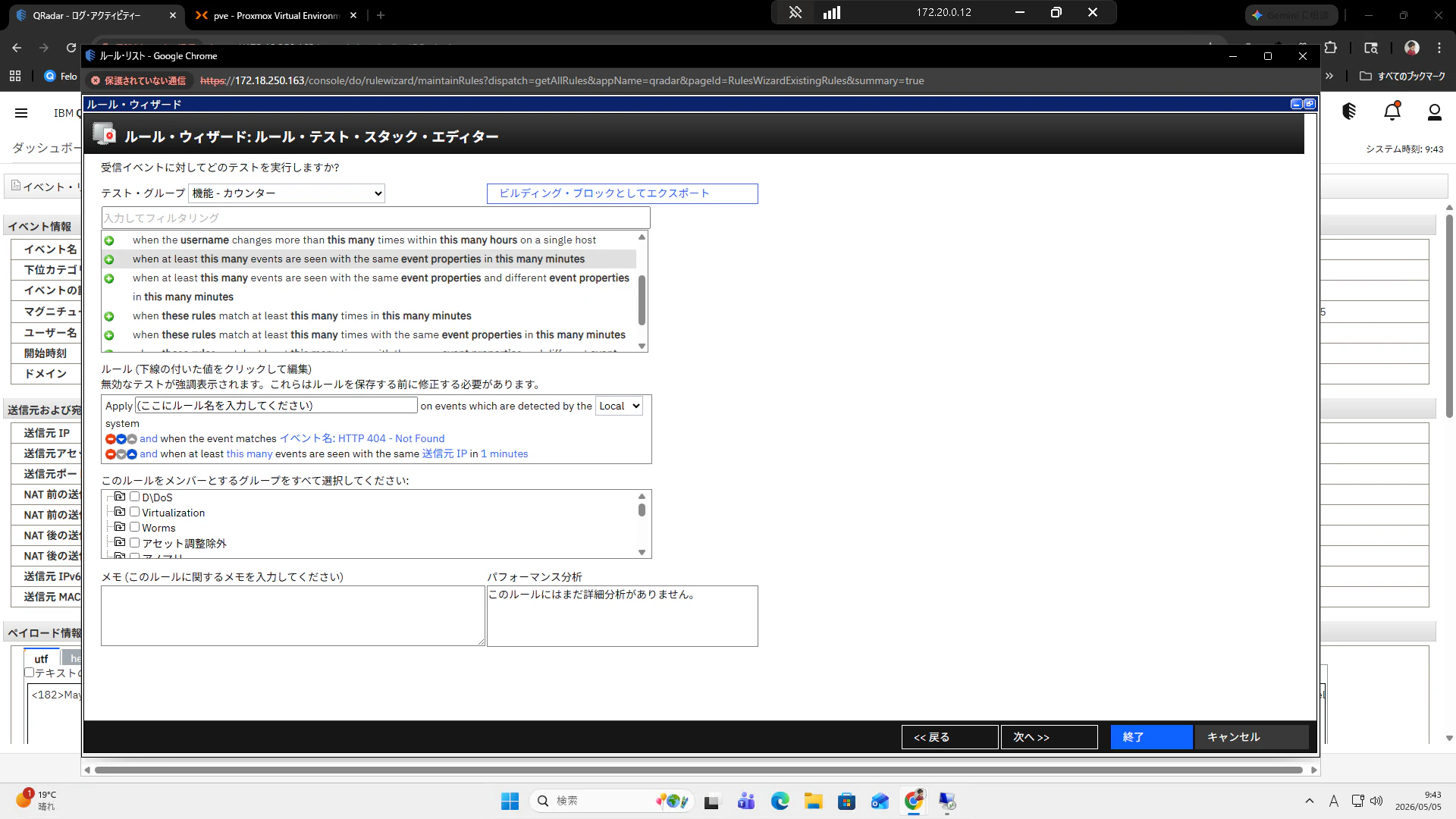
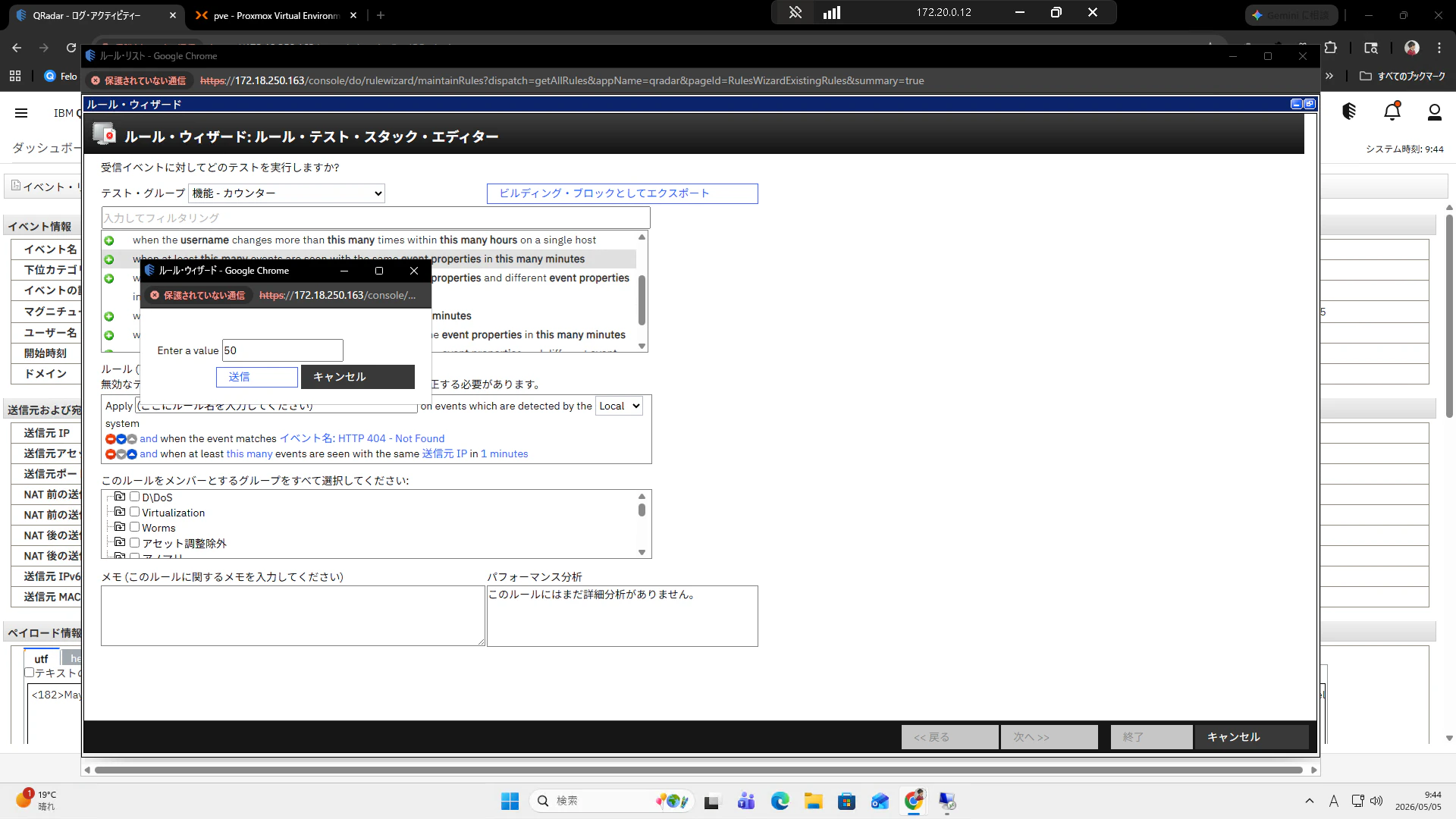
Enter a valueに50を入力して送信を押下します。
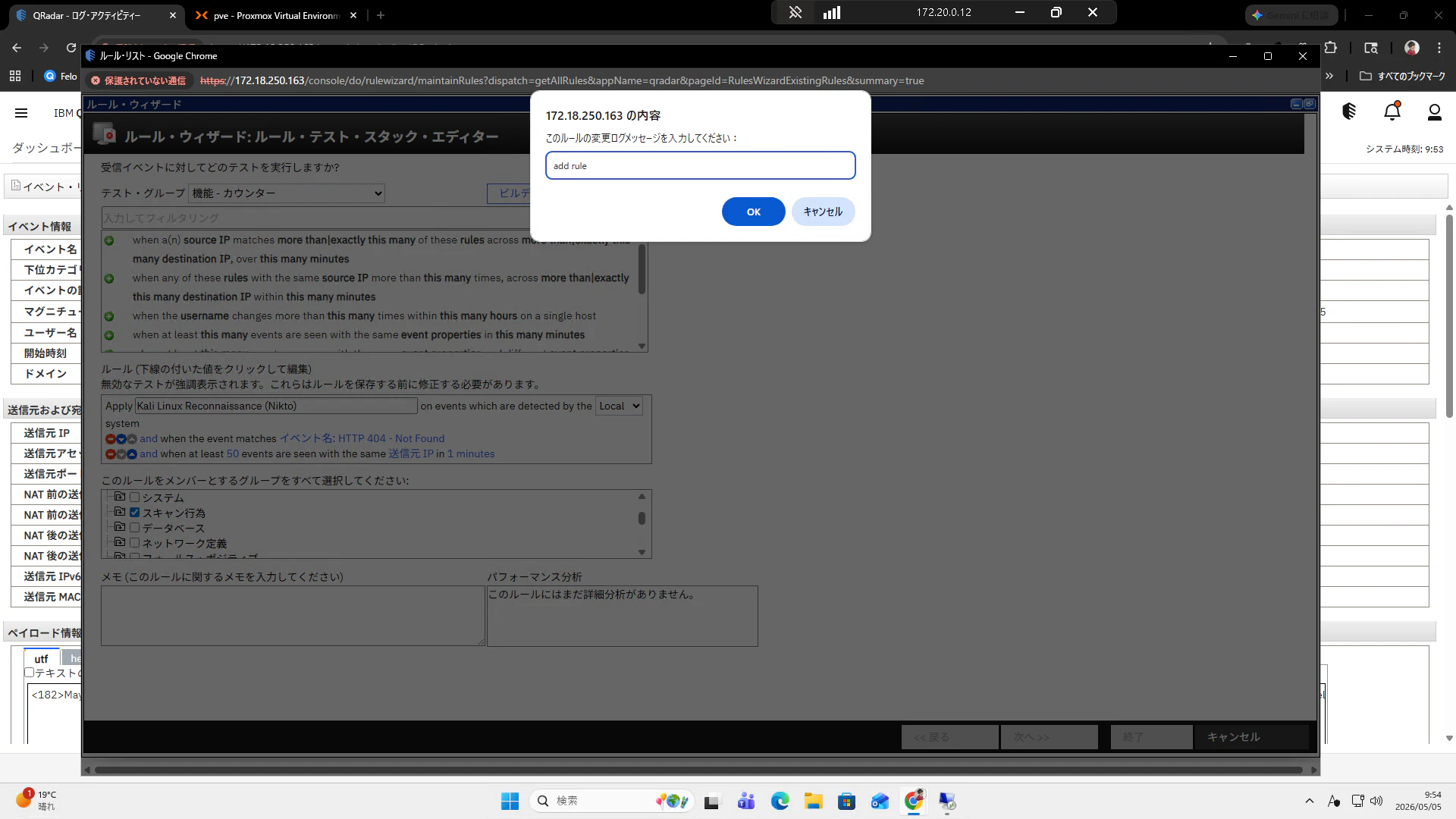
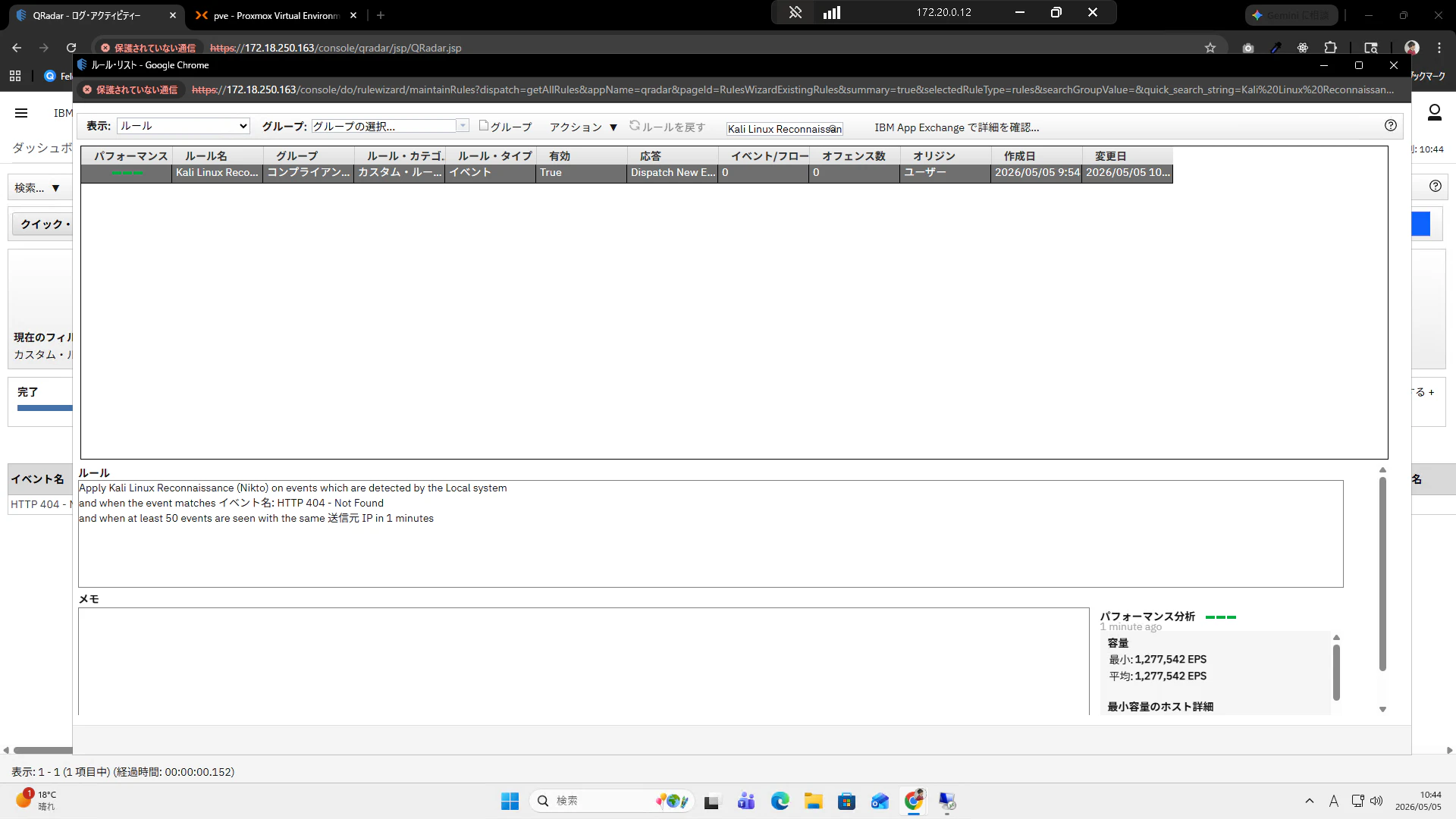
ルール名のところに"Kali Linux Reconnaissance (Nikto)"と入力します。
グループは今回はコンプライアンスとスキャン行為を選択していきます。
ルールについては最終的に以下となります。
- and when the event matches イベント名: HTTP 404 - Not Found
- and when at least 50 events are seen with the same 送信元 IP in 1 minutes
次へボタンを押下します。

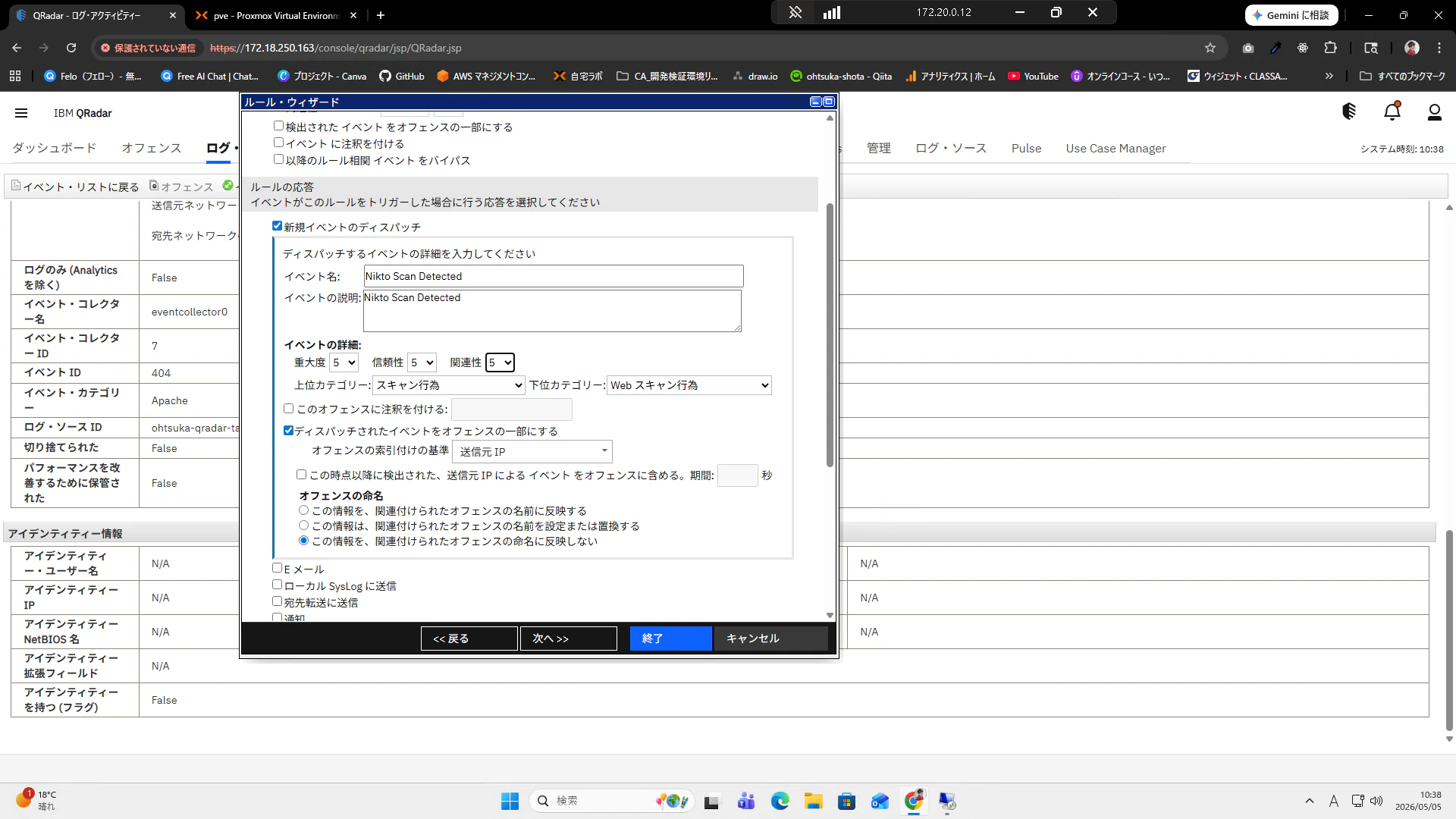
ルールの応答から新規イベントのディスパッチにチェックを開きます。
イベント名:Nikto Scan Detected
上位カテゴリ:スキャン行為
下位カテゴリ:Webスキャン行為
ディスパッチされたイベントをオフェンスの一部にする:チェック
オフェンスの検索付けの基準:送信元IP
この設定を入れて終了を押下します。
任意の文言を追加して、OKボタンを押下します。
元の画面に戻ります。
画面上部に検索窓がありますので、Kali Linux Reconnaissance (Nikto)と検索すると、先ほどのルールが表示されると思います。
動作確認
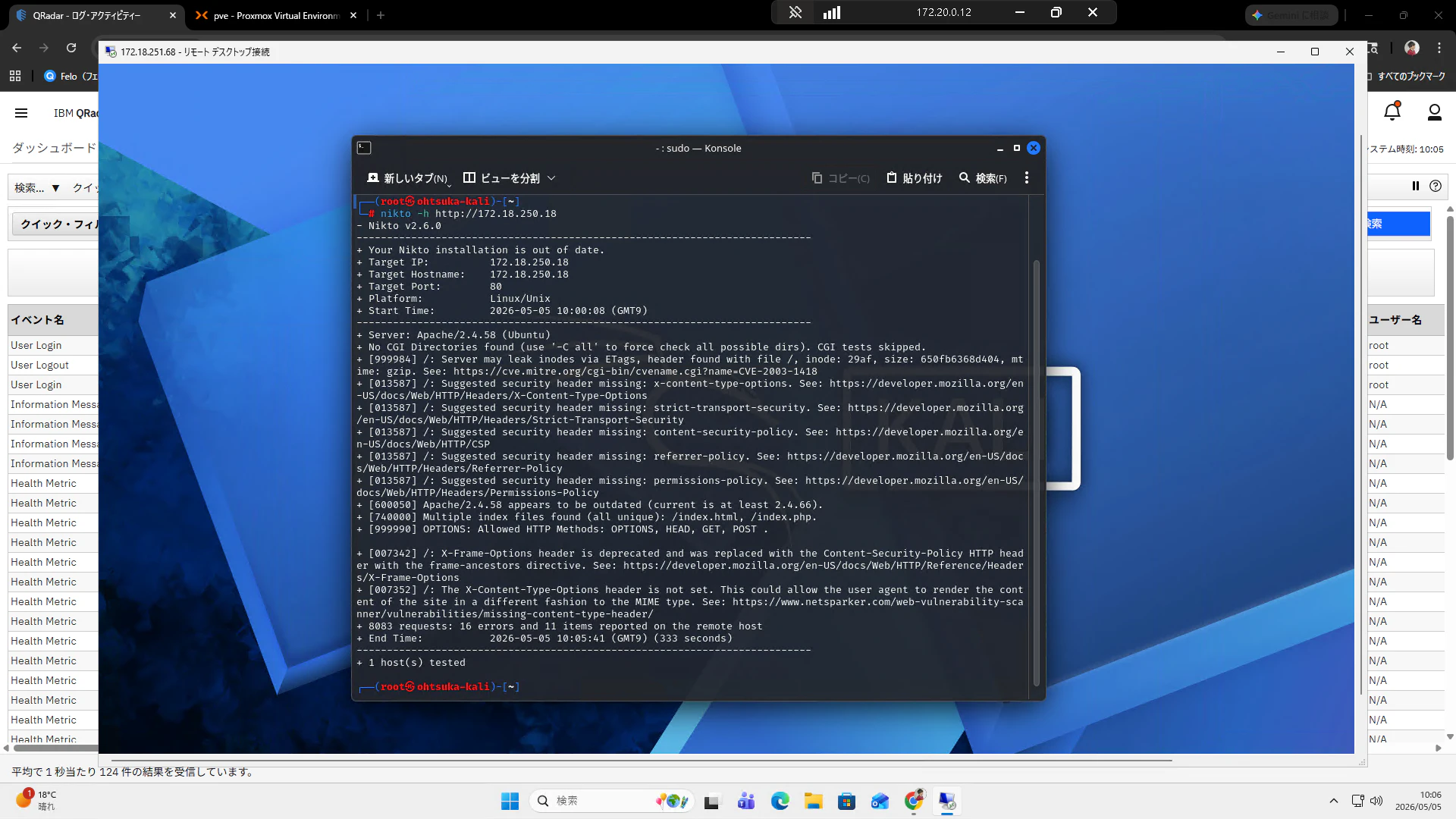
Kali Linuxで改めて攻撃対象に対してniktoを使ってWeb脆弱性を調査してみます。
┌──(root㉿ohtsuka-kali)-[~]
└─# nikto -h http://172.18.250.18
- Nikto v2.6.0
---------------------------------------------------------------------------
+ Your Nikto installation is out of date.
+ Target IP:          172.18.250.18
+ Target Hostname:    172.18.250.18
+ Target Port:        80
+ Platform:           Linux/Unix
+ Start Time:         2026-05-05 10:00:08 (GMT9)
---------------------------------------------------------------------------
+ Server: Apache/2.4.58 (Ubuntu)
+ No CGI Directories found (use '-C all' to force check all possible dirs). CGI tests skipped.
+ [999984] /: Server may leak inodes via ETags, header found with file /, inode: 29af, size: 650fb6368d404, mtime: gzip. See: https://cve.mitre.org/cgi-bin/cvename.cgi?name=CVE-2003-1418
+ [013587] /: Suggested security header missing: x-content-type-options. See: https://developer.mozilla.org/en-US/docs/Web/HTTP/Headers/X-Content-Type-Options
+ [013587] /: Suggested security header missing: strict-transport-security. See: https://developer.mozilla.org/en-US/docs/Web/HTTP/Headers/Strict-Transport-Security
+ [013587] /: Suggested security header missing: content-security-policy. See: https://developer.mozilla.org/en-US/docs/Web/HTTP/CSP
+ [013587] /: Suggested security header missing: referrer-policy. See: https://developer.mozilla.org/en-US/docs/Web/HTTP/Headers/Referrer-Policy
+ [013587] /: Suggested security header missing: permissions-policy. See: https://developer.mozilla.org/en-US/docs/Web/HTTP/Headers/Permissions-Policy
+ [600050] Apache/2.4.58 appears to be outdated (current is at least 2.4.66).
+ [740000] Multiple index files found (all unique): /index.html, /index.php.
+ [999990] OPTIONS: Allowed HTTP Methods: OPTIONS, HEAD, GET, POST .

+ [007342] /: X-Frame-Options header is deprecated and was replaced with the Content-Security-Policy HTTP header with the frame-ancestors directive. See: https://developer.mozilla.org/en-US/docs/Web/HTTP/Reference/Headers/X-Frame-Options
+ [007352] /: The X-Content-Type-Options header is not set. This could allow the user agent to render the content of the site in a different fashion to the MIME type. See: https://www.netsparker.com/web-vulnerability-scanner/vulnerabilities/missing-content-type-header/
+ 8083 requests: 16 errors and 11 items reported on the remote host
+ End Time:           2026-05-05 10:05:41 (GMT9) (333 seconds)
---------------------------------------------------------------------------
+ 1 host(s) tested
QRadarで検知していることを確認します。
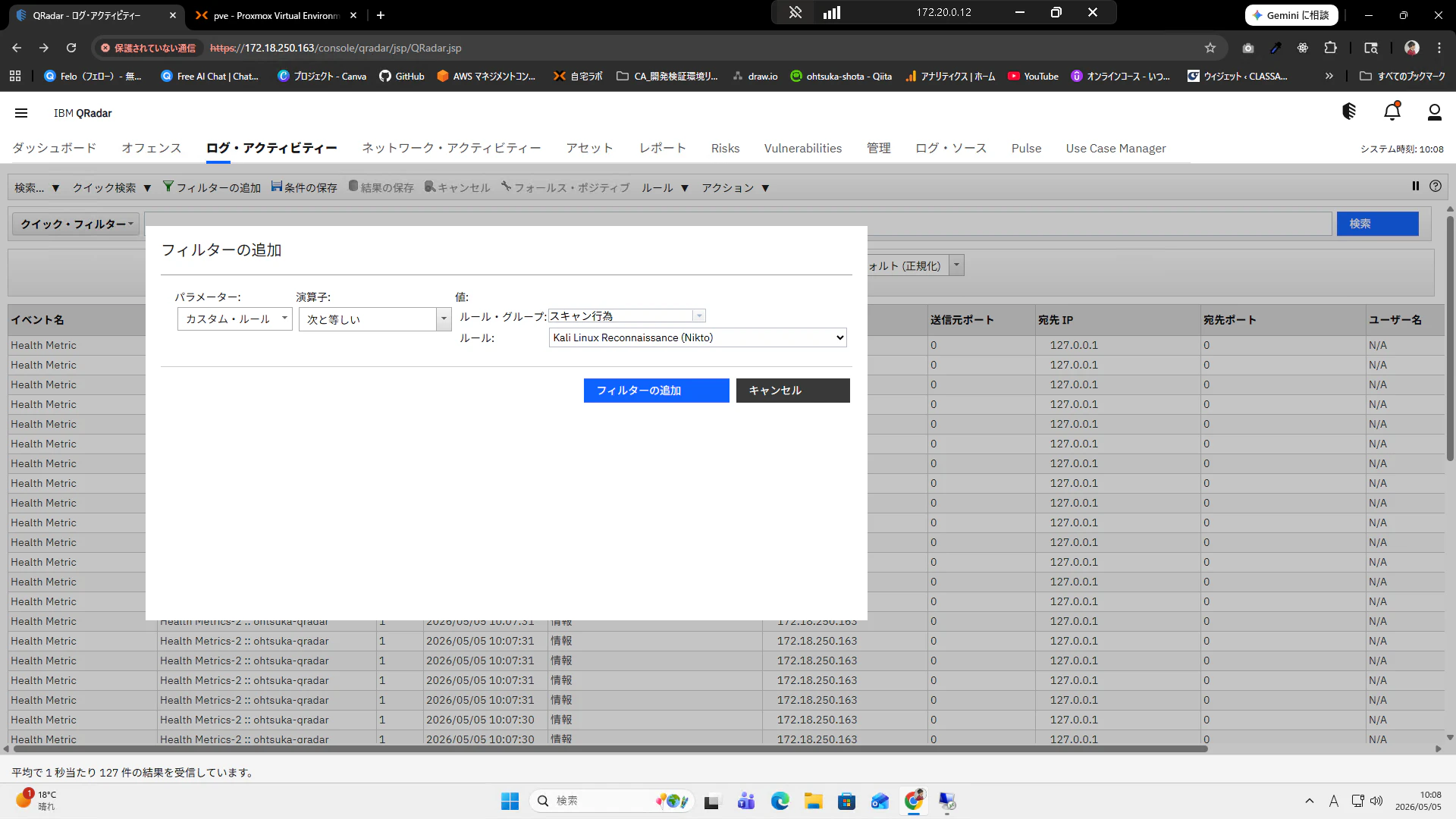
ログ・アクティビティーからフィルタをかけます。今回は以下とします。
パラメータ:カスタム・ルール
演算子:次と等しい
ルール・ブック:Kali Linux Reconnaissance (Nikto)
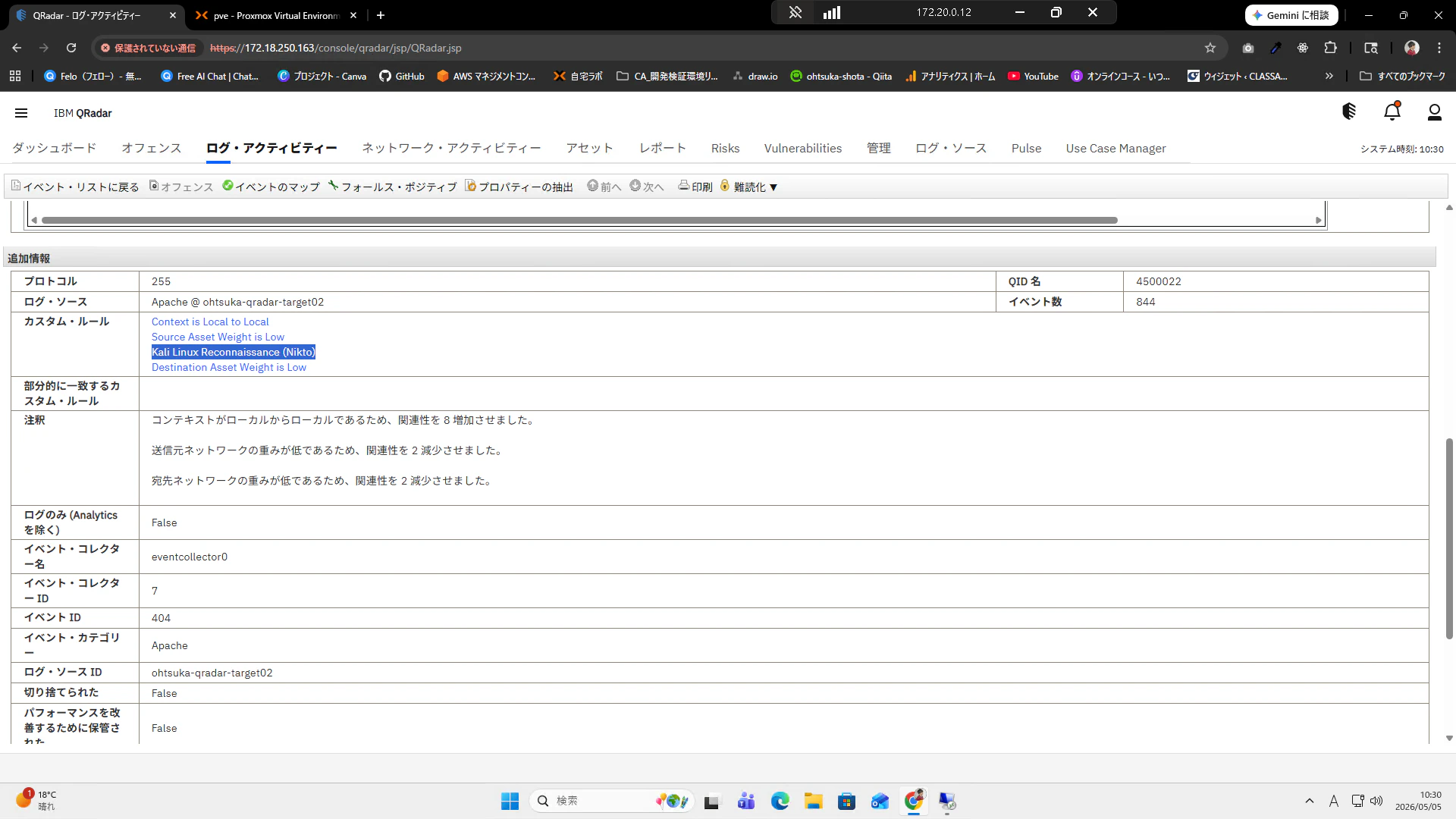
フィルタに引っ掛かるイベントがあります。適当に押下します。
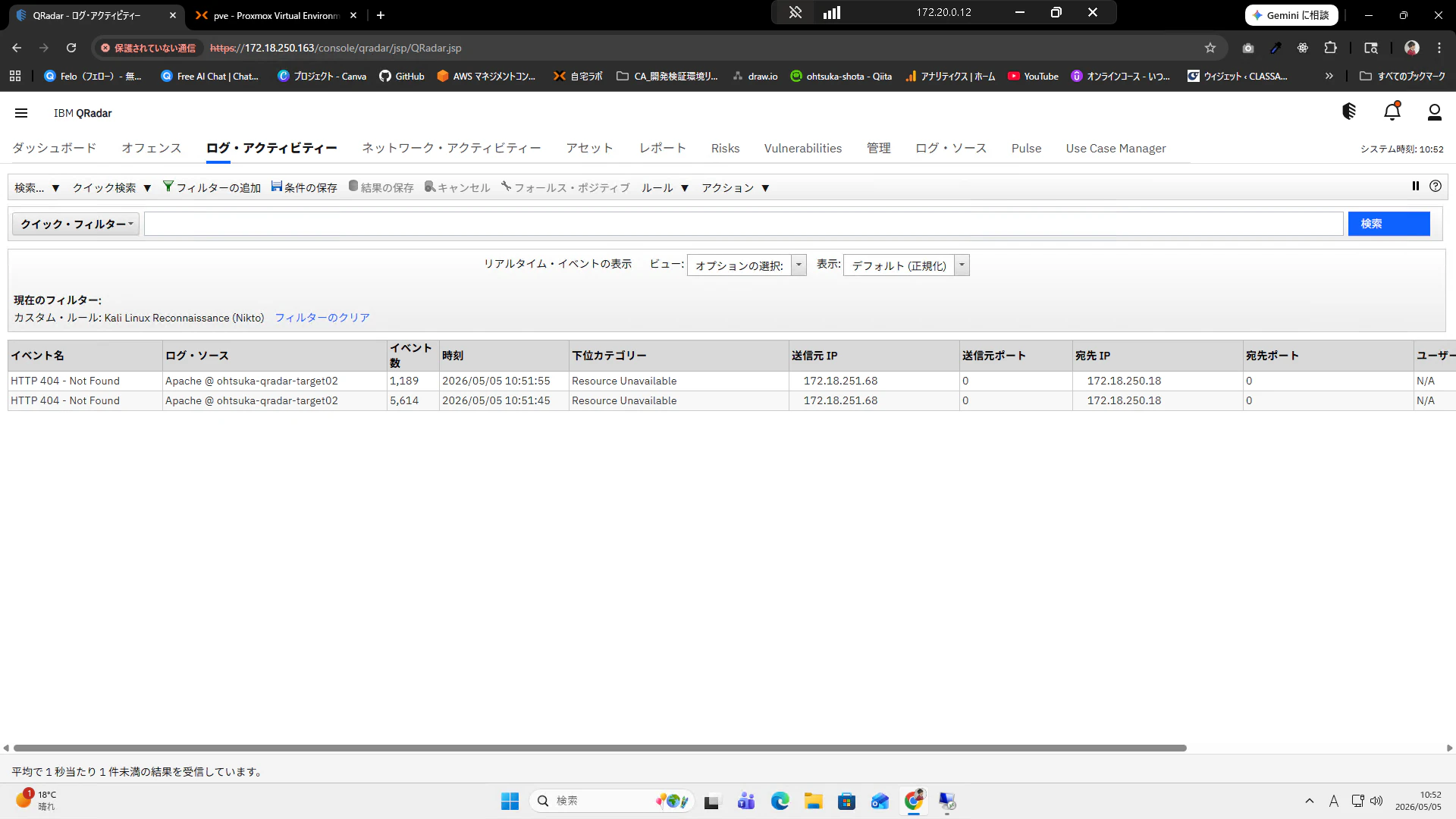
詳細を見ると"Kali Linux Reconnaissance (Nikto)"で検知していることがわかります。
オフェンスを確認してみます。
Webスキャンでヒットしているものがあることがわかります。これをダブルクリックします。
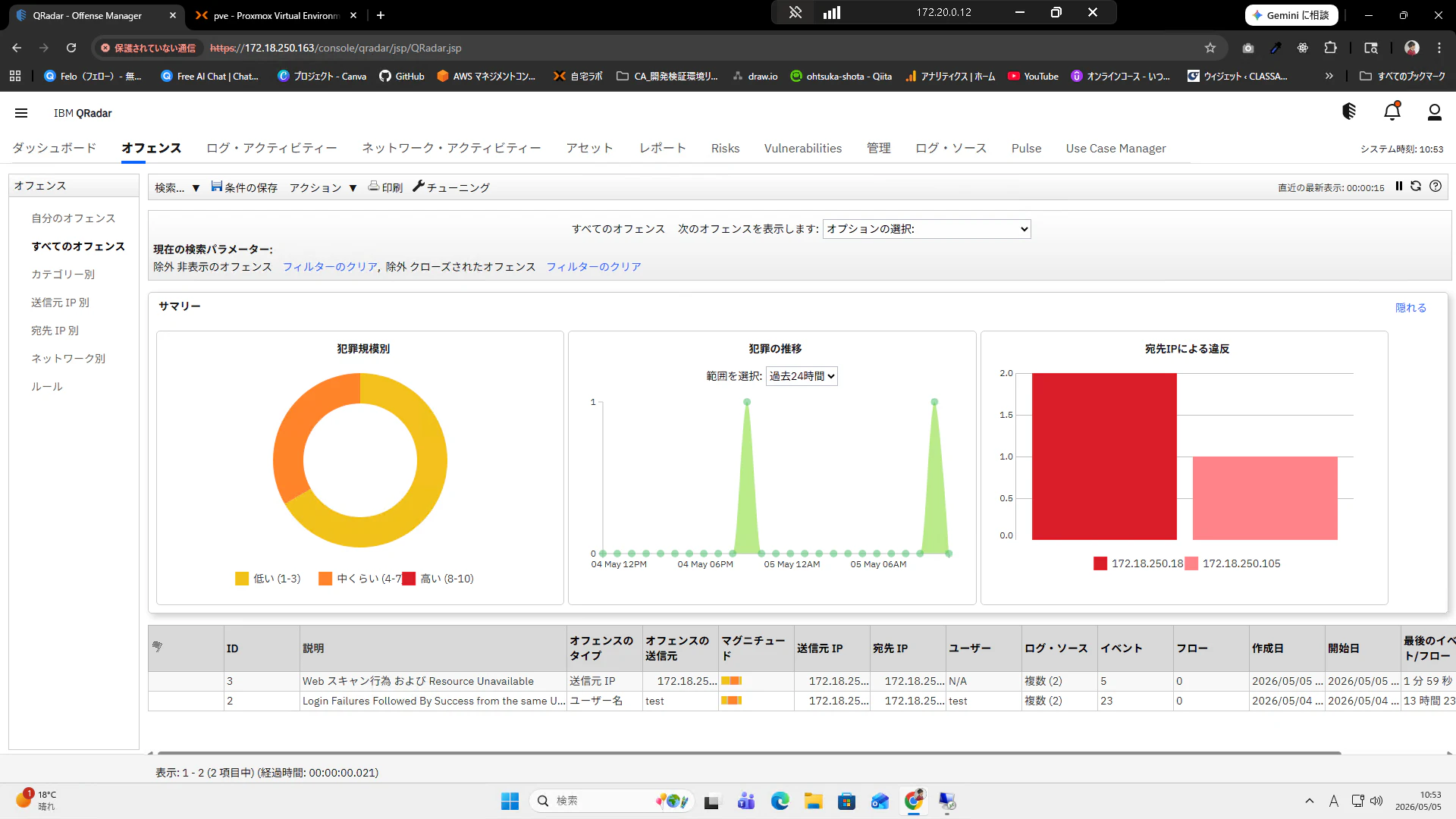
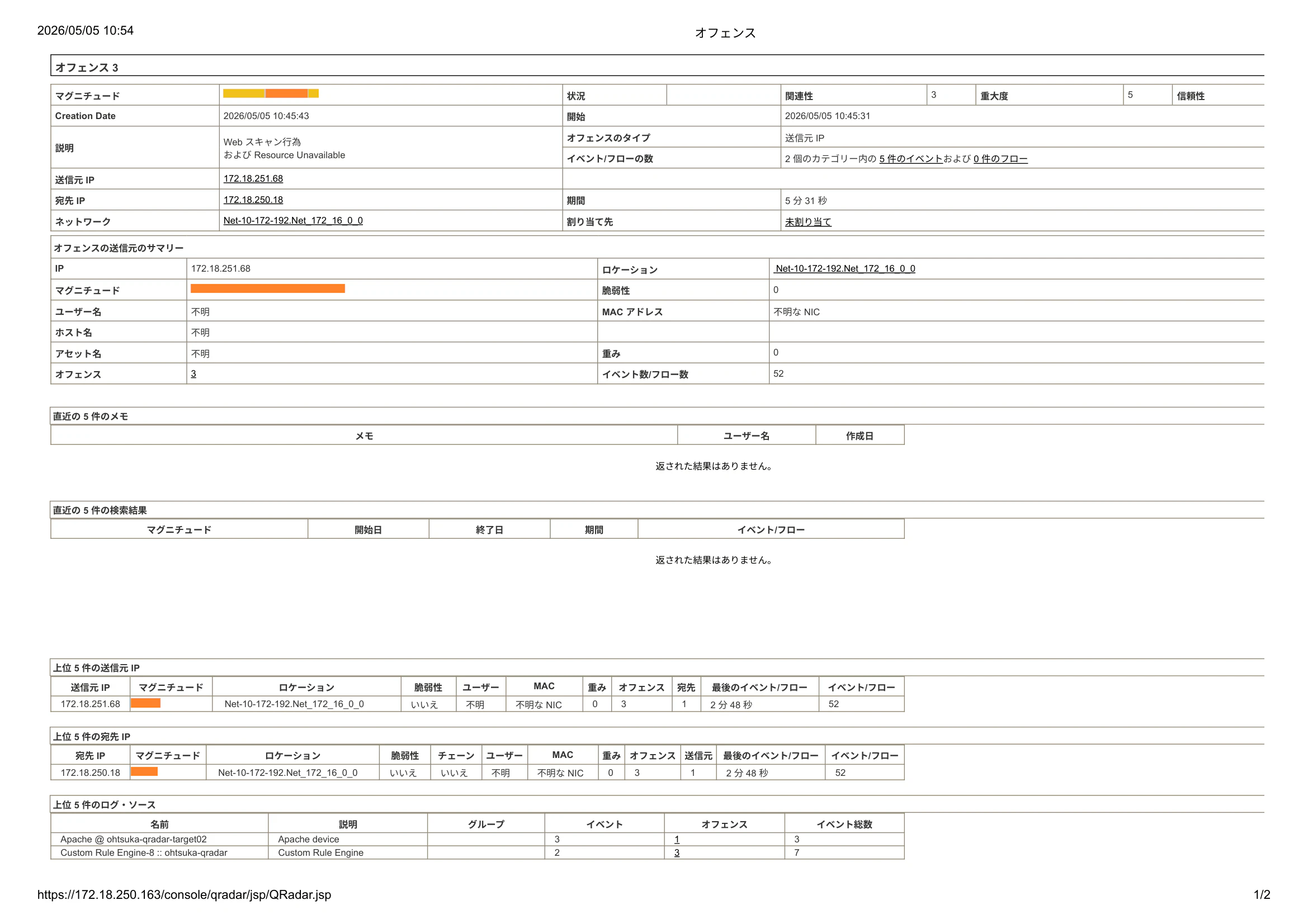
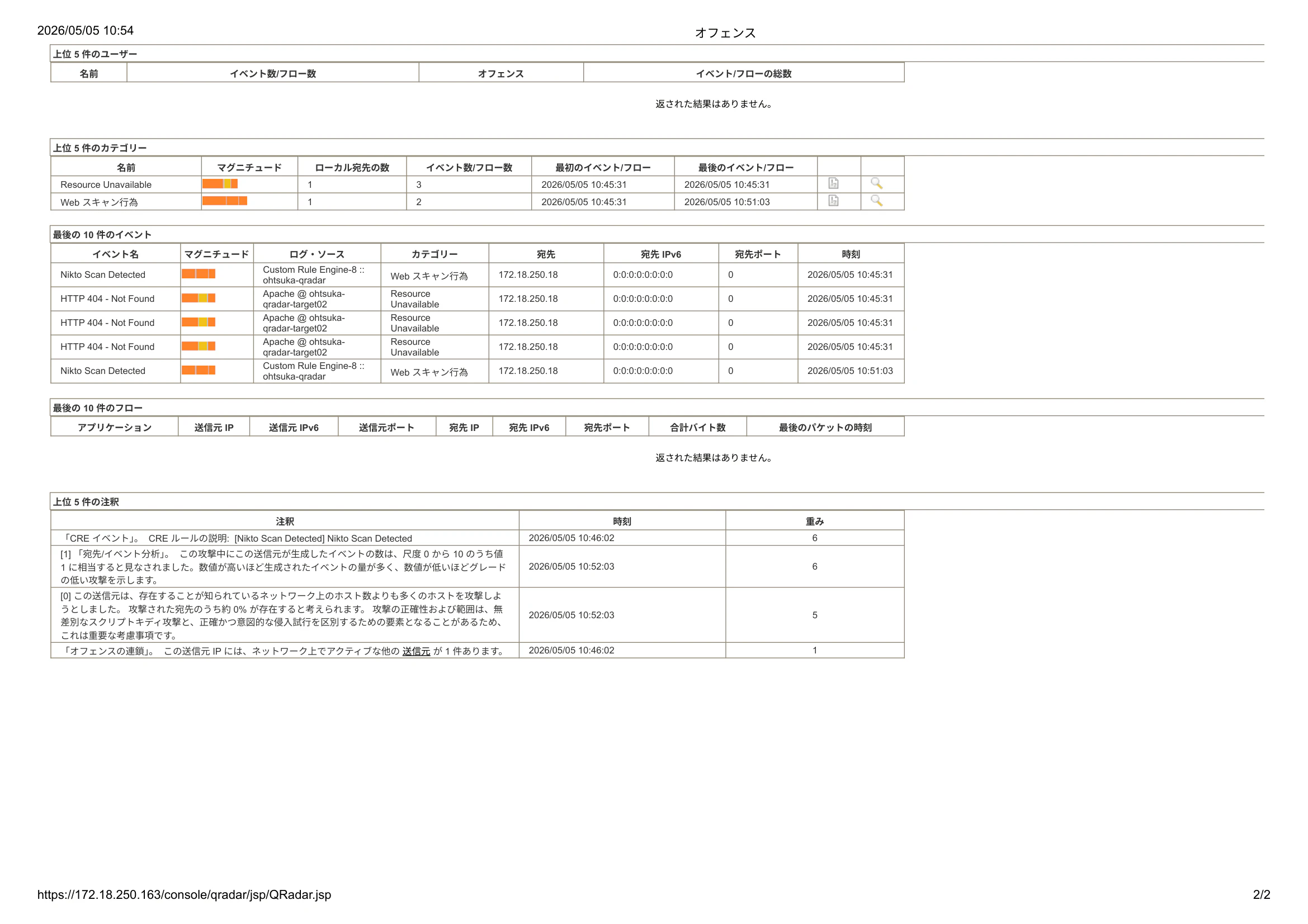
詳細は以下となります。