こんにちは。
株式会社クラスアクト インフラストラクチャ事業部の大塚です。
この記事では、DockerImageをカスタマイズしたり、カスタマイズしたDockerImageをDockerHubにpushしてバージョン管理する方法だったりの備忘録を書いておこうと思います。
※Djangoを使ったWebアプリケーションをつくりたいな~と思い、DockerHub上にあるDjangoイメージをpullして使用しようとしたら、Djangoのバージョンがまさかの1.●台だったので「だったら自分でカスタマイズしたほうが早いな」と思い、こんなことになってしまいました。。。汗
DockerHub上にあったDjangoイメージ
私が以前、自分の環境でdocker networkの試験ということで適当にDjangoのコンテナをデプロイしたのですが、その時に叩いたコマンドは以下となります。
root@docker:~# docker run -itd --name django-con --net my-dk-br django:latest
Unable to find image 'django:latest' locally
latest: Pulling from library/django
75a822cd7888: Pull complete
e4665cede9d1: Pull complete
202a45aa091c: Pull complete
7799136eb561: Pull complete
7a7f9ca3fd40: Pull complete
412f2d081014: Pull complete
Digest: sha256:5bfd3f442952463f5bc97188b7f43cfcd6c2f631a017ee2a6fca3cb8992501e8
Status: Downloaded newer image for django:latest
4fd58c1ecdd0354b55c9a71e0f1d2face81843555f127f005a0b4fe07af979dc
このコマンドを実行した際、ローカルにdjangoイメージがあればそれを使うのですが、そうでない場合自動的にDockerHubにイメージを取りに行きます。
今回の私のパターンではローカルになかったのでDockerHubからイメージをpullしているのですが、その時に引っ張ってきたイメージはおそらく以下です。
これってよくよく調べてみると6年前に更新されたのが最後のようで、それ以降はアップデートされていないようでした。
それが起因してか、Djangoのバージョンがなんと1.●台。。。!
以下がデプロイしたコンテナに入り、pip listでインストールしているライブラリのバージョンを出力した結果になります。
Djangoだけでなくほかのものもぼちぼち古かったので、このイメージは使わず、最初から自分で作ってしまおうと思いました。
root@890ed06d9e04:/# pip list
DEPRECATION: The default format will switch to columns in the future. You can use --format=(legacy|columns) (or define a format=(legacy|columns) in your pip.conf under the [list] section) to disable this warning.
Django (1.10.4)
mysqlclient (1.3.9)
pip (9.0.1)
psycopg2 (2.6.2)
setuptools (20.10.1)
You are using pip version 9.0.1, however version 23.1 is available.
You should consider upgrading via the 'pip install --upgrade pip' command.
DockerImageの作成
本来であればDockerfileなるものを使ってイメージのコード化をしてしまったほうがいいのでしょうけど、別にそれを学びたいわけではないので、今回は手動で。コンテナに入りつつ足りないものをポチポチ入れていって、ある程度形になったらコンテナをイメージ化する形で対応していきます。
今回ベースとしたDockerImageはubuntu 22.04です。
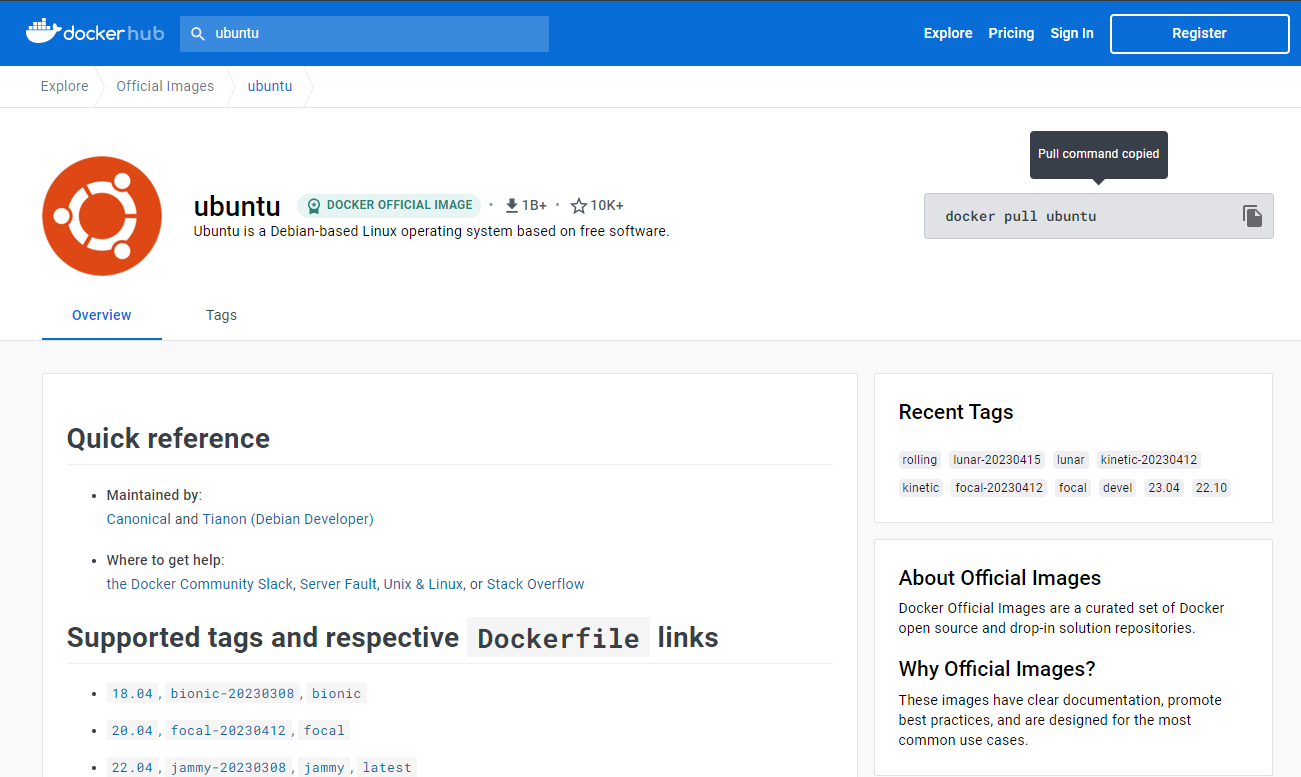
まず、このイメージをローカルにpullします。
root@docker:~# docker pull ubuntu:22.04
22.04: Pulling from library/ubuntu
Digest: sha256:67211c14fa74f070d27cc59d69a7fa9aeff8e28ea118ef3babc295a0428a6d21
Status: Downloaded newer image for ubuntu:22.04
docker.io/library/ubuntu:22.04

root@docker:~# docker image ls
REPOSITORY               TAG       IMAGE ID       CREATED         SIZE
portainer/portainer-ce   latest    f031e549070f   3 days ago      273MB
redis                    latest    eca1379fe8b5   4 days ago      117MB
nextcloud                latest    964325ce9b95   7 days ago      1e+03MB
nginx                    latest    6efc10a0510f   9 days ago      142MB
postgres                 latest    ceccf204404e   9 days ago      379MB
httpd                    latest    4b7fc736cb48   9 days ago      145MB
mysql                    latest    412b8cc72e4a   2 weeks ago     531MB
alpine                   latest    9ed4aefc74f6   3 weeks ago     7.05MB
ubuntu                   22.04     08d22c0ceb15   6 weeks ago     77.8MB
ubuntu                   latest    08d22c0ceb15   6 weeks ago     77.8MB
centos                   centos7   eeb6ee3f44bd   19 months ago   204MB
django                   latest    eb40dcf64078   6 years ago     436MB
pullしたイメージをもとにコンテナをデプロイ。デプロイしたコンテナに入りOSのバージョンを確認します。以下がその結果ですが、ubuntu 22.04で問題なさそうです。
root@docker:~# docker run -itd --name my-django ubuntu:22.04
882373b6681d3a406cb8d94d1c555e162fac8219c8fc542f33418d652c12d973
root@docker:~# docker exec -it my-django /bin/bash
root@882373b6681d:/# cat /etc/os-release
PRETTY_NAME="Ubuntu 22.04.2 LTS"
NAME="Ubuntu"
VERSION_ID="22.04"
VERSION="22.04.2 LTS (Jammy Jellyfish)"
VERSION_CODENAME=jammy
ID=ubuntu
ID_LIKE=debian
HOME_URL="https://www.ubuntu.com/"
SUPPORT_URL="https://help.ubuntu.com/"
BUG_REPORT_URL="https://bugs.launchpad.net/ubuntu/"
PRIVACY_POLICY_URL="https://www.ubuntu.com/legal/terms-and-policies/privacy-policy"
UBUNTU_CODENAME=jammy
root@882373b6681d:/# python --version
bash: python: command not found
pythonとpip、Djangoをインストールしていきます。
以下を参考にしました。
何をうったかだけ記載します。
root@882373b6681d:/# apt update
root@882373b6681d:/# apt upgrade
root@882373b6681d:/# apt install -y python3-pip
root@882373b6681d:/# pip --version
pip 22.0.2 from /usr/lib/python3/dist-packages/pip (python 3.10)
root@882373b6681d:/# apt install -y software-properties-common
root@882373b6681d:/# add-apt-repository ppa:deadsnakes/ppa
root@882373b6681d:/# apt update
root@882373b6681d:/# apt list python3.*
root@882373b6681d:/# apt install -y python3.12 python3.12-venv
root@882373b6681d:/# pip install django
pythonのバージョンや各種ライブラリのバージョンを確認します。
足りないものが判明したら都度インストールしていきます。よくないんでしょうが。。。
root@882373b6681d:/# python3 --version
Python 3.10.6

root@882373b6681d:/# pip list
Package             Version
------------------- -------------
asgiref             3.6.0
blinker             1.4
cryptography        3.4.8
dbus-python         1.2.18
distro              1.7.0
distro-info         1.1build1
Django              4.2
httplib2            0.20.2
importlib-metadata  4.6.4
jeepney             0.7.1
keyring             23.5.0
launchpadlib        1.10.16
lazr.restfulclient  0.14.4
lazr.uri            1.0.6
more-itertools      8.10.0
oauthlib            3.2.0
pip                 22.0.2
PyGObject           3.42.1
PyJWT               2.3.0
pyparsing           2.4.7
python-apt          2.4.0+ubuntu1
SecretStorage       3.3.1
setuptools          59.6.0
six                 1.16.0
sqlparse            0.4.4
unattended-upgrades 0.1
wadllib             1.3.6
wheel               0.37.1
zipp                1.0.0
この状態でいったんイメージ化します。
稼働しているコンテナをイメージ化するためにはdocker commitコマンドを使用するようです。
今回はmy-django-imageという名前のDockerImageを作成しました。
イメージの作成が出来ていることをdocker image lsで確認します。
root@docker:~# docker commit my-django my-django-image
sha256:55e95bb495d66998faf0e7f10ba54e7dc04a8dcb0e01d95fee5598c4e90c63ac

root@docker:~# docker image ls
REPOSITORY               TAG       IMAGE ID       CREATED         SIZE
my-django-image          latest    55e95bb495d6   2 minutes ago   646MB
portainer/portainer-ce   latest    f031e549070f   3 days ago      273MB
redis                    latest    eca1379fe8b5   4 days ago      117MB
nextcloud                latest    964325ce9b95   7 days ago      1e+03MB
nginx                    latest    6efc10a0510f   9 days ago      142MB
postgres                 latest    ceccf204404e   9 days ago      379MB
httpd                    latest    4b7fc736cb48   9 days ago      145MB
mysql                    latest    412b8cc72e4a   2 weeks ago     531MB
alpine                   latest    9ed4aefc74f6   3 weeks ago     7.05MB
ubuntu                   22.04     08d22c0ceb15   6 weeks ago     77.8MB
ubuntu                   latest    08d22c0ceb15   6 weeks ago     77.8MB
centos                   centos7   eeb6ee3f44bd   19 months ago   204MB
django                   latest    eb40dcf64078   6 years ago     436MB
DockerHubにpushする
これをDockerHubにpushしたいと思います。
まずDockerHubにWebブラウザでアクセスします。アカウントがない場合登録します。
ユーザ名やメールアドレス、パスワードを設定し
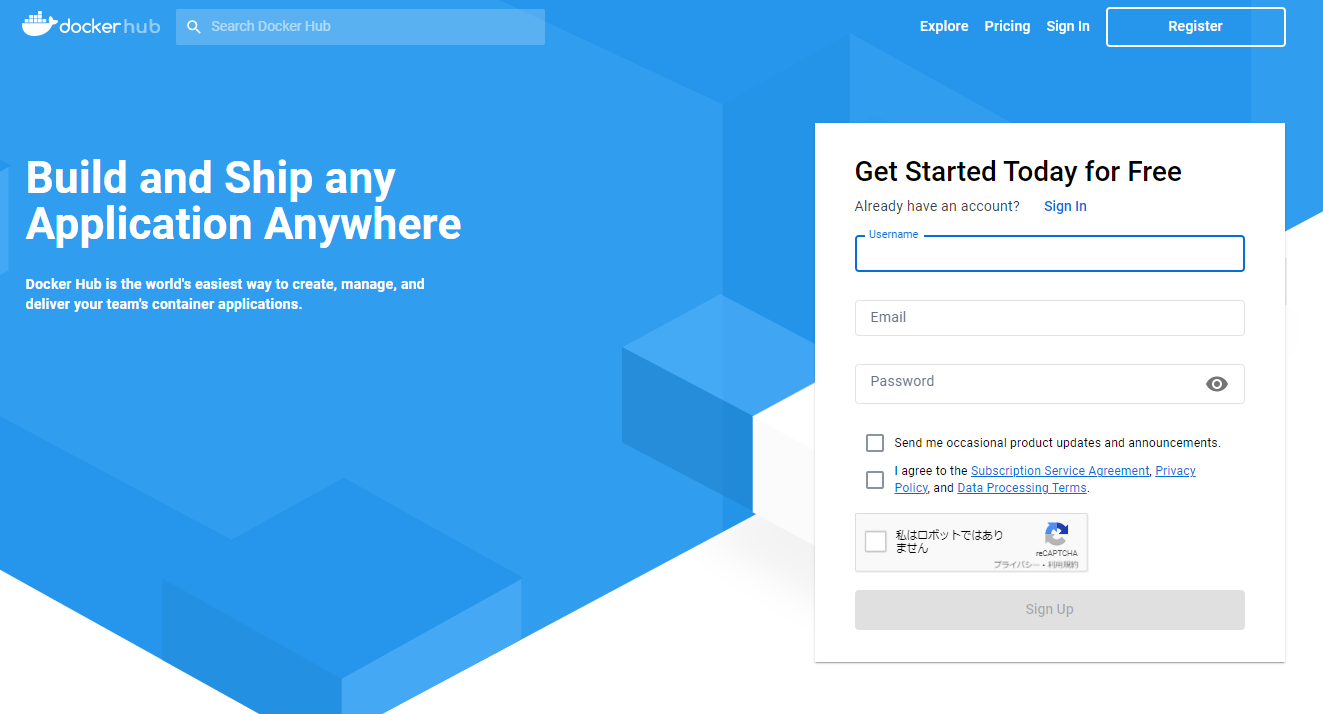
PlanはPersonalを選択します。

メールを確認してくれと言われるので、確認をすると、、、
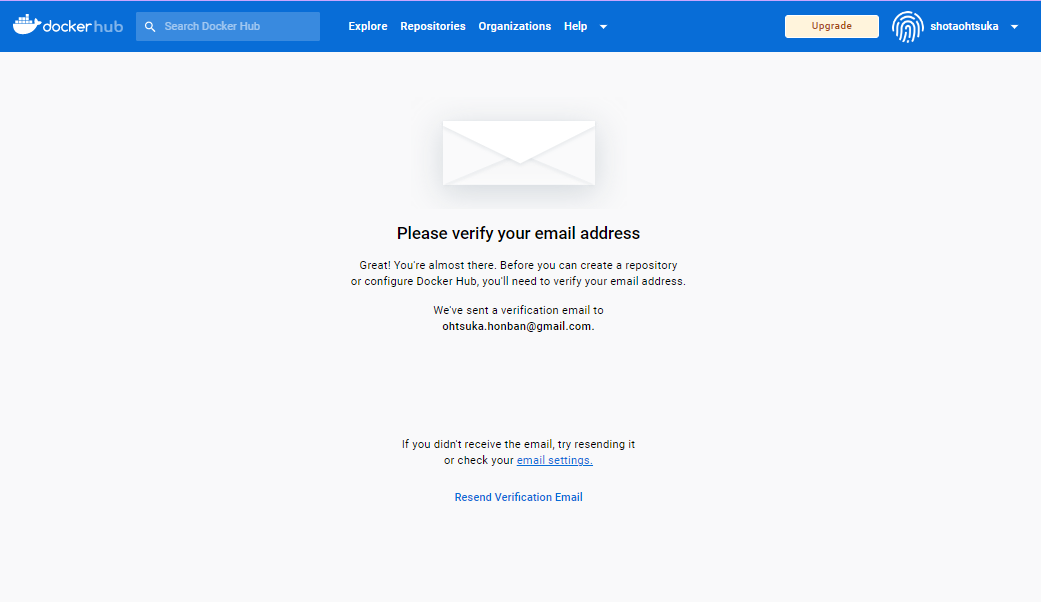
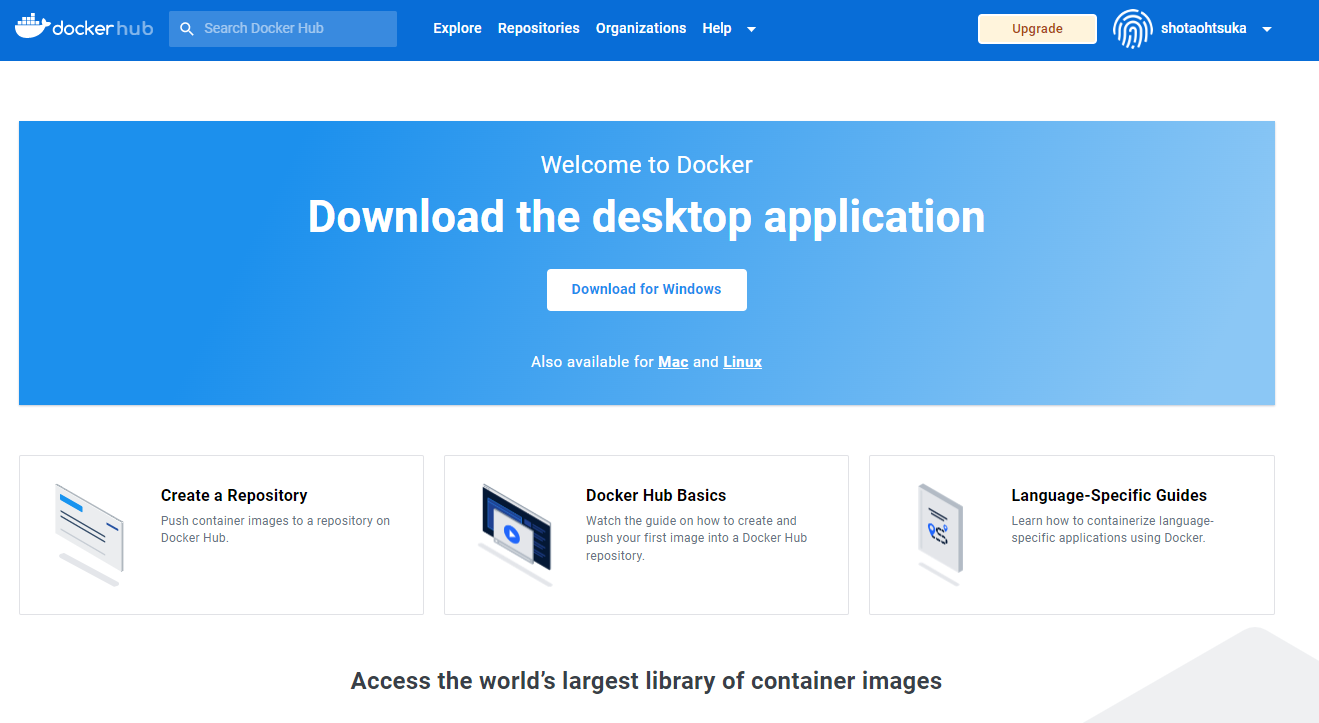
こんな感じの画面になると思います。
※画面上部に"Repositories"とあり、ここからWebサイト側からリポジトリを作成することも出来るのですが、docker pushの際に自動で生成されるのでここで作成しなくてもOKです。
サーバ側でDockerHubにログインします。
ログインするためにはdocker loginコマンドを使用します。
root@docker:~# docker login
Login with your Docker ID to push and pull images from Docker Hub. If you don't have a Docker ID, head over to https://hub.docker.com to create one.
Username: shotaohtsuka
Password:
WARNING! Your password will be stored unencrypted in /root/.docker/config.json.
Configure a credential helper to remove this warning. See
https://docs.docker.com/engine/reference/commandline/login/#credentials-store
Login Succeeded
サーバのイメージをDockerHubにpushするためには主に次の手順を追えばよさそうです。
- docker tagコマンドを使ってイメージにtag付けを行う(tag:"django:latest"でいうところの"latest"部分)
- docker pushコマンドでDockerHubにpushする
では実際に作成したmy-django-imageにタグ付けを行い、pushしていきます。
tagの後の文字列の羅列はmy-django-imageのIMAGE IDになります。
root@docker:~# docker tag 55e95bb495d6 shotaohtsuka/my-django-image:latest
root@docker:~# docker image ls
REPOSITORY                     TAG       IMAGE ID       CREATED         SIZE
my-django-image                latest    55e95bb495d6   4 hours ago     646MB
shotaohtsuka/my-django-image   latest    55e95bb495d6   4 hours ago     646MB
portainer/portainer-ce         latest    f031e549070f   4 days ago      273MB
redis                          latest    eca1379fe8b5   4 days ago      117MB
nextcloud                      latest    964325ce9b95   7 days ago      1e+03MB
nginx                          latest    6efc10a0510f   9 days ago      142MB
postgres                       latest    ceccf204404e   9 days ago      379MB
httpd                          latest    4b7fc736cb48   10 days ago     145MB
mysql                          latest    412b8cc72e4a   2 weeks ago     531MB
alpine                         latest    9ed4aefc74f6   3 weeks ago     7.05MB
ubuntu                         22.04     08d22c0ceb15   6 weeks ago     77.8MB
ubuntu                         latest    08d22c0ceb15   6 weeks ago     77.8MB
centos                         centos7   eeb6ee3f44bd   19 months ago   204MB
django                         latest    eb40dcf64078   6 years ago     436MB

root@docker:~# docker push shotaohtsuka/my-django-image
Using default tag: latest
The push refers to repository [docker.io/shotaohtsuka/my-django-image]
bf846b78d73a: Pushed
b93c1bd012ab: Pushed
latest: digest: sha256:c64b17376f63a2c936e422dc29c6fda9c01e2202f8cb62c6c011349d941adb6c size: 742
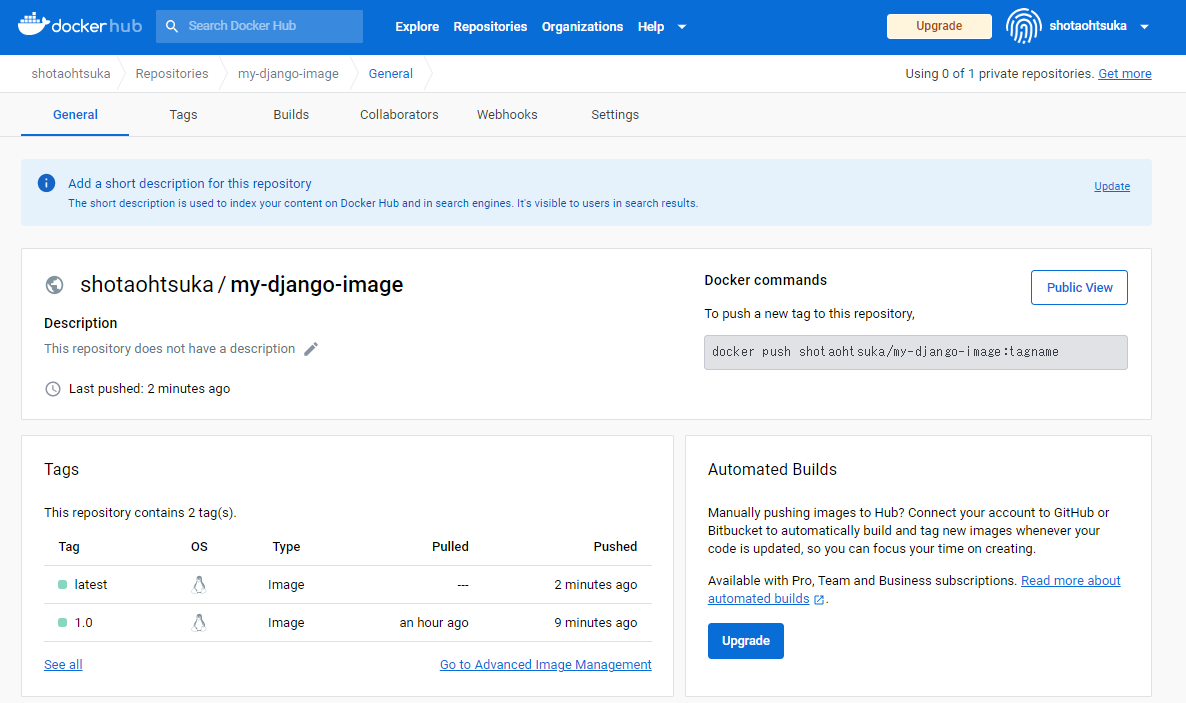
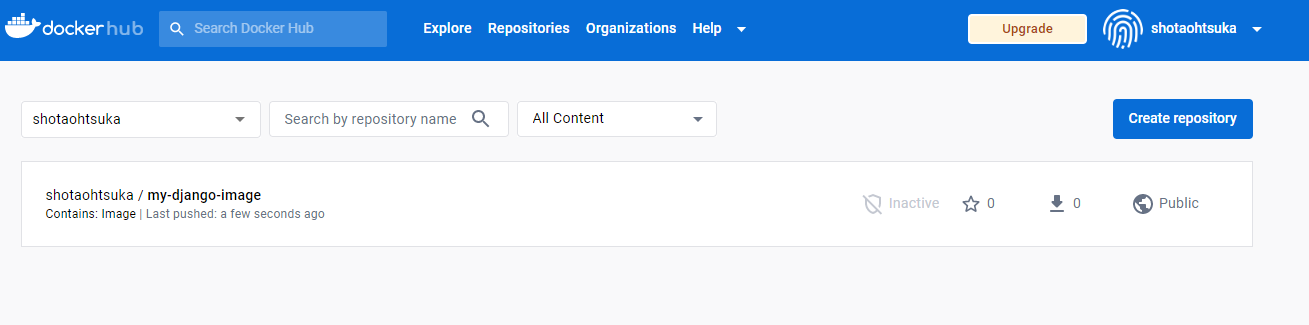
DockerHub側でイメージがpushされているか確認してみましょう。
Repositoriesを押下してみると、確認することができます。
DockerImage/DockerHubのバージョン管理について
ここでは割愛しますが、自作したmy-django-imageを使ってコンテナをデプロイし、色々と作業をしました。
そこで作業後のコンテナからイメージを再度作成。それを最新版(tag:latest)として保管し、この1つ前のイメージを1.0として管理したいと思いました。
このようなパターンの場合、以下でよさそうでした。
※最も、もっと効果的な方法もあるんでしょうが。。。。。
- docker tagコマンドでtagを1.0にしたイメージファイルを作成する。
- docker pushで1.0のものをDockerHubにpushする。
- docker commitコマンドで現在のコンテナをイメージ化
- docker tagコマンドでイメージ化したものにlatestのタグ付け
- docker pushでlatestのものをDokerHubにpush
まず1,2の部分
root@docker:~# docker image ls
REPOSITORY                     TAG       IMAGE ID       CREATED         SIZE
my-django-image                latest    55e95bb495d6   4 hours ago     646MB
shotaohtsuka/my-django-image   latest    55e95bb495d6   4 hours ago     646MB
portainer/portainer-ce         latest    f031e549070f   4 days ago      273MB
redis                          latest    eca1379fe8b5   4 days ago      117MB
nextcloud                      latest    964325ce9b95   7 days ago      1e+03MB
nginx                          latest    6efc10a0510f   9 days ago      142MB
postgres                       latest    ceccf204404e   9 days ago      379MB
httpd                          latest    4b7fc736cb48   10 days ago     145MB
mysql                          latest    412b8cc72e4a   2 weeks ago     531MB
alpine                         latest    9ed4aefc74f6   3 weeks ago     7.05MB
ubuntu                         22.04     08d22c0ceb15   6 weeks ago     77.8MB
ubuntu                         latest    08d22c0ceb15   6 weeks ago     77.8MB
centos                         centos7   eeb6ee3f44bd   19 months ago   204MB
django                         latest    eb40dcf64078   6 years ago     436MB
root@docker:~# docker tag 55e95bb495d6 shotaohtsuka/my-django-image:1.0
root@docker:~# docker image ls
REPOSITORY                     TAG       IMAGE ID       CREATED         SIZE
my-django-image                latest    55e95bb495d6   6 hours ago     646MB
shotaohtsuka/my-django-image   1.0       55e95bb495d6   6 hours ago     646MB
shotaohtsuka/my-django-image   latest    55e95bb495d6   6 hours ago     646MB
portainer/portainer-ce         latest    f031e549070f   4 days ago      273MB
redis                          latest    eca1379fe8b5   4 days ago      117MB
nextcloud                      latest    964325ce9b95   7 days ago      1e+03MB
nginx                          latest    6efc10a0510f   9 days ago      142MB
postgres                       latest    ceccf204404e   10 days ago     379MB
httpd                          latest    4b7fc736cb48   10 days ago     145MB
mysql                          latest    412b8cc72e4a   2 weeks ago     531MB
alpine                         latest    9ed4aefc74f6   3 weeks ago     7.05MB
ubuntu                         22.04     08d22c0ceb15   6 weeks ago     77.8MB
ubuntu                         latest    08d22c0ceb15   6 weeks ago     77.8MB
centos                         centos7   eeb6ee3f44bd   19 months ago   204MB
django                         latest    eb40dcf64078   6 years ago     436MB
root@docker:~# docker push shotaohtsuka/my-django-image:1.0
The push refers to repository [docker.io/shotaohtsuka/my-django-image]
bf846b78d73a: Layer already exists
b93c1bd012ab: Layer already exists
1.0: digest: sha256:c64b17376f63a2c936e422dc29c6fda9c01e2202f8cb62c6c011349d941adb6c size: 742
次に3,4,5の部分
root@docker:~# docker commit django-con my-django-image
sha256:55e0f735a3ae3c0426f1ed9cb64cf135974489ea3c8635b8294cb0fe88f63522
root@docker:~# docker image ls
REPOSITORY                     TAG       IMAGE ID       CREATED              SIZE
my-django-image                latest    55e0f735a3ae   About a minute ago   685MB
shotaohtsuka/my-django-image   1.0       55e95bb495d6   6 hours ago          646MB
shotaohtsuka/my-django-image   latest    55e95bb495d6   6 hours ago          646MB
portainer/portainer-ce         latest    f031e549070f   4 days ago           273MB
redis                          latest    eca1379fe8b5   4 days ago           117MB
nextcloud                      latest    964325ce9b95   7 days ago           1e+03MB
nginx                          latest    6efc10a0510f   9 days ago           142MB
postgres                       latest    ceccf204404e   10 days ago          379MB
httpd                          latest    4b7fc736cb48   10 days ago          145MB
mysql                          latest    412b8cc72e4a   2 weeks ago          531MB
alpine                         latest    9ed4aefc74f6   3 weeks ago          7.05MB
ubuntu                         22.04     08d22c0ceb15   6 weeks ago          77.8MB
ubuntu                         latest    08d22c0ceb15   6 weeks ago          77.8MB
centos                         centos7   eeb6ee3f44bd   19 months ago        204MB
django                         latest    eb40dcf64078   6 years ago          436MB
root@docker:~# docker tag 55e0f735a3ae shotaohtsuka/my-django-image:latest
root@docker:~# docker image ls
REPOSITORY                     TAG       IMAGE ID       CREATED         SIZE
my-django-image                latest    55e0f735a3ae   2 minutes ago   685MB
shotaohtsuka/my-django-image   latest    55e0f735a3ae   2 minutes ago   685MB
shotaohtsuka/my-django-image   1.0       55e95bb495d6   6 hours ago     646MB
portainer/portainer-ce         latest    f031e549070f   4 days ago      273MB
redis                          latest    eca1379fe8b5   4 days ago      117MB
nextcloud                      latest    964325ce9b95   7 days ago      1e+03MB
nginx                          latest    6efc10a0510f   9 days ago      142MB
postgres                       latest    ceccf204404e   10 days ago     379MB
httpd                          latest    4b7fc736cb48   10 days ago     145MB
mysql                          latest    412b8cc72e4a   2 weeks ago     531MB
alpine                         latest    9ed4aefc74f6   3 weeks ago     7.05MB
ubuntu                         22.04     08d22c0ceb15   6 weeks ago     77.8MB
ubuntu                         latest    08d22c0ceb15   6 weeks ago     77.8MB
centos                         centos7   eeb6ee3f44bd   19 months ago   204MB
django                         latest    eb40dcf64078   6 years ago     436MB
root@docker:~# docker push shotaohtsuka/my-django-image:latest
The push refers to repository [docker.io/shotaohtsuka/my-django-image]
4c6106b49d52: Pushed
bf846b78d73a: Layer already exists
b93c1bd012ab: Layer already exists
latest: digest: sha256:63dc995b9a27594c4b72c32c16168e5b4f8de614bcc633ff06b2d6bc5401b867 size: 954
DockerHubで確認してみると1.0のものとlatestのものが出来上がっていますね。
問題なさそうに見えます。