こんにちは。
株式会社クラスアクト インフラストラクチャ事業部の大塚です。
今後お仕事でCFNのドリフトチェックとか、CFNで作っている環境を更新することがありそうですので、それらの手順を勉強していきたいと思います。
ドリフトとは?
AIに聞いてみた
CloudFormationの「ドリフト」とは、AWS CloudFormationスタックのリソースの状態が、CloudFormationテンプレートに定義された状態からどの程度ずれているか(ドリフトしているか)を示す概念です。具体的には、スタックが作成された後に、リソースの設定やプロパティが手動で変更された場合、その変更がCloudFormationの管理下から外れることを意味します。
ドリフトの主なポイント
-
ドリフトの検出:
- CloudFormationは、スタックのリソースの実際の状態と、テンプレートに記述された期待される状態を比較することでドリフトを検出します。
- ドリフトを検出するための操作は、AWS Management Console、AWS CLI、またはAWS SDKを使用して実行できます。
-
ドリフトの種類:
- ドリフトしている: リソースの設定がテンプレートと異なる場合。
- ドリフトしていない: リソースの設定がテンプレートと一致している場合。
- 不明: ドリフトの状態を確認できない場合。
-
ドリフトの影響:
- ドリフトが発生すると、CloudFormationスタックの管理が難しくなる可能性があります。手動での変更があると、スタックの更新や削除が計画通りに行えなくなる場合があります。
-
ドリフトの修正:
- ドリフトを修正するためには、リソースの設定を元の状態に戻すか、テンプレートを更新して新しい設定を反映させる必要があります。
-
ドリフト検出の実行:
- AWS Management Consoleで「スタックのドリフト検出」機能を使うことで、簡単にドリフトの状態を確認できます。
前提
以下のyamlをCFNに読み込ませ、環境を作っています。
今回はこのSGを手動でいじってドリフトを発生させます。
AWSTemplateFormatVersion: '2010-09-09'
Description: CloudFormation template to create a VPC with public and private subnets, an EC2 instance, and related resources in Tokyo region.

Resources:
  # VPC
  CfnVPC:
    Type: AWS::EC2::VPC
    Properties:
      CidrBlock: 10.0.0.0/16
      EnableDnsSupport: true
      EnableDnsHostnames: true
      Tags:
        - Key: Name
          Value: cfn-vpc

  # Public Subnet
  CfnPubSub:
    Type: AWS::EC2::Subnet
    Properties:
      VpcId: !Ref CfnVPC
      CidrBlock: 10.0.1.0/24
      AvailabilityZone: ap-northeast-1a
      MapPublicIpOnLaunch: true
      Tags:
        - Key: Name
          Value: cfn-pub-sub

  # Private Subnet
  CfnPriSub:
    Type: AWS::EC2::Subnet
    Properties:
      VpcId: !Ref CfnVPC
      CidrBlock: 10.0.2.0/24
      AvailabilityZone: ap-northeast-1a
      Tags:
        - Key: Name
          Value: cfn-pri-sub

  # Internet Gateway
  CfnIGW:
    Type: AWS::EC2::InternetGateway
    Properties: {}

  # Attach Internet Gateway to VPC
  CfnIGWAttachment:
    Type: AWS::EC2::VPCGatewayAttachment
    Properties:
      VpcId: !Ref CfnVPC
      InternetGatewayId: !Ref CfnIGW

  # Security Group
  CfnSG:
    Type: AWS::EC2::SecurityGroup
    Properties:
      GroupDescription: Allow HTTP, SSH, and ICMP access
      VpcId: !Ref CfnVPC
      SecurityGroupIngress:
        - IpProtocol: tcp
          FromPort: 80
          ToPort: 80
          CidrIp: 0.0.0.0/0
        - IpProtocol: tcp
          FromPort: 22
          ToPort: 22
          CidrIp: 0.0.0.0/0
        - IpProtocol: icmp
          FromPort: -1
          ToPort: -1
          CidrIp: 0.0.0.0/0
      Tags:
        - Key: Name
          Value: cfn-sg

  # Public Route Table
  CfnPubRT:
    Type: AWS::EC2::RouteTable
    Properties:
      VpcId: !Ref CfnVPC
      Tags:
        - Key: Name
          Value: cfn-pub-rt

  # Private Route Table
  CfnPriRT:
    Type: AWS::EC2::RouteTable
    Properties:
      VpcId: !Ref CfnVPC
      Tags:
        - Key: Name
          Value: cfn-pri-rt

  # Route for Internet Gateway
  CfnPubRoute:
    Type: AWS::EC2::Route
    Properties:
      RouteTableId: !Ref CfnPubRT
      DestinationCidrBlock: 0.0.0.0/0
      GatewayId: !Ref CfnIGW

  # Associate Public Route Table with Public Subnet
  CfnPubSubnetRTAssociation:
    Type: AWS::EC2::SubnetRouteTableAssociation
    Properties:
      SubnetId: !Ref CfnPubSub
      RouteTableId: !Ref CfnPubRT

  # Associate Private Route Table with Private Subnet
  CfnPriSubnetRTAssociation:
    Type: AWS::EC2::SubnetRouteTableAssociation
    Properties:
      SubnetId: !Ref CfnPriSub
      RouteTableId: !Ref CfnPriRT

  # EC2 Instance
  CfnEC2:
    Type: AWS::EC2::Instance
    Properties:
      InstanceType: t2.micro
      KeyName: ohtsuka-cfn # ここに適切なキーペア名を入力してください
      ImageId: ami-0c2da9ee6644f16e5 # ここに適切なAMI IDを入力してください
      SubnetId: !Ref CfnPubSub
      SecurityGroupIds:
        - !Ref CfnSG
      Tags:
        - Key: Name
          Value: cfn-ec2

Outputs:
  VPCId:
    Description: The VPC ID
    Value: !Ref CfnVPC
  PublicSubnetId:
    Description: The Public Subnet ID
    Value: !Ref CfnPubSub
  PrivateSubnetId:
    Description: The Private Subnet ID
    Value: !Ref CfnPriSub
  InternetGatewayId:
    Description: The Internet Gateway ID
    Value: !Ref CfnIGW
  SecurityGroupId:
    Description: The Security Group ID
    Value: !Ref CfnSG
  EC2InstanceId:
    Description: The EC2 Instance ID
    Value: !Ref CfnEC2
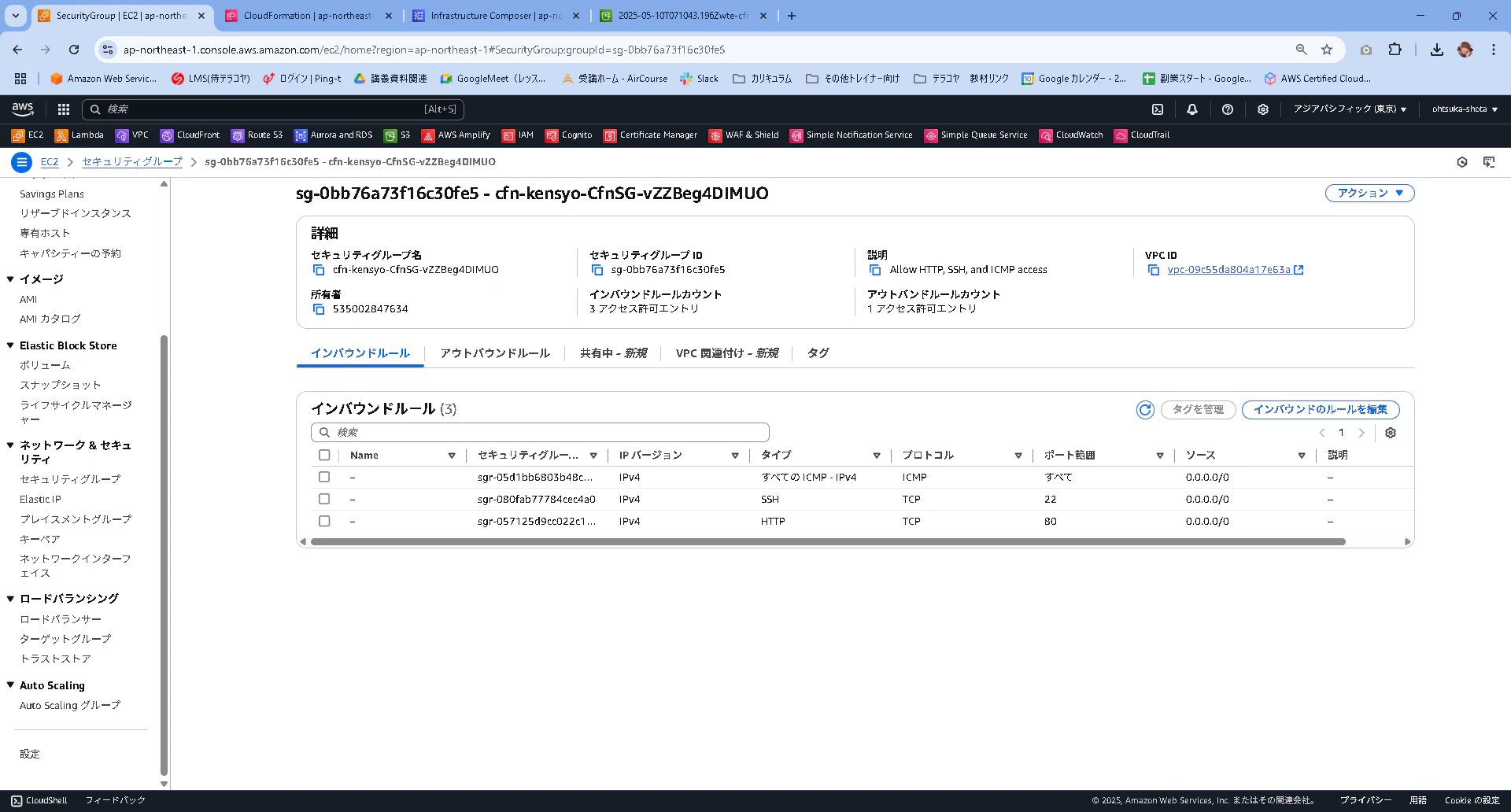
CFNで作られたSGは以下となります。
構築
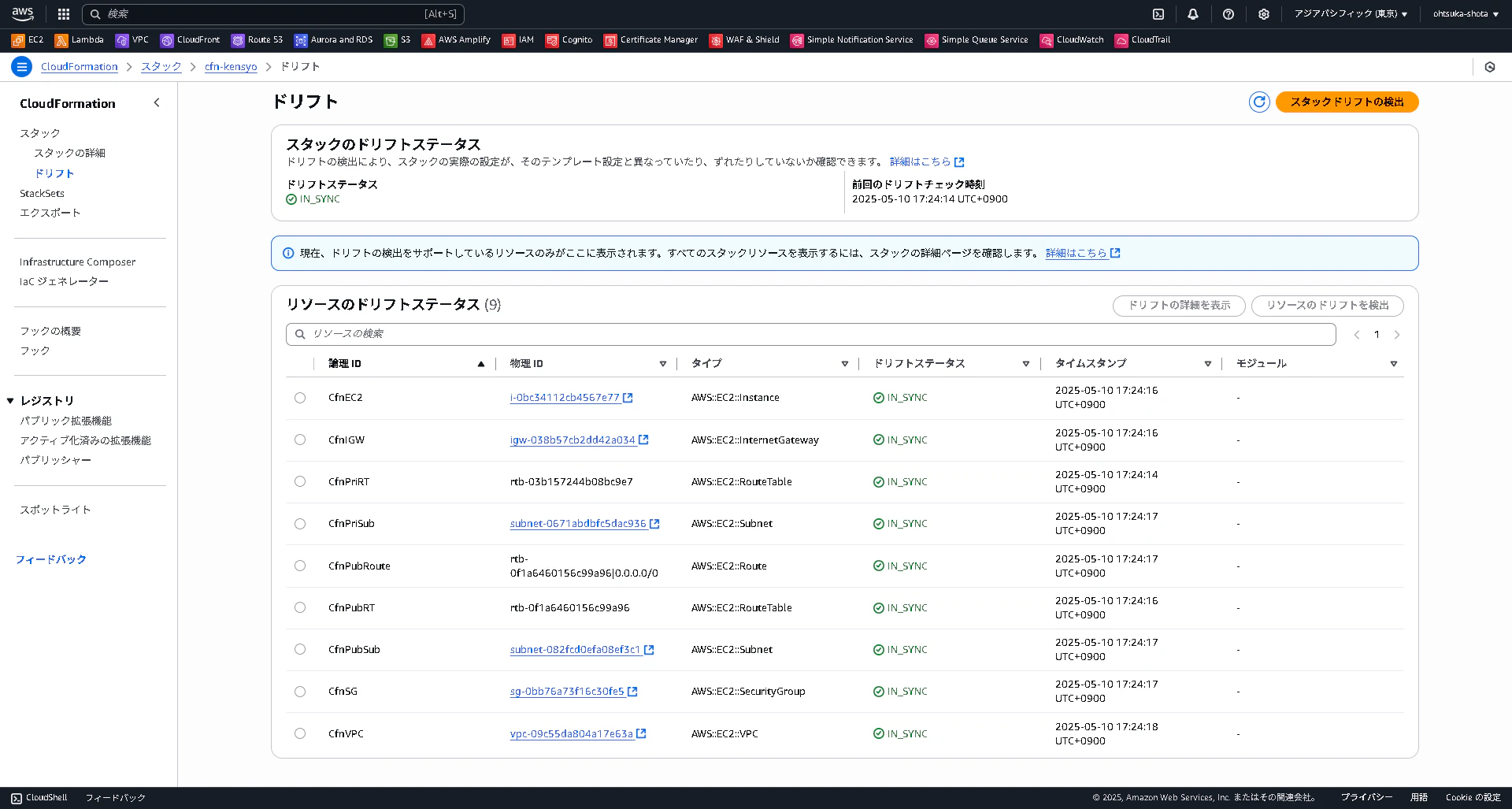
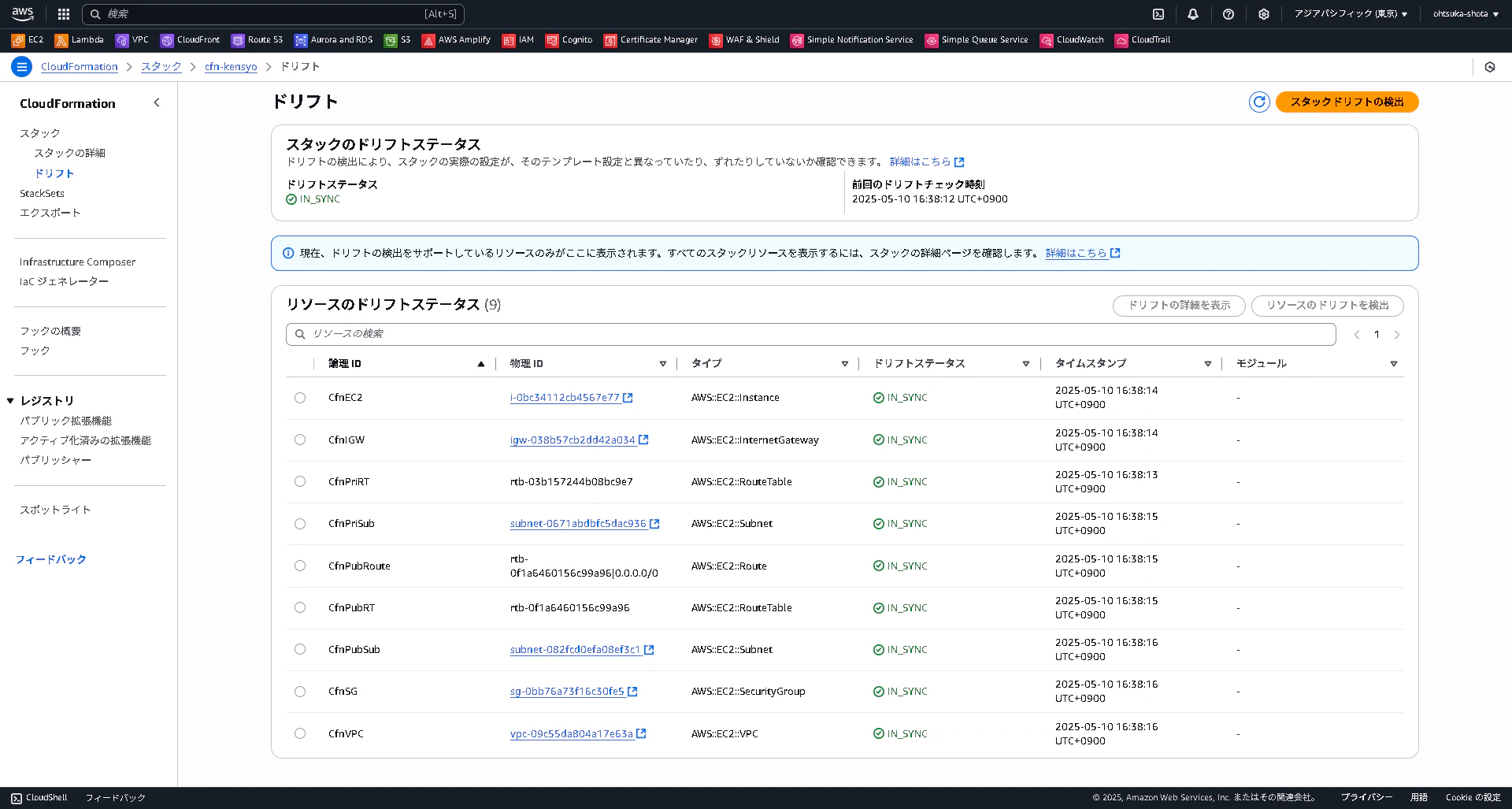
yamlでデプロイした環境と差分が無い場合、スタックのドリフトタブでスタックドリフトの検出を押下してみると、差分が無い状態(=IN_SYNC)となっている。当たり前ですが・・・!
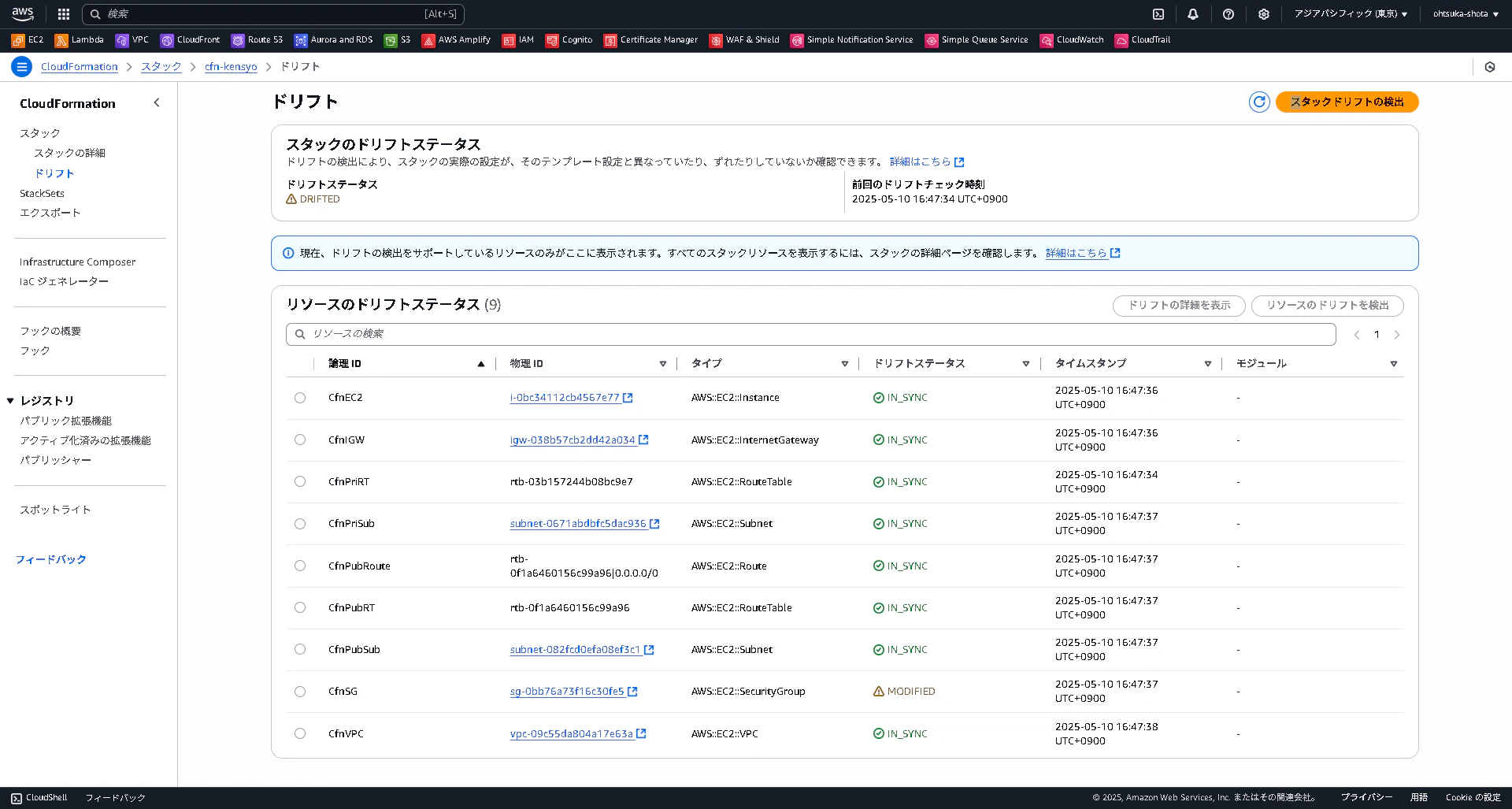
上記で提示したSGを意図的に手動変更しドリフトを発生させる。

改めてスタックドリフトの検出をしてみる。
結果としてSGの部分でMODIFIED(=差分が出ている)となる。
ドリフトの内容は、ドリフトの詳細画面から確認することが出来る。

ドリフトが発生している場合、以下の対応をするようです。
- 手動での修正: リソースの設定を手動で元の状態に戻す。
- CloudFormationの更新: テンプレートを更新し、リソースの設定を再適用してドリフトを解消する。
- リソースの再作成: 必要に応じて、リソースを削除し、再作成することも考えられます。
今回は2つ目の対応をする
yamlを更新して、手動で追加した分を追加していく。
スタックを更新から変更セットを作成を押下。

以下の内容で次に進む。
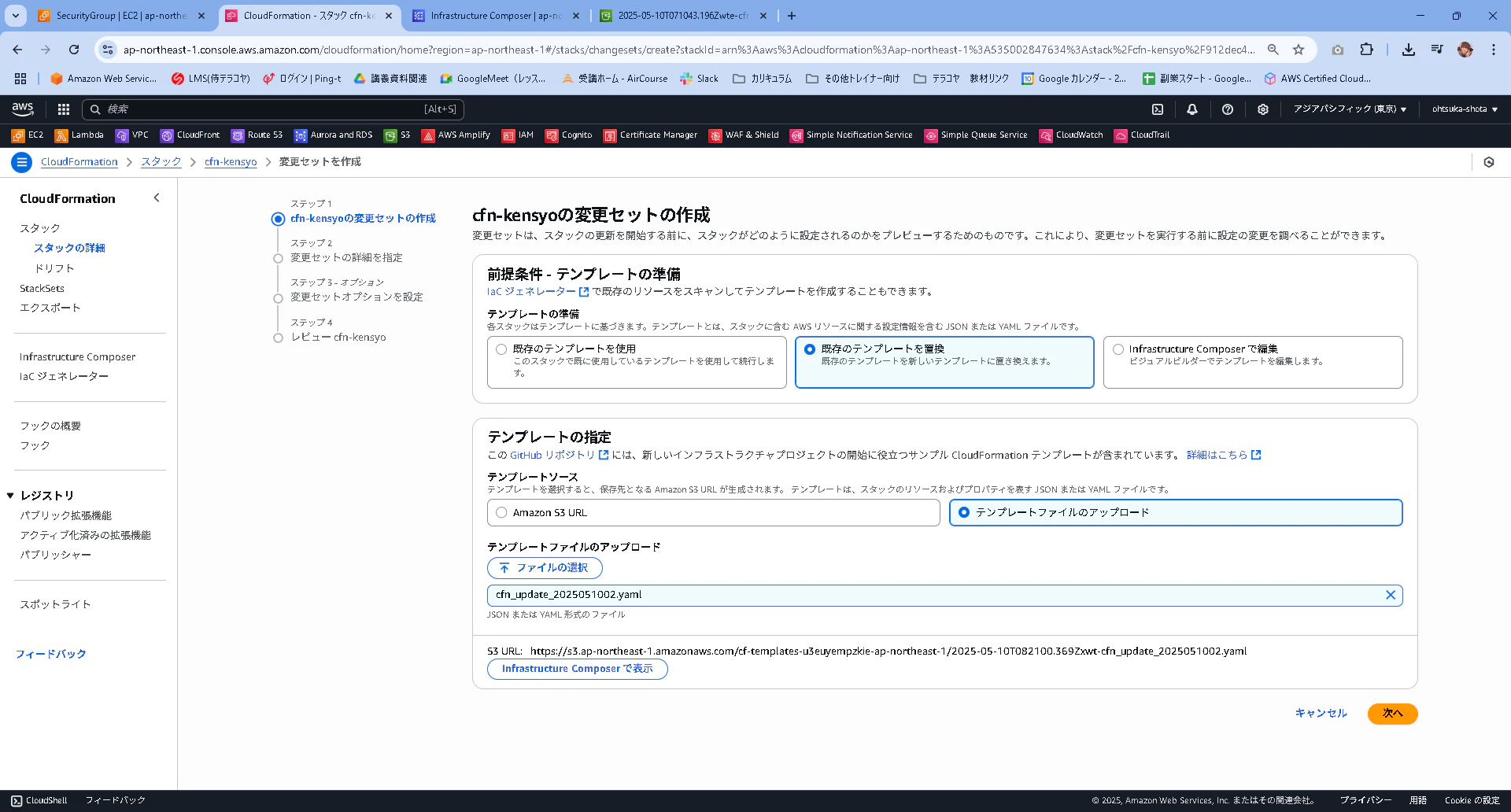
更新したyamlは以下。ドリフトの詳細画面で確認した内容を追加している。
AWSTemplateFormatVersion: '2010-09-09'
Description: CloudFormation template to create a VPC with public and private subnets, an EC2 instance, and related resources in Tokyo region.

Resources:
  # VPC
  CfnVPC:
    Type: AWS::EC2::VPC
    Properties:
      CidrBlock: 10.0.0.0/16
      EnableDnsSupport: true
      EnableDnsHostnames: true
      Tags:
        - Key: Name
          Value: cfn-vpc

  # Public Subnet
  CfnPubSub:
    Type: AWS::EC2::Subnet
    Properties:
      VpcId: !Ref CfnVPC
      CidrBlock: 10.0.1.0/24
      AvailabilityZone: ap-northeast-1a
      MapPublicIpOnLaunch: true
      Tags:
        - Key: Name
          Value: cfn-pub-sub

  # Private Subnet
  CfnPriSub:
    Type: AWS::EC2::Subnet
    Properties:
      VpcId: !Ref CfnVPC
      CidrBlock: 10.0.2.0/24
      AvailabilityZone: ap-northeast-1a
      Tags:
        - Key: Name
          Value: cfn-pri-sub

  # Internet Gateway
  CfnIGW:
    Type: AWS::EC2::InternetGateway
    Properties: {}

  # Attach Internet Gateway to VPC
  CfnIGWAttachment:
    Type: AWS::EC2::VPCGatewayAttachment
    Properties:
      VpcId: !Ref CfnVPC
      InternetGatewayId: !Ref CfnIGW

  # Security Group
  CfnSG:
    Type: AWS::EC2::SecurityGroup
    Properties:
      GroupDescription: Allow HTTP, SSH, and ICMP access
      VpcId: !Ref CfnVPC
      SecurityGroupIngress:
        - IpProtocol: -1
          CidrIp: 0.0.0.0/0
        - IpProtocol: tcp
          FromPort: 80
          ToPort: 80
          CidrIp: 0.0.0.0/0
        - IpProtocol: tcp
          FromPort: 22
          ToPort: 22
          CidrIp: 0.0.0.0/0
        - IpProtocol: icmp
          FromPort: -1
          ToPort: -1
          CidrIp: 0.0.0.0/0
      Tags:
        - Key: Name
          Value: cfn-sg

  # Public Route Table
  CfnPubRT:
    Type: AWS::EC2::RouteTable
    Properties:
      VpcId: !Ref CfnVPC
      Tags:
        - Key: Name
          Value: cfn-pub-rt

  # Private Route Table
  CfnPriRT:
    Type: AWS::EC2::RouteTable
    Properties:
      VpcId: !Ref CfnVPC
      Tags:
        - Key: Name
          Value: cfn-pri-rt

  # Route for Internet Gateway
  CfnPubRoute:
    Type: AWS::EC2::Route
    Properties:
      RouteTableId: !Ref CfnPubRT
      DestinationCidrBlock: 0.0.0.0/0
      GatewayId: !Ref CfnIGW

  # Associate Public Route Table with Public Subnet
  CfnPubSubnetRTAssociation:
    Type: AWS::EC2::SubnetRouteTableAssociation
    Properties:
      SubnetId: !Ref CfnPubSub
      RouteTableId: !Ref CfnPubRT

  # Associate Private Route Table with Private Subnet
  CfnPriSubnetRTAssociation:
    Type: AWS::EC2::SubnetRouteTableAssociation
    Properties:
      SubnetId: !Ref CfnPriSub
      RouteTableId: !Ref CfnPriRT

  # EC2 Instance
  CfnEC2:
    Type: AWS::EC2::Instance
    Properties:
      InstanceType: t2.micro
      KeyName: ohtsuka-cfn # ここに適切なキーペア名を入力してください
      ImageId: ami-0c2da9ee6644f16e5 # ここに適切なAMI IDを入力してください
      SubnetId: !Ref CfnPubSub
      SecurityGroupIds:
        - !Ref CfnSG
      Tags:
        - Key: Name
          Value: cfn-ec2

Outputs:
  VPCId:
    Description: The VPC ID
    Value: !Ref CfnVPC
  PublicSubnetId:
    Description: The Public Subnet ID
    Value: !Ref CfnPubSub
  PrivateSubnetId:
    Description: The Private Subnet ID
    Value: !Ref CfnPriSub
  InternetGatewayId:
    Description: The Internet Gateway ID
    Value: !Ref CfnIGW
  SecurityGroupId:
    Description: The Security Group ID
    Value: !Ref CfnSG
  EC2InstanceId:
    Description: The EC2 Instance ID
    Value: !Ref CfnEC2
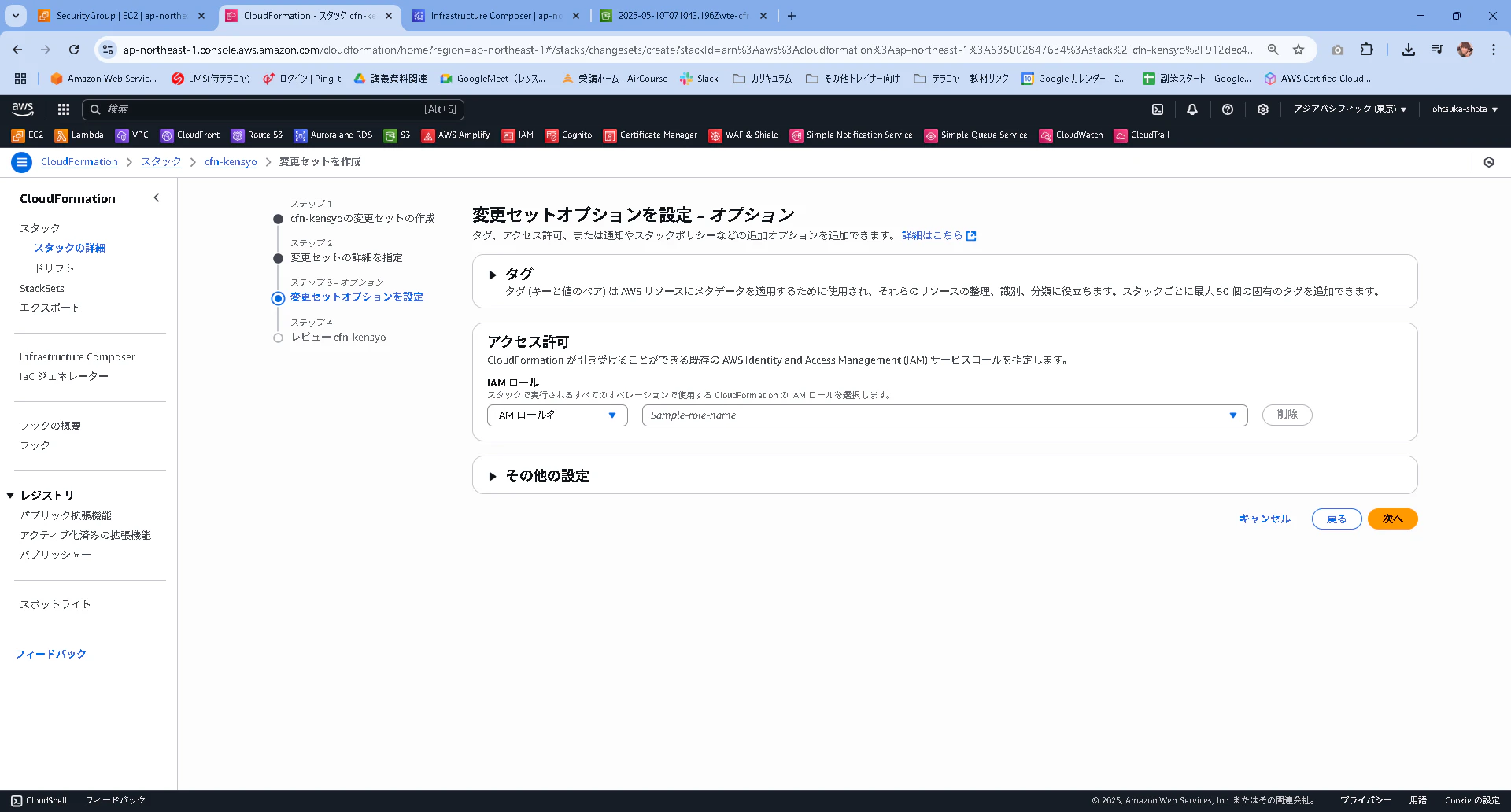
デフォルトの状態で次に進む

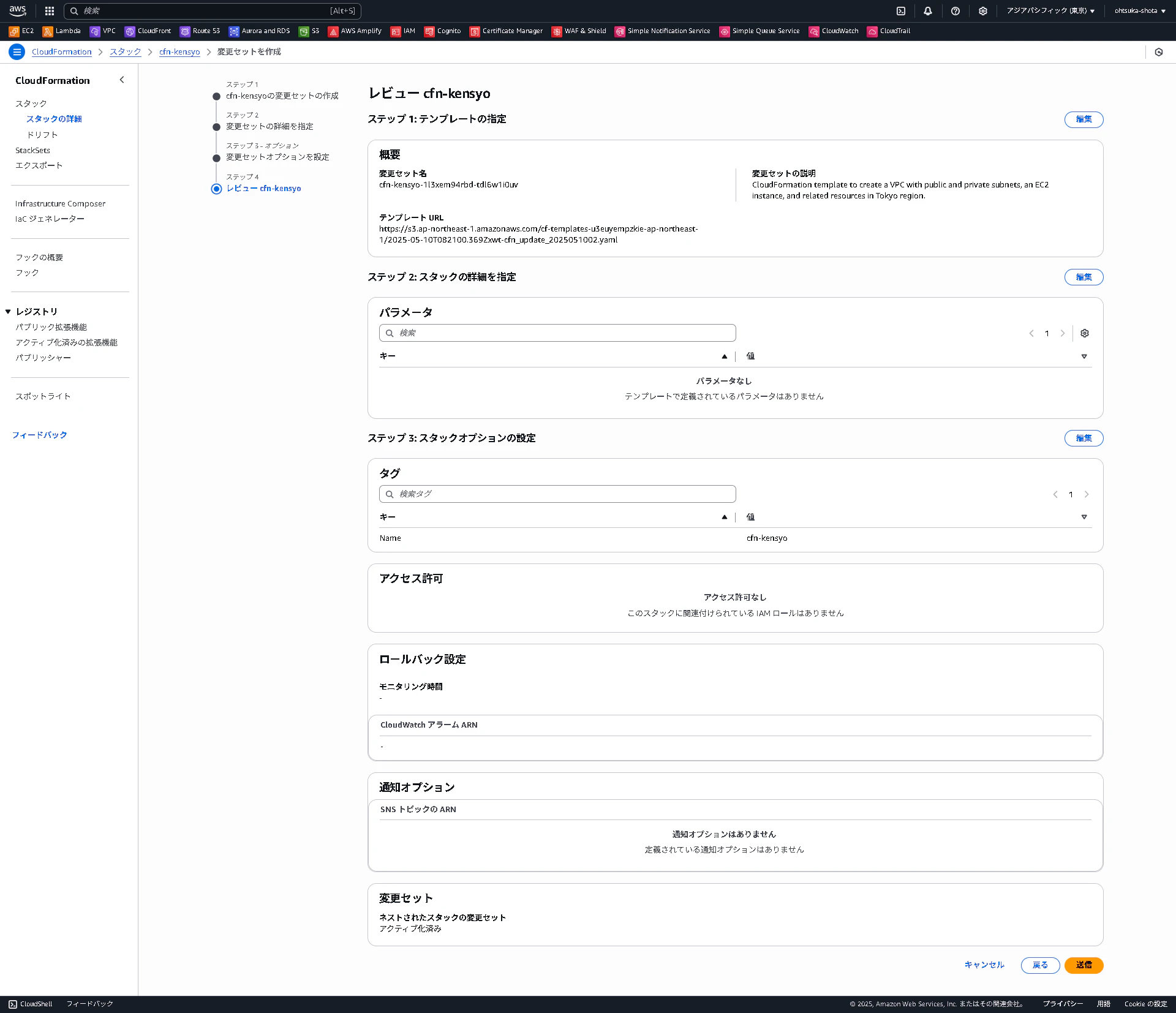
変更セットが作成されたことを確認する。
内容を確認して、変更セットを実行を押下します。これを実行することでCFNで作った環境に対して変更が走ります。
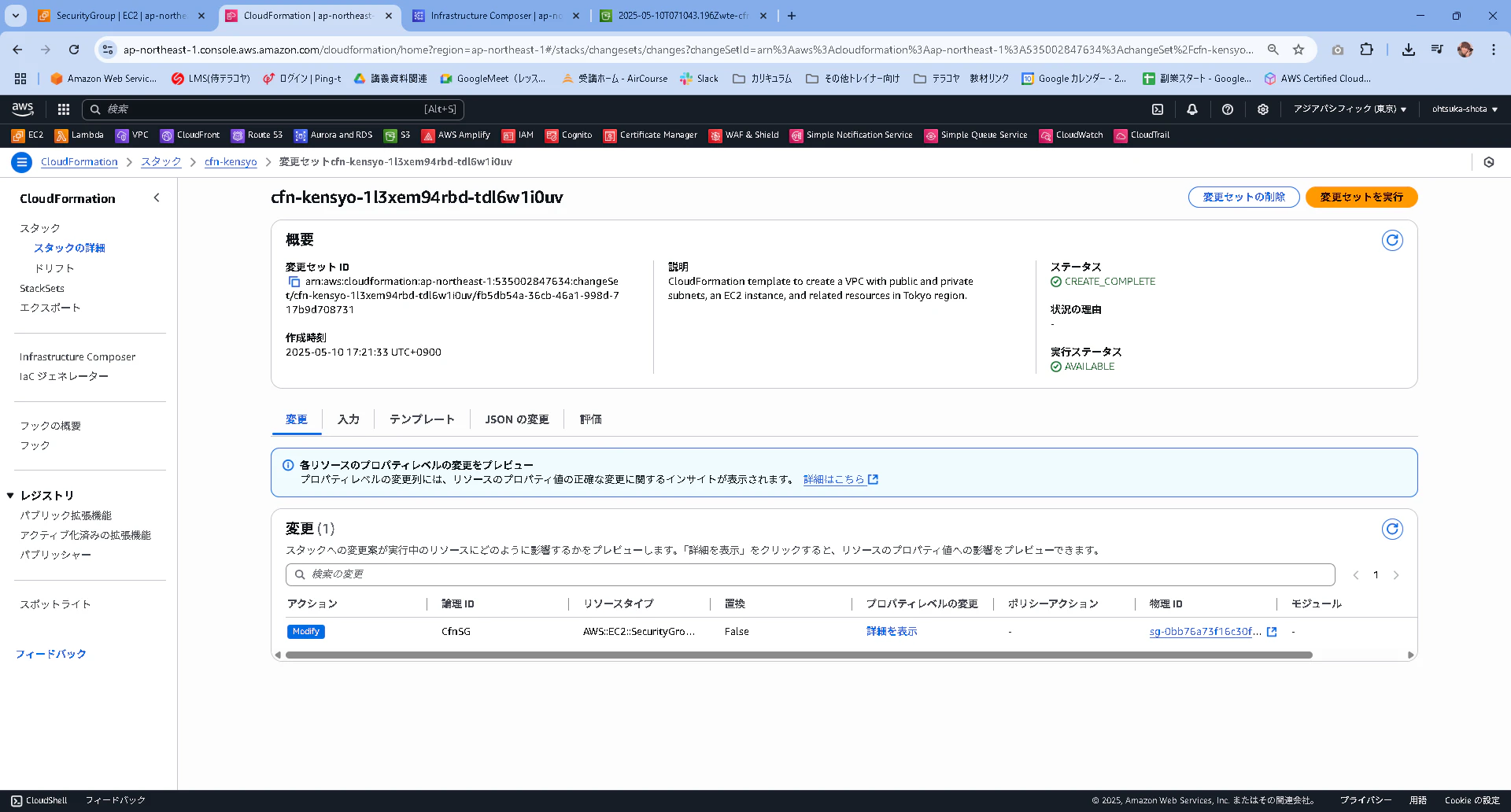
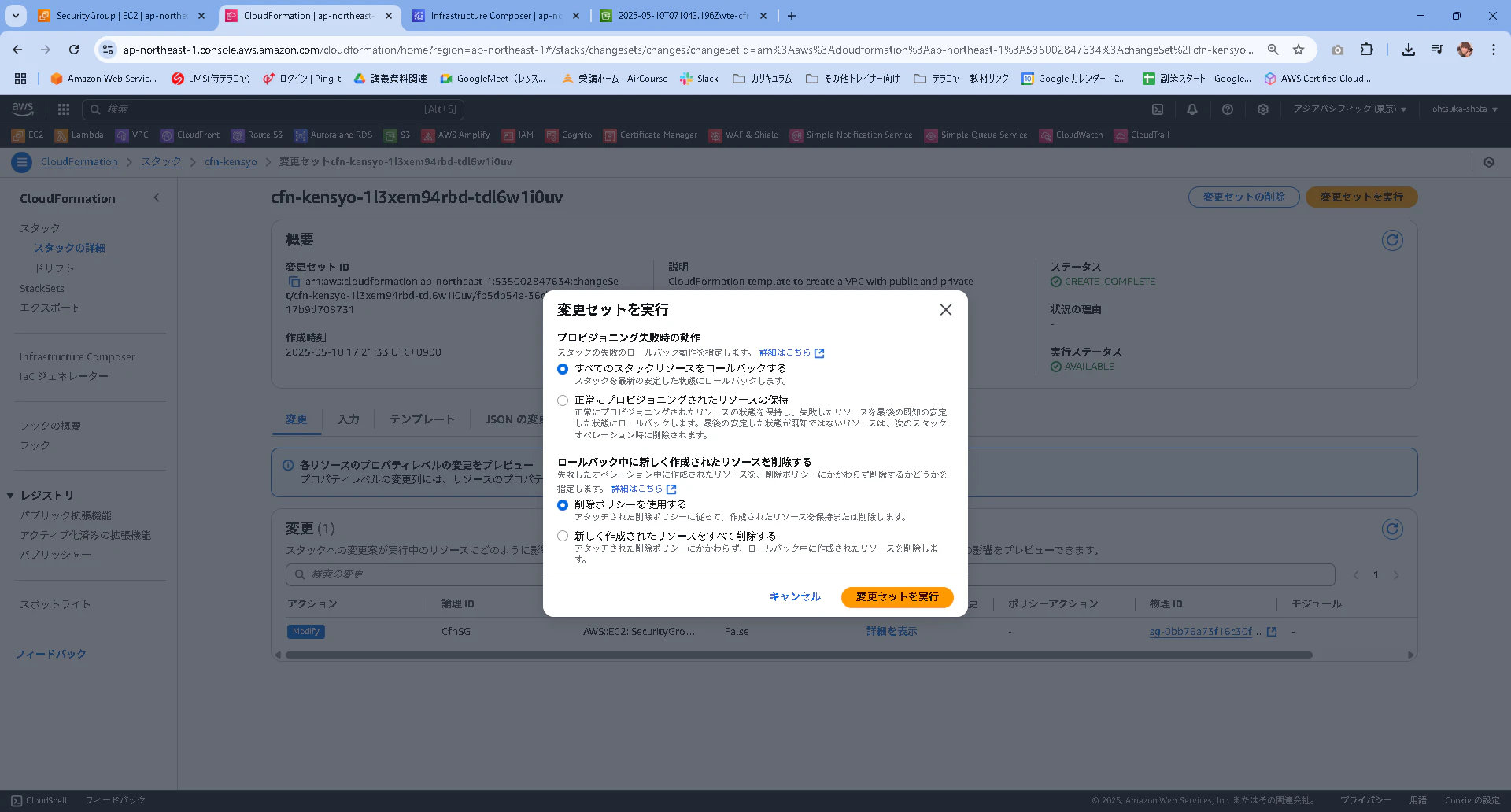
ステータがコンプリートとなったことを確認します。
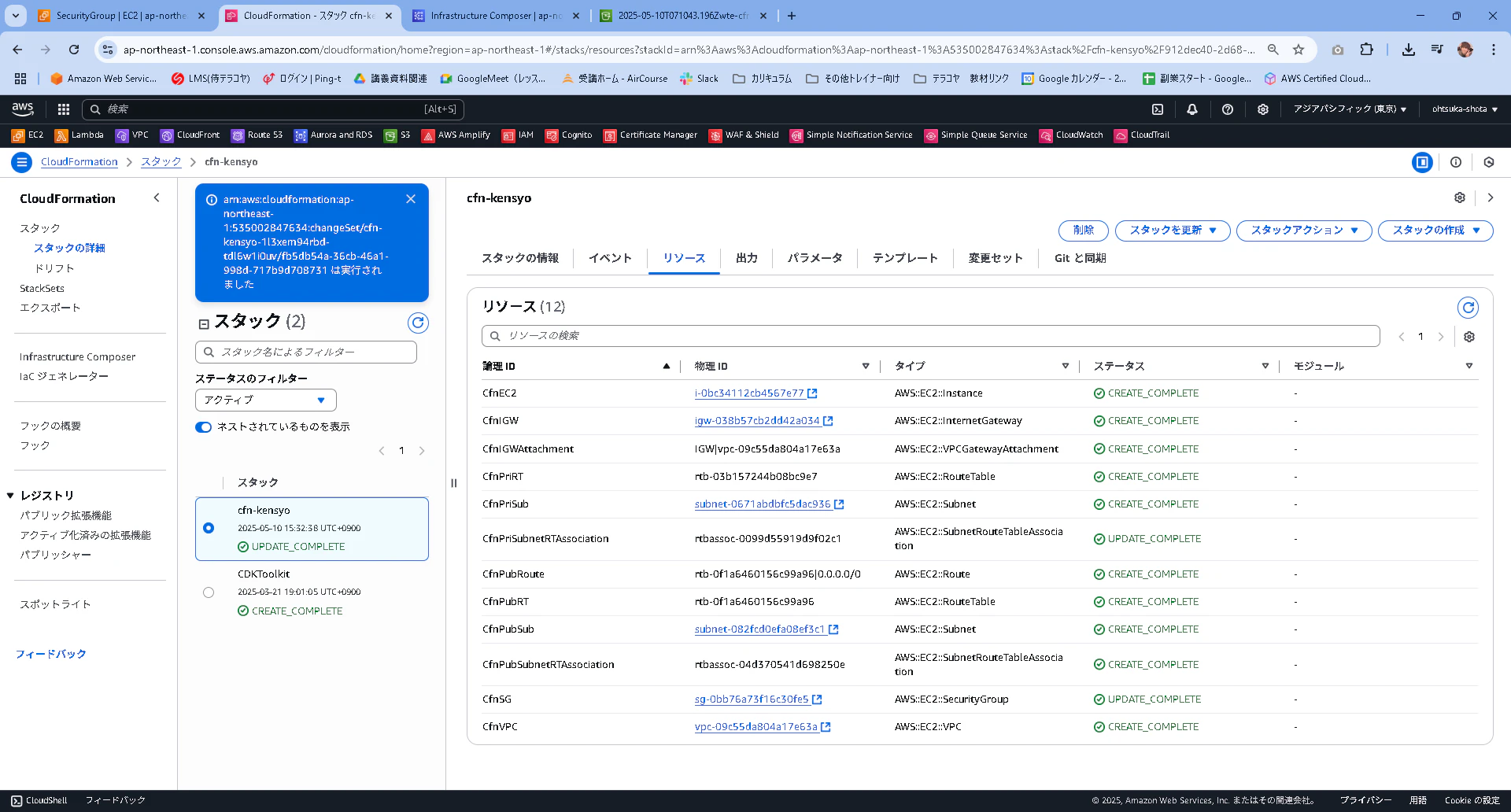
ドリフトを改めて確認します。
全てIN_SYNCになっていればOKです。