

以下のアプリにWebUIを追加します。
手順
コード
githubリポジトリにpushしています。
今回はfrontendとフォルダ配下とdocker-compose.phase02.ymlを使用して、WebUIからもREST APIをキックできるようにしています。
コンテナイメージのビルド
PS C:\Users\ohtsu\Documents\アプリ\ndlocr-lite-app> docker compose -f docker-compose.phase02.yml build

#30 [frontend] resolving provenance for metadata file
#30 DONE 0.0s
[+] Building 2/2
 ✔ ndlocr-lite-app-ndlocr    Built                                                                                    0.0s
 ✔ ndlocr-lite-app-frontend  Built
コンテナのデプロイ
PS C:\Users\ohtsu\Documents\アプリ\ndlocr-lite-app> docker compose -f docker-compose.phase02.yml up -d
[+] Running 3/3
 ✔ Network ndlocr-lite-app_default       Created                                                                      0.0s
 ✔ Container ndlocr-lite-app-ndlocr-1    Healthy                                                                      5.8s
 ✔ Container ndlocr-lite-app-frontend-1  Started
動作確認
http://localhost:5173/にWebブラウザでアクセスします。
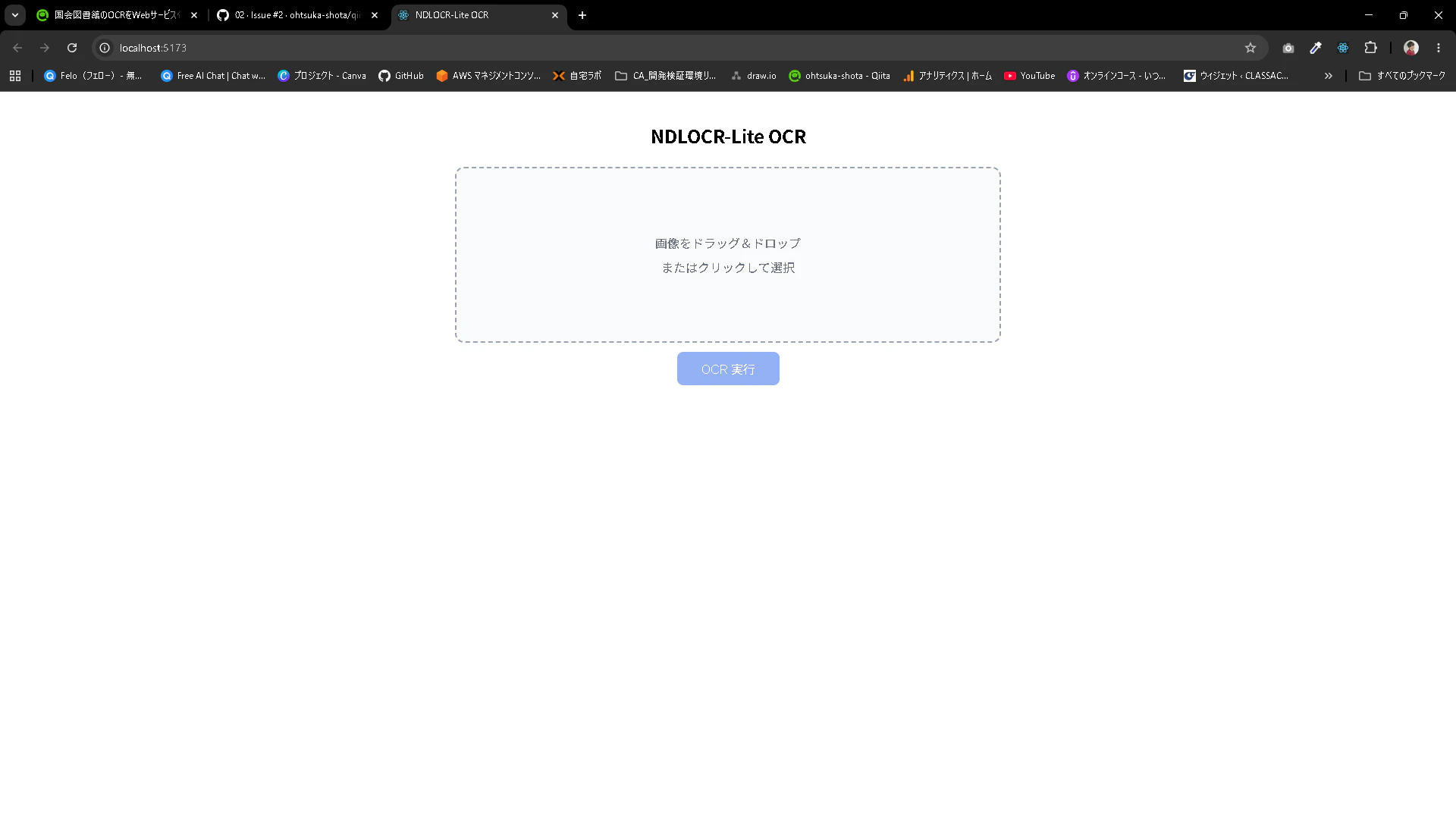
今回は試しにPDFをアップロードしてみます。プレビューが表示されます。
OCR実行を押下します。
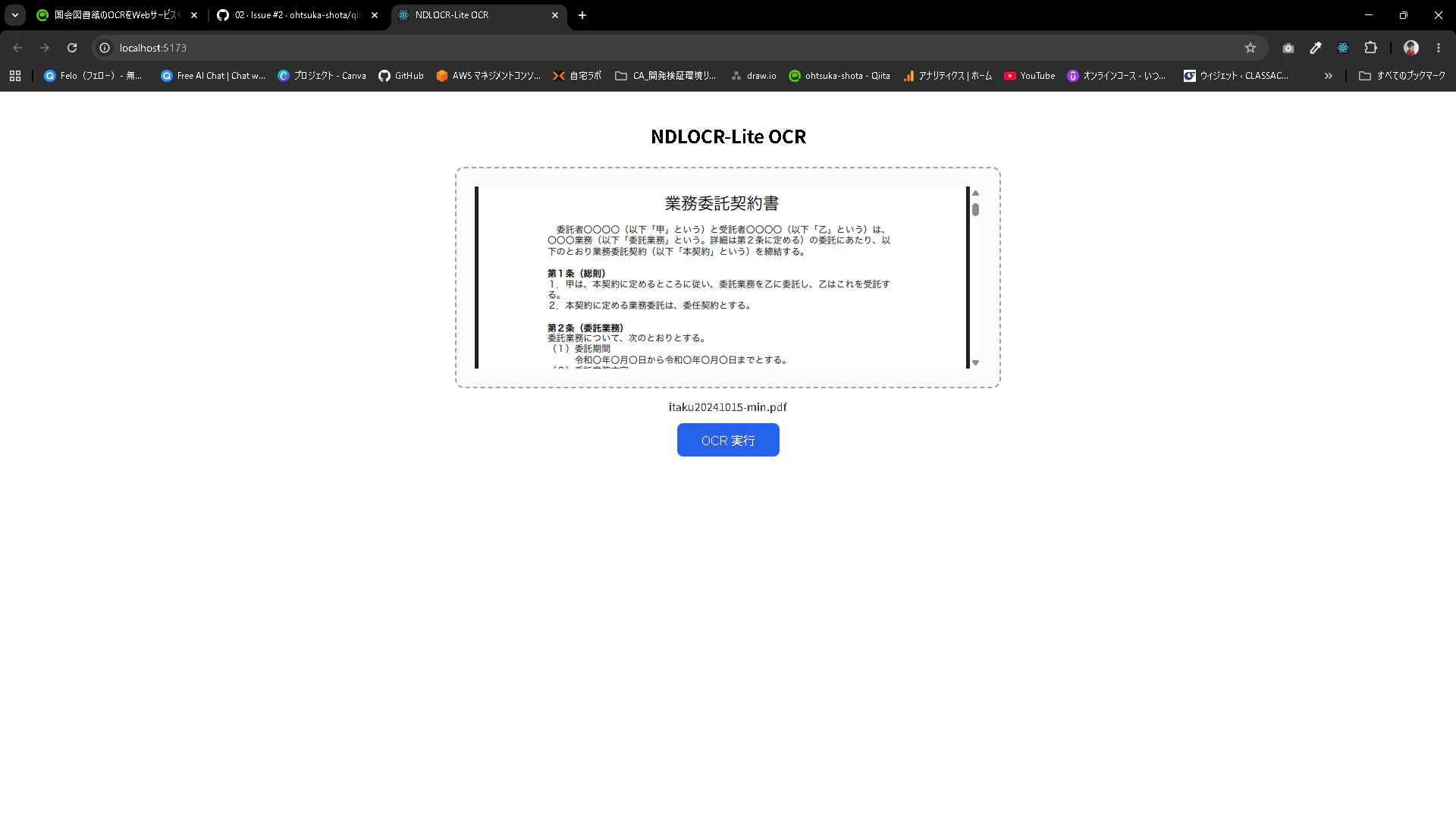
画面下部にOCRの結果が出力されます。
コピーボタンを押すことでコピーすることが出来ます。
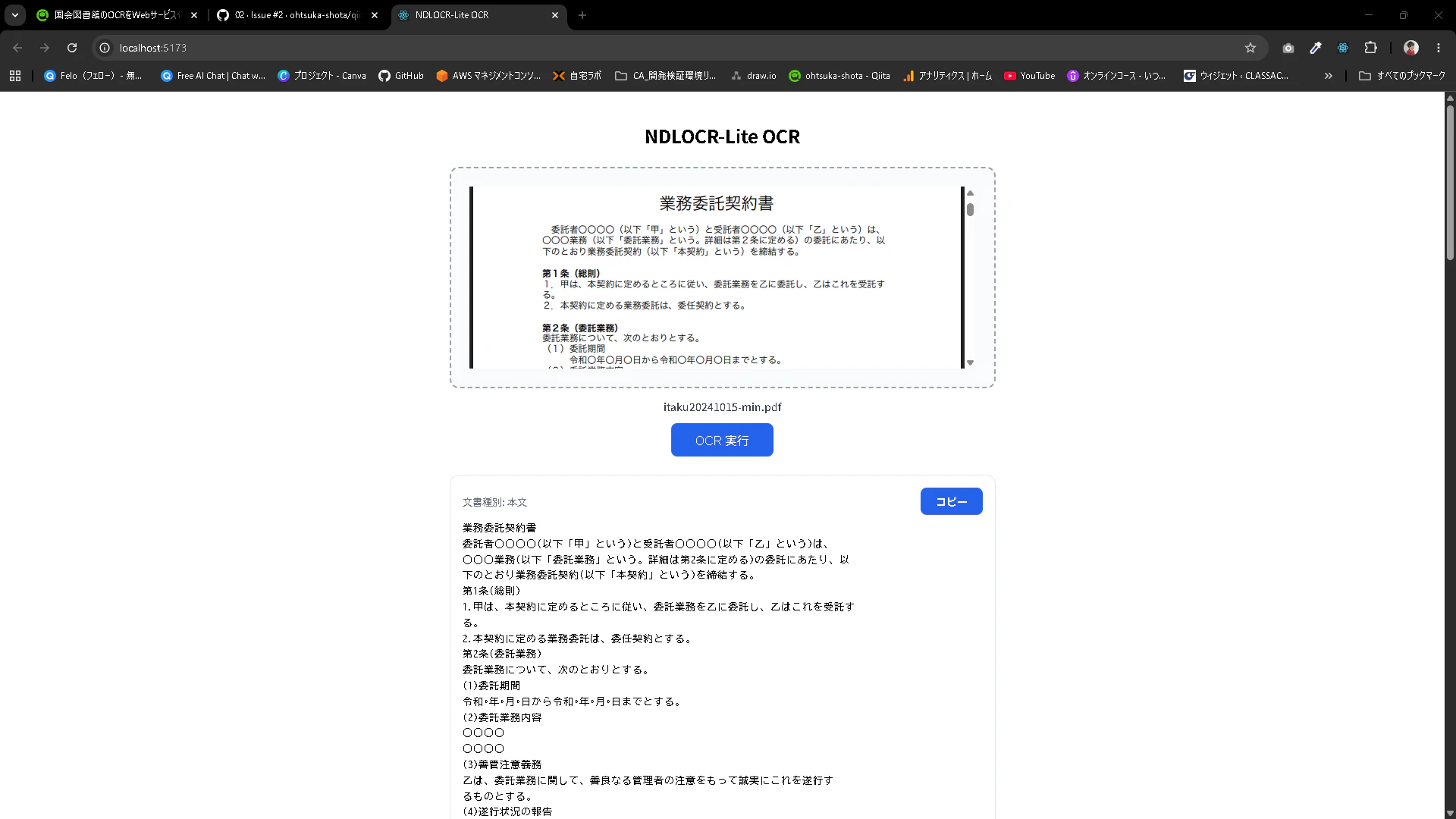
引き続き、APIを直接キックすることも出来ます。
PS C:\Users\ohtsu\Documents\アプリ\ndlocr-lite-app> curl.exe -X POST http://localhost:8080/ocr -F "file=@C:\Users\ohtsu\Documents\アプリ\ndlocr-lite-app\sample-file\itaku20241015-min.pdf"
{"text":"業務委託契約書\n委託者○○○○(以下「甲」という)と受託者○○○○(以下「乙」という)は、\n○○○業務(以下「委託業務」という。詳細は第2条に定める)の委託にあたり、以\n下のとおり業務委託契約(以下「本契約」という)を締結する。\n第1条(総則)\n1.甲は、本契約に定めるところに従い、委託業務を乙に委託し、乙はこれを受託す\nる。

〇〇地方裁判所を第一審の専属的合意管轄","type":"本文","order":43},{"text":"裁判所とする。","type":"本文","order":44},{"text":"以上、本契約の証として、正本2通を作成し、甲乙記名捺印のうえ、各1通を保有す","type":"本文","order":0},{"text":"る。","type":"本文","order":1},{"text":"令和○年○月○日","type":"本文","order":2},{"text":"(甲)","type":"本文","order":3}]}
Ubuntuへのデプロイ
test@ocr-dev-env:~$ sudo su -
[sudo] password for test:
root@ocr-dev-env:~# cd ndlocr-lite-app/
root@ocr-dev-env:~/ndlocr-lite-app# git pull

root@ocr-dev-env:~/ndlocr-lite-app# docker compose -f docker-compose.phase02.yml build
[+] build 2/2
 ✔ Image ndlocr-lite-app-frontend Built                                    58.3s
 ✔ Image ndlocr-lite-app-ndlocr   Built                                    58.3s

root@ocr-dev-env:~/ndlocr-lite-app# docker image ls
                                                            i Info →   U  In Use
IMAGE                           ID             DISK USAGE   CONTENT SIZE   EXTRA
ndlocr-lite-app-frontend:latest
                                e76e0018c1e4       93.1MB         26.1MB
ndlocr-lite-app-ndlocr:latest   bc0f57e03b6b       2.16GB          725MB    U

root@ocr-dev-env:~/ndlocr-lite-app# docker compose -f docker-compose.phase02.yml up -d
root@ocr-dev-env:~/ndlocr-lite-app# docker ps
CONTAINER ID   IMAGE                      COMMAND                  CREATED          STATUS                    PORTS                                         NAMES
015a8deb81da   ndlocr-lite-app-frontend   "/docker-entrypoint.…"   16 seconds ago   Up 9 seconds              0.0.0.0:5173->80/tcp, [::]:5173->80/tcp       ndlocr-lite-app-frontend-1
35314476abae   ndlocr-lite-app-ndlocr     "uvicorn server:app …"   19 seconds ago   Up 15 seconds (healthy)   0.0.0.0:8080->8080/tcp, [::]:8080->8080/tcp   ndlocr-lite-app-ndlocr-1
OCRが実行できることを確認します。
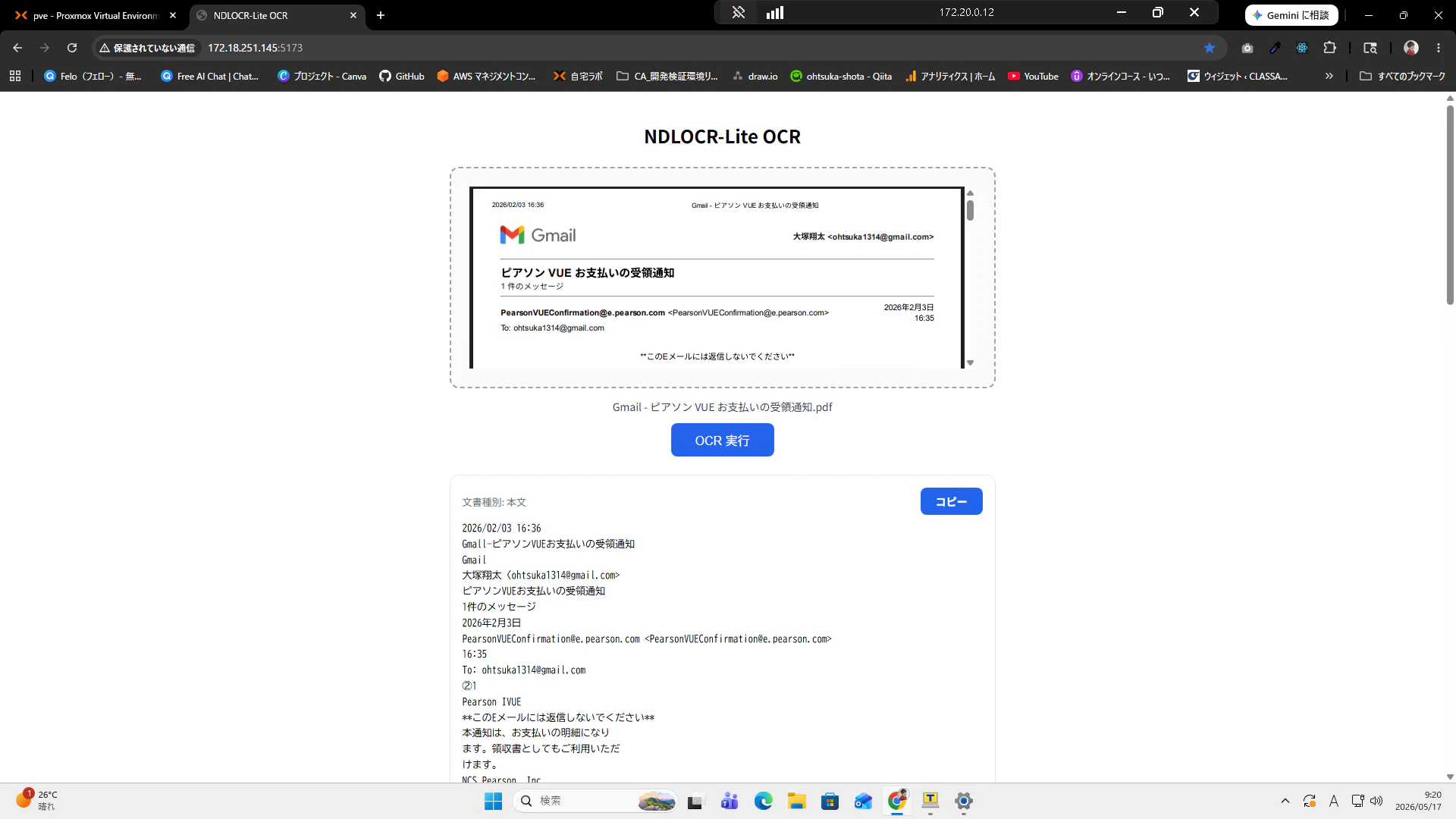
続き
AWS Bedrock(ClaudeやNova等のAIモデル)と連携してOCR結果を補正します。