

はじめに
複数のテーブルデータから情報を画面に表示するとき、エラーが起こりました。
今まで1つのテーブルから取得し画面出力はできていましたが、複数の場合だとうまくいかなかったです。
問題
GetTableLibs
import { supabase } from "../utils/supabase";

import { Users } from "../domain/GetTableDomain";

export const getTableLib = async (id: string) => {
    const res = await supabase.from("users").select(`*, user_skill (skill_id, skills (*))`).eq("user_id", id);
    if (res.error) {
        throw new Error(res.error.message);
    }
    console.log(res);
    const data = res.data.map((data) => {
        return Users.newUsers(data.user_id, data.name, data.description, data.github_id, data.qiita_id, data.x_id);
    })
    return data;
}
複数のテーブルから取得する場合、left outer join on があり、supabaseで記載すると
const res = await supabase.from("users").select(`*, user_skill (skill_id, skills (*))`).eq("user_id", id);
これで大丈夫と思っていましたがエラーが出ました。
解決方法
supabaseのテーブル設定からForeign keys設定を行いました。
今回中間テーブルの役割を果たしていたのが、user_skillテーブルのため、そこからひもづくように設定しました。
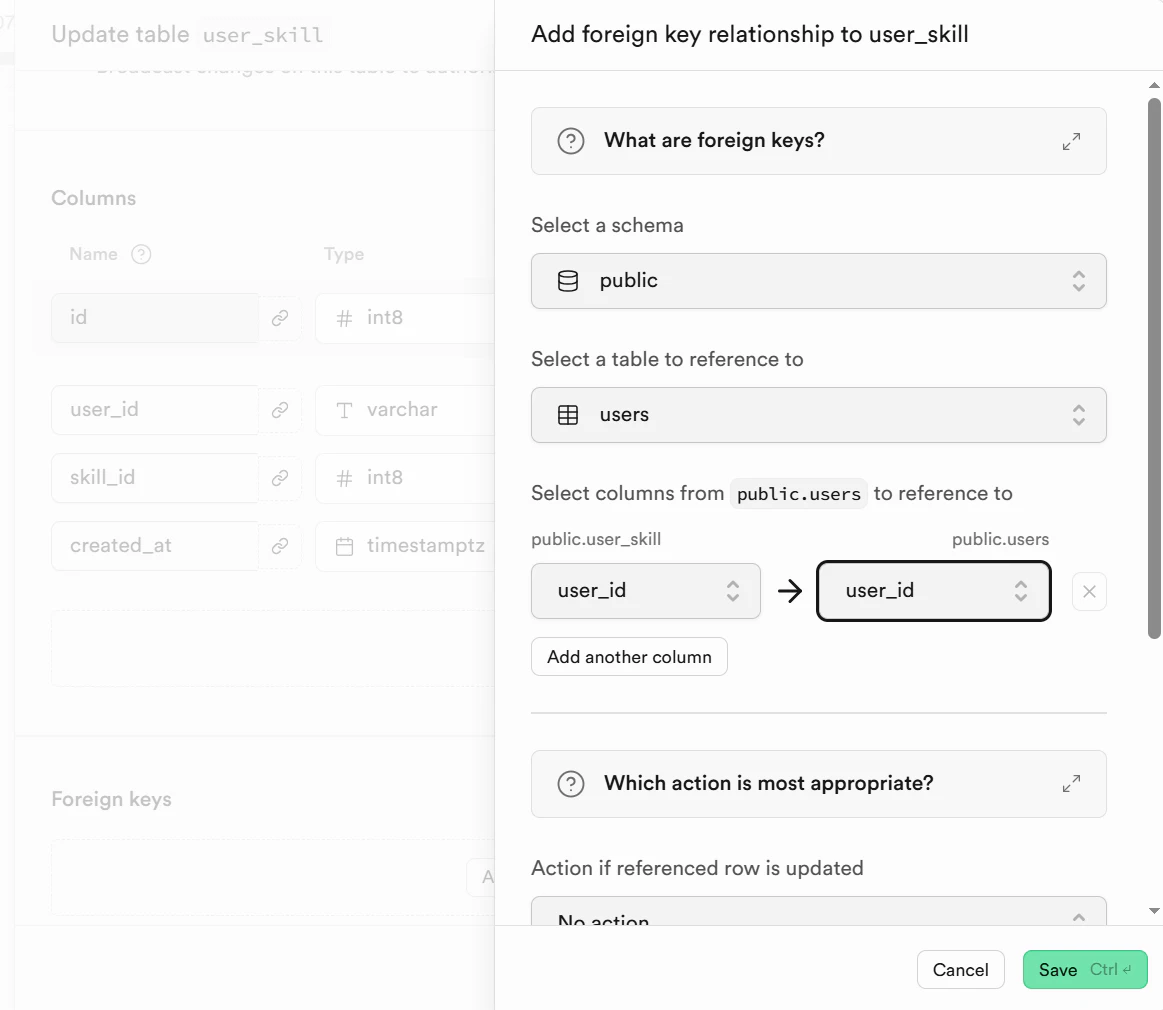
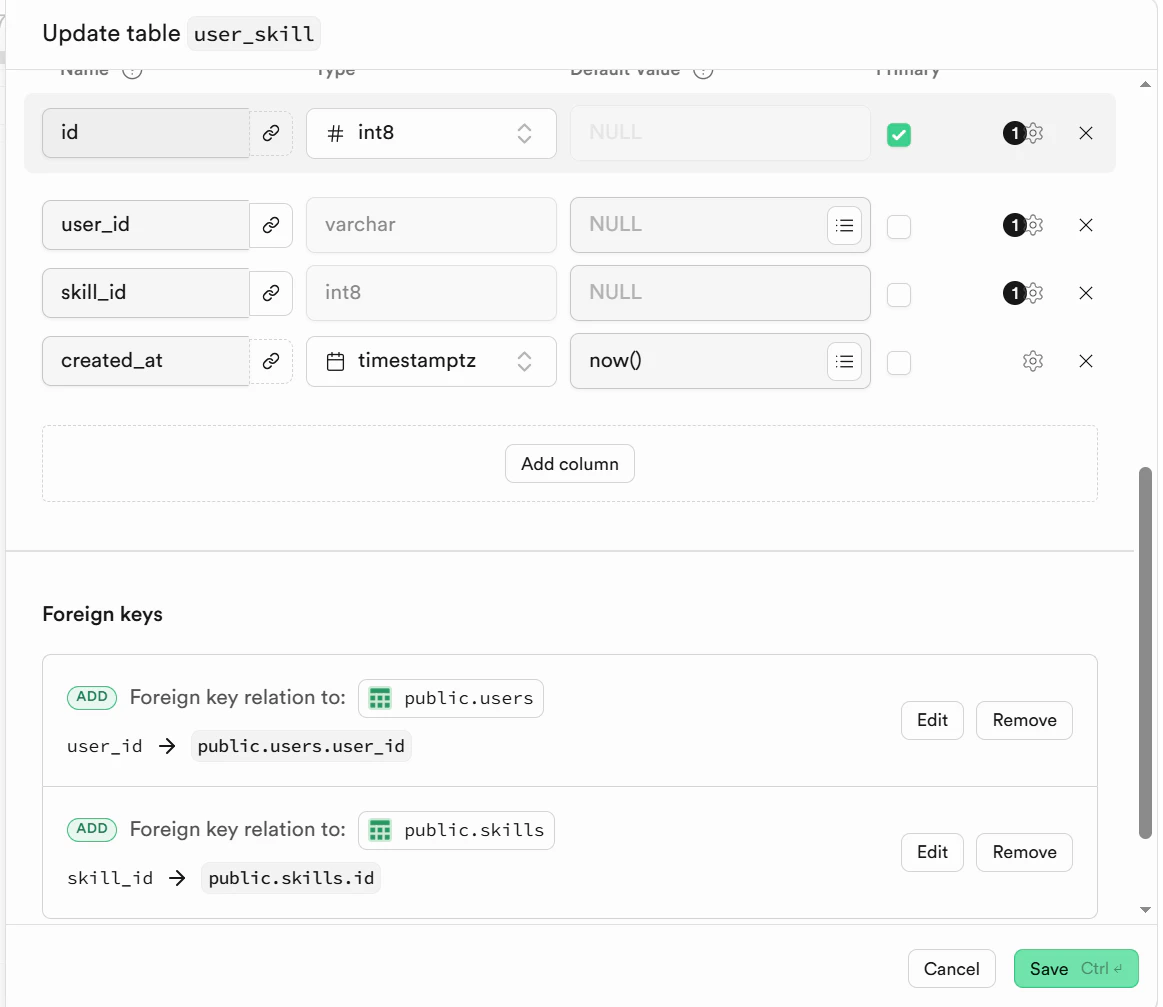
設定が完了すると以下のように目視でどのカラムがForegin keyかわかるようになります。
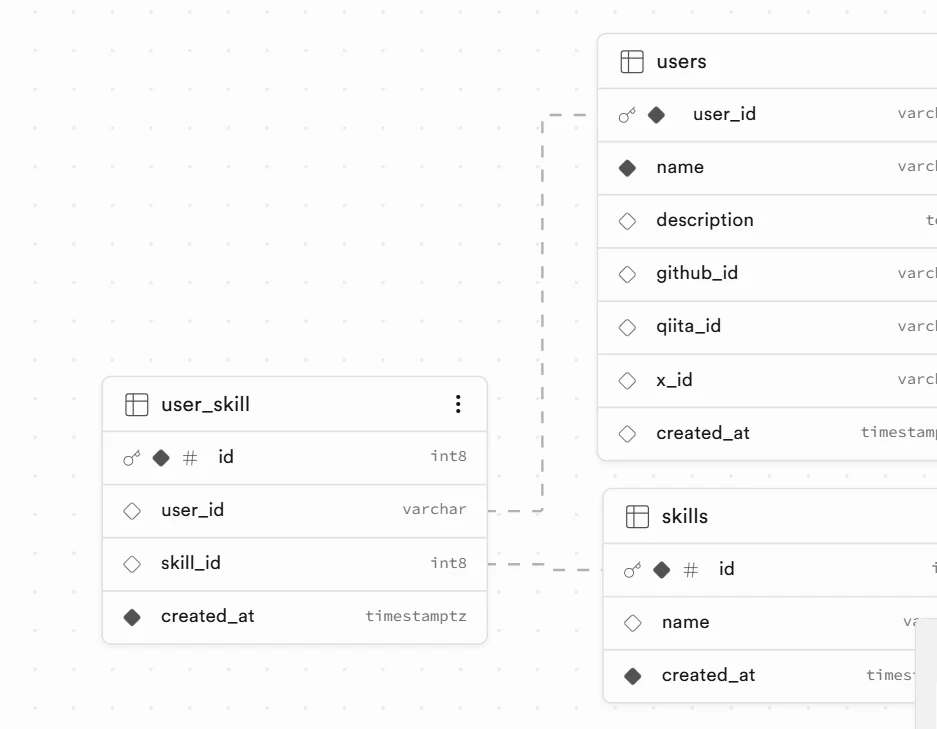
さらに、classの記載方法も一部変更しました。
JOINの場合、配列になるので、user_skillの記載も変更になります。
user_skill: {}[]
と記載します。
詳細は以下参照してください。
GetTableDomain.tsx
GetTableDomain
export class Users {
    constructor(
        public user_id: string,
        public name: string,
        public description: string,
        public github_id: string,
        public qiita_id: string,
        public x_id: string,
        public user_skill: {
            skill_id: string,
            skills: {
                name: string;
            };
        }[],
    ) { }
    public static newUsers(
        user_id: string,
        name: string,
        description: string,
        github_id: string,
        qiita_id: string,
        x_id: string,
        user_skill: {
            skill_id: string;
            skills: {
                name: string;
            };
        }[]
    ): Users {
        return new Users(
            user_id,
            name,
            description,
            github_id,
            qiita_id,
            x_id,
            user_skill
        );
    }
}
Card.tsx
Card
import { memo, FC, useEffect, useState } from "react";
import { useParams } from "react-router-dom";
import { getTableLib } from "../lib/GetTableLib";
import { Users } from "../domain/GetTableDomain";


export const Card: FC = memo(() => {
    const { id } = useParams();
    const [supabaseData, setSupabaseData] = useState<Users[]>([]);
    const [loading, setLoading] = useState(true);

    useEffect(() => {
        const fetchData = async () => {
            try {
                const data = await getTableLib(String(id));
                setSupabaseData(data);
            } catch (error) {
                console.error("Error fetching supabase data:", error);
            }
        };
        fetchData();
        setLoading(false);
    }, [id, loading]);

    if (loading) {
        return <p>Loading...</p>;
    }

    return (
        <table>
            <tbody>
                {supabaseData.map((user) => (
                    <tr key={user.user_id}>
                        <th>名前</th>
                        <td>{user.name}</td>
                        <th>自己紹介</th>
                        <td>{user.description}</td>
                        <th>SKILL</th>
                        <td>{user.user_skill.map((us) => (
                            <span key={us.skill_id}>
                                {us.skills.name}
                            </span>
                        ))}
                        </td>
                    </tr>
                ))}
            </tbody>
        </table>
    )
});
結果、複数テーブルから取得した値を画面で表示できました。

おわりに
SQLで直接書くことに慣れているからsupabaseの記載はまだ慣れないです。
参考文献