
環境
・Visual Studio 2022
・.Net 9.0
・Windows Forms
ComboBoxとは
設定された中から選択するドロップダウン、プルダウン機能が欲しいときに使えるコンポーネントです。
デザイン上での使い方
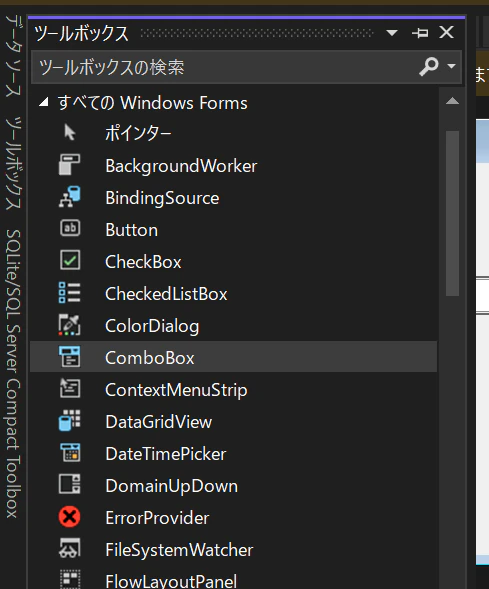
コンポーネントからComboBoxを選択して配置
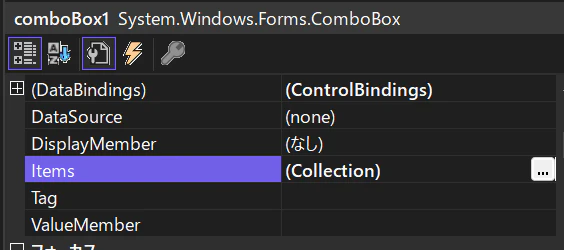
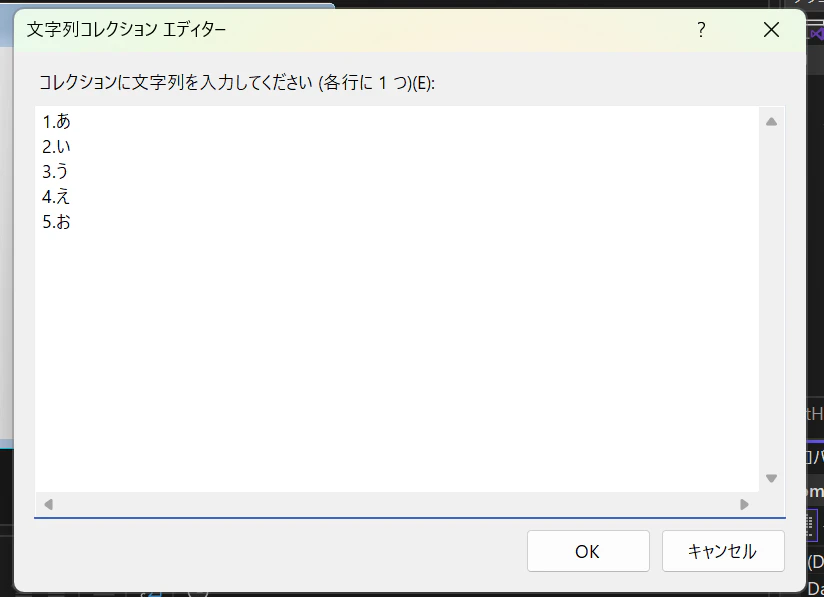
事前に入力する内容が決まっている場合はItemsから設定できます。
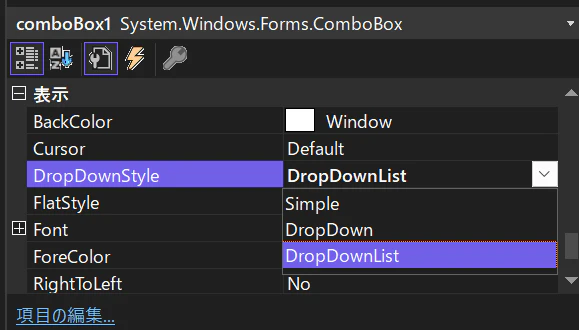
デフォルトの設定だと、ComboBox内でキーボードから文字列を入力できますが、入力をさせたくない場合はDropDownStyleをDropDownListに変更します。

コード上から設定
デザインではなくコード上からItemsを設定したい場合は以下のようになります。
   public partial class Form1 : Form
   {
       public Form1()
       {
           InitializeComponent();
           SetComboBoxItems();
       }

       private void SetComboBoxItems()
       {
           comboBox1.Items.Clear();
           // アイテムを追加
           comboBox1.Items.Add("Item 1");
           comboBox1.Items.Add("Item 2");
           comboBox1.Items.Add("Item 3");
           // 選択するアイテムを設定
           // comboBox1.SelectedIndex = -1; にすると未選択状態になる
           comboBox1.SelectedIndex = 0;
           UpdateLabel();
       }

       private void UpdateLabel()
       {
           // 選択されたアイテムをラベルに表示
           this.label1.Text = $"Selected: {comboBox1.SelectedItem}";
       }

       /// <summary>
       /// ComboBoxの選択アイテムが変更されたときのイベント
       /// </summary>
       private void comboBox1_SelectedIndexChanged(object sender, EventArgs e)
       {
           UpdateLabel();
       }
   }

選択したアイテムが変化したことを検知できるSelectedIndexChangedが使われやすいイベントだと思います。
デザイン上からItemsを設定する場合は文字列として登録されますが、コード上から追加した場合はその追加した型で登録されます。
なのでItemsの中から検索などを行うとき、デザイン上から追加したものとコード上で文字列以外で登録した場合は複数の型のデータが混在することになるので判定部分の処理は注意が必要です。