
0
2

Delete article

Deleted articles cannot be recovered.

Draft of this article would be also deleted.

Are you sure you want to delete this article?

More than 5 years have passed since last update.

[Catalyst]ストア申請の流れ

0
Posted at

Catalystを有効にする

image.png

XcodeのDeployment InfoからMacのチェックボックスにいれる。

AppIDでもCatalystを有効にする

これ大事。maccatalyst...*というBundle IDでMacビルドが生成されるが、maccatalystというprefixのbundleIDは自分で作ることが出来ない。
Developer portalからCertificates, IdentifiersでiOSアプリのAppIDを探してMacを有効にする
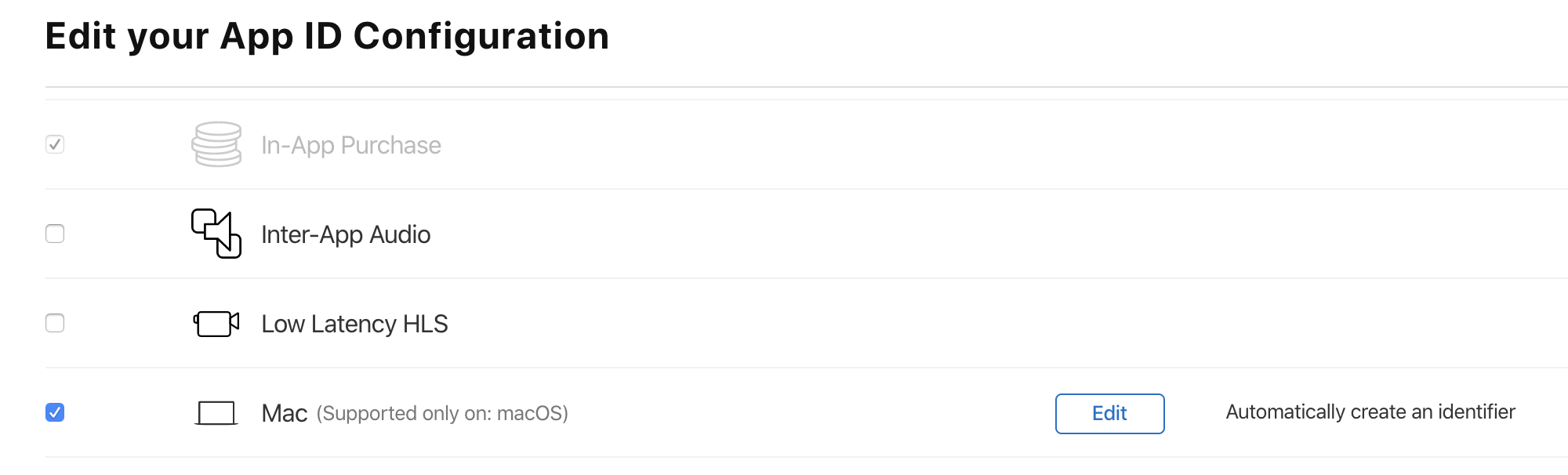
image.png

別アプリとしてAppStoreConnectに登録する

tvOSはiOSと同じアプリに追加できるが、Macの場合は新規アプリとして登録する。
↑でMacを有効にしていると、maccatalyst...*のAppIDが選択できるのでそれを選ぶ

0
2
0

Register as a new user and use Qiita more conveniently

  1. You get articles that match your needs
  2. You can efficiently read back useful information
  3. You can use dark theme
What you can do with signing up
0
2

Delete article

Deleted articles cannot be recovered.

Draft of this article would be also deleted.

Are you sure you want to delete this article?