
Pref.
localの実験環境として使いやすいXAMPP
その中のMySQLでSSL接続テストをする時のメモです。
間違ってたりしたら、コメント下さい。
Env.
macOS High Sierra version 10.13.3
XAMPP 5.6.31-0
10.1.25-MariaDB
Method
予めXAMPPはインストールしておいてください
証明書の発行
opensslを使って証明書を発行します。
@toshiro3 さんのココの記事を参考にさせて頂きました。ありがとうございます。
まずターミナルを開き/Applications/XAMPP/xamppfiles/mysqlに移動します。
そして適当なディレクトリ「cert_pem」を作ります。(果たしてココでいいのか。このディレクトリ名で良いのか。)
$ cd /Applications/XAMPP/xamppfiles/mysql
$ mkdir cert_pem
$ cd cert_pem
作成したディレクトリ内に移動した後、opensslコマンドで証明書を作ります。
$ openssl genrsa 2048 > ca-key.pem
$ openssl req -new -x509 -nodes -days 3650 -key ca-key.pem -out ca-cert.pem
$ openssl req -newkey rsa:2048 -days 3650 -nodes -keyout server-key.pem -out server-req.pem
$ openssl rsa -in server-key.pem -out server-key.pem
$ openssl x509 -req -in server-req.pem -days 3650 \
    -CA ca-cert.pem -CAkey ca-key.pem -set_serial 01 -out server-cert.pem
$ openssl req -newkey rsa:2048 -days 3650 -nodes -keyout client-key.pem -out client-req.pem
$ openssl rsa -in client-key.pem -out client-key.pem
$ openssl x509 -req -in client-req.pem -days 3650 \
    -CA ca-cert.pem -CAkey ca-key.pem -set_serial 01 -out client-cert.pem
コマンドを実行した後に証明書のあれこれを入力するときには以下のように入力。全空白だと発行されない。
Country Name (2 letter code) []:JP
State or Province Name (full name) []:tokyo
Locality Name (eg, city) []:chiyoda
Organization Name (eg, company) []:test.local
Organizational Unit Name (eg, section) []:system01
Common Name (eg, fully qualified host name) []:
Email Address []:
MySQLのconfに証明書の設定
発行したオレオレ証明書をMySQLに登録します。
XAMPPのコントロールパネルからMySQLのmy.cnfを開き、編集します。
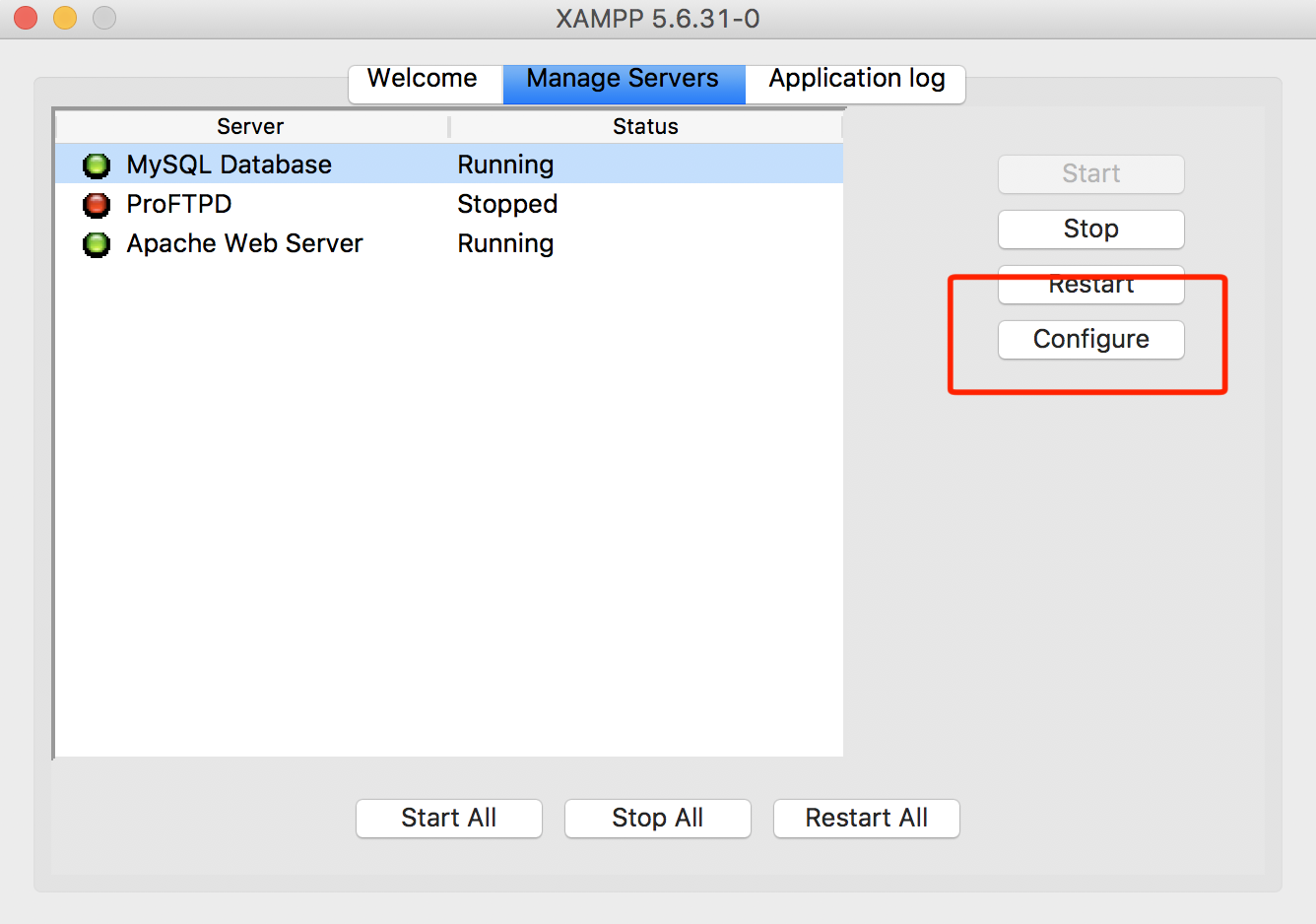
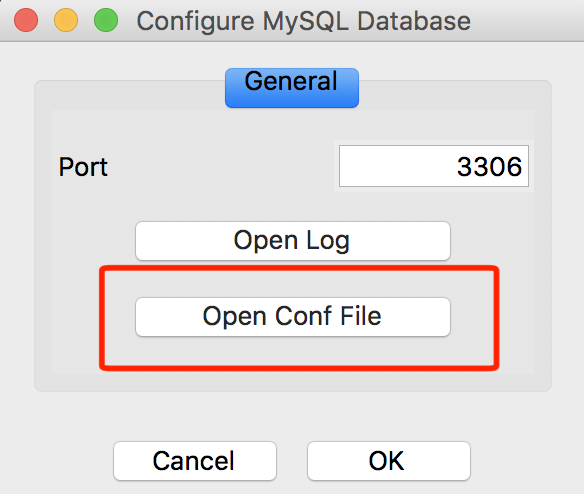
設定ファイルがテキストエディタ上で表示されるので、[mysqld]に以下を追記します。
[mysqld]

ssl-ca = /Applications/XAMPP/xamppfiles/mysql/cert_pem/ca-cert.pem
ssl-cert = /Applications/XAMPP/xamppfiles/mysql/cert_pem/server-cert.pem
ssl-key = /Applications/XAMPP/xamppfiles/mysql/cert_pem/server-key.pem
MySQLの再起動
XAMPコントロールパネル上からMySQLを再起動して下さい。
MySQLにSSL接続必須のアカウントを作成
とりあえずMySQLにコマンドラインでアクセスします。
$ cd /Applications/XAMPP/xamppfiles/bin
$ ./mysql -u root
初期設定のままであればパスなしでrootで入れました。
以下のSQL文でssluserという名前のパスワード「pass」でssl接続必須のアカウントを作成できます。
権限、ユーザ名やパスワードは適当に好きなのに変更してもおkです。
create user ssluser@localhost;
grant all on *.* to ssluser@localhost identified by 'pass' require ssl;
以下のSQL文でユーザが作成されたかを確認可能です。
select user,host,password from mysql.user;
接続確認
XAMPPのMySQLのあるディレクトリに移動しておいてから
$ cd /Applications/XAMPP/xamppfiles/bin
MySQLコマンドでssluserで入ることが出来れば完了です。
./mysql -u ssluser -p --ssl-ca=/Applications/XAMPP/xamppfiles/mysql/cert_pem/ca-cert.pem