
IAMの作成
1.ユーザ作成
・ユーザ名: test
2.ポリシーを作成する
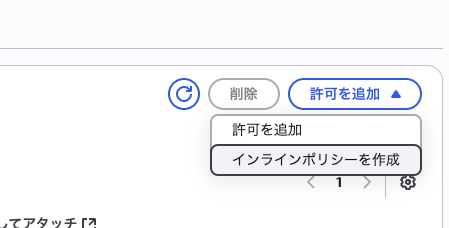
(JSONで以下を貼り付け)
{
  "Version": "2012-10-17",
  "Statement": [
    {
      "Sid": "AllowFullAccessToSpecificBucket",
      "Effect": "Allow",
      "Action": [
        "s3:GetObject",
        "s3:PutObject",
        "s3:DeleteObject",
        "s3:ListBucket"
      ],
      "Resource": [
        "arn:aws:s3:::my-special-bucket",
        "arn:aws:s3:::my-special-bucket/*"
      ]
    }
  ]
}
3.ユーザのアクセスキーを作成

サードパーティーサービスを選択
4.説明欄はうまく書いといてください
5.アクセスキーとシークレットキーを必ず控えてください
S3へのデプロイ
1.バケットの作成
・バケット名はtest-forum-fe
・・ブロックパブリックアクセス設定は無効
2.生成されたバケットをクリック
3.プロパティから静的ウェブサイトホスティングを有効にする
・インデックス、エラードキュメンをindex.htmlに設定

4.アクセス許可からバケットポリシーを設定
{
    "Version": "2012-10-17",
    "Statement": [
        {
            "Sid": "PublicReadForWebsite",
            "Effect": "Allow",
            "Principal": "*",
            "Action": "s3:GetObject",
            "Resource": "arn:aws:s3:::test-forum-fe/*"
        }
    ]
}
CloudFront
1.ディストリビューションを作成
・オリジンドメインをS3で作成したものを選択
・ビューワーポリシー:Redirect HTTP to HTTPS
・キャッシュキーとオリジンリクエスト:CachingOptimized
2.作成したディストリビューションをクリックし一般の設定を編集
・Default root object - optional: index.html
3.エラーページのカスタムエラーレスポンスを設定
・HTTPエラーコード: 404
・エラーレスポンスをカスタマイズ :パス /index.html、Http 200
4.キャッシュ削除
・パス: /*
5.これでURLのhttpsになってると思います
