
はじめに
JTCでは、AWSを使うも、DirectConnectで閉域接続されており、インターネットへは簡単に出られない用になっていることが多い。そのため、ひと工夫加えて構築することとする。
本記事では閉域環境特有の操作は最初の一部だけであり、あとは普通に構築するだけである。
構成
SNMP機器
  |
  | UDP/161
  v
ECS Task
  |
  |-- prometheus:9090
  |     | scrape
  |     v
  |-- snmp-exporter:9116
  |
  |-- thanos-sidecar:10901,10902
        |
        | upload blocks
        v
      S3 Bucket
  |
  |-- thanos-store:10911,10912
  |
  |-- thanos-query:9091,10921
前準備
閉域環境のため、ECSからインターネット上のリポジトリを参照できない。そのため、ECRにコンテナイメージをアップロードしてそれを使って構築する。
コンテナイメージのダウンロード(Pull)
$ docker pull quay.io/thanos/thanos:v0.41.0
$ docker pull prom/prometheus:v3.11.3
$ docker pull prom/snmp-exporter:v0.30.1
$ docker pull grafana/grafana:13.0.1
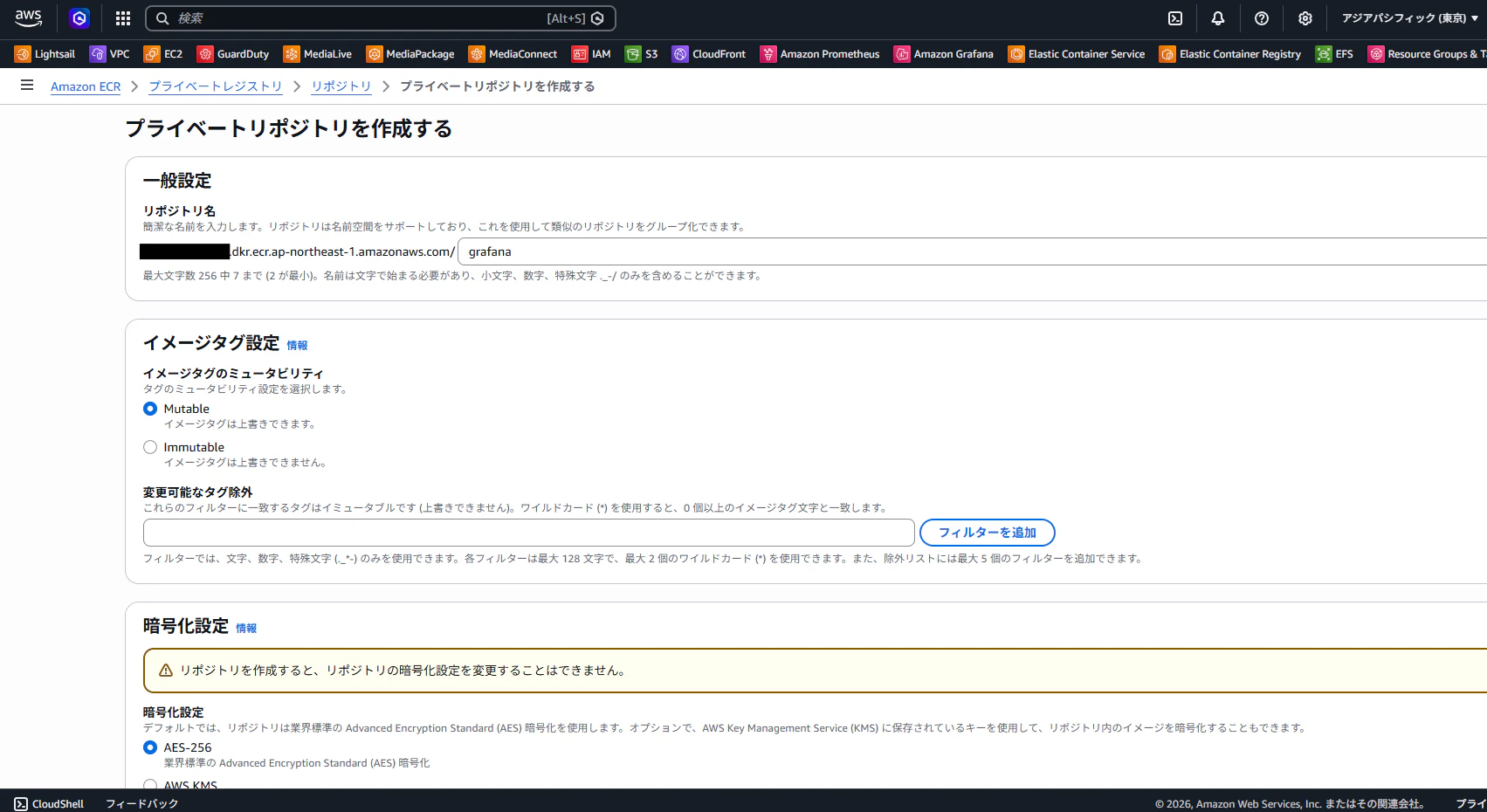
AWS ECRでリポジトリを作成する
リポジトリ名は、pullしたコンテナの名前と合わしておくと管理がしやすい。
コンテナイメージのアップロード(Push)
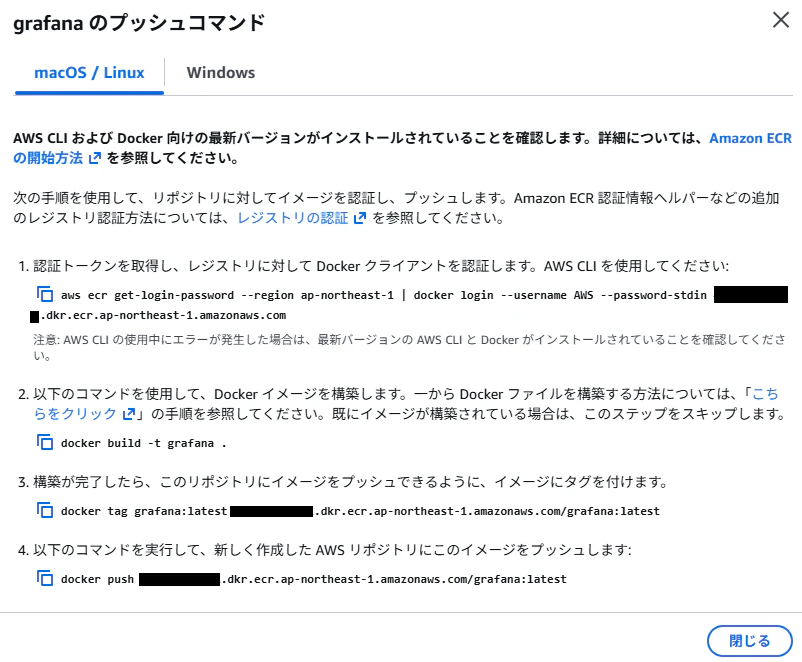
AWSのマネージドコンソール上に表示されるコマンドでPushしていく。
なお、最初に認証情報を与えると以降はこのコマンドの入力は不要である。
認証情報付与
$ aws ecr get-login-password --region ap-northeast-1 | docker login --username AWS --password-stdin xxxxxxxxxxxx.dkr.ecr.ap-northeast-1.amazonaws.com
イメージにタグを付ける
これも、もとのタグと合わせておくと管理がしやすい。
$ docker tag grafana/grafana:13.0.1 xxxxxxxxxxxx.dkr.ecr.ap-northeast-1.amazonaws.com/grafana:13.0.1
イメージをpushする
$ docker push xxxxxxxxxxxx.dkr.ecr.ap-northeast-1.amazonaws.com/grafana:13.0.1
以上の、タグ付けとPushをすべてのコンテナイメージに対して実行する。
これで、閉域環境でコンテナイメージを使うことが可能となった。
ECSでのデプロイ
別記事を書きます。Part2へ。