
Vagrant を用いて VMware Workstation 14 Pro で VM を起動したとき、以下のエラーが発生し、vagrant sshできなくなりました。
かなり時間をつかってしまったので以下備忘録です。
C:/Users/foo/.vagrant.d/gems/2.3.4/gems/vagrant-vmware-workstation-4.0.25/lib/vagrant-vmware-workstation/driver.rb:2072:in `win_set_forwarded_port': Port forward registry set failure. (RuntimeError)
OUT:
ERR: Failed to add NAT port entry: Access is denied.
また、複数VMを起動して Ansible で provisioning もVMを一個新規起動するたびに止まってしまいます。
いろいろ調べてみると、レジストリの VMnetLib の vmnet - NAT - TCPForward の権限がなくなっています。
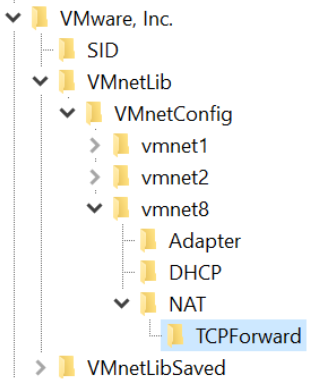
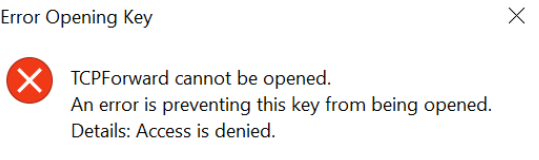
権限を付与することもできなかったので、調べてみたところ、以下の対処法で実行ユーザに TCPForward の full control 権限を付与することができました。
[Guide] How to Take Ownership (Permission) of a Registry Key in Windows?
HKEY_LOCAL_MACHINE\SOFTWARE\WOW6432Node\VMware, Inc.\VMnetLib\VMnetConfig\vmnet8\NAT\TCPForward (vmnet8は環境によって番号が異なります) の Full Control 権限を実行ユーザに与えればいいはずです。