
念願のやつが来ました。これで、API Gateway経由でもBedrockの応答をそのままストリーミングできます。
特に意味はないですが、大阪リージョンで試しました。
設定
-
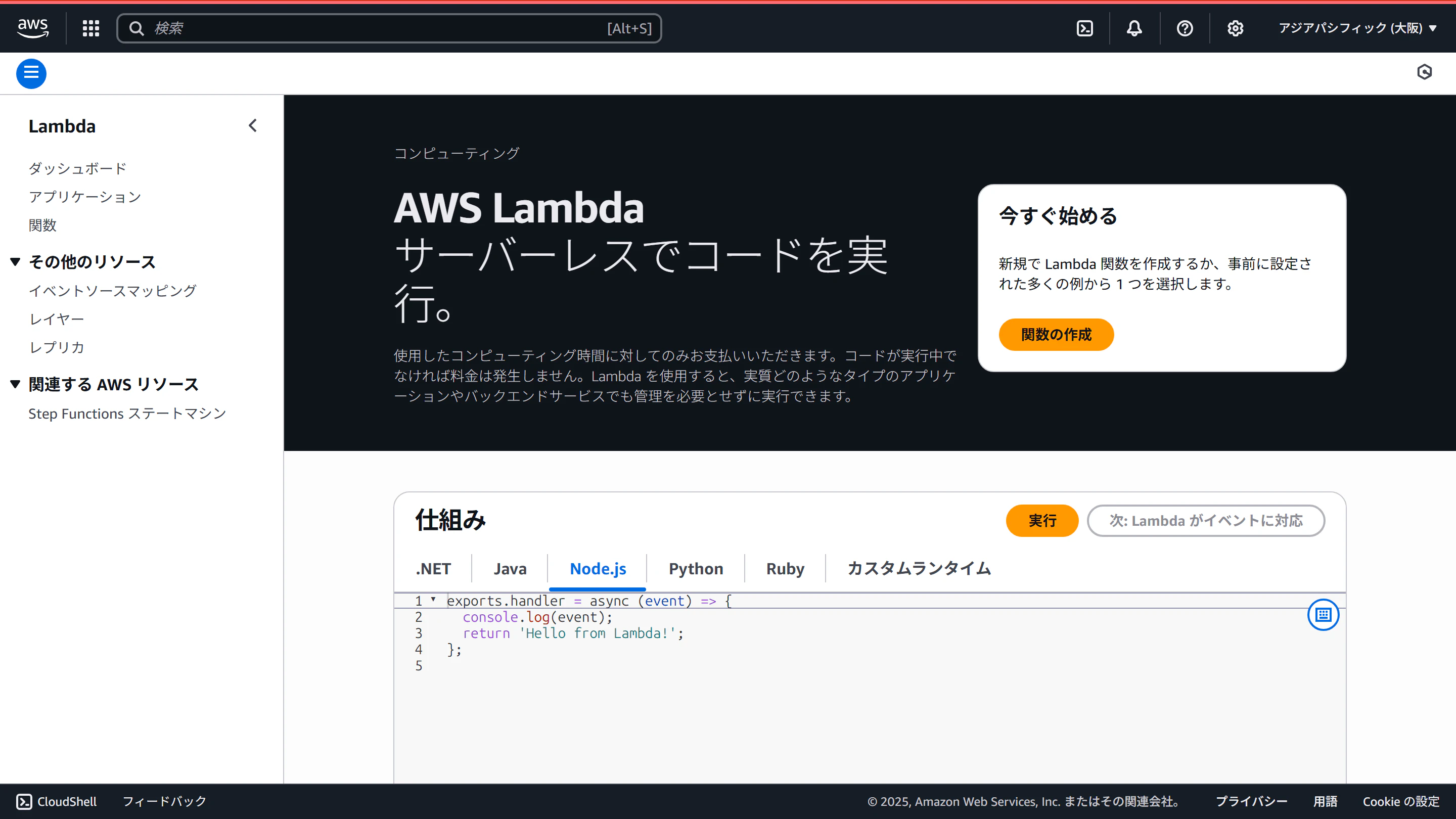
マネコンでLambda管理画面を表示します
-
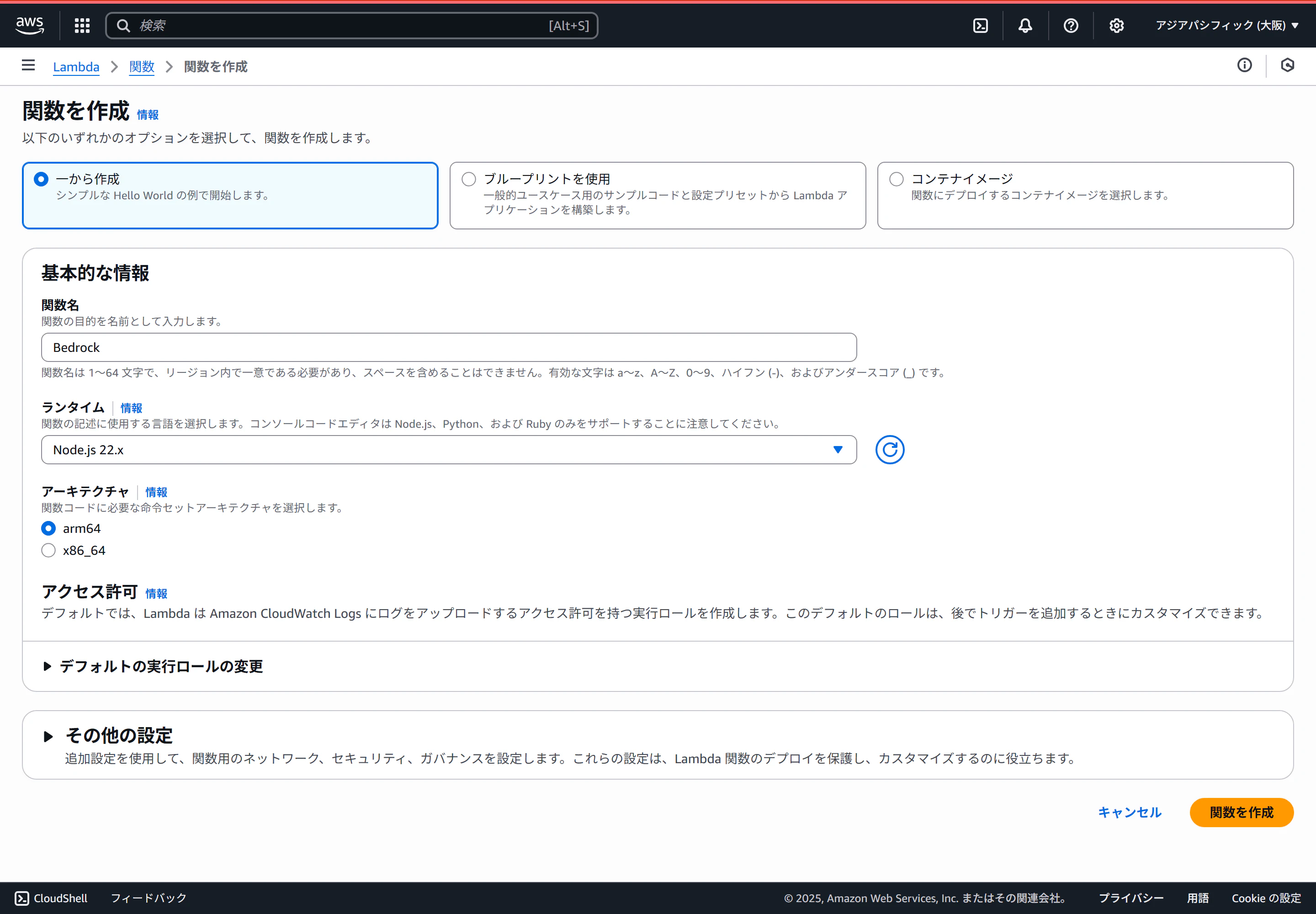
「一から作成」を選択します
ランタイムはNode.js 22.x、アーキテクチャはarm64を選択しました。
-
コードを記述します
index.mjsimport { pipeline } from 'node:stream/promises'; import { BedrockRuntimeClient, ConverseStreamCommand } from "@aws-sdk/client-bedrock-runtime"; export const handler = awslambda.streamifyResponse(async (event, responseStream, _context) => { const client = new BedrockRuntimeClient({ region: "ap-northeast-3" }); const command = new ConverseStreamCommand({ modelId: "jp.anthropic.claude-sonnet-4-5-20250929-v1:0", messages: [{role: "user", content:[{text: "桃太郎と浦島太郎が戦う物語を作って"}]}] }); const response = await client.send(command); responseStream = awslambda.HttpResponseStream.from(responseStream, { statusCode: 200, headers: { "Content-Type": "application/json", } }); for await (const chunk of response.stream) { responseStream.write(JSON.stringify(chunk) + '\n'); } responseStream.end(); }); -
デプロイします
-
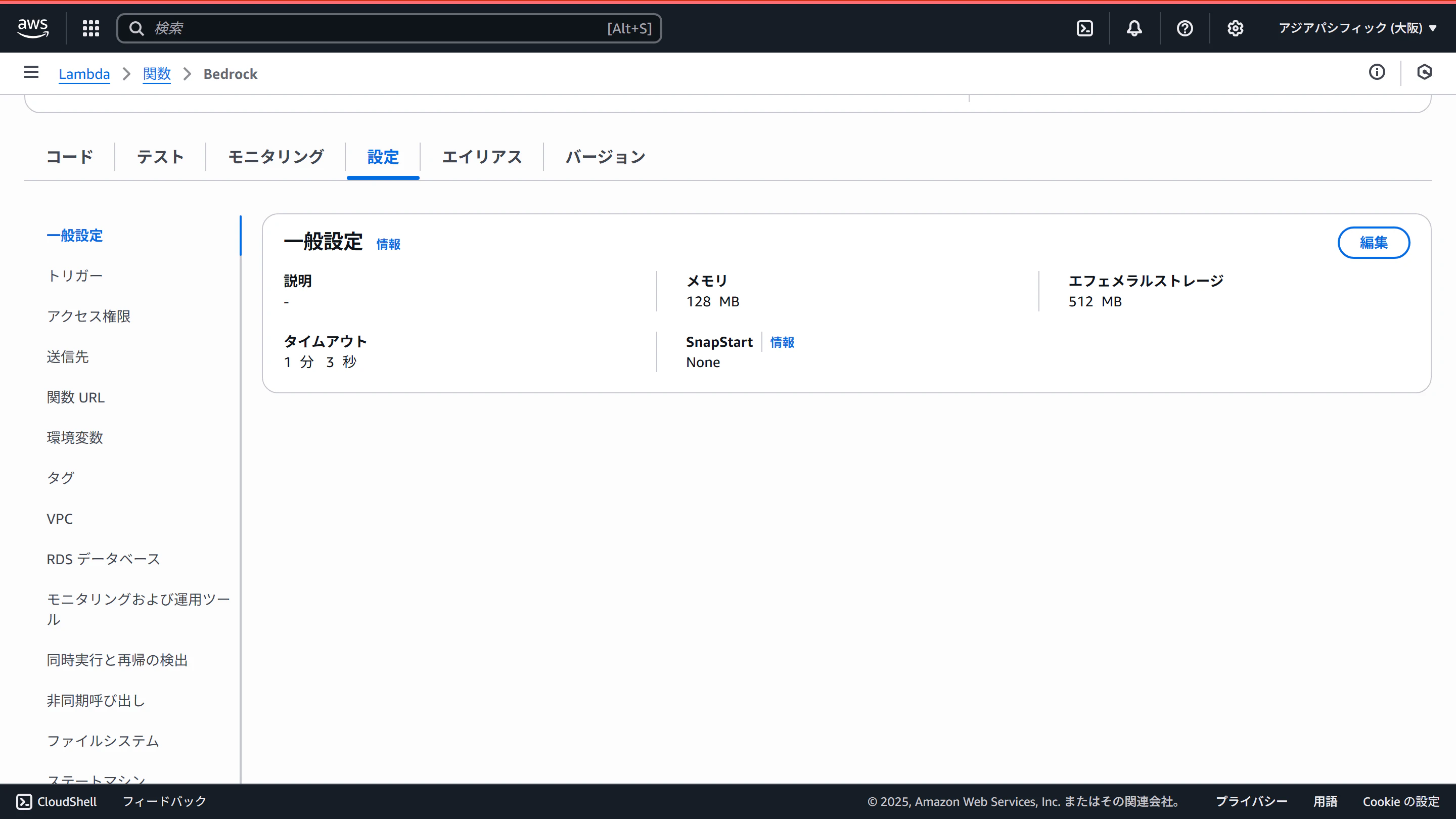
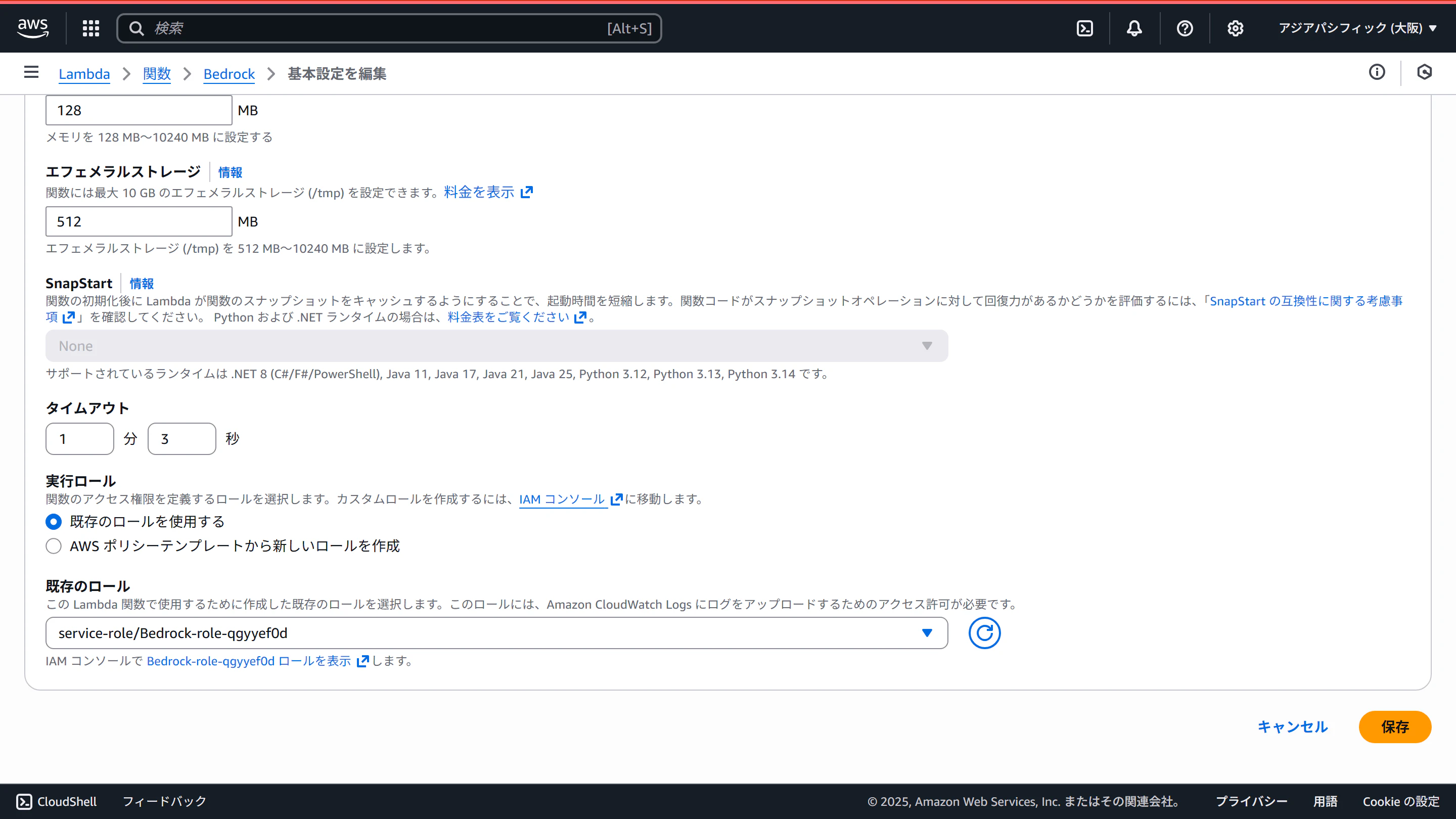
設定タブの一般設定で、タイムアウト値を伸ばして、IAMロールにBedrockへのアクセス権限(とりあえずAmazonBedrockFullAccess)を付与します
-
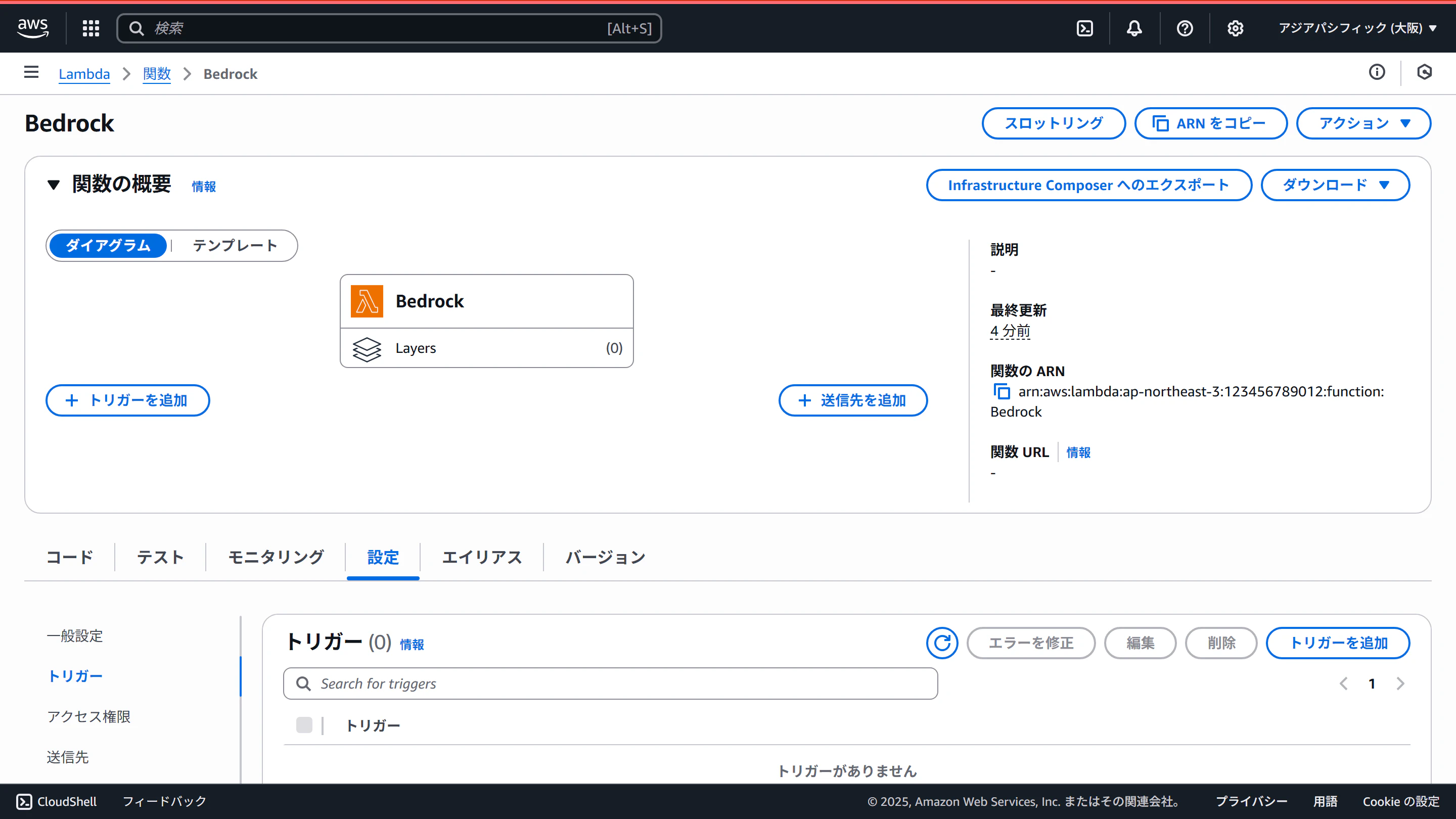
画面上部の「トリガーを追加」をクリックします
-
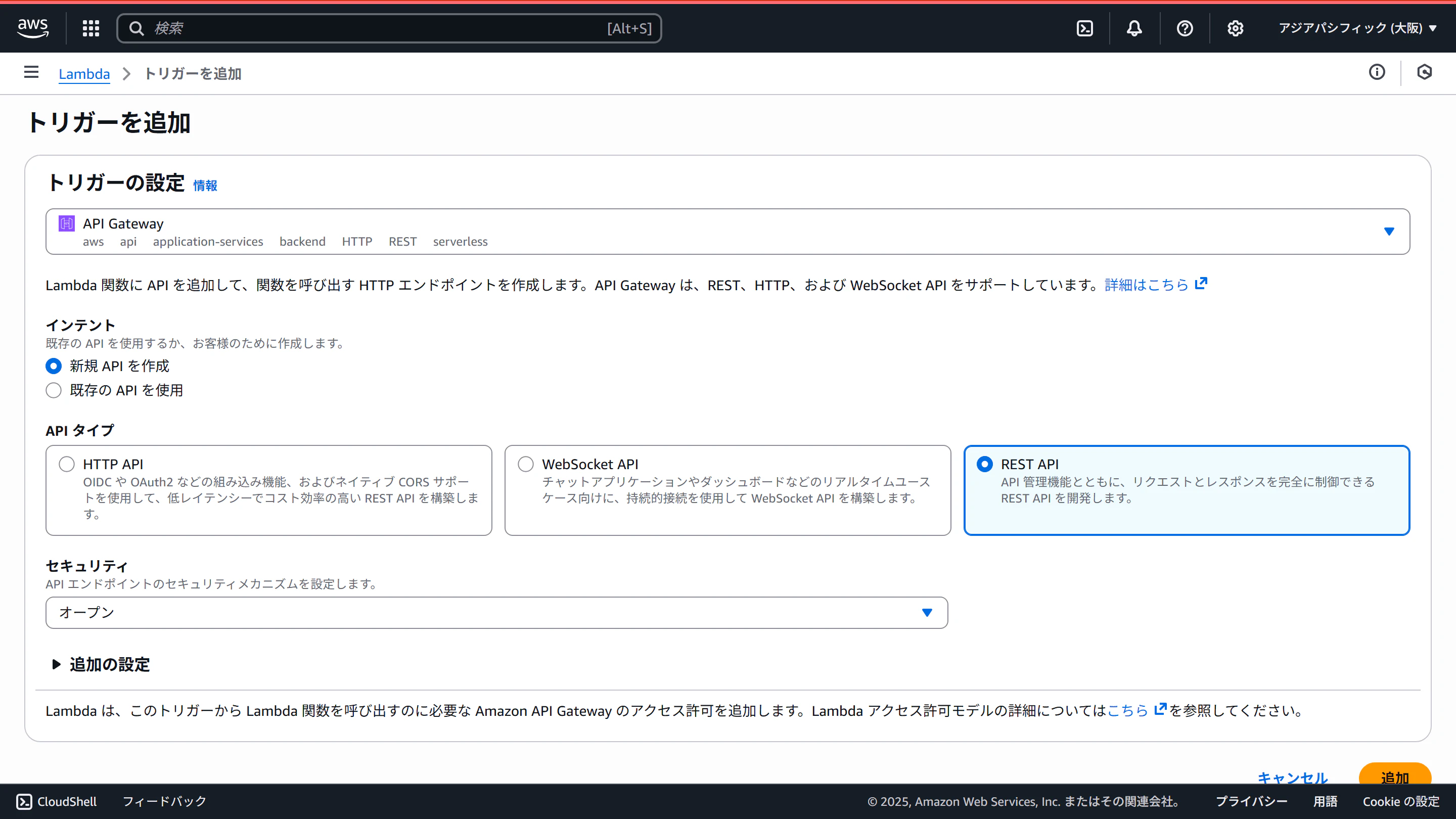
API Gatewayを選び、「REST API」を選びます。(HTTP APIは多分ストリームに未対応です)
-
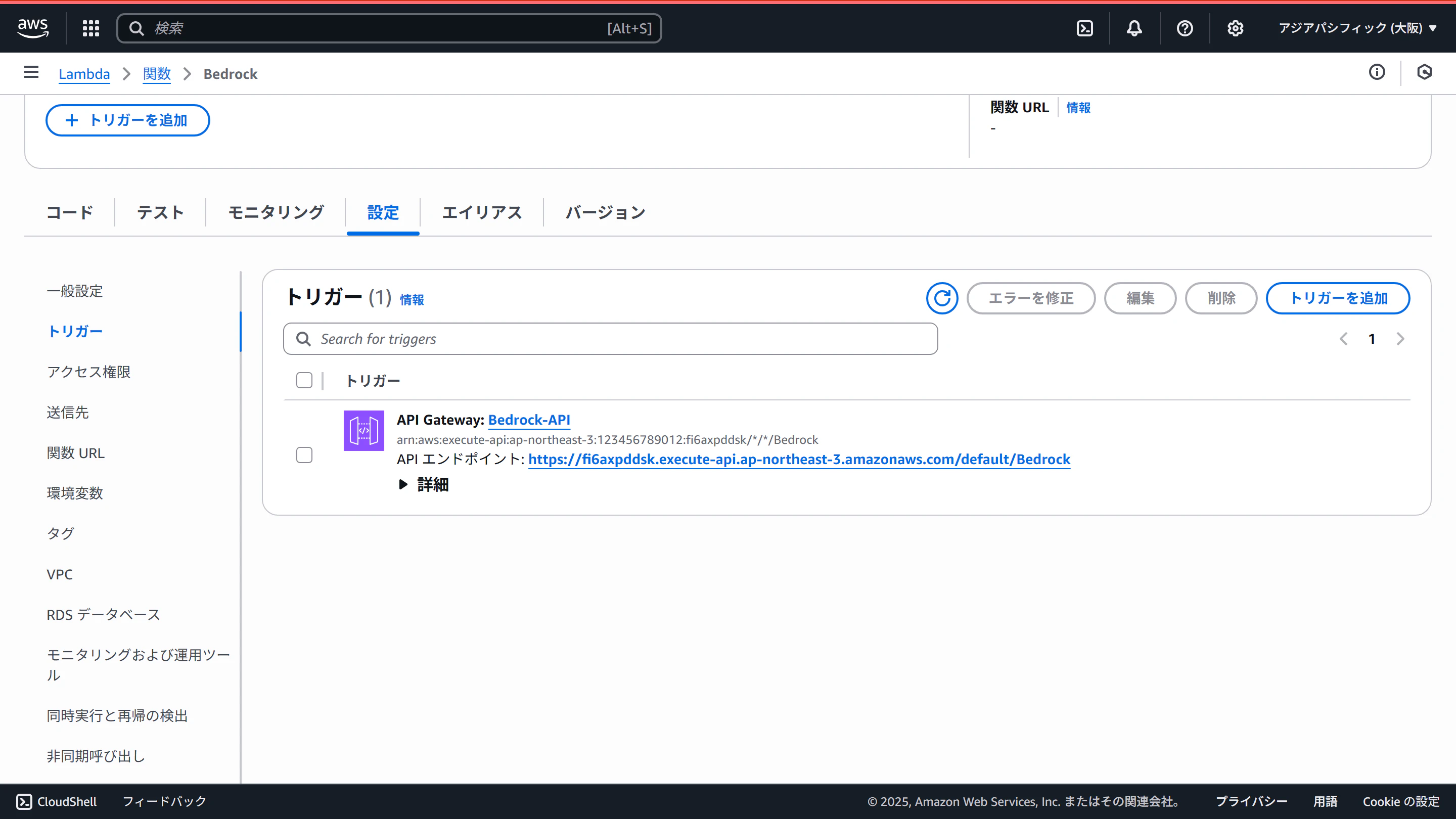
設定タブのトリガーを開き、API名(Bedrock-API)をクリックします
-
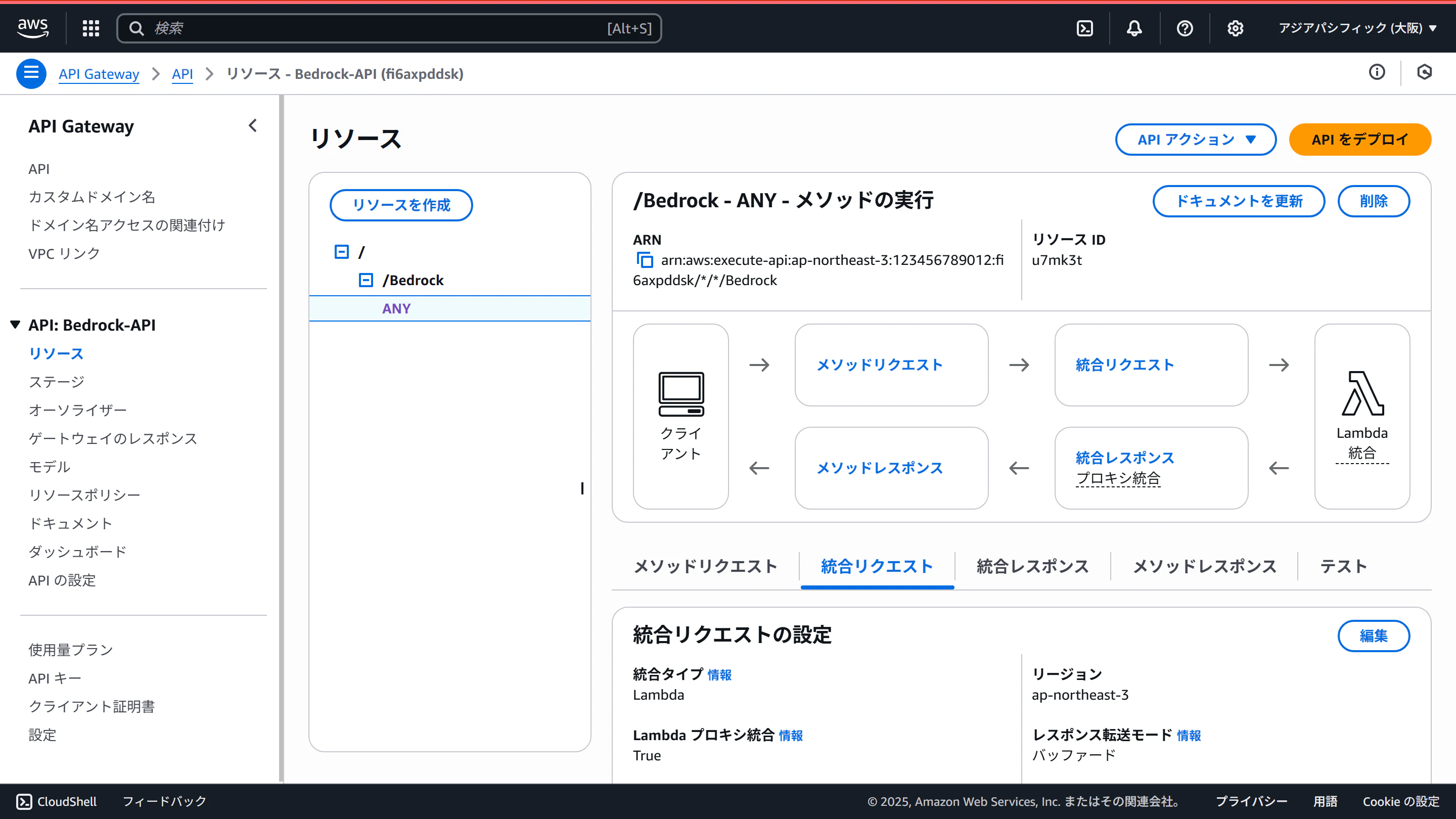
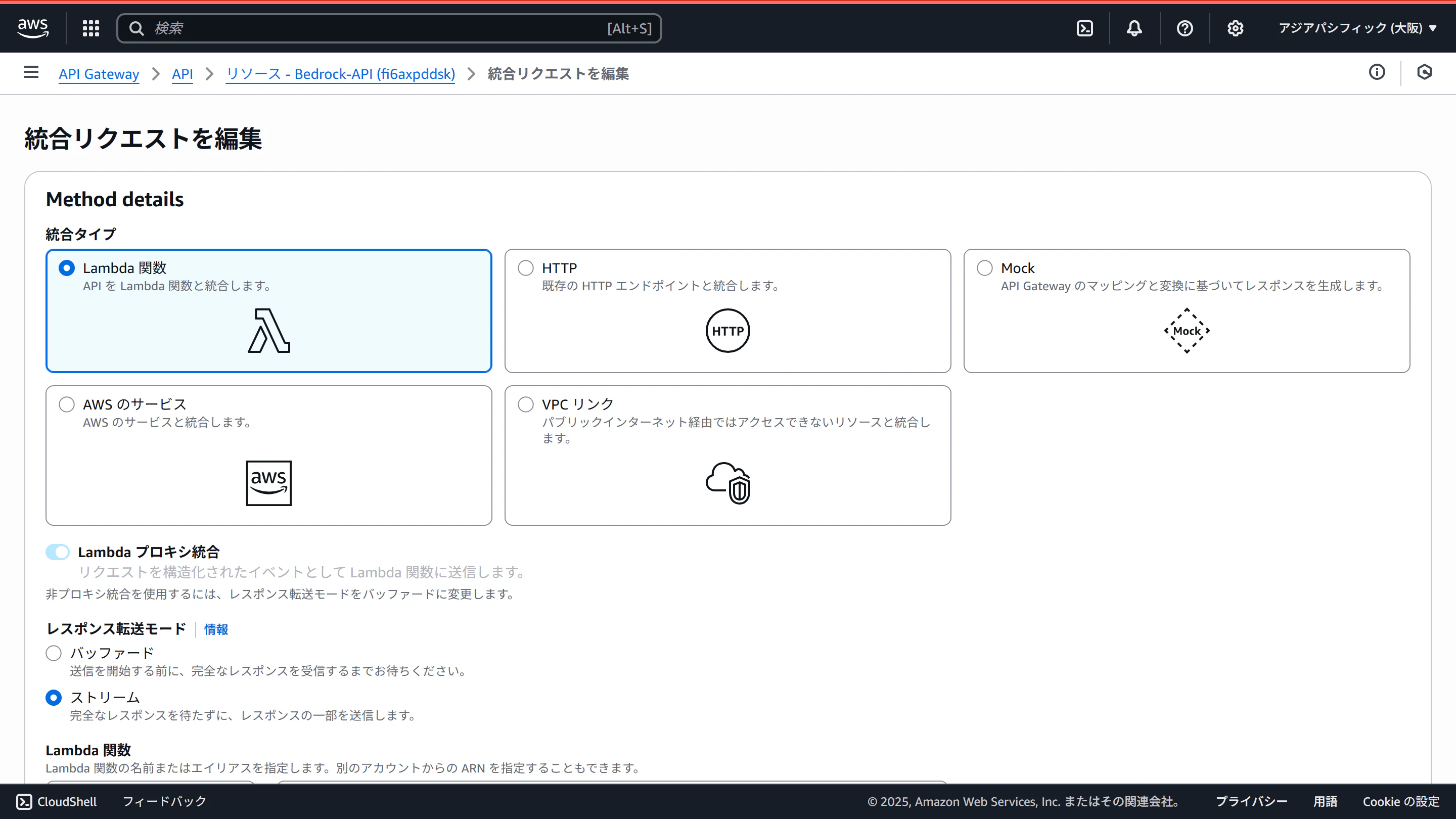
左メニューの「リソース」を選び、ツリー表示部分の「ANY」を選び、「統合リクエスト」タブを選び、「編集」をクリックします
-
レスポンス転送モードを「ストリーム」に変更します
-
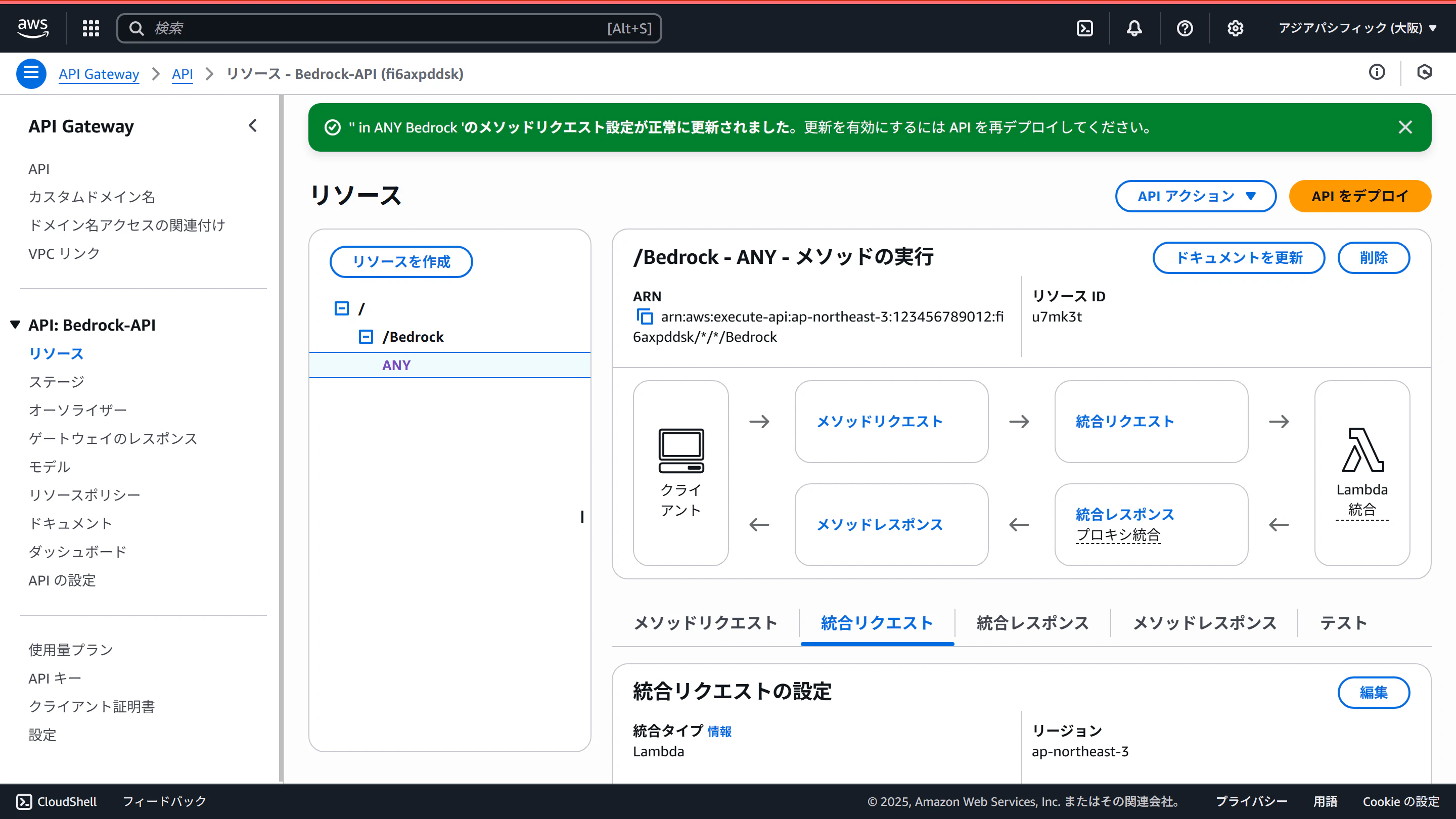
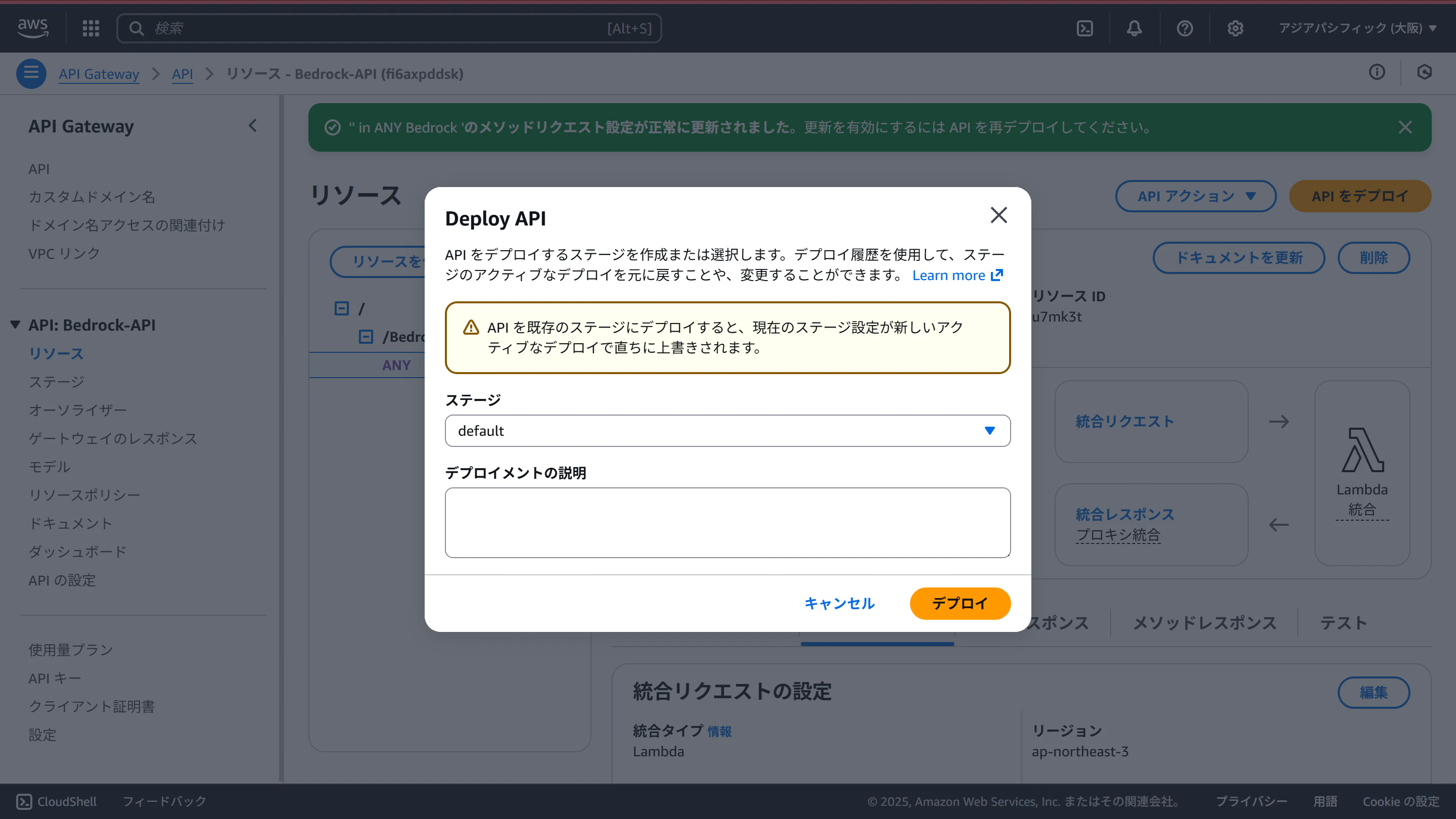
「APIをデプロイ」ボタンをクリックし、デプロイします
cURLで呼び出す。
-
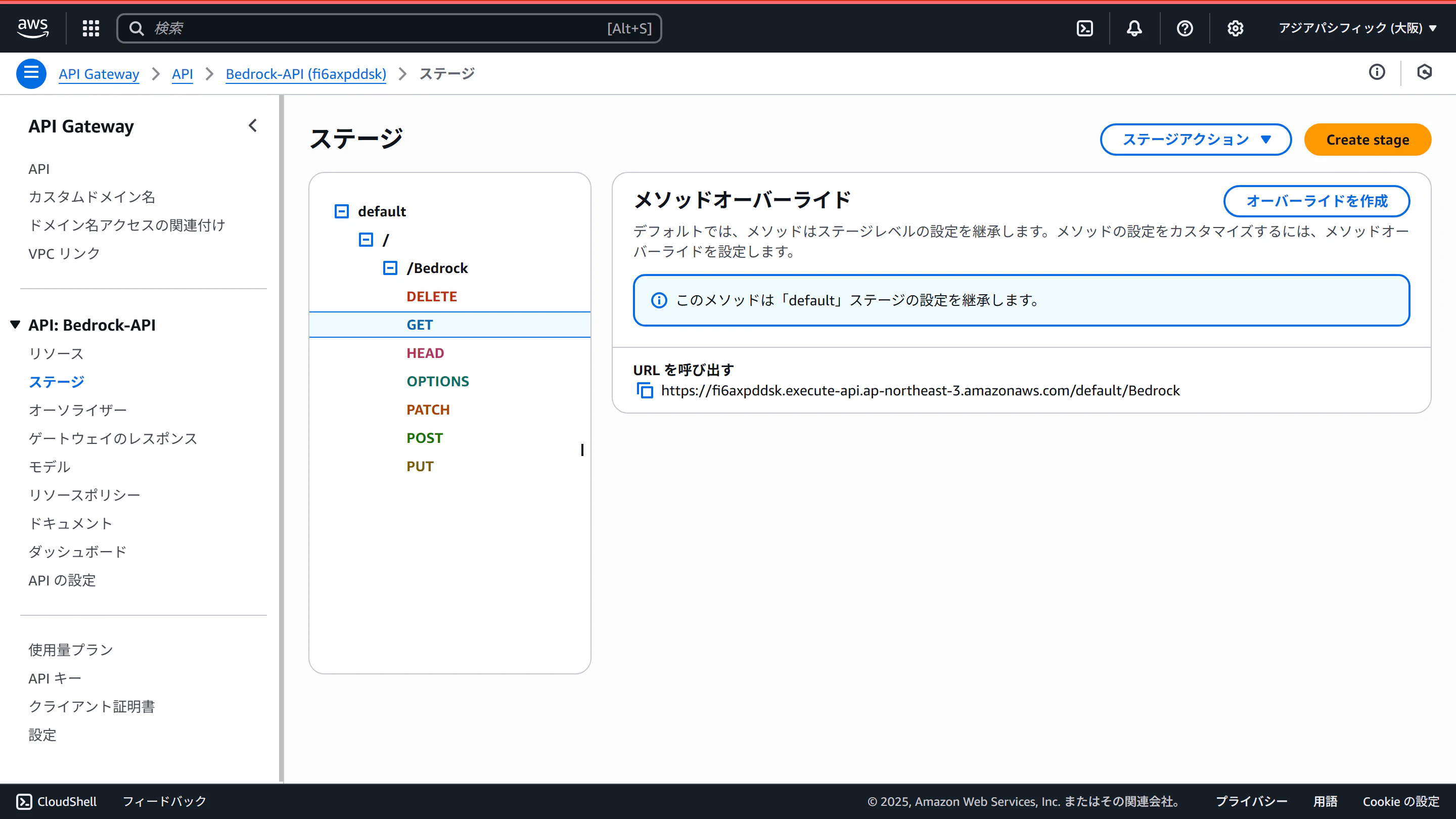
ツリーを開いていき、GETのところのURLをコピーします
-
cURLを実行
curl --no-buffer https://fi6axpddsk.execute-api.ap-northeast-3.amazonaws.com/default/Bedrock
動画でどうぞ
いいねとチャンネル登録よろしくお願いします😁