
ステータスバー
どうやら、iOSデバイスのこの部分は「ステータスバー」と呼ばれるらしい。
アプリ審査用のスクショやアプリの広告でこのステータスバーを変更する必要が出たので、備忘録として残そうと思います。

ステータスバーの変更方法
1.ターミナルを開く
2.Xcodeでシミュレータを起動
3.下記コマンドを実行(bootedは"端末名"でも可)
xcrun simctl status_bar booted override --time "9:41" --dataNetwork wifi --wifiMode active --wifiBars 3 --cellularMode active --cellularBars 4 --batteryState charging --batteryLevel 100
変更できる項目
--time
| 入力 | 結果 |
|---|---|
| 9:41 |  |
| 17:20 |  |
ステータスバーの時刻表示
自由に時刻を設定可能
--dataNetworkwifiデータ通信の種類
※この5文字列を出すにはなぜか、inactiveにする必要がありました。
ターミナルで実行するとエラーが出ますが、画面には正常に反映されます。
--wifiMode inactive
| 入力 | 結果 |
|---|---|
| wifi | 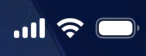 |
| 5g | 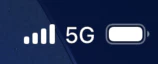 |
| 4g | 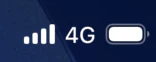 |
| 3g | 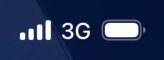 |
| LTE | 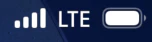 |
| hide |  |
| 5g-uwb | 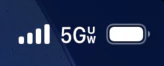 |
| 5g-uc | 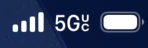 |
| 5g+ | 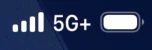 |
--wifiModeactiveWiFiの状態
| 入力 | 結果 |
|---|---|
| active | 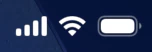 |
| inactive |  |
| searching | 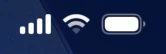 |
--wifiBars3WiFiの電波強度
| 入力 | 結果 |
|---|---|
| 3 | |
| 2 | 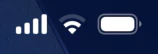 |
| 1 | 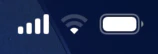 |
| 0 | 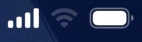 |
--cellularModeactiveキャリアの状態
| 入力 | 結果 |
|---|---|
| active | |
| searching | 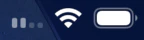 |
| failed | 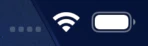 |
--cellularBars4キャリアの電波強度
| 入力 | 結果 |
|---|---|
| 4 | |
| 3 | 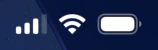 |
| 2 | 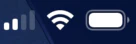 |
| 1 | 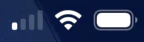 |
| 0 | 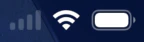 |
--batteryStatechargedバッテリー状態
| 入力 | 結果 |
|---|---|
| charging |  |
| charged |  |
| discharging | |
--batteryLevel100バッテリー残量
| 入力 | 結果 |
|---|---|
| 70% | 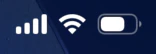 |
| 5% | 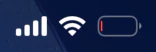 |
まとめ
とりあえず、またスクショでステータスバーを変更する時用に備忘録を作ることができました。
私だけではなく、皆様のチートシートになれるといいなと思いつつ終わります。
P.S.どうやらこれのGUIベースのものがあるみたいですが、
そこまでしたくない人などもいると思うので、そういう方のためになれば🙏
参考:https://developer.apple.com/documentation/xcode-release-notes/xcode-11-release-notes