0
0

Delete article

Deleted articles cannot be recovered.

Draft of this article would be also deleted.

Are you sure you want to delete this article?

Claude / Cursor / ChatGPT / Codex で「再学習させない」設定を確認する方法【202605版】

0
Last updated at Posted at 2026-05-18

「再学習に使わせない(オプトアウト)」設定のメモ

  • Claude MAXプラン
  • Cursor Teamsプラン
  • ChatGPT Businessプラン
  • Codex (ChatGPT Businessプラン由来)

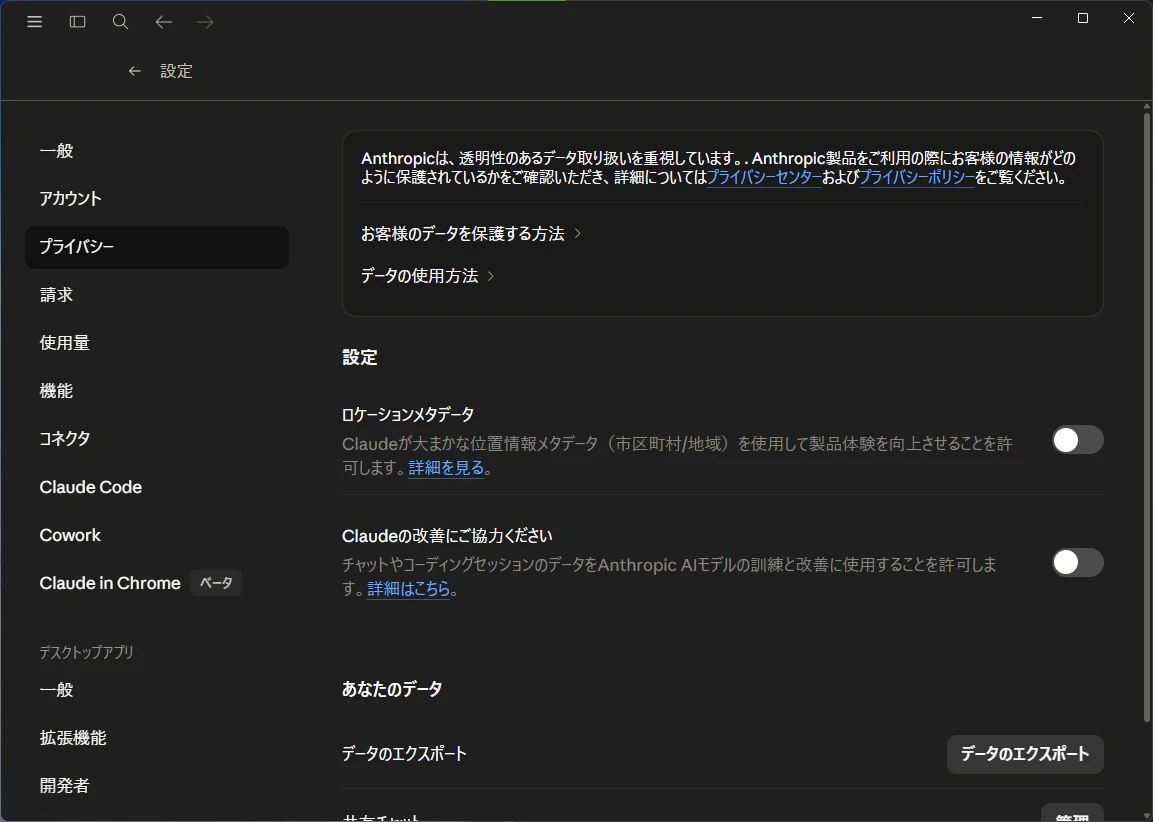
Claude

ウェブとAPP同じUIが表示されているので、どちらかOFFにすれば連動してそう
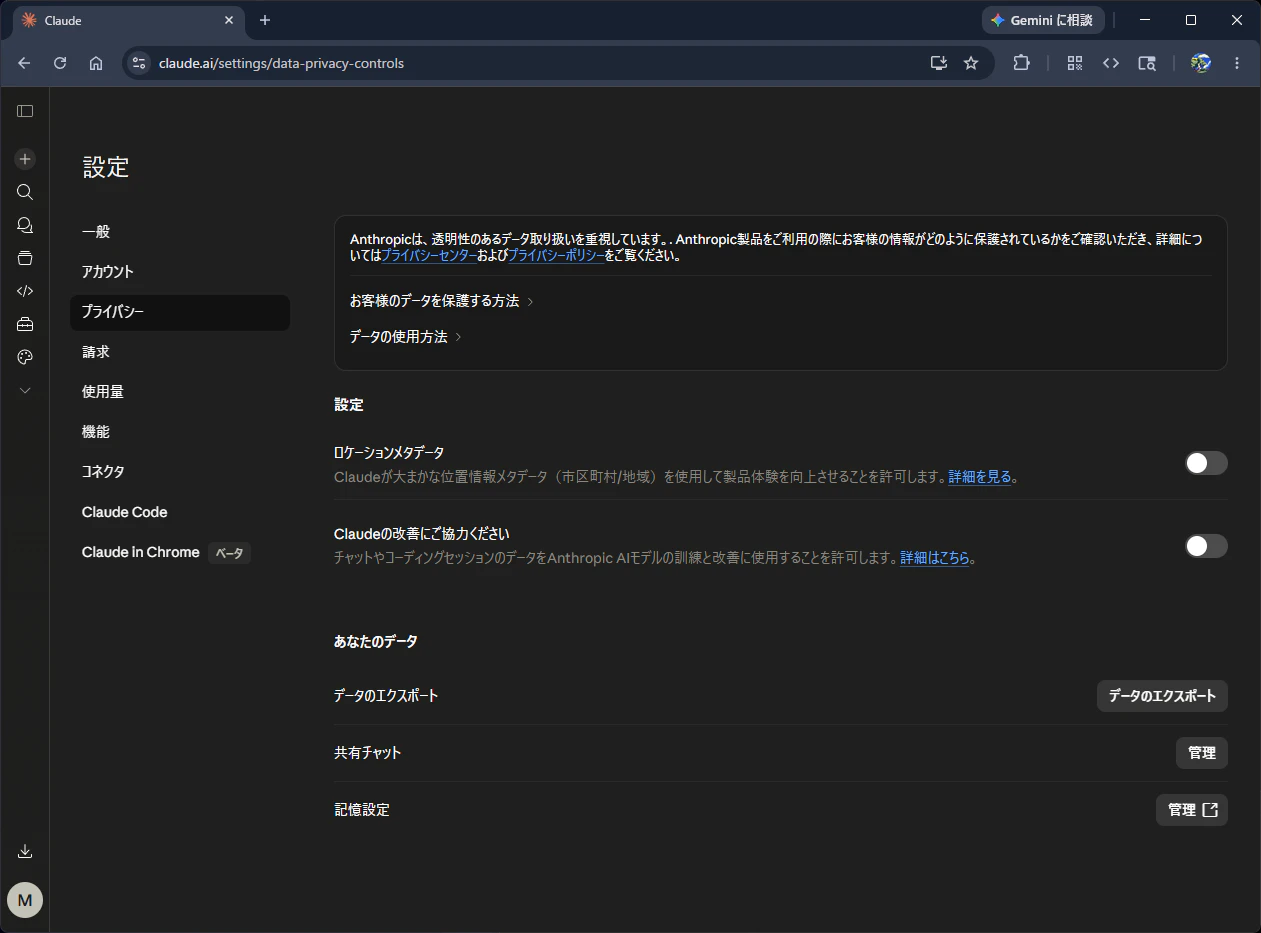
image.png

image.png

設定場所

  1. 左下プロフィール https://claude.ai/settings/data-privacy-controls
  2. Settings
  3. プライバシー
  4. Claudeの改善にご協力くださいをOFF

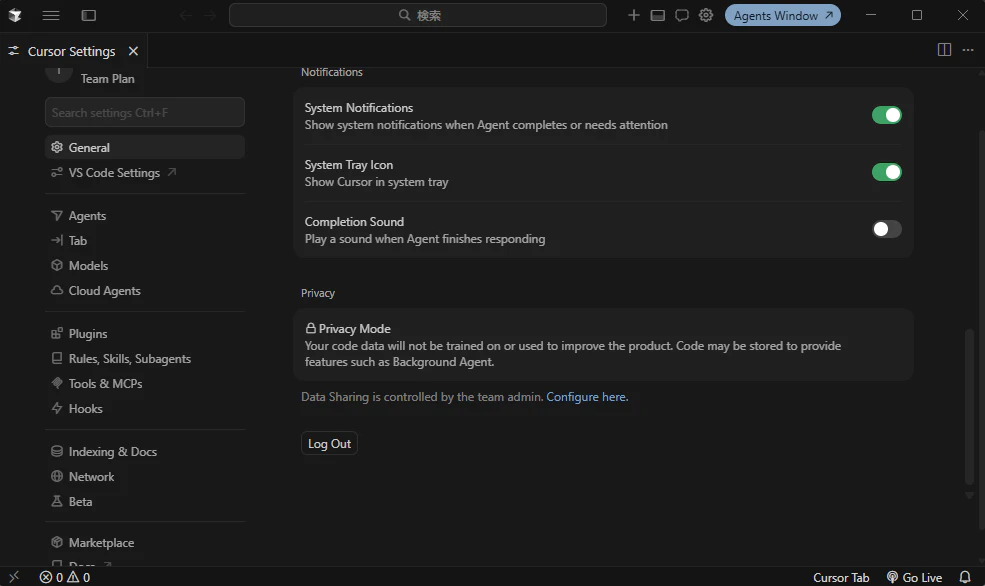
Cursor

Teamsプランの場合、ウェブ上の管理画面から共通で設定できてそう
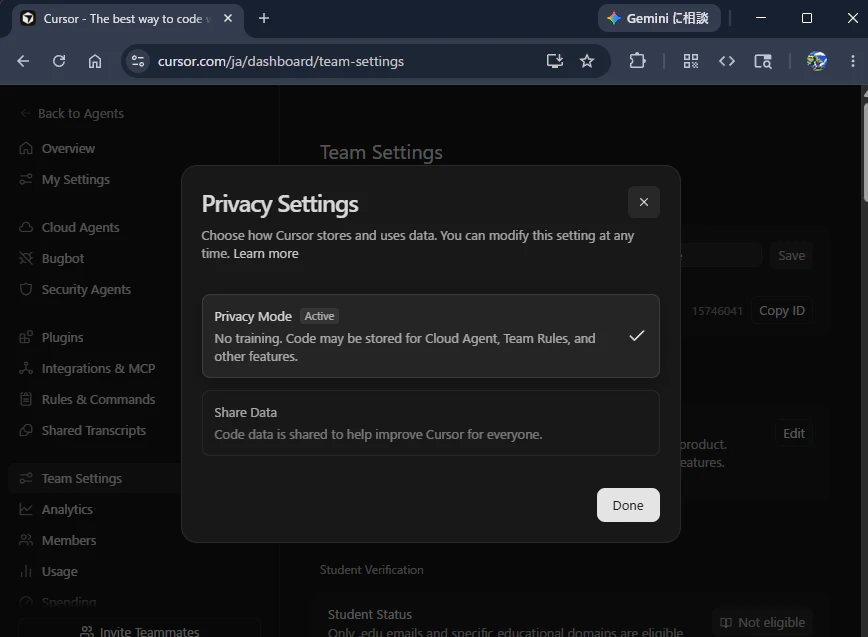
image.png

エディターでの表示
image.png

設定場所

  1. Cursor Dashboard https://cursor.com/ja/dashboard/team-settings
  2. Team Settings
  3. Privacy Settings
  4. Privacy Modeを Active

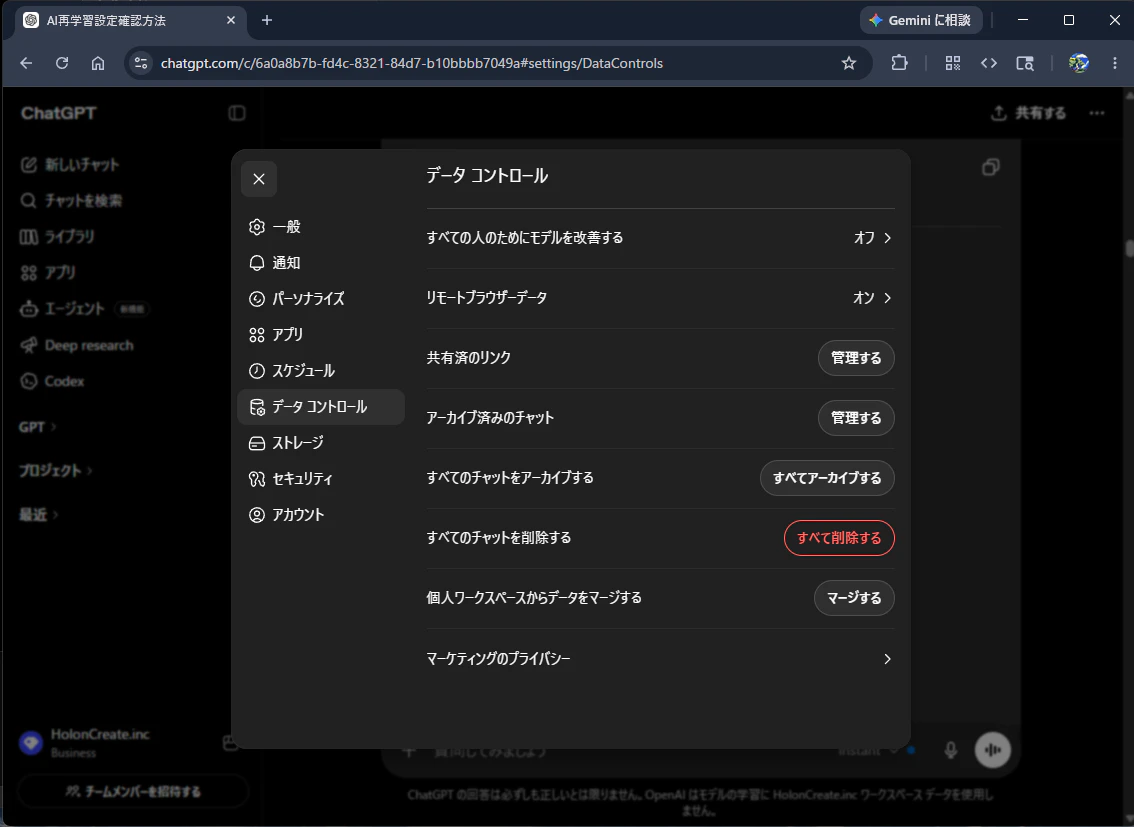
ChatGPT

個人版はデフォルトONのようなのでOFFにしたい場合は確認
APP
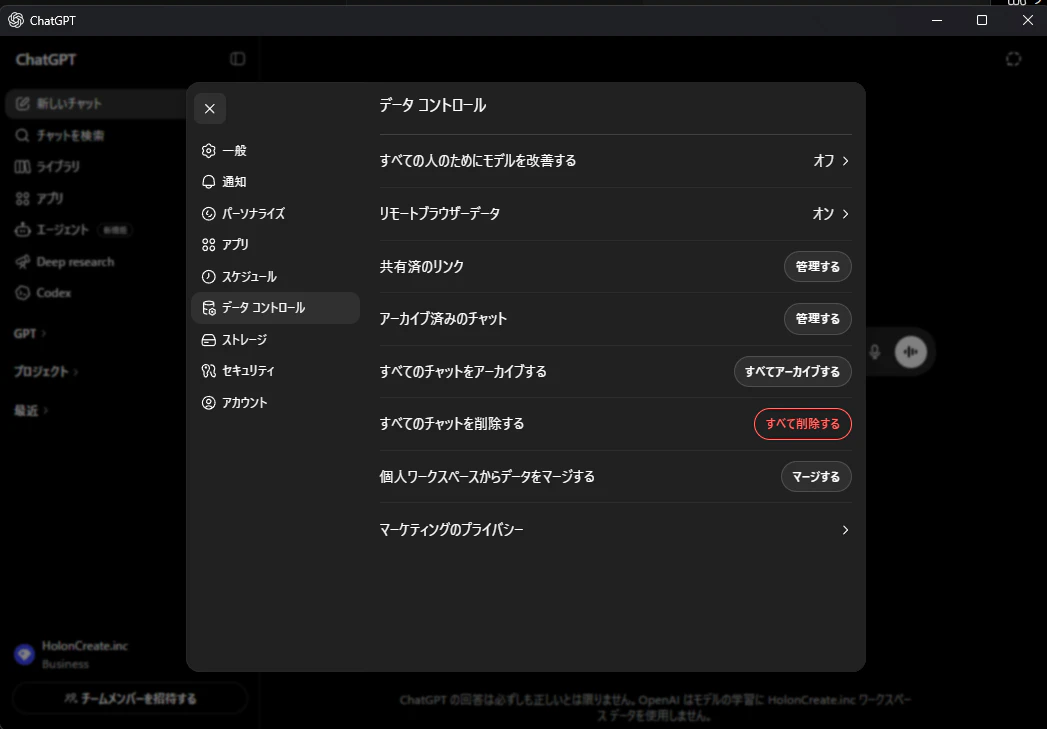
image.png
web
image.png

設定場所

  1. 左アイコン https://chatgpt.com/#settings/DataControls
  2. 設定
  3. データコントロール
  4. すべての人のためにモデルを改善するを オフ

Codex

ChatGPTのBusiness版で契約にて入る場合は基本無効になっているようです
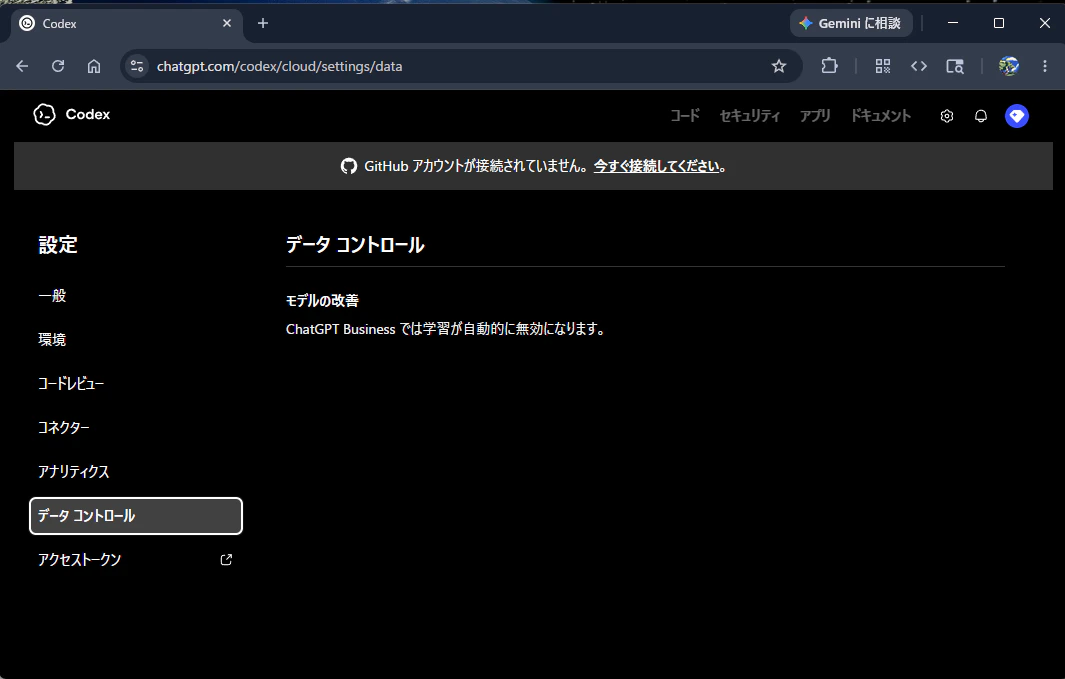
image.png

設定場所

1.設定画面 https://chatgpt.com/codex/cloud/settings/data
2.データ コントロール

##参考URL

0
0
0

Register as a new user and use Qiita more conveniently

  1. You get articles that match your needs
  2. You can efficiently read back useful information
  3. You can use dark theme
What you can do with signing up
0
0

Delete article

Deleted articles cannot be recovered.

Draft of this article would be also deleted.

Are you sure you want to delete this article?