0
0

Delete article

Deleted articles cannot be recovered.

Draft of this article would be also deleted.

Are you sure you want to delete this article?

Claude Codeの公式プラグイン「Frontend Design Plugin」の導入方法

0
Last updated at Posted at 2025-12-21

概要

Claude Codeの公式プラグインである「Frontend Design Plugin」の導入方法を簡単にまとめる。

方法

公式プラグインの導入方法は参考文献先でも紹介はされているが、あえてFrontend Design Pluginに特化した手順を残しておきたい。

  1. PCの任意のディレクトリで下記を実行してClaude Codeを起動

    claude
    
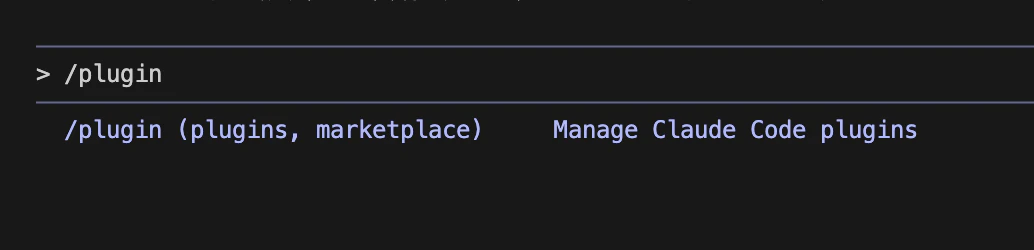
  2. Claude Codeの入力欄に/pluginと入力し、Enterを押下

    CleanShot 2025-12-07 at 01.50.09@2x.png

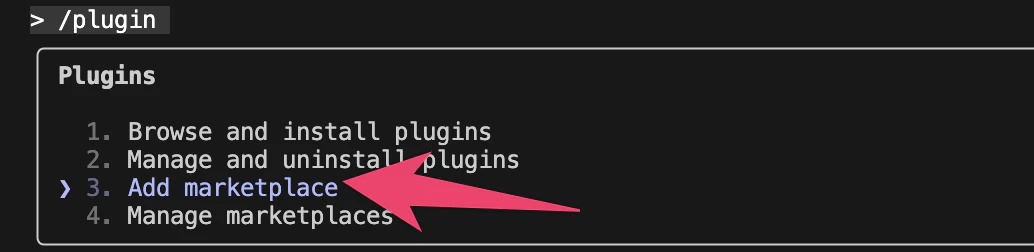
  3. 「3. Add marketplace」を選択してEnterを押下

    CleanShot 2025-12-07 at 02.01.14@2x.png

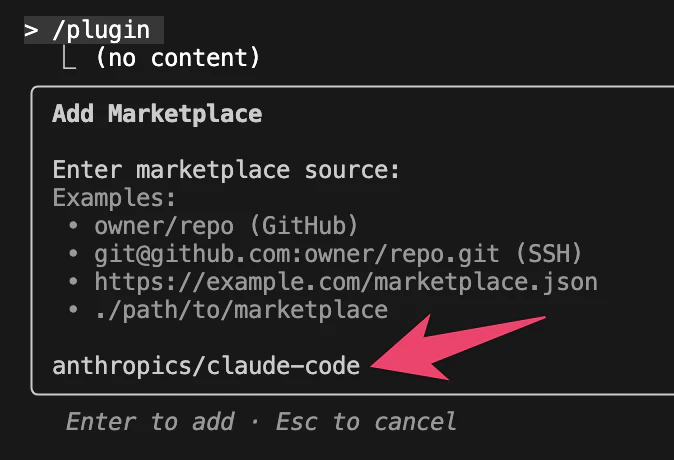
  4. 「anthropics/claude-code」と入力してEnterを押下

    CleanShot 2025-12-07 at 02.07.38@2x.png

  5. 下記のように公式プラグイン一覧が表示されるので「frontend-design」を選択して、Enterを押下
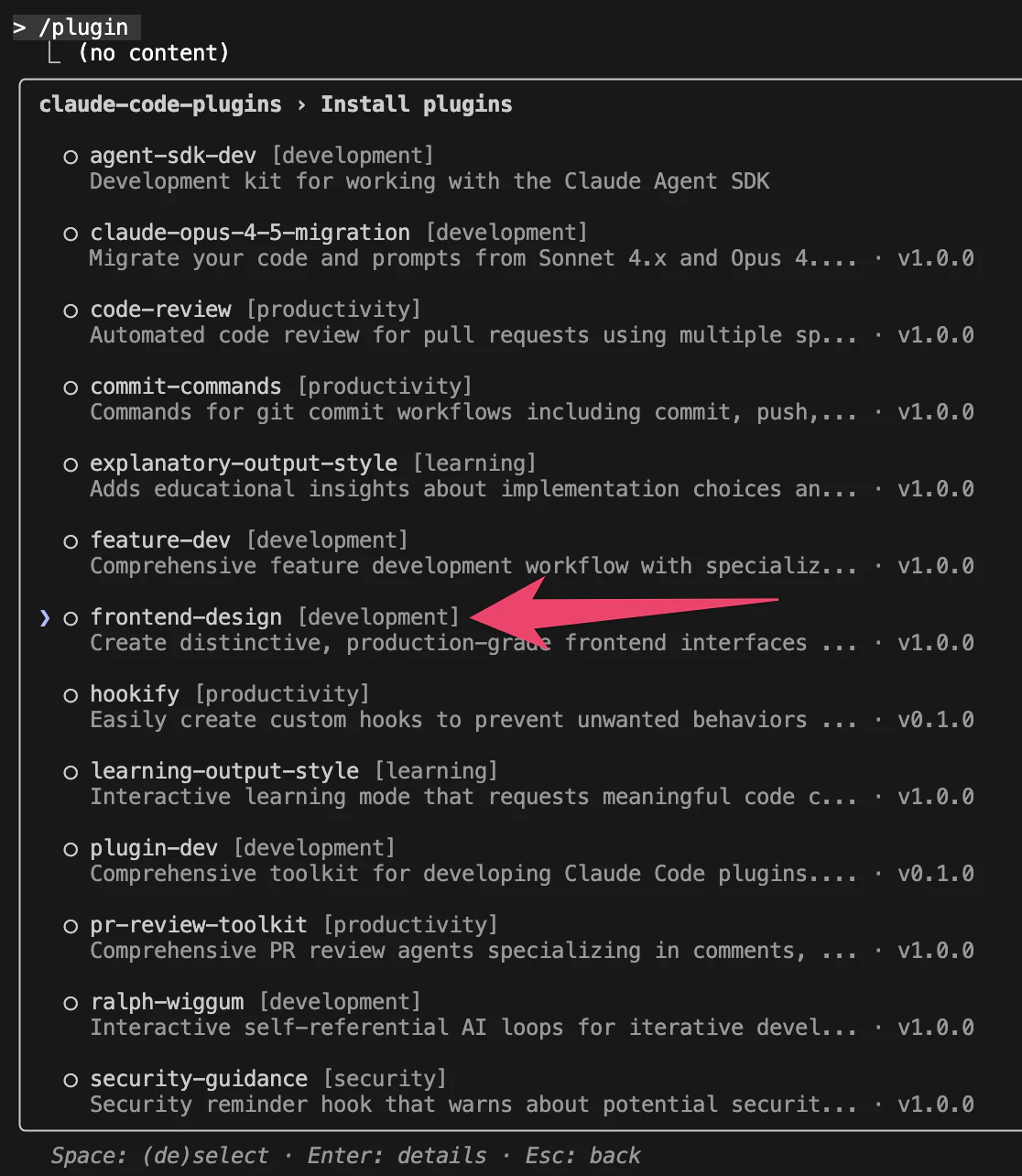
    CleanShot 2025-12-07 at 02.09.08@2x.png

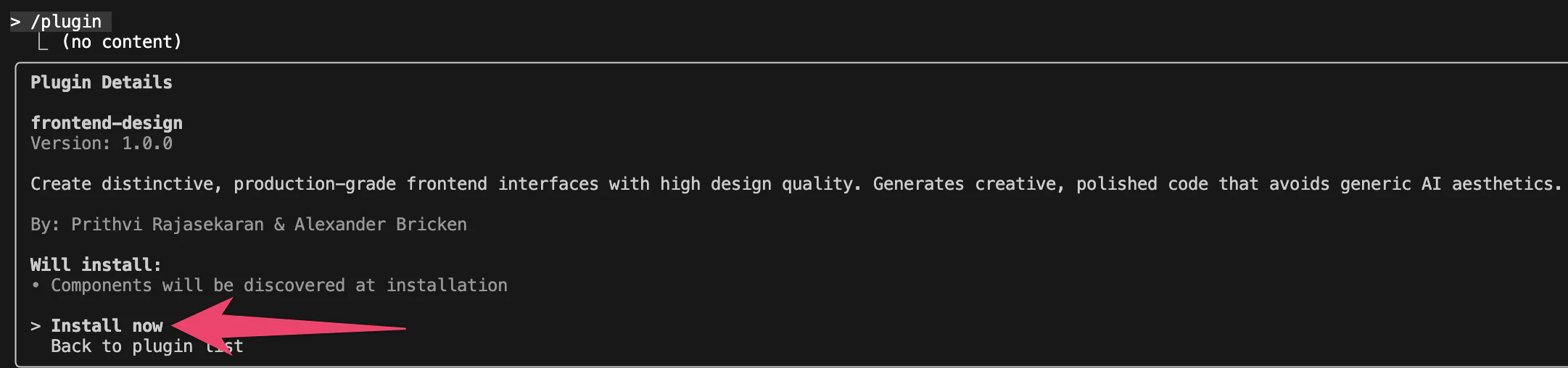
  6. Install nowを選んでEnterを押下

    CleanShot 2025-12-07 at 02.10.48@2x.png

  7. 「Installed frontend-design. Restart Claude Code to load new plugins.」と出ていたら導入は完了している

参考文献

0
0
0

Register as a new user and use Qiita more conveniently

  1. You get articles that match your needs
  2. You can efficiently read back useful information
  3. You can use dark theme
What you can do with signing up
0
0

Delete article

Deleted articles cannot be recovered.

Draft of this article would be also deleted.

Are you sure you want to delete this article?