
概要
GASのコードをGitで管理する方法を簡単にまとめます
前提
- 筆者はpnpmを利用
- 管理したいGASのプロジェクトがオンライン上に存在していること
- リモートリポジトリが作成されていること
方法
初期構築
-
下記を実行してclaspをグローバルにインストールします
pnpm add -g @google/clasp -
今後リポジトリルートとなる任意のディレクトリを作成し、カレントディレクトリをそのディレクトリに移動します
-
下記を実行してclaspにログインします
clasp login -
下記を実行してGASのコードをローカルにクローンします(スクリプトIDはGASプロジェクトのURLの
script.google.com/home/projects/XXXXXXX/editのXXXXXXXの部分です)clasp clone <スクリプトID> -
下記を実行してローカルリポジトリを初期化します
git init -
下記を実行して初回コミットを行います
git commit --allow-empty -m "Initial commit" -
下記を実行してリモートリポジトリとの紐づけを行います
git remote add origin リポジトリURL -
下記を実行してリモートリポジトリにプッシュします
git push origin main -
下記を実行して現状の差分をステージします
git add . -
下記を実行して差分をコミットします
git commit -
下記を実行してコミットをリモートリポジトリにプッシュします
git push origin main
運用
-
ローカルでコードを修正後下記を実行してGASにpushします※1
clasp push -
オンライン上のコードを下記を実行してローカルに取得します
clasp pull
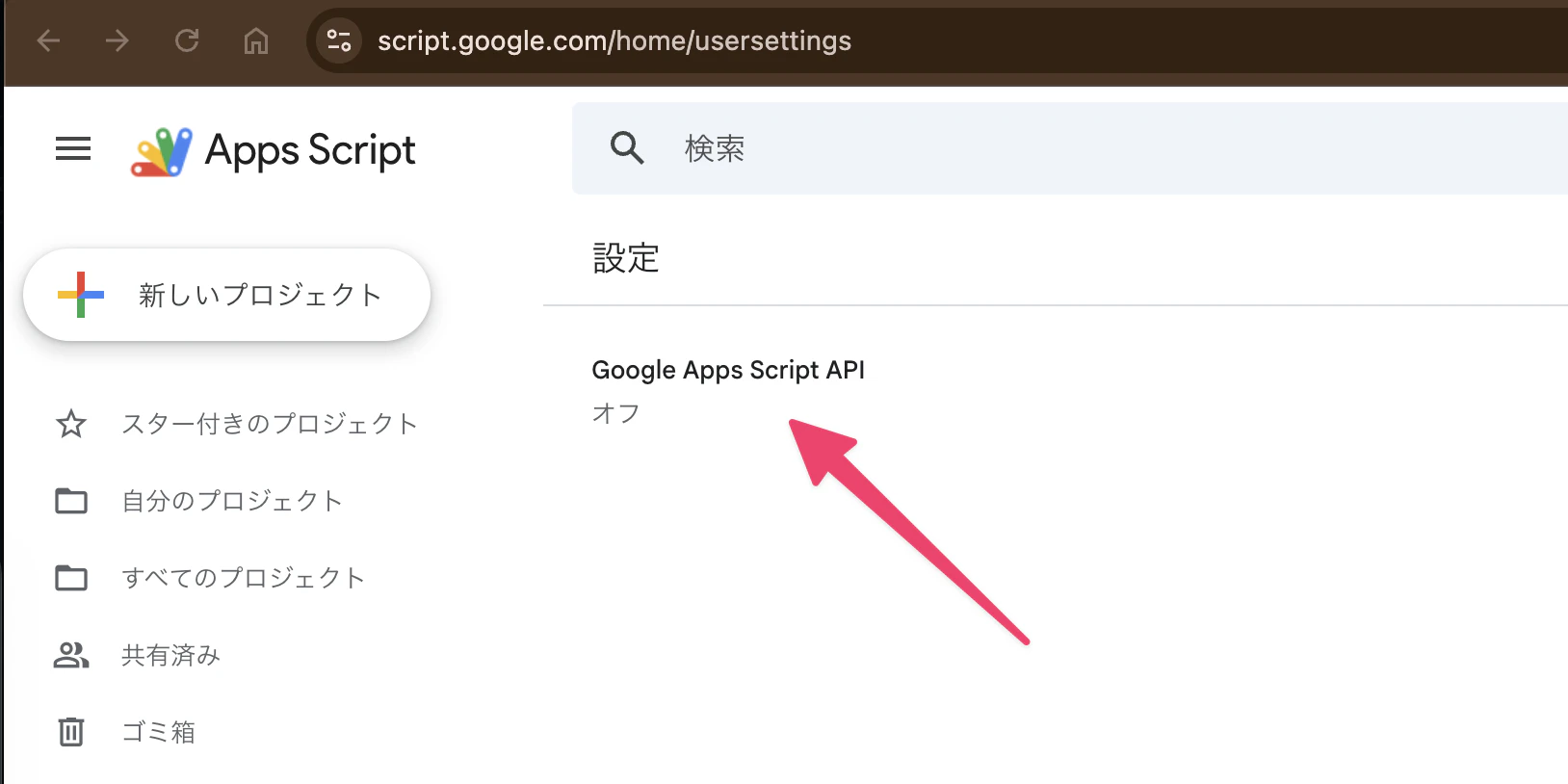
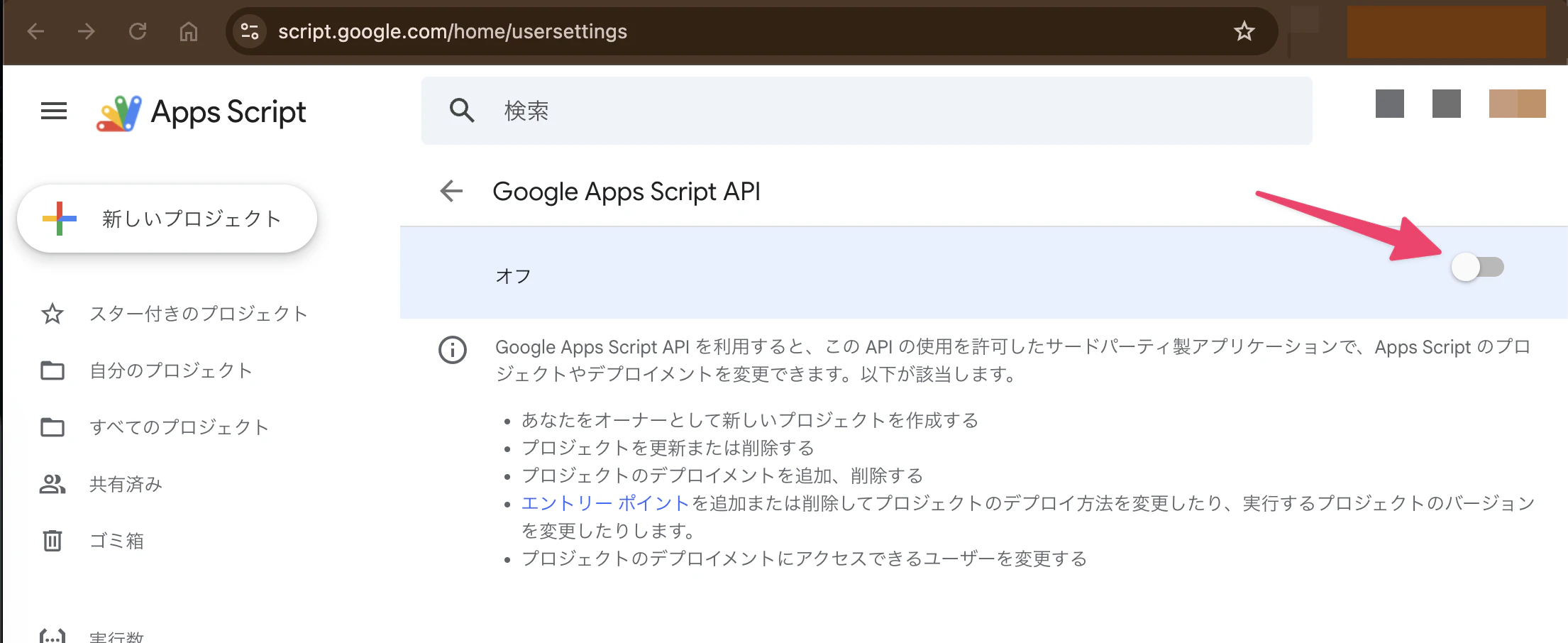
※1・・・pull後でも初めてpushする場合は下記の手順を踏む必要があります。
-
「Google Apps Script API」をクリック
-
スライダーをクリックして「オン」に設定
注意
GAS上にハードコーディングしているWebhookのURLなどをGitに上げないように注意しましょう。
セキュアな値はスクリプトプロパティを利用しましょう。(GASのコード → 左サイドバーの歯車マーク → 下にスクロール → 「スクリプト プロパティを編集」をクリック)