
なかなか調べても出てこなかったので、
EditTextPreferenceで改行ができてしまい、すこし操作性が悪かったので
改行をできなくするようにする方法です。
というよりはDialogで呼ばれるEditTextのレイアウトを指定する方法です。
preferences.xml
<EditTextPreference
      android:dialogLayout="@xml/prefernce_custom_edittext"
      android:key="userName"
      android:title="ユーザー名" />
android:dialogLayoutを設定します。
prefernce_custom_edittext.xml
<LinearLayout xmlns:android="http://schemas.android.com/apk/res/android"
    android:layout_width="match_parent"
    android:layout_height="wrap_content">

    <EditText
        android:id="@android:id/edit"
        android:layout_width="match_parent"
        android:layout_height="wrap_content"
        android:paddingLeft="18dp"
        android:paddingRight="18dp"
        android:inputType="text|textNoSuggestions" />

</LinearLayout>
これで普段扱っているように自由にカスタマイズできます。
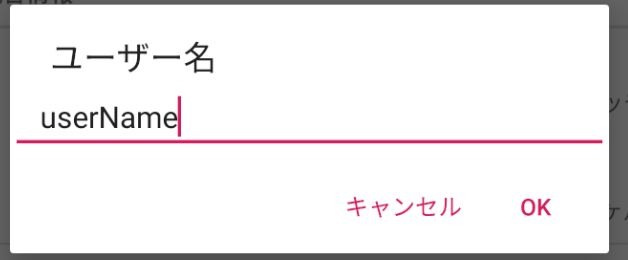
改行できない!よかったよかった!